

説明
Add-On for Contact Form 7 to Airtable allows you to automatically send Contact Form 7 submissions directly to your Airtable tables.
Map your form fields with Airtable columns and create a streamlined workflow between your WordPress website and Airtable.
The plugin supports most common Contact Form 7 field types and provides an easy-to-use interface for configuring your synchronization.
Features
Easy Airtable connection
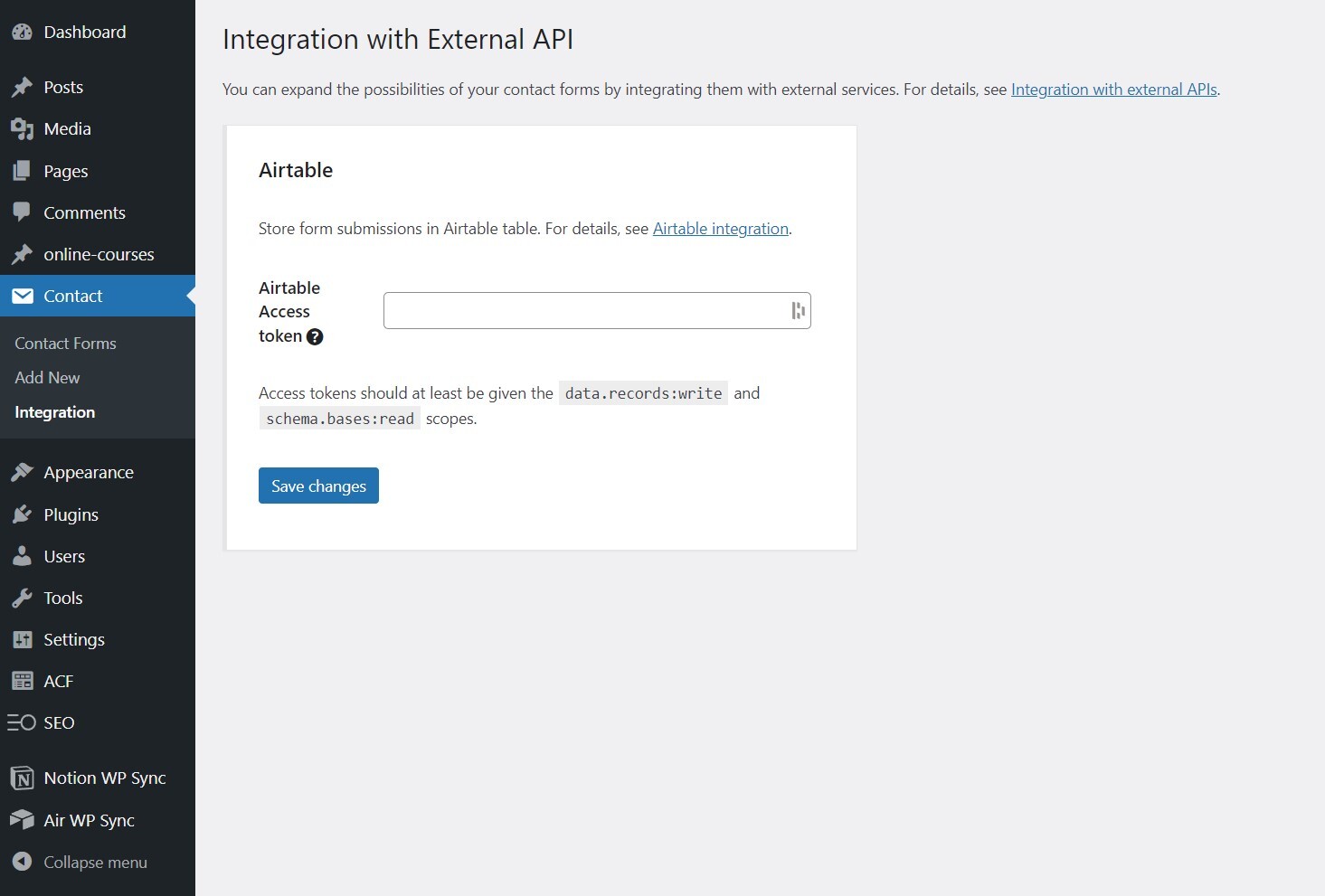
- Connect your Airtable account using a Personal Access Token
- Quick setup directly from the WordPress admin
Automatic synchronization
- Send Contact Form 7 entries automatically to Airtable
- Select the destination base and table
Flexible field mapping
- Map Contact Form 7 fields to Airtable columns
- Supports most common field types
User-friendly interface
- Helpful notices and warnings
- Simple configuration workflow
How does it work? How to use it?
-
Create a form with at least an e-mail field (don’t forget the consent field)
-
Go to Airtable tab and select your database and table
-
Save your settings
-
Map the fields of your Contact Form 7 form with your Airtable’s columns
-
Click on “Save settings”
External services
Airtable API
This plugin sends Contact Form 7 form submissions to the Airtable REST API on behalf of the website administrator.
When is data sent? Data is transmitted each time a visitor submits a Contact Form 7 form that has the Airtable sync feature enabled by the site administrator.
What data is sent? The mapped form field values (as configured by the administrator) and the Airtable Personal Access Token used for authentication.
Endpoint: https://api.airtable.com/v0
This service is provided by Airtable:
Support
If you need support, open a ticket on the Support.
Troubleshooting
Please make sure:
- Your Airtable base and columns already exist before mapping fields
- Your Airtable Personal Access Token has the required permissions
- Contact Form 7 is installed and activated
スクリーンショット


インストール
- Upload the plugin files to the /wp-content/plugins/ directory
- Activate the plugin through the “Plugins” screen in WordPress
- Go to Contact Form 7 > Integration
- Configure your Airtable Personal Access Token
- Create or edit a Contact Form 7 form
- Open the Airtable tab inside the form settings
- Configure your Airtable synchronization
FAQ
-
What is Airtable?
-
Airtable is a cloud-based database and collaboration platform that combines spreadsheet features with database functionalities.
-
Why do I need an Airtable account?
-
The plugin requires an Airtable account and a Personal Access Token to connect your WordPress website with Airtable tables.
-
Which field types are supported?
-
The plugin supports most common Contact Form 7 field types, including:
- Text
- URL
- Phone
- Number
- Date
- Checkbox
- Select
- Attachments
-
Which Contact Form 7 versions are supported?
-
The plugin requires Contact Form 7 version 5.5.3 or newer.
-
How can I get support?
-
Support is available through the WordPress.org support forum:
Click here
評価


貢献者と開発者
Add-On for Contact Form 7 to Airtable はオープンソースソフトウェアです。以下の人々がこのプラグインに貢献しています。
貢献者

変更履歴
2.5.3
Release Date: 31st July 2026
- Improvement: Declared a GPLv2-or-later license in the plugin header for WordPress.org compliance.
- Improvement: Declared Contact Form 7 as a required plugin (Requires Plugins header).
- Fix: Use the WordPress uploads directory mapping to build attachment URLs, fixing file links on custom, symlinked, multisite, or non-standard upload locations.
2.5.2
Release Date: 21st July 2026
- Improvement: Removed TranslationsPress integration and restored standard WordPress translation loading.
- Improvement: Updated readme.txt External services section to meet WordPress.org compliance requirements.
- Fix: Prefixed AJAX action and JavaScript object to comply with WordPress.org naming conventions.