Title: AJAX Login and Registration modal popup + inline form
Author: Max K
Published: <strong>2018年3月4日</strong>
Last modified: 2026年11月7日

---

プラグインを検索
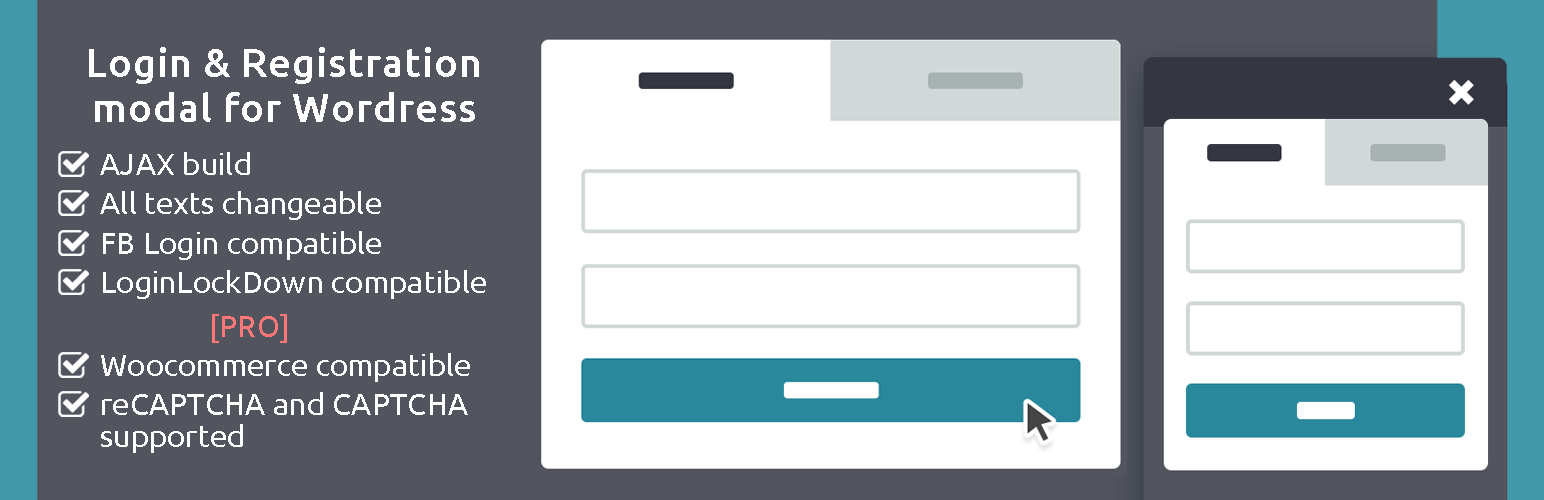
![](https://ps.w.org/ajax-login-and-registration-modal-popup/assets/banner-772x250.
png?rev=1833068)

![](https://ps.w.org/ajax-login-and-registration-modal-popup/assets/icon-128x128.
jpg?rev=2185221)

# AJAX Login and Registration modal popup + inline form

 作者: [Max K](https://profiles.wordpress.org/kaminskym/)

[ダウンロード](https://downloads.wordpress.org/plugin/ajax-login-and-registration-modal-popup.zip)

 * [詳細](https://ja.wordpress.org/plugins/ajax-login-and-registration-modal-popup/#description)
 * [レビュー](https://ja.wordpress.org/plugins/ajax-login-and-registration-modal-popup/#reviews)
 *  [インストール](https://ja.wordpress.org/plugins/ajax-login-and-registration-modal-popup/#installation)
 * [開発](https://ja.wordpress.org/plugins/ajax-login-and-registration-modal-popup/#developers)

 [サポート](https://wordpress.org/support/plugin/ajax-login-and-registration-modal-popup/)

## 説明

Add a login and registration popup to any theme in a few minutes. Drop the **Login/
Register Button** block into a page, or place the **Login / Registration Form** 
block. The Overview page in the settings shows what to set up next.

[DEMO >>](https://demo.maxim-kaminsky.com/lrm/)

**Features:**

 1.  Login, registration and password reset in a popup or inline, without page reloads
 2.  Gutenberg blocks: form and login/register button
 3.  Setup overview with a checklist
 4.  Skins and colors in the WP Customizer (1 skin in Free, more in PRO)
 5.  Actions after login, registration and logout (reload, redirect)
 6.  Custom login, registration and reset password pages instead of wp-login.php
 7.  Spam protection with Honeypot
 8.  Works with WooCommerce, BuddyPress, Ultimate Member, WPML, Polylang, Weglot
 9.  Shortcode `[lrm_form]` and CSS classes for menu items and buttons
 10. Role-based redirects, reCaptcha, hCaptcha, Cloudflare Turnstile and MatchCaptcha(
     in PRO)
 11. Wordfence, Two Factor and Google Authenticator 2FA support (in PRO)
 12. Developer support (via forums or personal via email for PRO users)

**Customization options:**

 1. You can add your custom CSS selectors to attach modal
 2. All texts/messages can be edited/translated in settings
 3. Emails (for registration and lost password) can be customized in settings

**Free version compatible with (and other, this is 100% tested):**

 1. [Login LockDown](https://wordpress.org/plugins/login-lockdown/) (limit login attempts
    count)
 2. [WP Foto Vote contests](https://wp-vote.net/wordpress-voting-plugin/) (photo contest
    plugin from author of this plugin ☺)
 3. [All In One WP Security & Firewall](https://wordpress.org/plugins/all-in-one-wp-security-and-firewall/)(
    tested with “Renamed Login Page”)
 4. [WPML](https://wpml.org/): Multi-language support – [tutorial](https://docs.maxim-kaminsky.com/lrm/kb/multi-language-support-via-wpml/)
 5. [Weglot translation plugin](https://wordpress.org/plugins/weglot/) – [tutorial](https://docs.maxim-kaminsky.com/lrm/kb/weglot-support/)
 6. [s2member](https://wordpress.org/plugins/s2member/) plugin: tweaks for login process
 7. [New User Approve ](https://wordpress.org/plugins/new-user-approve/) plugin: review
    approve new users registrations

#### PRO features

 * 6-month personal support from the developer via Email
 * Troubleshooting problems and conflicts with other plugins/themes
 * Unlimited plugin updates
 * Compatibility with other popular plugins (list below)

**The PRO version extra features:**

 1. Allow user to set a custom password (not randomly generated) during registration
 2. Redirect the user to the specified page after login/registration/logout (for example
    to the User Profile)
 3. User verification via click on the link in registration email
 4. Email only registration – hide username filed from registration form
 5. Customize button color in [WP Customizer](https://docs.maxim-kaminsky.com/lrm/kb/how-to-customize-form-colors-pro-only/)
 6. In-build reCaptcha, hCaptcha, Cloudflare Turnstile and MatchCaptcha
 7. [Request other feature >>](https://maxim-kaminsky.com/shop/contact-me/)

**The PRO version is 100% tested and are compatible with a following plugins:**

 1.  **[Wordfence & Wordfence Login Security](https://wordpress.org/plugins/wordfence/)**(
     2 factor login – [example](https://docs.maxim-kaminsky.com/lrm/kb/2-factor-login-otp-verification/))
 2.  **[WooCommerce](https://wordpress.org/plugins/woocommerce/)** (show modal when
     clicked “Add to cart” in list or single product or in Cart when click “Process
     to Checkout”, option to replace WC account login/registration form to plugin ajax
     form)
 3.  [WooCommerce Sensei](https://woocommerce.com/products/sensei/) (fix for Login 
     process)
 4.  **[WP reCaptcha Integration](https://wordpress.org/plugins/wp-recaptcha-integration/)**
 5.  **[Invisible reCaptcha](https://wordpress.org/plugins/invisible-recaptcha/)** –
     [tutorial](https://docs.maxim-kaminsky.com/lrm/kb/how-to-set-up-invisible-recaptcha/)
 6.  **[BuddyPress](https://wordpress.org/plugins/buddypress/)** ([replace default registration form with BuddyPress one >>](https://monosnap.com/file/3RNMa7Wl3EYWidw9znAJbgJ5QVL7oy))
 7.  **[UltimateMember](https://wordpress.org/plugins/ultimate-member/)** ([replace default registration form with UltimateMember one >>](https://monosnap.com/file/a2RxnzawR2N9qBdyKJMxh8J5ALuaYs))
 8.  [Really Simple CAPTCHA](https://wordpress.org/plugins/really-simple-captcha/)
 9.  [WordPress Social Share, Social Login and Social Comments Plugin – Super Socializer](https://wordpress.org/plugins/super-socializer/)(
     social login buttons below login/register form, social share, etc)
 10. [Jetpack – SSO login](https://jetpack.com/support/sso/) [WordPress.com login button >>](https://monosnap.com/file/4Na5FYYONRj79jnLBmQFK3hjnMJQDR)
 11. [WC Vendors & WC Vendors Pro](https://wordpress.org/plugins/wc-vendors/) [Apply to become vendor checkbox >>](https://monosnap.com/file/TmpY4bYTHwF36ouN6fGpdjKZi5k3jz)
 12. [MailChimp for WordPress](https://wordpress.org/plugins/mailchimp-for-wp/) [Subscribe to newsletter checkbox >>](https://monosnap.com/file/sVpsvTnIzQoplRA7ap3IBPfb81kPuV)
 13. [Google Authenticator](https://wordpress.org/plugins/google-authenticator/) [Google Authenticator field during the login](https://docs.maxim-kaminsky.com/lrm/kb/2-factor-login-otp-verification/)
 14. [Gravity Forms + Gravity Forms User Registration Add-On](https://www.gravityforms.com/add-ons/user-registration/)
     [Replace with Gravity Forms registration form](https://docs.maxim-kaminsky.com/lrm/kb/gravity-forms-integration/)
 15. [Request other plugin >>](https://maxim-kaminsky.com/shop/contact-me/)

[GET PRO >>](https://maxim-kaminsky.com/shop/product/ajax-login-and-registration-modal-popup-pro/)

[PRO DEMO >>](https://demo.maxim-kaminsky.com/lrm/pro/)

### Known issues

 * With Theme my login (TML) plugin (3 Password fields on the Create Account tab,
   if enable password field in LRM and TML)

## スクリーンショット

[⌊Login tab + Icomoon Icons⌉⌊Login tab + Icomoon Icons⌉[

Login tab + Icomoon Icons

[⌊Registration tab + Material Icons⌉⌊Registration tab + Material Icons⌉[

Registration tab + Material Icons

[⌊Lost password tab⌉⌊Lost password tab⌉[

Lost password tab

[⌊Inline example⌉⌊Inline example⌉[

Inline example

[⌊Integration link or button element⌉⌊Integration link or button element⌉[

Integration link or button element

[⌊Integration to menu item⌉⌊Integration to menu item⌉[

Integration to menu item

[⌊Admin settings - General⌉⌊Admin settings - General⌉[

Admin settings – General

[⌊Admin settings - Advanced⌉⌊Admin settings - Advanced⌉[

Admin settings – Advanced

[⌊Admin settings - Emails⌉⌊Admin settings - Emails⌉[

Admin settings – Emails

[⌊Admin settings - Expressions⌉⌊Admin settings - Expressions⌉[

Admin settings – Expressions

[⌊Admin settings - Skins⌉⌊Admin settings - Skins⌉[

Admin settings – Skins

[⌊Admin settings - Actions/Redirects⌉⌊Admin settings - Actions/Redirects⌉[

Admin settings – Actions/Redirects

[⌊Admin settings - Auto-trigger [PRO]⌉⌊Admin settings - Auto-trigger [PRO]⌉[

Admin settings – Auto-trigger [PRO]

[⌊Admin settings - Auto-trigger (post settings) [PRO]⌉⌊Admin settings - Auto-trigger(
post settings) [PRO]⌉[

Admin settings – Auto-trigger (post settings) [PRO]

[⌊Admin settings - Integrations [PRO]⌉⌊Admin settings - Integrations [PRO]⌉[

Admin settings – Integrations [PRO]

[⌊Admin settings - Pages⌉⌊Admin settings - Pages⌉[

Admin settings – Pages

[⌊Admin settings - Registration user role [PRO]⌉⌊Admin settings - Registration user
role [PRO]⌉[

Admin settings – Registration user role [PRO]

[⌊Admin settings - Security (captcha) [PRO]⌉⌊Admin settings - Security (captcha)[
PRO]⌉[

Admin settings – Security (captcha) [PRO]

[⌊Registration with the Password field [PRO]⌉⌊Registration with the Password field[
PRO]⌉[

Registration with the Password field [PRO]

[⌊Setup overview with a checklist⌉⌊Setup overview with a checklist⌉[

Setup overview with a checklist

[⌊Login / Registration Form block in the editor⌉⌊Login / Registration Form block
in the editor⌉[

Login / Registration Form block in the editor

## ブロック

このプラグインは2個のブロックを提供します。

 *   Login / Register Button
 *   Login / Registration Form

## インストール

 1. Upload the plugin files to the `/wp-content/plugins/ajax-login-registration-modal-
    popup` directory, or install the plugin through the WordPress plugins screen directly.
 2. Activate the plugin through the ‘Plugins’ screen in WordPress
 3. Use the ‘Settings’ -> ‘Login/Register modal’ screen to configure the plugin

## FAQ

### How to integrate this plugin to my website?

{{SITE_NAME}}
 **As modal:** Add class `lrm-login` to the `<button>` or `<a>` element
for show login tab or `lrm-signup` for registration tab.

Example: `<a href="/wp-login.php" class="lrm-login">Login</a>`

**Inline mode:**

Use shortcode `[lrm_form default_tab="login" logged_in_message="You are currently
logged in!"]`
 You can pass to **default_tab** params: “login”, “register” or “lost-
password”. Param **logged_in_message** will be displayed if used is logged in (html
is allowed).

### How can I attach modal to menu item?

Use this tutorial to add class from text above for your menu element – [https://www.lockedowndesign.com/add-css-classes-to-menu-items-in-wordpress/](https://www.lockedowndesign.com/add-css-classes-to-menu-items-in-wordpress/)

### Class “lrm-hide-if-logged-in” is not working in GeneratePress theme?

[https://www.wpbeginner.com/plugins/how-to-easily-add-custom-css-to-your-wordpress-
site/](Add this custom css):

    ```
    body.logged-in li.lrm-hide-if-logged-in a { display: none; }
    body.logged-in li [class*='lrm-hide-if-logged-in'] a { display: none; }
    ```

Thanks to Kash Monsefi for a report.

### How can I add a log out link / button?

Please read this post: https://wordpress.org/support/topic/logout-link-8/#post-10180543

### How can I call modal from JavaScript?

Look at the “Developer hooks” section below.

### Developer hooks

_Javascript_

To add your hook when user successfully logged in/registered use action “lrm_user_logged_in”

    ```
    jQuery(document).on('lrm_user_logged_in', function(response, $form) {
        // Your JS code
    });
    ```

To call from the JS modal with login tab:

    ```
    jQuery(document).trigger('lrm_show_signup');
    ```

To call from JS modal with registration tab:

    ```
    jQuery(document).trigger('lrm_show_login');
    ```

Example for load Modal after page load (this will work only if user not logged in):

    ```
    jQuery(document).ready(function( $ ){
        $(document).trigger('lrm_show_login');
    });
    ```

### Login issue with Adminize plugin

If you have login issue with Adminize plugin – go to Adminize plugin settings and
enable option “Allow page access”.

## 評価

![](https://secure.gravatar.com/avatar/03f6bb0c6fa20c951688ef13b830dedbd24facaea19507136689a4806887b456?
s=60&d=retro&r=g)

### 󠀁[Not Just a Plugin – LRM is Great Plugin!](https://wordpress.org/support/topic/not-just-a-plugin-lrm-is-great-plugin/)󠁿

 [ronco168](https://profiles.wordpress.org/ronco168/) 2025年11月20日

Easy to set up, perfect to use with Ultimate Member and Woocommerce together. I 
will also add excellent support.

![](https://secure.gravatar.com/avatar/0c64ea911d30db970b5294a07d9f49bc76df95af0d1dfffc4954945b139446f2?
s=60&d=retro&r=g)

### 󠀁[ONLY Valuable Featrues Require Pro & Not Free As Told](https://wordpress.org/support/topic/only-valuable-featrues-require-pro-not-free-as-told/)󠁿

 [deadparrotsoftware](https://profiles.wordpress.org/deadparrotsoftware/) 2025年
3月5日

All the features of value, like redirect after login, which the description indicated
were part of the free login, are not. It's very misleading – All the useful features
require Pro. We have 93 WordPress sites – Pro for them all would cost us $320 dollars,
which is NOT going to happen.Sid

![](https://secure.gravatar.com/avatar/11dda3b820f883fbeec9418dc05f0ef02553bf820042e8c8ac9161a260dec6e1?
s=60&d=retro&r=g)

### 󠀁[Works perfectly in 2025](https://wordpress.org/support/topic/works-perfectly-in-2025/)󠁿

 [Trademarkos](https://profiles.wordpress.org/trademarkos/) 2025年2月8日

I've been using the paid version for over five years, and so far, no issues. Max
Kaminsky, the author, responds very quickly to any questions through his website.
However, if you have trouble accessing his site, you can contact him directly via
email. For us, adding this plugin to our projects has been a great decision.

![](https://secure.gravatar.com/avatar/6d6c394194fdd85899c2b83cdbf624ce453cf45e86bb324c83d44122f452874e?
s=60&d=retro&r=g)

### 󠀁[The Best . . . Yes it is](https://wordpress.org/support/topic/the-best-yes-it-is/)󠁿

 [palmtek](https://profiles.wordpress.org/palmtek/) 2023年12月29日

I've been using this plugin for years, but I've been using the pro version, because
why wouldn't I. Priced to own and great features, especially if you have memberships.
The login redirects are the bomb. Cory C.

![](https://secure.gravatar.com/avatar/1b15f5aa38065fe197974c54a819095cefee824dd84d6879710635b6653594bf?
s=60&d=retro&r=g)

### 󠀁[Great plugin – but no support](https://wordpress.org/support/topic/great-plugin-but-no-support-9/)󠁿

 [braunsch](https://profiles.wordpress.org/braunsch/) 2023年8月25日

For the most part, it works. Yet: It's a telltale sign when the plugin author hasn't
interacted with the support form in many months.

![](https://secure.gravatar.com/avatar/a5a812f35563e14744ee015d4ca073876d2a6f7d7b942c96fe90da69ebe8b142?
s=60&d=retro&r=g)

### 󠀁[I like this plugin](https://wordpress.org/support/topic/i-like-this-plugin-171/)󠁿

 [](https://profiles.wordpress.org/blogono/) 2023年5月29日

I like this plugin. Too bad that the important security related addon (recaptcha)
is paid only. Without this, the free plugin is not usable. Also please add support
for the plugin "nextend social login" so that the users can login/register using
google, facebook,…

 [ 120件のレビューをすべて表示 ](https://wordpress.org/support/plugin/ajax-login-and-registration-modal-popup/reviews/)

## 貢献者と開発者

AJAX Login and Registration modal popup + inline form はオープンソースソフトウェア
です。以下の人々がこのプラグインに貢献しています。

貢献者

 *   [ Max K ](https://profiles.wordpress.org/kaminskym/)

“AJAX Login and Registration modal popup + inline form” は2ロケールに翻訳されてい
ます。 [翻訳者](https://translate.wordpress.org/projects/wp-plugins/ajax-login-and-registration-modal-popup/contributors)
のみなさん、翻訳へのご協力ありがとうございます。

[“AJAX Login and Registration modal popup + inline form” をあなたの言語に翻訳しましょう。](https://translate.wordpress.org/projects/wp-plugins/ajax-login-and-registration-modal-popup)

### 開発に興味がありますか ?

[コードを閲覧](https://plugins.trac.wordpress.org/browser/ajax-login-and-registration-modal-popup/)
するか、[SVN リポジトリ](https://plugins.svn.wordpress.org/ajax-login-and-registration-modal-popup/)
をチェックするか、[開発ログ](https://plugins.trac.wordpress.org/log/ajax-login-and-registration-modal-popup/)
を [RSS](https://plugins.trac.wordpress.org/log/ajax-login-and-registration-modal-popup/?limit=100&mode=stop_on_copy&format=rss)
で購読してみてください。

## 変更履歴

#### VER 2.29 – 07/11/2026

 * New: Gutenberg blocks “Login / Registration Form” and “Login / Register Button”
 * New: Overview page with a setup checklist (can be hidden)
 * Settings: block instructions on the General tab
 * Tested with WordPress version to 7.1.4

#### VER 2.28 – 12/08/2026

 * Compatibility fix for passwords containing special characters (apostrophes, quotes,
   backslashes) across WooCommerce and WordPress core forms
 * Tested with WordPress version to 7.1.3
 * Skin customizer tweaks

#### VER 2.27 – 28/02/2026

 * Security hardening for AJAX auth forms and cached pages (ajax nonce refresh).
 * Fixed admin review notice dismiss flow (`dismiss_rem_beg_message`): message now
   stays hidden after clicking “I already reviewed it”.

#### VER 2.26 – 12/11/2025

 * Tested with WordPress version to 6.9
 * Tested with PHP 8.4 & tweaks
 * Spelling tweaks

#### VER 2.25 – 15/12/2024

 * Code review to improve overall security
 * Admin XSS Vulnerability fix (thanks to @vgo0 and WordFence)
 * Tested with WordPress version to 6.7.1
 * Removed Plugin update checked (moved to the Pro version)
 * Fix for the LastPass Chrome extension & login errors

#### VER 2.24 – 12/05/2024

 * XSS Vulnerability fix
 * Tested with WordPress version to 6.5.3

#### VER 2.23 – 02/03/2023

 * Tested with WordPress version to 6.2
 * Fix for sanitize_title function
 * JS tweaks to avoid JQMIGRATE warnings

#### VER 2.22 – 23/05/2022

 * Fix for WooCommerce 6.5.0+ and emails
 * Up WP tested version to 5.9.3
 * Filter `apply_filters('lrm/form/remember_me_checked', 'checked')` to allow un-
   check “Remember me” by default

#### VER 2.21 – 08/10/2021

 * Up WP tested a version to 5.8.1

#### VER 2.20 – 13/02/2021

 * Added support for multi-language redirect for Weglot plugin

#### VER 2.18 and 2.19 – 02/02/2021

 * Fxi for password reset

#### VER 2.17 – 31/12/2020

 * Small WP 5.6 tweaks

#### VER 2.16 – 27/10/2020

 * Fixes for the New User Approve plugin: https://wordpress.org/plugins/new-user-
   approve/
 * New filter for the mail body: $mail_body = apply_filters( ‘lrm/mail/mail_body_filter’,
   $mail_body_templated, $mail_body, $subject, $mail_key, $to );

#### VER 2.15 – 27/10/2020

 * “redirect_to” param can be passed to the inline shortcode
 * Warning if the WP settings & browser url Scheme or Domain doesn’t math

#### VER 2.14 – 15/07/2020

 * Limit Login Attempts Reloaded tweak (each login attempt decrease limit count 
   to 2)
 * Added some styles for the “MailChimp for WordPress” checkbox

#### VER 2.13 – 27/04/2020

 * Restored registration with a WP-Recall plugin active
 * Login Security Improvements
 * Limit Login Attempts Reloaded – https://wordpress.org/plugins/limit-login-attempts-
   reloaded/
 * Hash param to trigger modal: https://docs.maxim-kaminsky.com/lrm/kb/hash-param-
   to-trigger-modal-or-change-the-tabs/
 * Fix for the “Confirm use of weak password” checkbox on the Password reset page

#### VER 2.12 – 8/04/2020

 * Integrated the Polylang plugin – https://docs.maxim-kaminsky.com/lrm/kb/multi-
   language-set-up-via-polylang/
 * Config files for the Loco Translate plugin

#### VER 2.11 – 23/03/2020

 * Fixed issue – submit button shows like the Full width even if should have default
   style

#### VER 2.10 – 04/03/2020

 * Fixed issue – on any page list of all WP pages is fetched from the Database (
   thanks to @nexlaa)
 * Fixed issue – tags {{FIRST_NAME}} & {{LAST_NAME}} aren’t working in the lostpassword
   email

#### VER 2.09 – 16/02/2020

 * Do not allow registration with the mismatch passwords

#### VER 2.08 – 1/12/2019

 * Options to hide the tabs in modal & full-width submit button style

#### VER 2.07 – 10/10/2019

 * Fixed issue with nickname used and a display name in WooCommerce and Buddypress
 * Added a few password reset missing messages to translations
 * Added option to send admin notify email to the custom email
 * Compatibility with a Simple History plugin
 * Updated the screenshots

#### VER 2.06 – 18/08/2019

 * Match Captcha small tweaks

#### VER 2.05 – 10/08/2019

 * Fixed issues with “<>” characters in the user password
 * Removed deprecated function screen_icon()
 * Updated WC form template to the WooCommerce 3.6
 * Small fix for the Admin Redirects configurator

#### VER 2.04 – 26/04/2019

 * Stop executing wp_redirect during login process instead of showing error
 * Fix for WooCommerce 3.6.2 (WC emails style broke the registration process)

#### VER 2.03 – 07/04/2019

 * Fixed a bug during Registration that happens with disabled “Terms” box
 * Added “Debug” section to the “Advanced” tab to simplify debug AJAX errors
 * Redirect logged in user from the plugin Login/Register pages to the “redirect_to”
   GET param – useful if user is logged in on the another tab

#### VER 2.01 – 07/03/2019

 * “Hide Password” text replaced with Icon
 * Lazy load script “zxcvbn.min.js” with 800 kb size

#### VER 2.00 – 11/02/2019

 * Added option to select custom “Login”, “Registration” and “Reset password” pages
 * Complete rewritten after-login/registration/logout actions (reload, redirects,
   etc)
 * Added skins support
 * Added new emails tags: {{EMAIL}}, {{HOME_URL}}, {{FIRST_NAME}}, {{LAST_NAME}}

#### VER 1.50 – 05/01/2019

 * Complete rewritten [https://docs.maxim-kaminsky.com/lrm/kb/multi-language-support-
   via-wpml/](WPML support), for make compatible with WPML 4.1+
 * Added filter “lrm/users_can_register” to allow override global WordPress option“
   users_can_register”
 * Tweaks for Eduma WP theme
 * Fix – do not possible to hide review message on plugin settings page
 * Scroll to the errors text on form submissions errors

#### VER 1.41 – 02/11/2018

 * New option – use WooCommerce emails templates, so your emails will looks the 
   same (useful for WC stores)
 * Tweaks for password managers
 * Put the cursor in the first field on modal open
 * Restrict submit form if request in process (so a user can’t continuously submit
   it many times)
 * Added new translations from https://translate.wordpress.org/projects/wp-plugins/
   ajax-login-and-registration-modal-popup
 * Added new option for remove plugin data on deactivation

#### VER 1.40 – 10/10/2018

 * Tweak for https://wordpress.org/plugins/eonet-manual-user-approve/ (stop reset
   password during user approval)
 * A lot of JS & CSS updates – so please test your modal forms design and functionality
   after update!!
 * Inline mode with shortcode [lrm_form default_tab=”login”], where default_tab 
   can be set as ‘login’, ‘register’, ‘lost-password’

#### VER 1.37 – 06/10/2018

 * Added new email – for admin about new user registration (please note – in case
   of using Social login this email will be not triggered)
 * Added html template field to simplify email templates customization – https://
   docs.maxim-kaminsky.com/lrm/kb/how-to-style-email-templates/

#### VER 1.36 – 05/10/2018

 * Tweaks for s2member plugin + tweaks that can fix possible issues wih any other
   plugins that tried to redirect after login
 * Fixed a bug with the “Forgot Password” link in modal

#### VER 1.35 – 20/09/2018

 * Fixes for a Polylang plugin

#### VER 1.34 – 18/09/2018

 * Tweaks for PRO compatibility with the [Invisible reCaptcha](https://wordpress.org/plugins/invisible-recaptcha/)
   plugin- [tutorial](https://docs.maxim-kaminsky.com/lrm/kb/how-to-set-up-invisible-recaptcha/)
 * Tweaks for CSS & JS selectors for make them working even with prefixes, like “
   divi-lrm-login”, that can be added by some themes in menus
 * Added [predefined list](https://monosnap.com/file/TsOHDJZR4HzlgkmiZVvPmxkkGPpPH1)
   of menu items

#### VER 1.33 – 07/09/2018

 * Small tweaks for LRM Pro to allow the user create account with email only
 * Return user ID after login/registration to JS
 * Full compatibility with [WPML](https://wpml.org/) plugin for [multi-language support](https://docs.maxim-kaminsky.com/lrm/kb/multi-language-support-via-wpml/)

#### VER 1.32 – 01/09/2018

 * Small tweaks for LRM Pro BuddyPress integration – option to disable BuddyPress
   form

#### VER 1.31 – 27/08/2018

 * Small tweaks for LRM Pro BuddyPress integration

#### VER 1.30 – 15/08/2018

 * Since this version if New Users Registration is Off in settings – Registration
   Tab will be hidden

#### VER 1.29 – 09/08/2018

 * Loading spinner html moved from php to JS to avoid issues with the W3C Total 
   Cache plugin

#### VER 1.28 – 01/08/2018

 * Added filter “lrm/mails/registration/is_need_send” that allows stop sending registration
   email
 * Partial Russian translation added (thanks to @raccoon72)

#### VER 1.27 – 30/07/2018

 * Integrated auto-updater for PRO version

#### VER 1.26 – 26/07/2018

 * Small admin instructions tweaks
 * Optionally you can disable Browser validation (in Advanced section)

#### VER 1.25 – 21/07/2018

 * Fixed Critical issue if PRO version is installed and version < 1.17

#### VER 1.24 – 20/07/2018

 * Fixed password reset issues with WooCommerce installed
 * Fixed issue with slashed quotes after saving in Emails section
 * Minor fixes

#### VER 1.23 – 30/06/2018

 * Fixed issues with HTTPS and Login (when try open to /wp-admin/ wordpress require
   re-login).

#### VER 1.22 – 18/06/2018

 * Message about disabled user registration now displayed only on Plugin settings
   page (not site-wide)
 * Fixes for “All In One WP Security & Firewall” plugin

#### VER 1.21 – 14/06/2018

 * Fixed issue with Reset password: not possible use username to reset, only email

#### VER 1.20 – 10/06/2018

 * Warning if New Users Registration is disabled in WP Settings
 * Possible Hide First & Last name fields (Registration Form) in plugin Settings
 * Small settings fix: (default “true” values for checkboxes is added in a wrong
   way)
 * Changed “password reset” way: before after password reset request password was
   immediately changed, now email will be send with change password link

#### Update instructions from 1.1x to 1.20:

**Open “EXPRESSIONS” tab and find “Lost password” section**

Replace
 **“Lost your password? Please enter your email address. You will receive
mail with new password.”** with **“Lost your password? Please enter your email address.
You will receive mail with link to set new password.”**

**Open “Emails” tab and find “Lost password” section**

Replace “Body” field text with following (or similar):

    ```
    Someone has requested a password reset for the following username: {{USERNAME}}' . "\r\n\r\n" .

    If this was a mistake, just ignore this email and nothing will happen.

    To reset your password, visit the following address: {{CHANGE_PASSWORD_URL}},
    ```

#### VER 1.18 – 30/05/2018

 * New: added Username field to registration form, to avoid issues if user with 
   equal First and Last exists

#### VER 1.17 – 25/05/2018

 * Fix: fixed issue with modal display in Safari for Windows
 * Tweak: scroll to error message, if error happens

#### VER 1.16 – 07/05/2018

 * Tweak: temporary fix for Cache: disable nonce verification if cache enabled

#### VER 1.14 – 02/05/2018

 * Bugfix: doesn’t possible to put Html into Terms text field + possible submit 
   form without checking Terms box.
 * New: Added ability to change Email format: plain or html

#### VER 1.13 – 27/04/2018

 * Bugfix: On some sites Modal can’t work because form html is loaded after script

#### VER 1.12 – 25/04/2018

 * Bugfix: Registration “Terms box” it’s displayed even if not disabled in settings
 * Tweak: Option “Auto-login user after Registration” replaced with “User must confirm
   email after registration?”
 * Wording tweaks – thanks to @Paul from U2GUIDE.com

#### VER 1.11 – 23/04/2018

 * Notice if newer PRO version exists

#### VER 1.10 – 23/04/2018

 * Added German translation
 * Finally implemented support for https://translate.wordpress.org/projects/wp-plugins/
   ajax-login-and-registration-modal-popup
 * “Show” and “Hide” password labels can be translated in admin
 * “Expressions” now escaped in admin and public to avoid issues with splashing 
   quotes in FR and other languages
 * Other tweaks

#### VER 1.05 – 05/04/2018

 * Added French and Spanish translations (thanks to @EricMangin from u2guide.com)

#### VER 1.04 – 30/03/2018

 * Implemented get-text calls to allow add default translations for all languages.
   Use https://translate.wordpress.org/projects/wp-plugins/ajax-login-and-registration-
   modal-popup to translate plugin.
 * Make password hidden **** by default

#### VER 1.01 – 11/03/2018

 * Added integration tutorial
 * Added `.lrm-show-if-logged-in` and `.lrm-hide-if-logged-in` classes

#### VER 1.0 – 03/03/2018

Released

## メタ

 *  バージョン **2.29**
 *  最終更新日 **3日前**
 *  有効インストール数 **3,000+**
 *  WordPress バージョン ** 4.9またはそれ以降 **
 *  検証済み最新バージョン: **7.1.4**
 *  PHP バージョン ** 7.4またはそれ以降 **
 *  言語
 * [English (US)](https://wordpress.org/plugins/ajax-login-and-registration-modal-popup/)、
   [Norwegian (Bokmål)](https://nb.wordpress.org/plugins/ajax-login-and-registration-modal-popup/)、
   [Persian](https://fa.wordpress.org/plugins/ajax-login-and-registration-modal-popup/).
 *  [プラグインを翻訳](https://translate.wordpress.org/projects/wp-plugins/ajax-login-and-registration-modal-popup)
 * タグ
 * [Ajax login](https://ja.wordpress.org/plugins/tags/ajax-login/)[login](https://ja.wordpress.org/plugins/tags/login/)
   [modal](https://ja.wordpress.org/plugins/tags/modal/)[popup](https://ja.wordpress.org/plugins/tags/popup/)
   [registration](https://ja.wordpress.org/plugins/tags/registration/)
 *  [詳細を表示](https://ja.wordpress.org/plugins/ajax-login-and-registration-modal-popup/advanced/)

## 評価

 5つ星中4.7つ星

 *  [  106 5-星レビュー     ](https://wordpress.org/support/plugin/ajax-login-and-registration-modal-popup/reviews/?filter=5)
 *  [  6 4-星レビュー     ](https://wordpress.org/support/plugin/ajax-login-and-registration-modal-popup/reviews/?filter=4)
 *  [  1 3-星レビュー     ](https://wordpress.org/support/plugin/ajax-login-and-registration-modal-popup/reviews/?filter=3)
 *  [  2 2-星レビュー     ](https://wordpress.org/support/plugin/ajax-login-and-registration-modal-popup/reviews/?filter=2)
 *  [  5 1-星レビュー     ](https://wordpress.org/support/plugin/ajax-login-and-registration-modal-popup/reviews/?filter=1)

[Your review](https://wordpress.org/support/plugin/ajax-login-and-registration-modal-popup/reviews/#new-post)

[すべてのレビューを見る](https://wordpress.org/support/plugin/ajax-login-and-registration-modal-popup/reviews/)

## 貢献者

 *   [ Max K ](https://profiles.wordpress.org/kaminskym/)

## サポート

意見や質問がありますか ?

 [サポートフォーラムを表示](https://wordpress.org/support/plugin/ajax-login-and-registration-modal-popup/)