
説明
Dropshipping XML for WooCommerce is a plugin that lets you import products to WooCommerce and update them easily. Import products from any XML or CSV to your WooCommerce store. You may also update existing products with many options to speed up the process. Add any number of product feeds to import, for example, from different wholesalers.
The plugin lets you import, then update selected data and product fields. You can import products to WooCommerce with categories, images, descriptions, prices, stock, attributes, and more. You may use WooCommerce and this plugin to import & offer wholesale/ dropshipping products in your store, just in a few moments.
So if you want to import more products from CSV or XML or you’re just starting your WooCommerce dropshipping store, the plugin will be right for you.
See how to import and update WooCommerce products with the plugin 😊!
When you need the plugin – a quick checklist
- I want to import WooCommerce products 🚀
- The plugin should create simple and variable WooCommerce products based on my settings 🌟
- I would like to map product feed data with WooCommerce product fields including the product name, description, price, stock, attribute, category, tax, shipping class, image, and more 🎨
- There are multiple nodes in the XML fields – I would need to choose the right one ✔️
- I would like to import products to WooCommerce from multiple CSV and XML files (with no limits) ♾️
- Products have many categories so I need to create an advanced category tree based on the feed 🌱
- I need to update WooCommerce products but only selected data, for example, prices, stock, or attributes 🔄
- If the products disappear from the product feed in the future I want to automatically set the stock to 0 of the previously created products 0️⃣
- I want to import WooCommerce products and then update them based on the external product feed 🔁
- My warehouse gave me CSV and XML files with product data and I need to import them correctly into WooCommerce 💡
- I wish to start my dropshipping business based on WooCommerce and cyclical product import and fast product update ⏩
- I want to see the progress of the product import and manage imports in one place 😊
- The plugin should have a lot of possible settings and clear documentation 🎚️
- The plugin should recognize the products based on their names or SKU 🔂
- I would like to create new products as drafts before showing them in my WooCommerce store 📝
- There is an option to update existing products without creating new ones 🔃
- The plugin lets me choose the product fields to synchronize ✔️
- I want to see all settings, product mapper, and import options inside WordPress 👁️🗨️
- I need to import products from PrestaShop, Magento, OpenCart, Shopify, Drupal, eBay, or Amazon to WooCommerce 🪙
- It would be nice to use a plugin with a customer-friendly UI and professional support 🥇
Feature list to import and update WooCommerce products
See the main features of the plugin:
- Import products to WooCommerce from any CSV or XML file,
- Use the plugin to start dropshipping with WooCommerce,
- No limit of imported files,
- The File Preview to easily see the structure of the imported file,
- Import Simple and Variable WooCommerce Products,
- Update only previously imported products,
- Create new products, also as drafts,
- Start, stop, and pause the import process,
- Map fields from the file to WooCommerce products parameters,
- Import WooCommerce products with names, descriptions, short descriptions,
- Select the product fields to import and add your own values,
- Visual and Classic Editor for description and short description,
- Import WooCommerce products with regular prices, sale prices, and tax settings,
- Import WooCommerce products with their images, attributes, stock, SKU, and other product fields,
- Create products in a selected category or map categories,
- Import product categories with a tree structure dynamically,
- Change the stock to 0 if the previously added product will not be available in the import, or leave the stock unchanged,
- Choose which product fields to import/ update and which ones to skip,
- Drag & Drop XML or CSV fields in the Product mapper with ease,
- Use multiple fields, add your custom text as well,
- Support tab and clear documentation,
- Clear interface,
- Import Log.
Documentation & Support
View Dropshipping XML for WooCommerce Docs.
We provide limited support for the free version in the plugin Support Forum. Please purchase a PRO version to receive priority e-mail support. Upgrade to PRO Now →.
You may help us translate the plugin.
PRO Features
If you need more options to control the import process you may use the PRO version of the plugin. It lets you import more fields, gives you conditional logic to import WooCommerce products based on specific criteria you choose, and more. See all functionalities in the Dropshipping XML for WooCommerce PRO page.
PRO features for advanced WooCommerce product import:
- [PRO] Import WooCommerce products with advanced features and PRO support,
- [PRO] Import (and update) WooCommerce products automatically based on the cron schedule (days and hours),
- [PRO] Conditional Logic options to import products that meet specific rules,
- [PRO] Import External/Affiliate Products,
- [PRO] Import WooCommerce products with categories – create new categories automatically,
- [PRO] Price modifier to change regular prices,
- [PRO] Import and update WooCommerce product prices based on conditional logic,
- [PRO] Adding attributes as taxonomy (globally for all products),
- [PRO] Option to move a product to trash if the import does not find it during the next updates,
- [PRO] No limit for imported images,
- [PRO] Do not replace the existing images. Instead, append new photos to WooCommerce products during product import,
- [PRO] Additional filters to modify the data from the file during the import process.
Visit Dropshipping XML for WooCommerce Docs to see how to use all options and settings of the plugin.
You may test the PRO version in a free demo.
When do I need PRO features?
Check out the quick checklist at the beginning. The PRO contains all those features but you can also:
- Create affiliate/external products 📲
- Import and update WooCommerce products automatically based on schedule 📅
- Create or select product categories automatically based on product feed data with advanced product feed mapping 🗂️
- Use conditional logic to import WooCommerce products based on certain rules and specific conditions 📊
- Import product attributes as taxonomies 🗃️
- Modify prices dynamically based on fixed, percentage, or specific conditions 🧾
- Import product with multiple images ⭐
- Append new photos to the product without overwriting old ones 🛍️
- Delete items (move to trash) if the future import does not have products 🗑️
- Get new updates, features, and PRO support 👑
If you need to export products from WooCommerce use the Dropshipping Export Products for WooCommerce plugin.
How to import and update WooCommerce products with the plugin?
- First, install and activate the plugin.
- Enter the URL of the product feed (in a CSV or XML format). You can get that file from your warehouse, dropshipping service, or export products from different stores.
- Next, choose the appropriate branch with products.
- Then, map the data from the feed with product fields using user-friendly UI (similar to the WooCommerce product editor).
- Also, decide about product import settings, data synchronization, and creating products.
- Finally, run start the import process.
- Of course, you may create multiple product imports with different conditions, settings, and product feeds.
Visit Dropshipping XML for WooCommerce Docs to see how to use all options and settings of the plugin.
Best ideas for using the product import & plugin options
1️⃣ Import simple and variable products into WooCommerce from any CSV or XML file.
2️⃣ Bulk update product prices, stock, description, categories, attributes, and more based on SKU or product names.
3️⃣ Import products as drafts before publishing them in WooCommerce.
4️⃣ Choose product fields to synchronize only selected data and omit the rest.
5️⃣ Create multiple product imports with different settings or more files.
6️⃣ Modify the prices and import products based on advanced conditions (PRO).
7️⃣ Import and update WooCommerce products automatically based on schedule (PRO).
Why choose Dropshipping XML for WooCommerce
The plugin lets you import products to your WooCommerce for free. You may use the plugin to start dropshipping in WooCommerce. Import more products to your WooCommerce store. Use an easy and clear interface, and choose fields to import. Automate the process – the plugin lets you start WooCommerce dropshipping in a few moments!
What’s more, you may update products any time you need with one click. The plugin synchronizes selected fields with your WooCommerce products. Your clients will receive the latest prices, stock, variations, attributes, etc. So, you will be sure that your store’s offer is always up to date. And you can import WooCommerce products from any CSV or XML file.
The PRO version of the plugin has more options if you need more product types, control over created categories, imported attributes, prices, schedule, and conditional logic to import/ skip products based on your criteria.
スクリーンショット
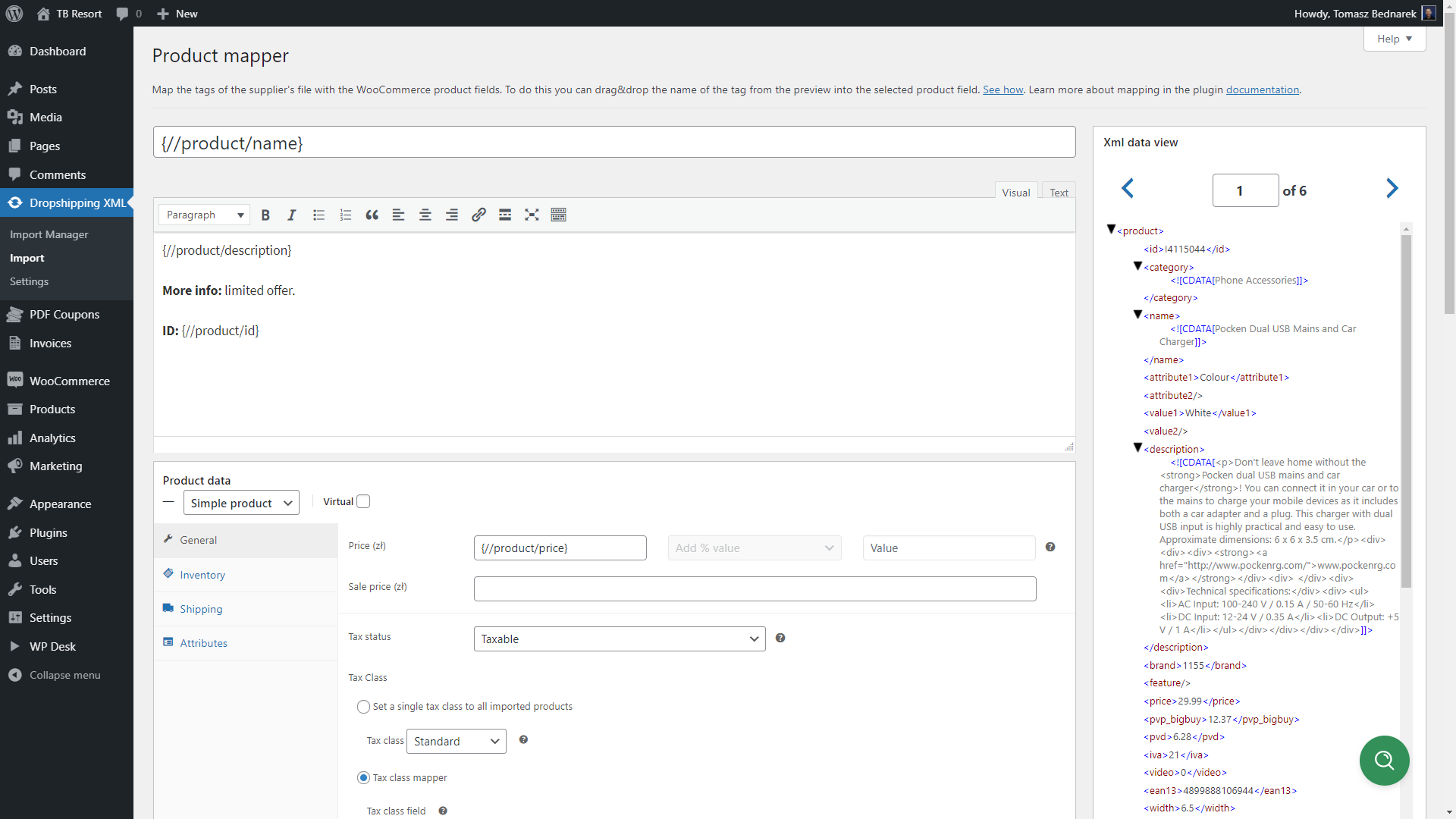
Import WooCommerce products based on product feed fields with Product Mapper 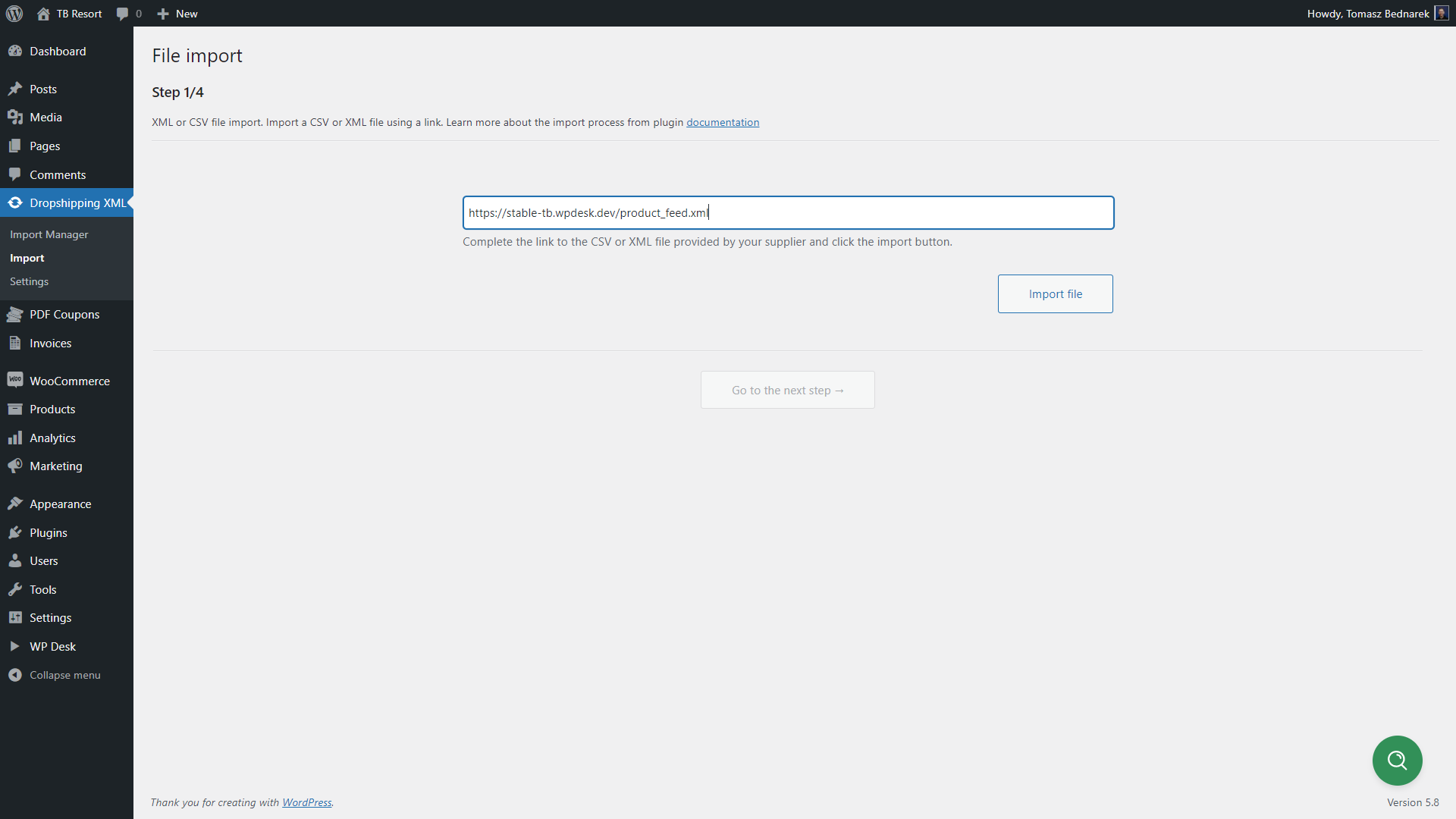
Import products from any CSV or XML file into your WooCommerce store 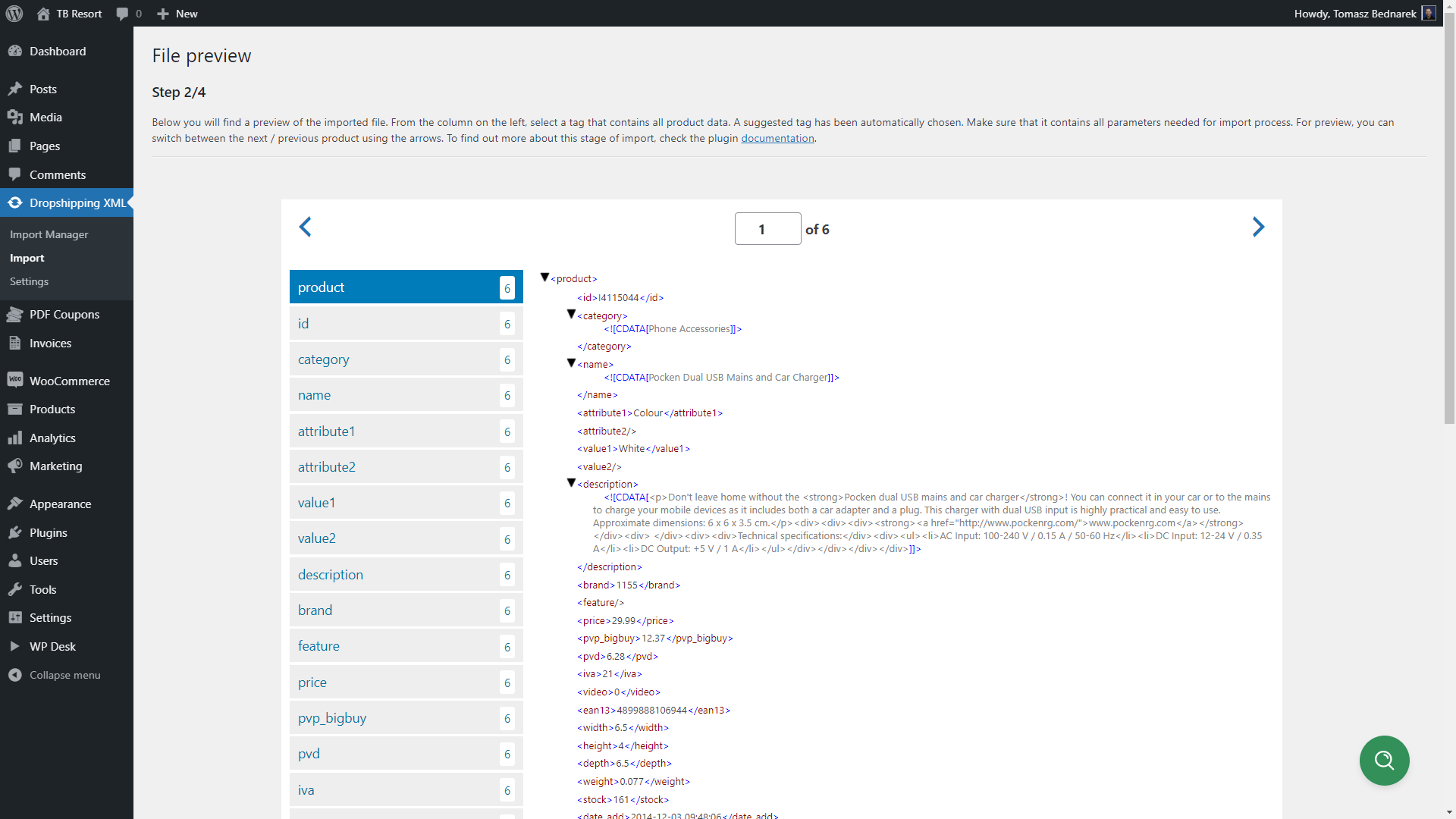
Choose the product feed node (branch) to import data in the File Preview 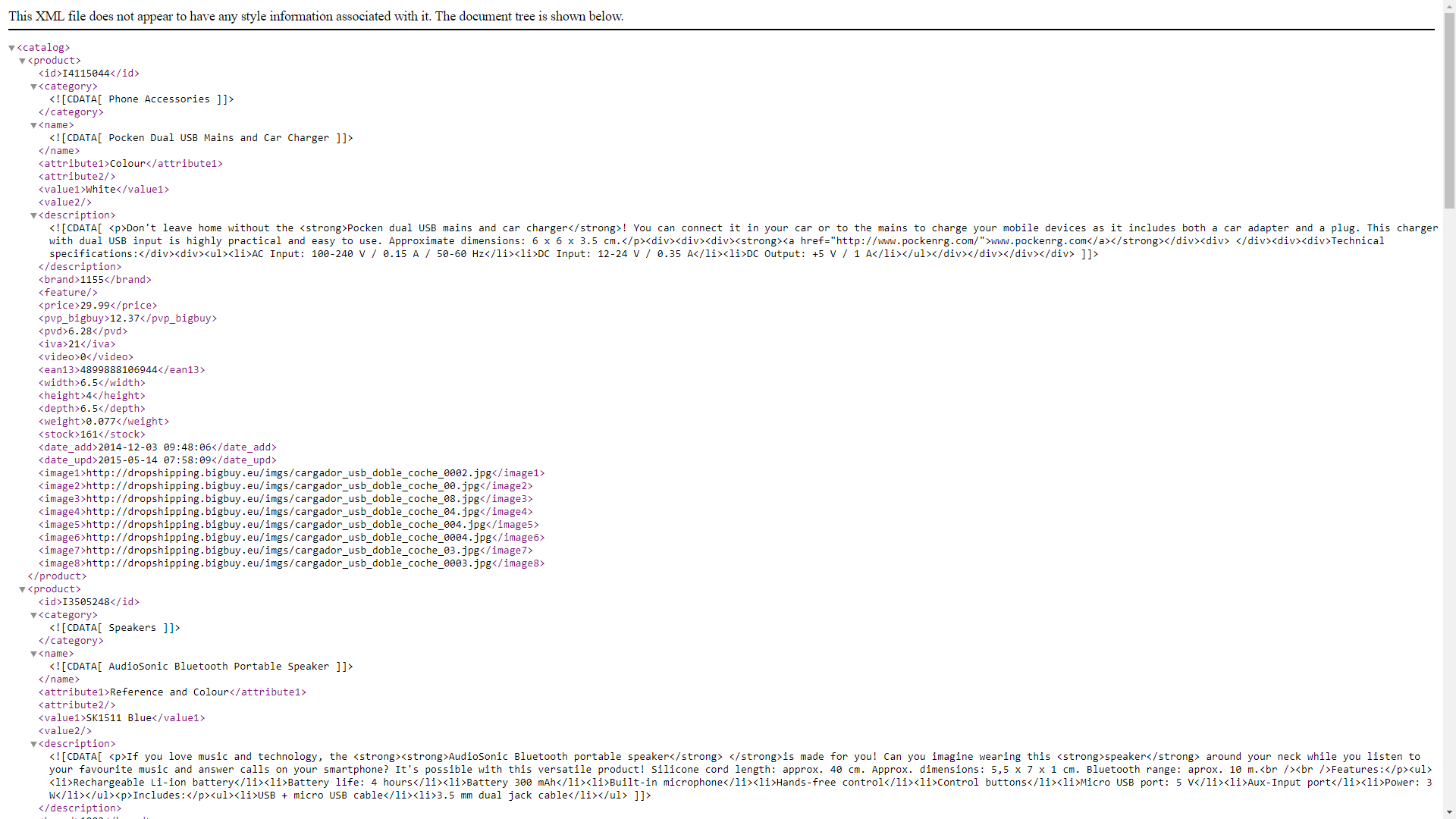
XML preview 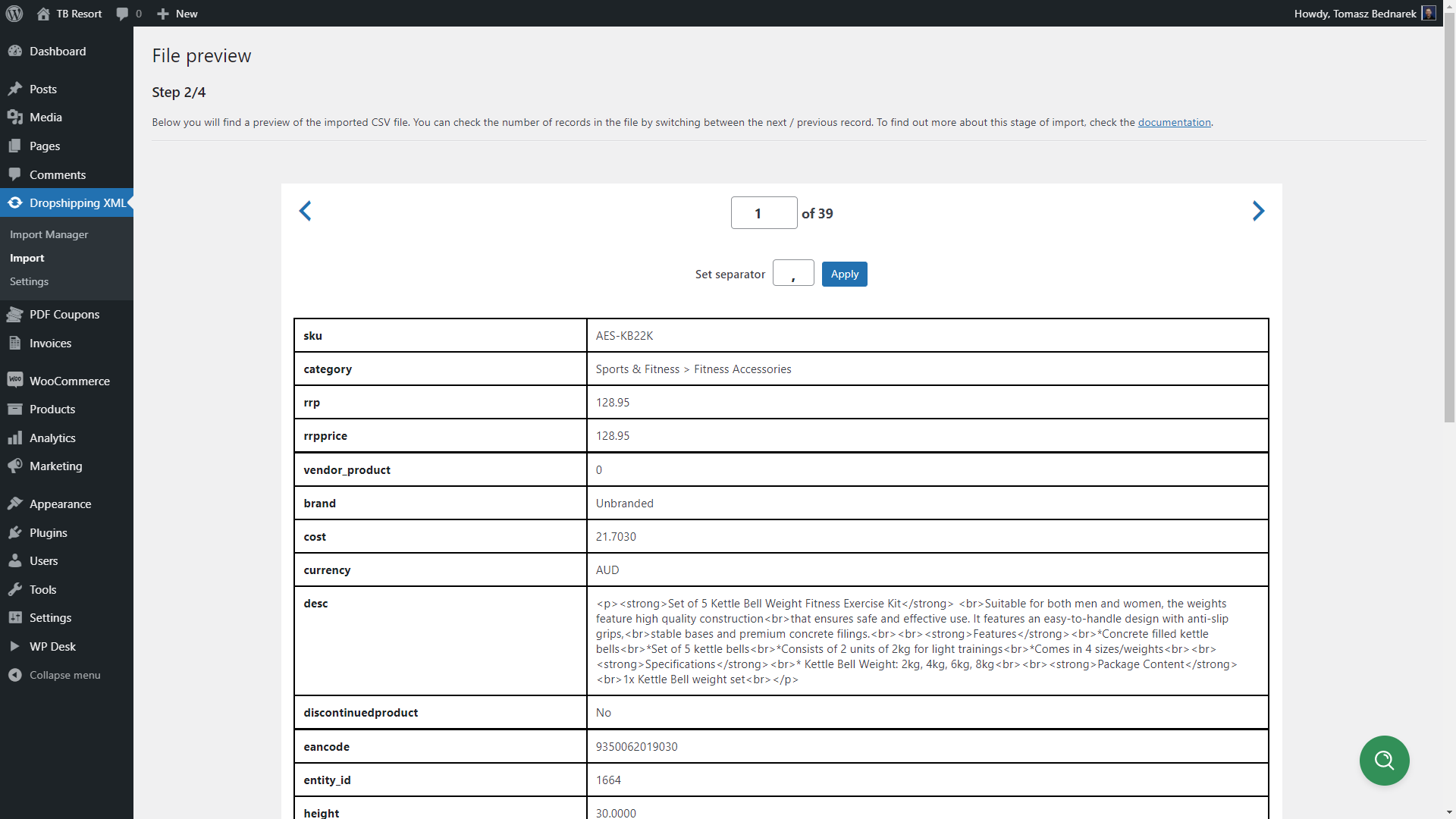
CSV preview 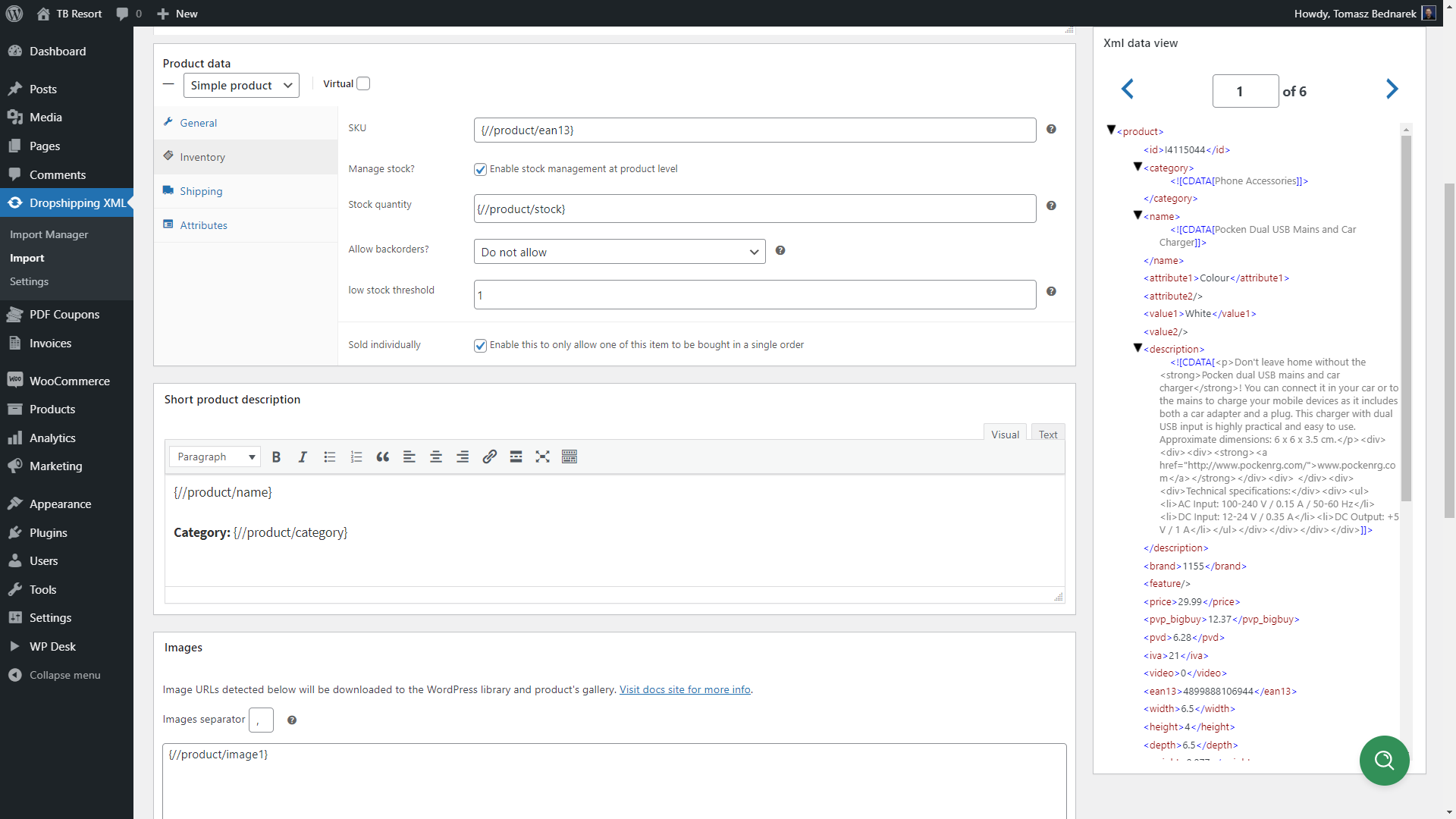
Import WooCommerce products with images, product descriptions, and other data 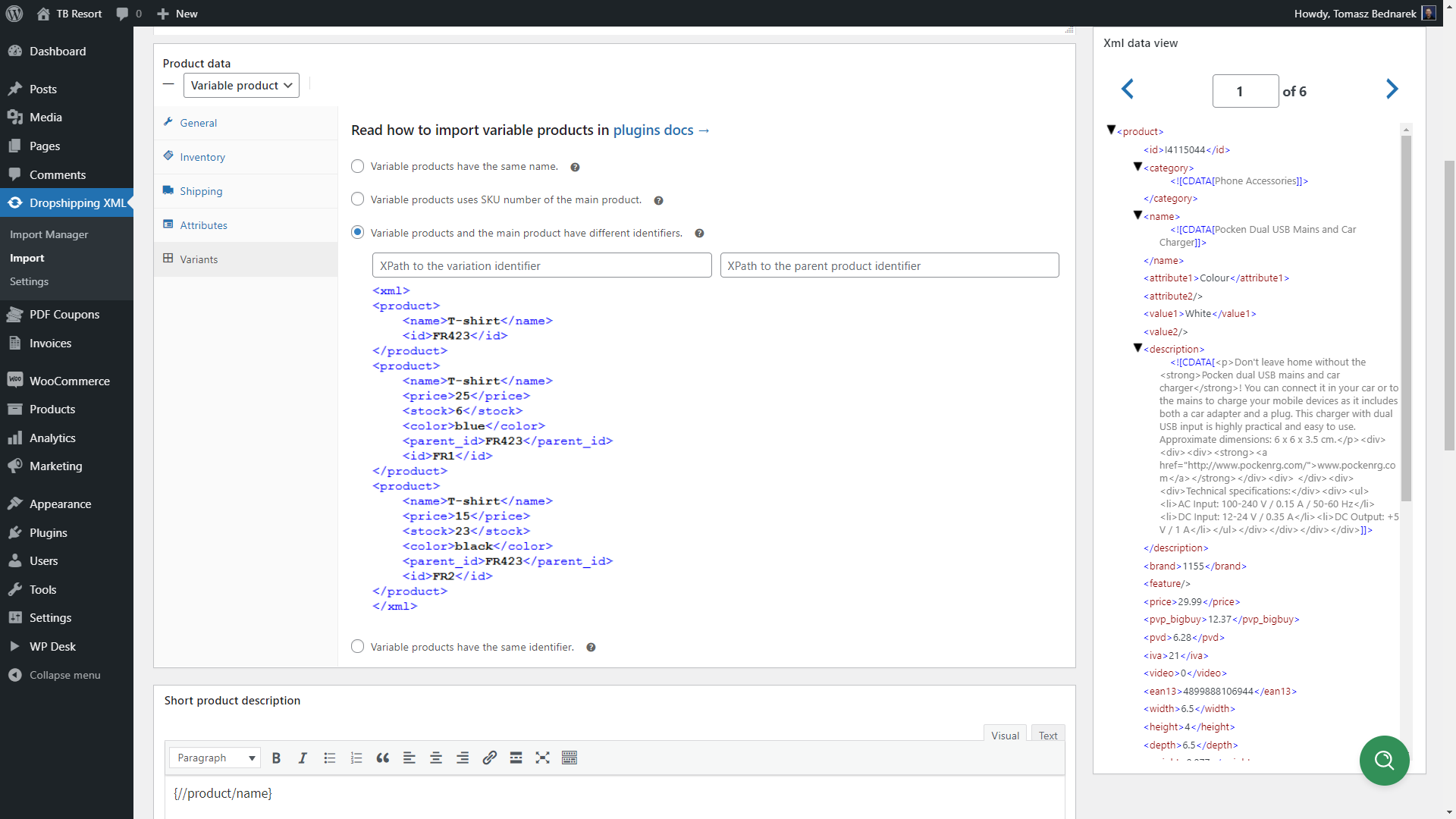
You can also import variable products with advanced mapping options 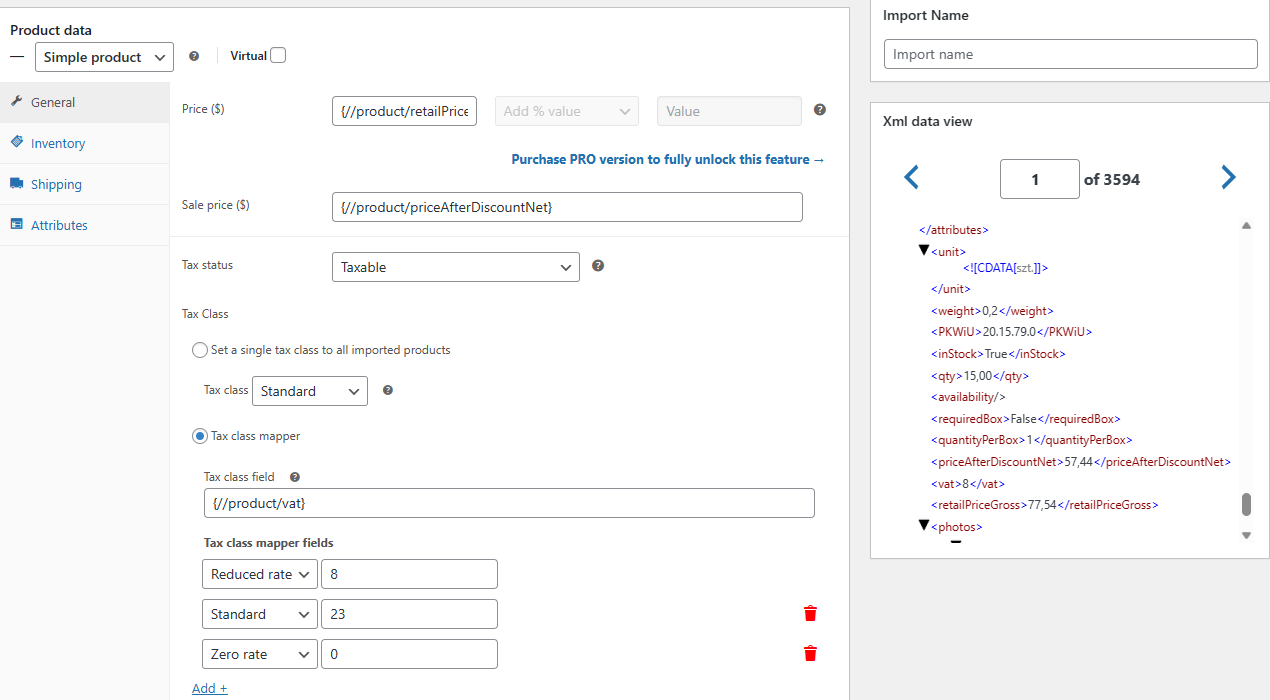
Bulk update product prices, set tax status, and map the product tax class 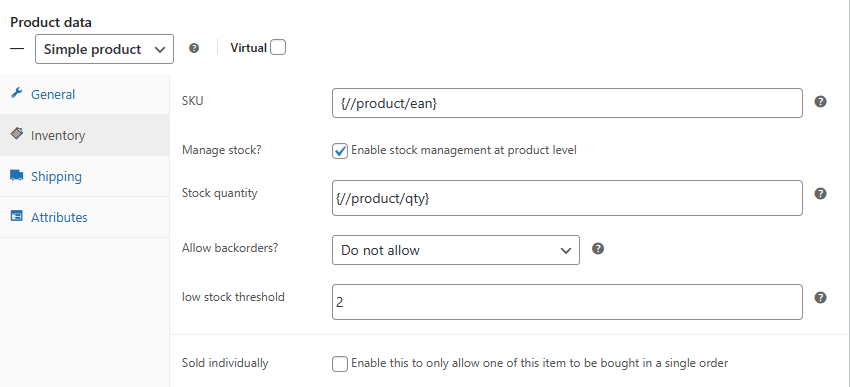
Manage inventory options and import WooCommerce products with stock 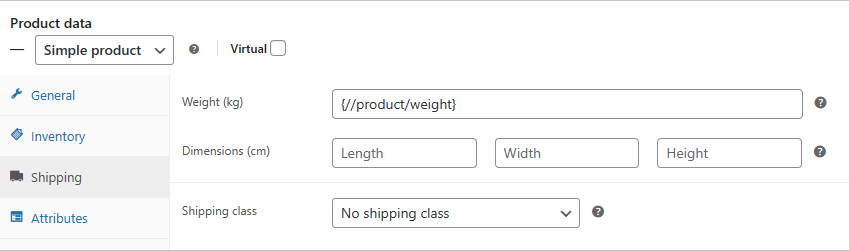
Map shipping details and choose shipping class for imported products 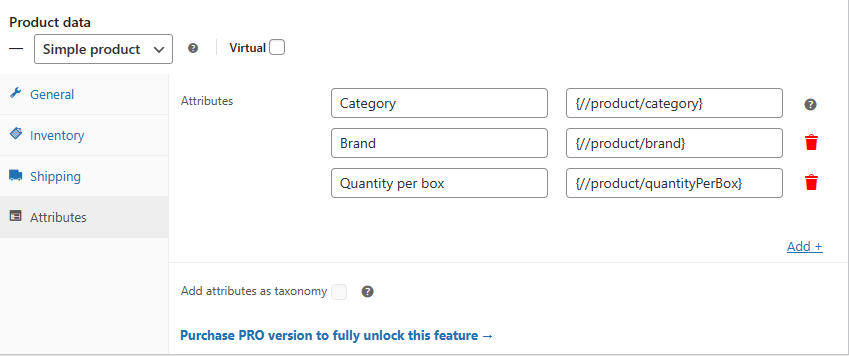
Import WooCommerce products with attributes based on product feed 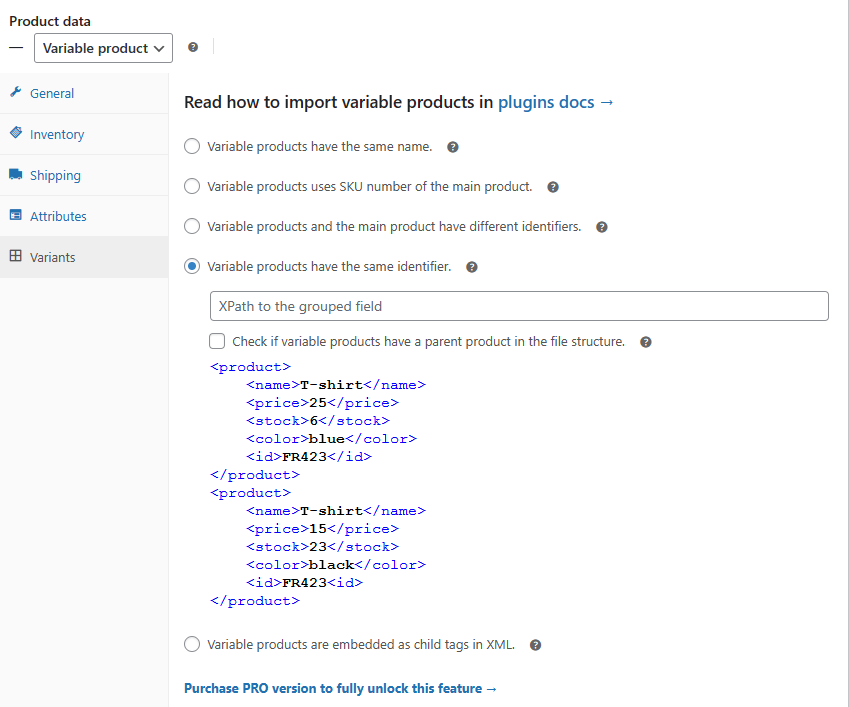
Import into WooCommerce products with variations based on selected option 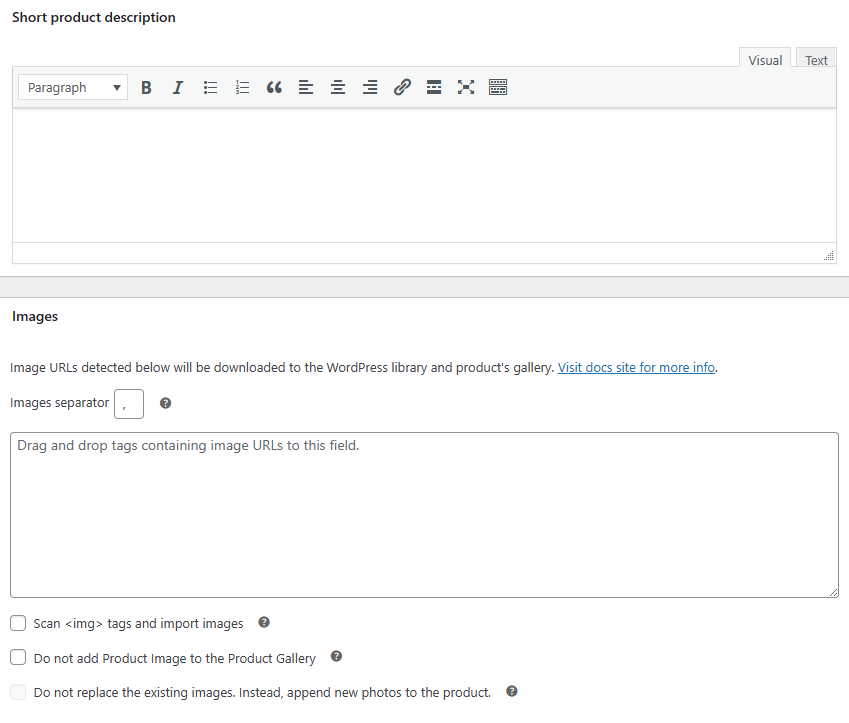
Update the product's short description and import products with images 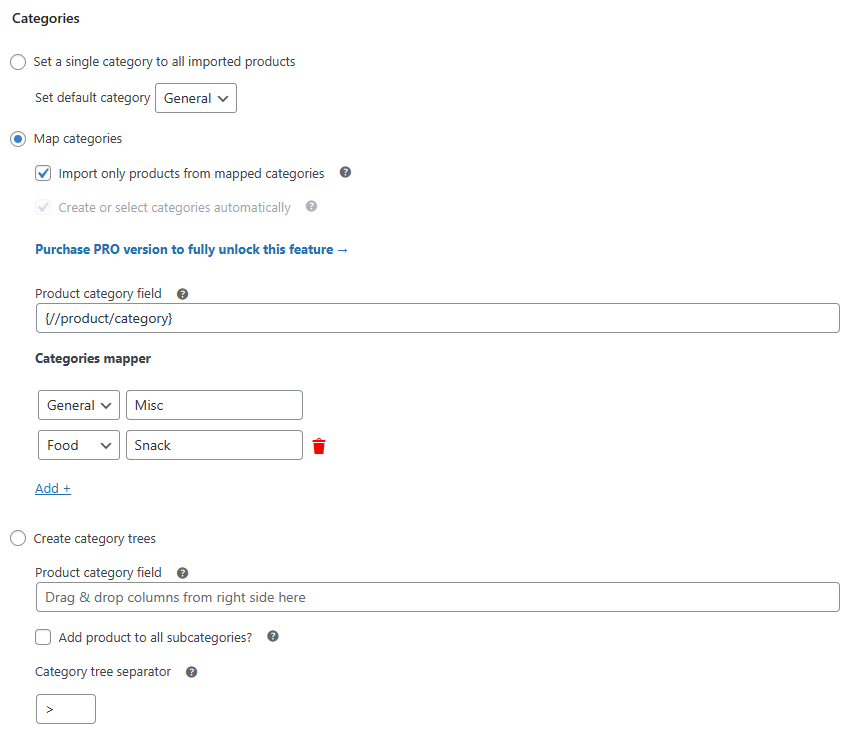
Import products with categories - map product categories 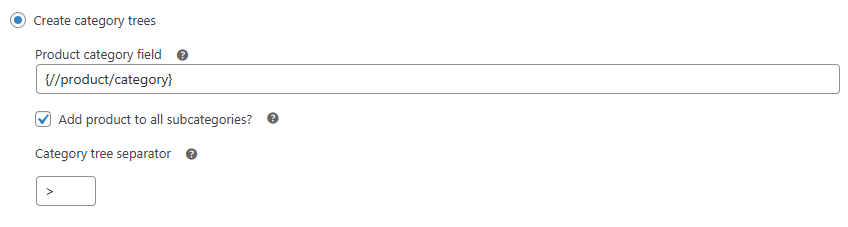
Create a category tree with product categories and subcategories 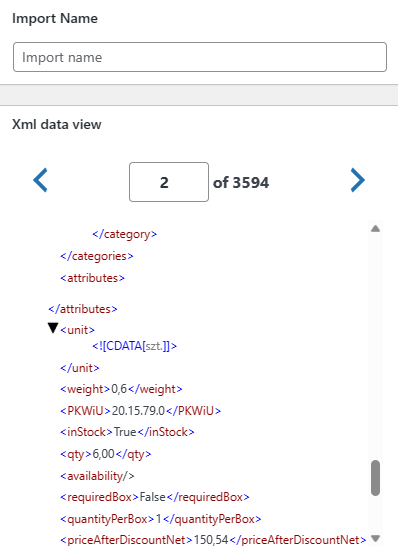
Name your WooCommerce product import and use clear feed data preview 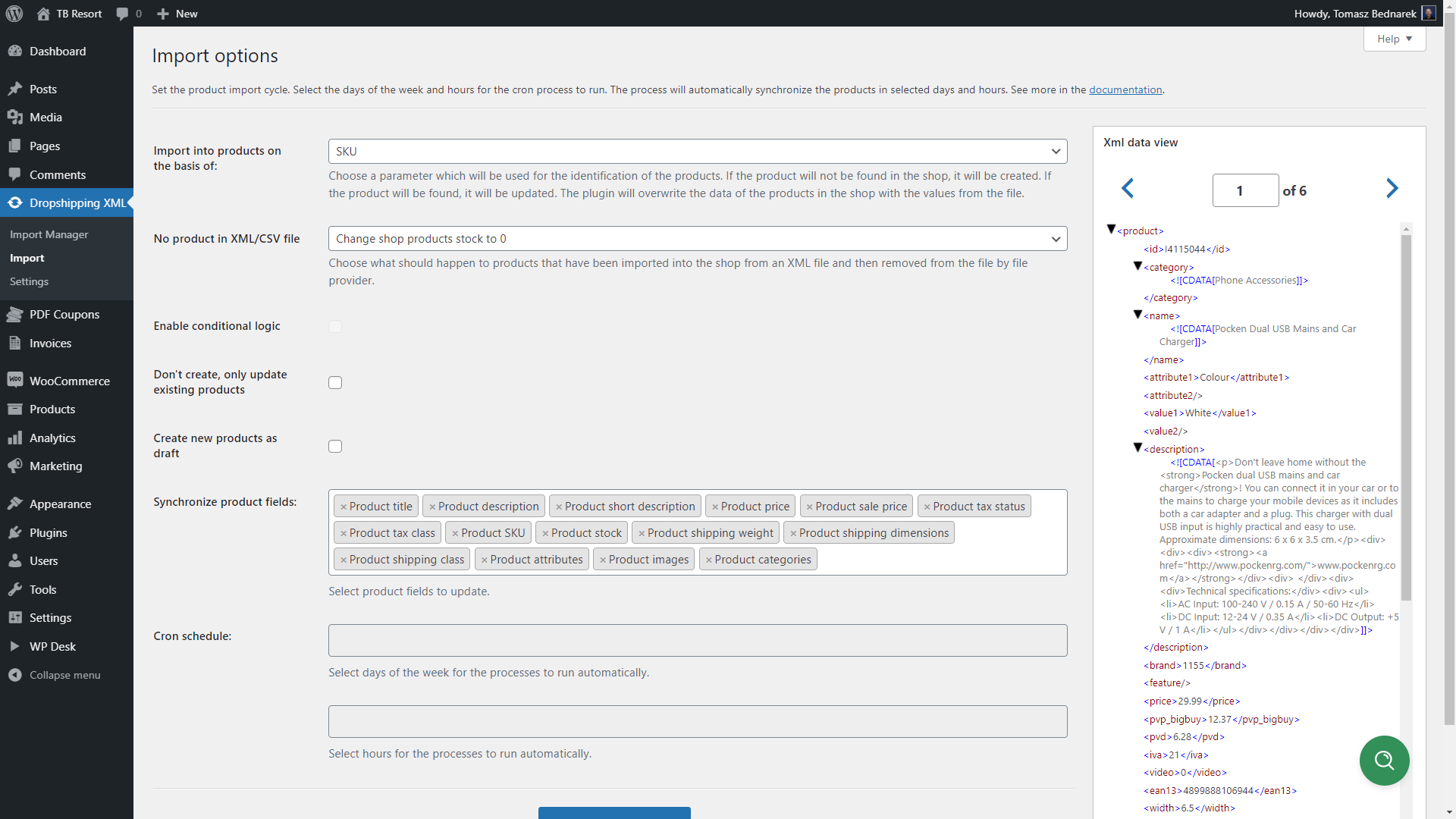
Use Import Options to adjust product import to your needs 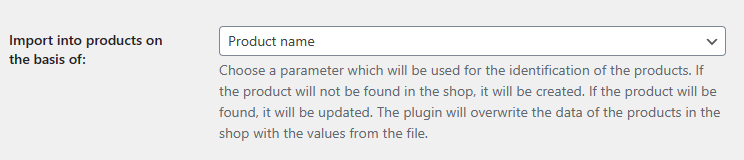
Choose how to match products for future product imports and updates 
Decide what to do if products are not present during the next imports 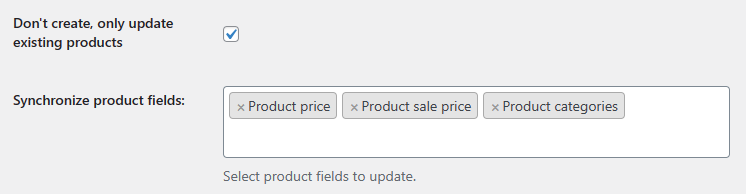
Do not create new WooCommerce products, only update existing ones 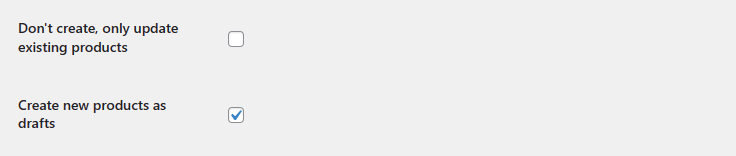
The product import can also create new WooCommerce products as drafts 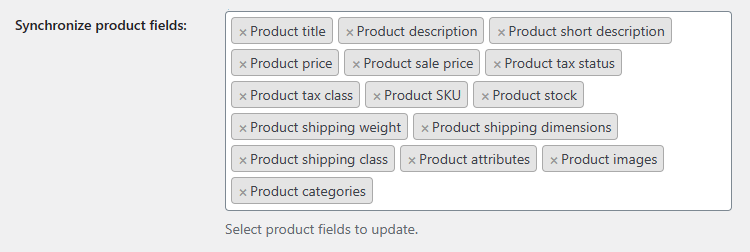
Synchronize product fields during import and product update 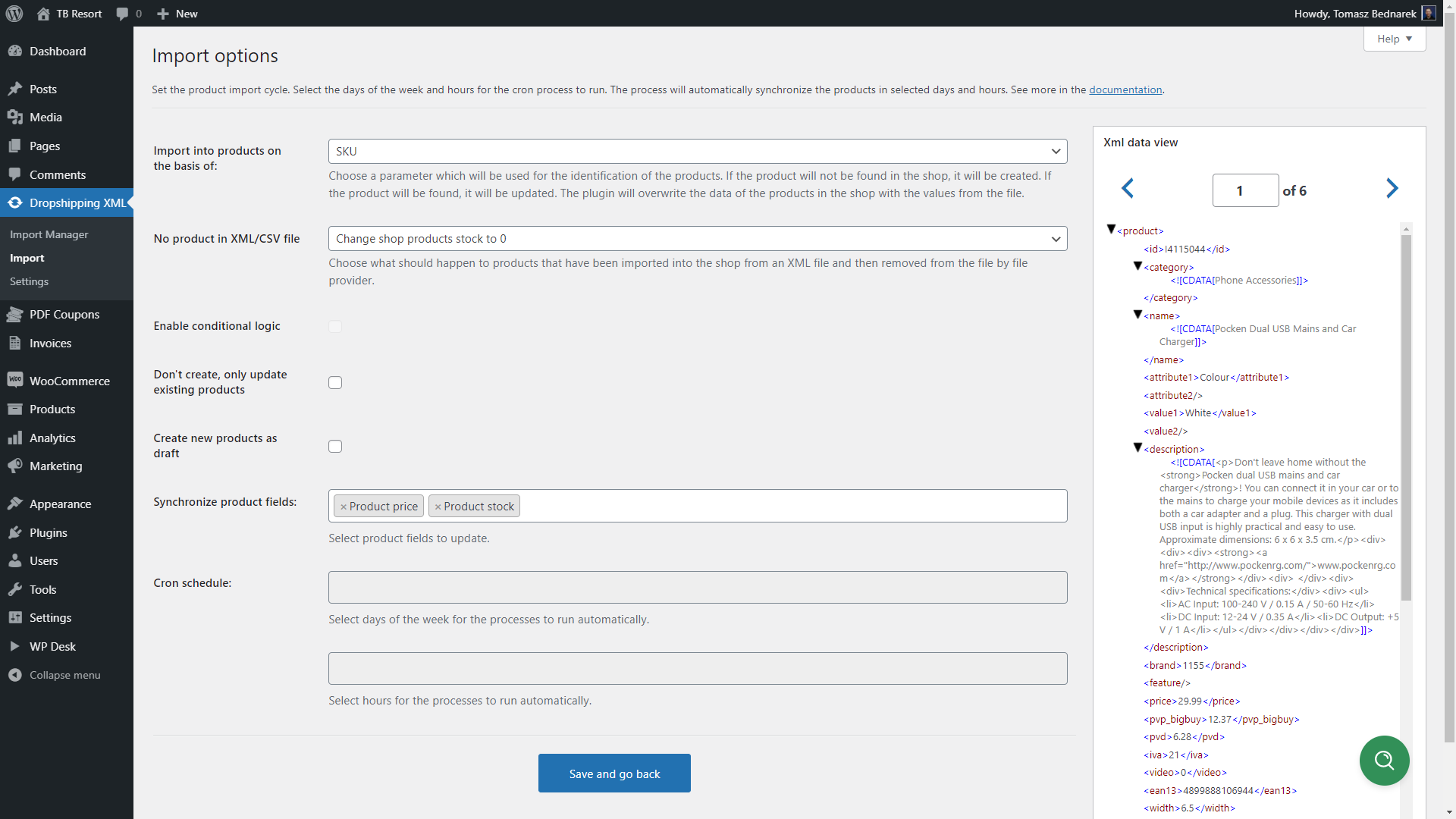
Choose only a few fields to update 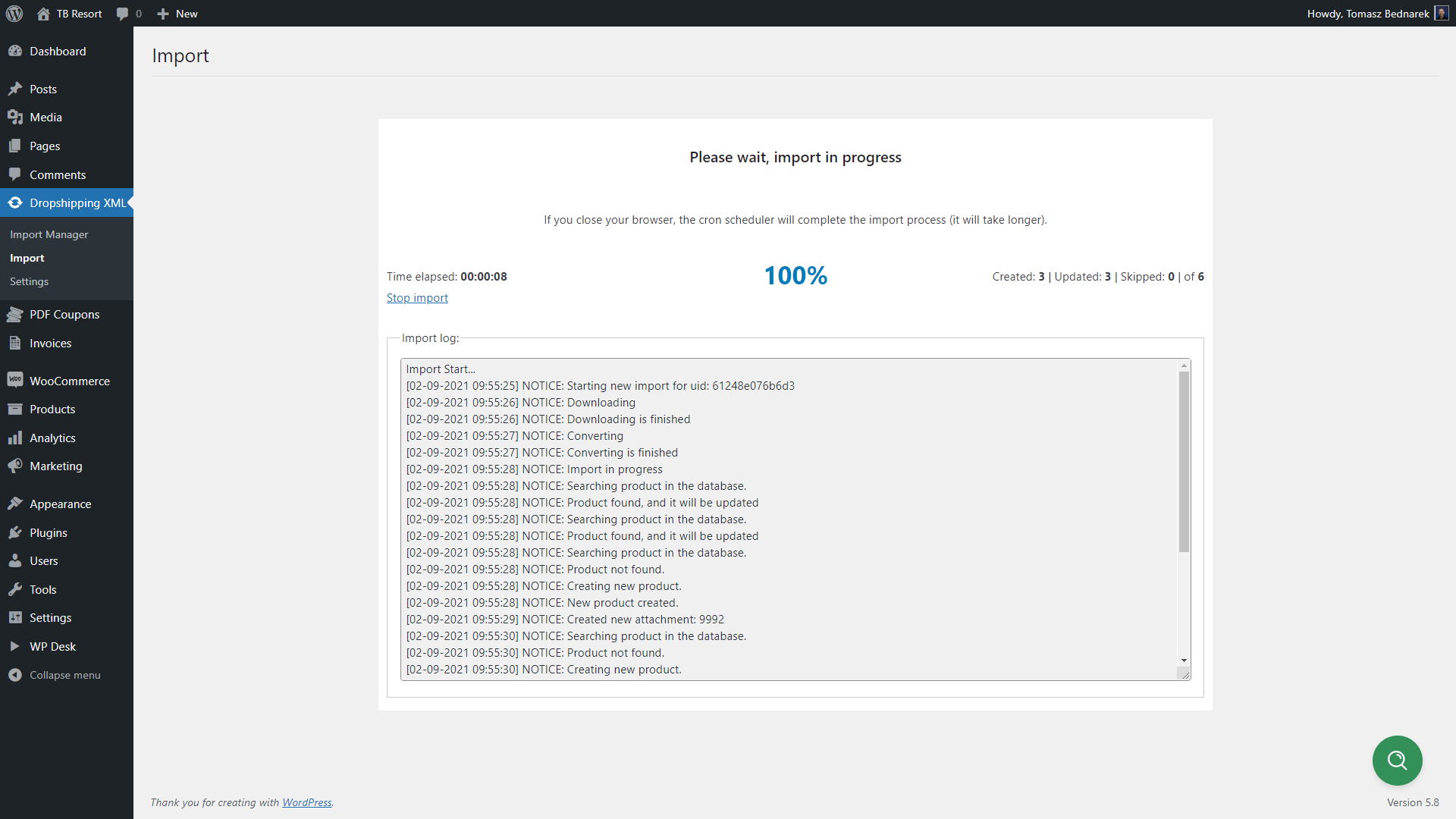
Import Products to WooCommerce (process) 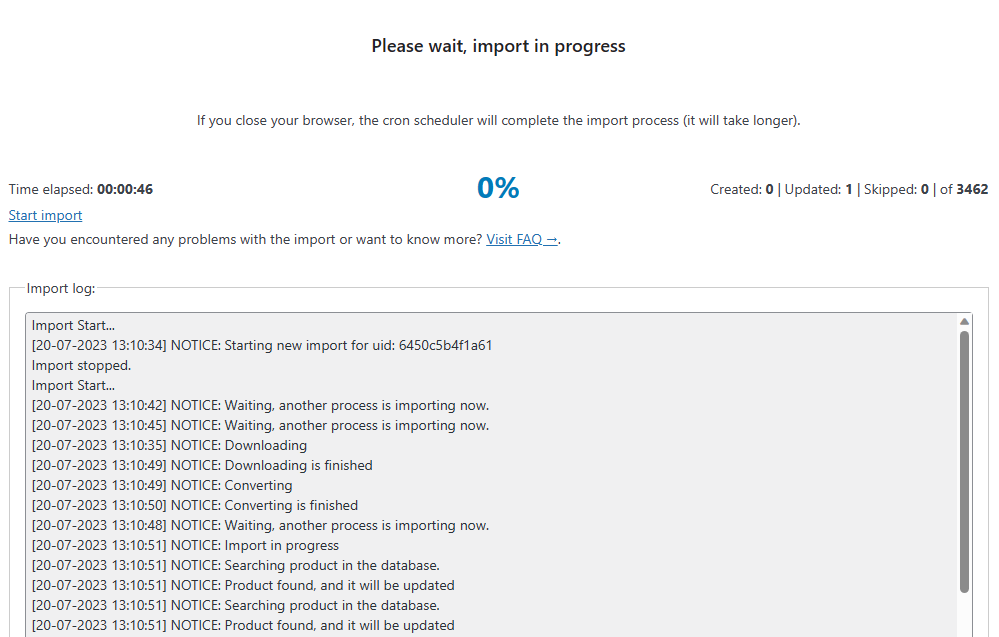
Stop and rerun the product imports 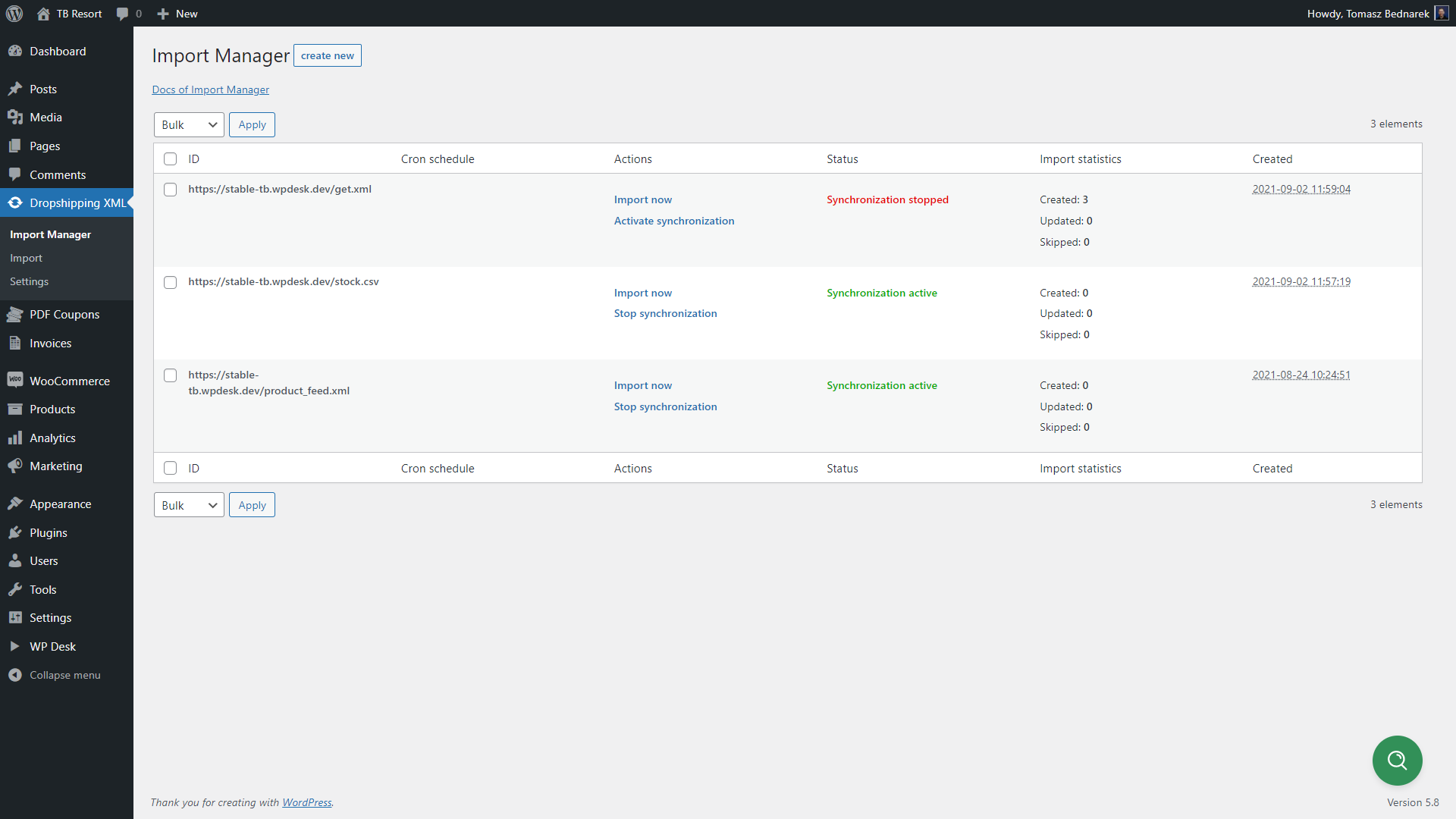
Add multiple import files 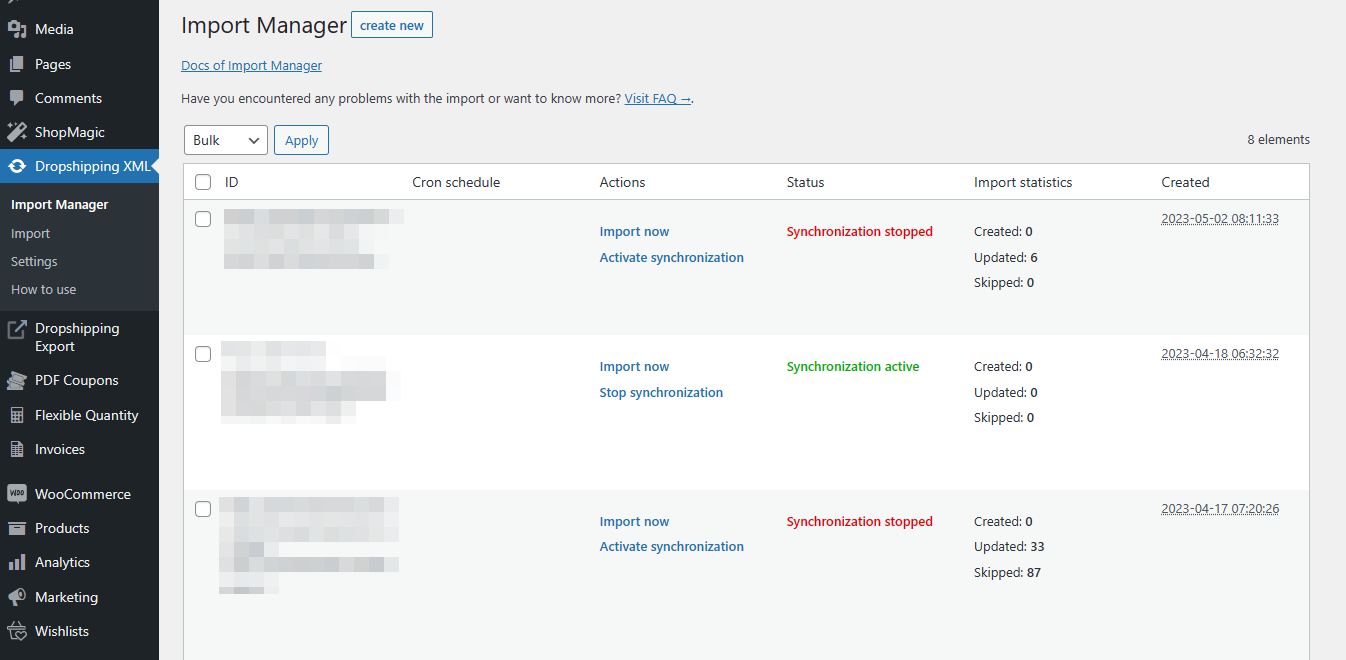
Manage and edit imported files in one place 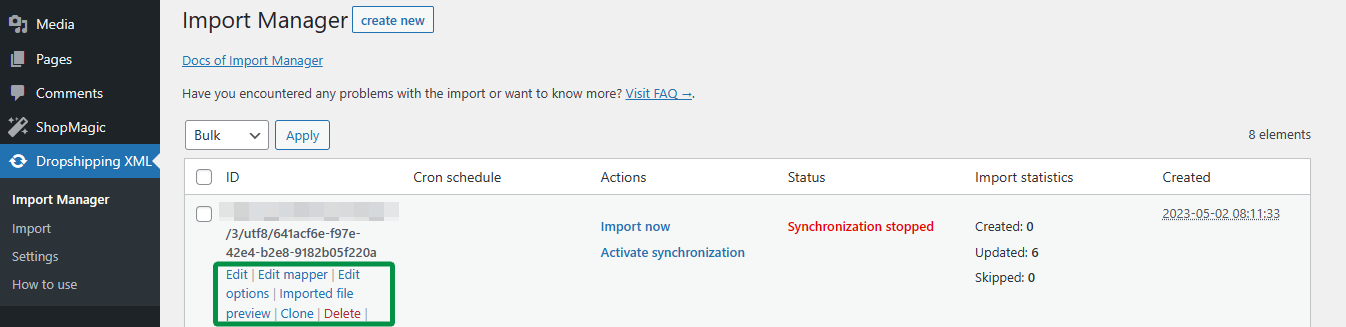
Clone the product import to easily use the same file with different settings 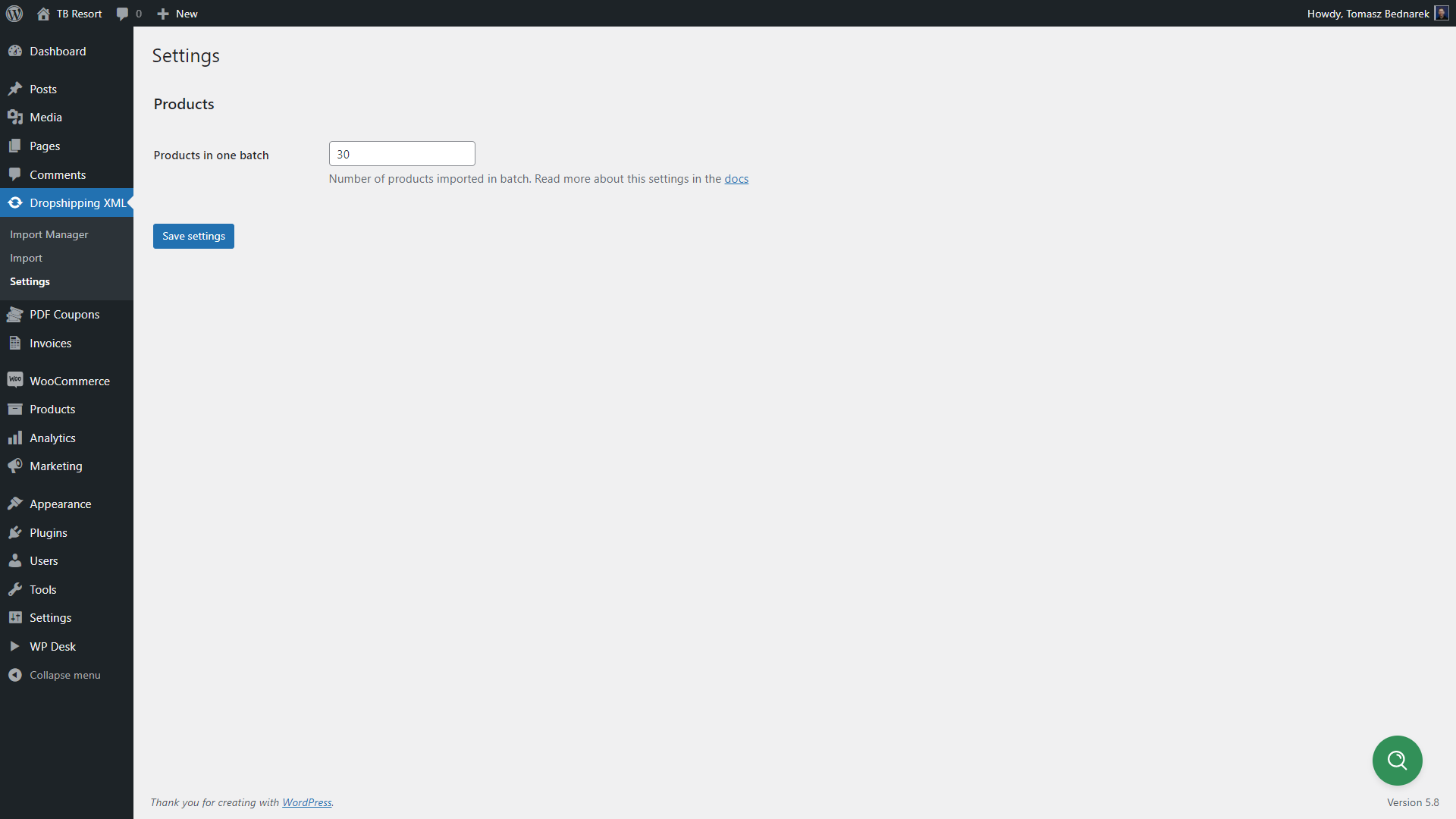
Decide how many WooCommerce products should the plugin import in one batch 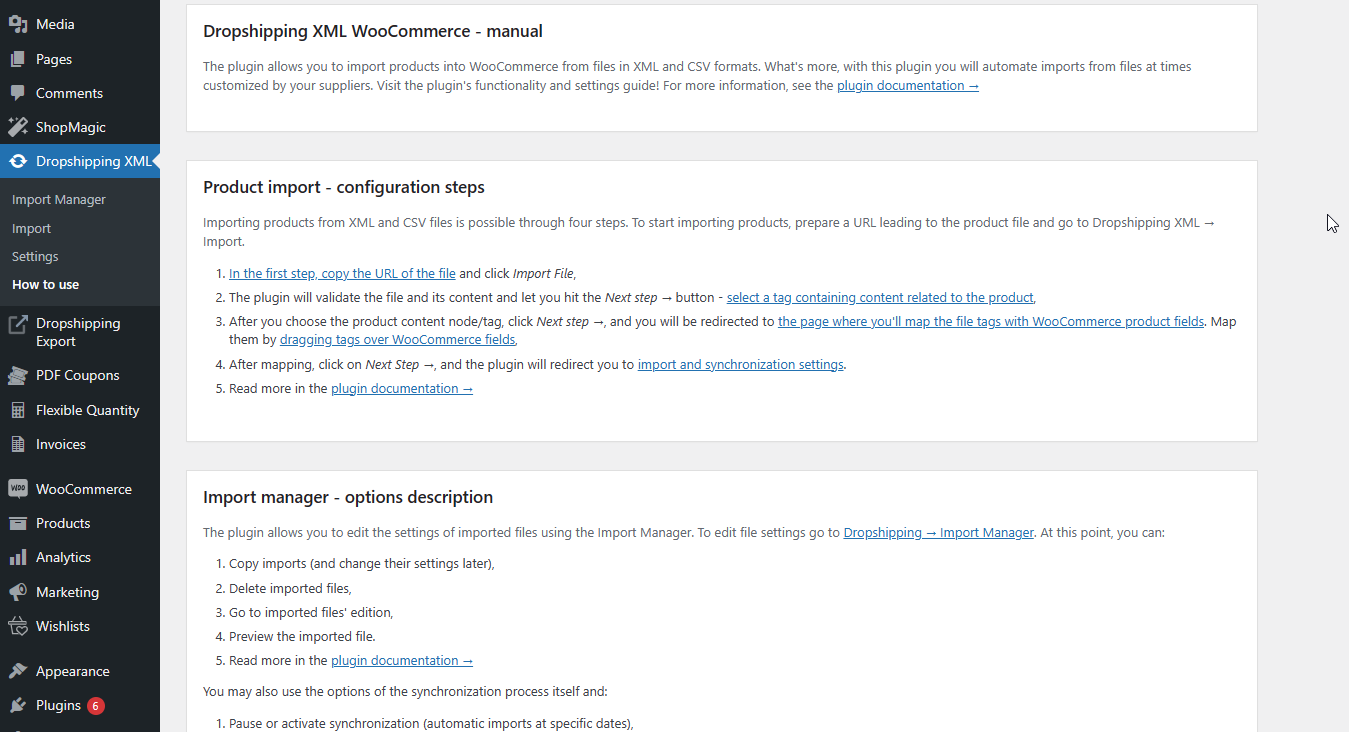
Use a step-by-step guide to import and bulk update products in WooCommerce
インストール
You can install the plugin like any other WordPress plugin.
1. Download and unzip the latest release of the plugin.
2. Upload the entire plugin directory to your /wp-content/plugins/ directory.
3. Activate the plugin through the Plugins menu in the WordPress Administration.
4. Check the server requirements and settings in the Docs.
You can also use WordPress uploader to upload the plugin zip file in WordPress menu Plugins → Add New → Upload Plugin. Then go directly to point 3.
FAQ
-
Is dropshipping possible in WooCommerce?
-
Yes. You may sell products in WooCommerce that are stored by your wholesaler partner. Import new products to your WooCommerce that your clients will be able to buy. Then your wholesaler sends the package to your customers. You are taking care of your store marketing and customers. Shipping and returns are, in most cases, in control of wholesalers. WooCommerce dropshipping may be appropriate for you if you do not wish to store and send products by yourself. This WooCommerce importer plugin will help you import both simple and variable products to your store.
-
WooCommerce and dropshipping – is it right for me?
-
If you’ve come to WooCommerce from other platforms or e-commerce solutions, you may use the Dropshipping XML for WooCommerce free plugin to import products from the old store. Use any XML or CSV files to import WooCommerce products (both simple and variable ones). That’s the first use of the plugin for WooCommerce – import products faster and update them easier.
Also, you might’ve heard or thought about starting your business based on WooCommerce and dropshipping model. The plugin will help you import and update products in your store items with ease. To read more about dropshipping in WooCommerce, go to the last question. You will find more links about importing products to WooCommerce and the dropshipping model in general.
Download the plugin and try the free product import in WooCommerce 🚀.
You may test the PRO version in a free demo.
-
How can this plugin improve my work?
-
The Dropshipping XML for WooCommerce plugin will help you import products from an XML or CSV file. You do not need to add products manually anymore because the plugin does that for you automatically. What’s more, the plugin lets you import products to WooCommerce from multiple files and sources (wholesalers). And later update your WooCommerce products with one click.
-
Does the product importer integrate with WordPress?
-
The plugin integrates with WooCommerce. WooCommerce is required for the plugin to work as the plugin allows you to import WooCommerce products. We recommend the newest version of WooCommerce.
-
How to choose the best WooCommerce Import Products Plugin?
-
If you want to import products to WooCommerce, you probably want to do it properly and be able to update products as well. Choose Dropshipping XML for WooCommerce as your WooCommerce Import Products Plugin! Why? Because you can import and update both simple and variable WooCommerce products! There are no limits on the number of product feeds you want to import. If you need more automatic functions of the plugin, you may decide to upgrade to PRO in the future.
-
Why not choose WooCommerce itself to import products?
-
In the built-in WordPress tools, you can’t see the file structure before the product import. What’s more, your settings and field mapping are limited to those of the importer. Extend your WooCommerce options and import products with the dedicated plugin. Dropshipping XML for WooCommerce is free and lets you import both simple and variable products to your store. You can also import products with images and products to selected WooCommerce categories with a few clicks.
-
How to import/ update products in WooCommerce?
-
You need the right tool to properly import WooCommerce products and update their data. You can set the plugin to import WooCommerce products in a few minutes. Then you may decide which product data fields to update during the next product imports. Also, you can import multiple product feeds at the same time. It will allow your WooCommerce to import products and update them simultaneously and based on the product SKU, name, or advanced rules for variable products. Choose the plugin to import products into your WooCommerce with the confidence and a lot of flexibility you need.
-
Where can I find an XML/ CSV file?
-
You may contact your wholesaler and ask for the URL address of the feed (XML or CSV). You can also use a feed with exported products from other stores or platforms. Ask for the location of the file. Or add it to your server. Then you are ready to import products to your WooCommerce.
-
Can I import products to WooCommerce from any CSV or XML file?
-
Yes. You may try to use any CSV or XML file you have. The plugin allows you to import WooCommerce products, both simple and variable ones. You will see the file (product feed) in the preview before the actual import. So you will be able to choose which product fields and data to import. If you want to import products as WooCommerce affiliate/ external products, you may use that option in the PRO version of the plugin.
-
How to add a CSV or XML file in WooCommerce to import products?
-
After installing and activating the plugin, go to the Dropshipping XML tab → Import. Add an URL of the XML or CSV file. Then click Import file. After some time, depending on the size and your server, the file will be imported. You will also see the notice about the result. Next, you will go to the file preview and set the import.
-
Is there an option to add files from FTP or upload them from my computer?
-
In the free version of the plugin, you may use HTTP or HTTPS addresses to add files. Do you need to import product feeds from FTP or add files directly from your device? If so, then there is the FTP Import for Dropshipping XML WooCommerce add-on that gives you these additional ways. It is the extension for the PRO version of the plugin!
-
My file is not uploading. Why?
-
There may be a missing part of the file. For example, if the file was not generated completely. If there is any issue, you will see a message informing you about the cause. Then contact us by starting a new topic in the Support Forum. You may also check the file integrity in an online XML or CSV validator.
-
Can the plugin also import variable products to my WooCommerce store?
-
Yes. You may import to your WooCommerce both simple and variable products. The plugin lets you choose from several options when mapping and creating variable products. For example, the products in your feed may have the same name, use the same SKU or identifier, have different identifiers, or are present as child tags. So, the plugin will import variable products to your WooCommerce properly, because you will be able to choose the appropriate mapping option for your file.
-
How to map Product Fields?
-
Drag & Drop the field from a feed File Data Preview on the right side to the fields on the left. The Product mapper is similar to the interface of the WooCommerce Product Edit Screen. You may also add multiple fields from an XML/ CSV file & add your own text or values. You may read in detail about mapping specific product fields in the plugin documentation.
-
How to check if the file & product import were successful?
-
You will see the message informing you that the file was added. When you start the product import itself, you will notice the number of products added, updated, or skipped in the import process screen. Check also new & updated products if they have all the data you wanted to import.
-
My new products have no title or description. What should I check?
-
Please go to the Dropshipping XML tab → Import Manager → Choose the file → Click Edit mapper. Check the field and data in the name and description. Drag & Drop the field from the right side (File Data Preview) again making sure the path is pointing to the value you want. Also, see if there is no additional or missing character. Then save the settings and import the file again. Let us know if that will not help in the plugin Support Forum.
-
Product titles have values I did not expect. What may be the reason?
-
In the Dropshipping XML tab → Import Manager → Choose the file → click Edit mapper. Then, check the name field. Drag & Drop the field from the right side again. See also, if there is no additional or missing character in the field or the field’s attribute that you point to. Save the settings & import the file again. If that does not help please create a topic in the plugin Support Forum.
-
Is it possible to import WooCommerce products with images?
-
Yes. You may map the field with the URL path to the image in the Product mapper. The plugin in the free version will save one main image for the product. If you need more images to be imported automatically for your WooCommerce products, you may upgrade to PRO →
-
Products in the feed have multiple parameters. Can I import all product attributes?
-
Yes. The plugin lets you import any number of product attributes to WooCommerce products. If you wish that attributes are added globally & available for all products in your store, you may upgrade to PRO →.
-
Can the Dropshipping XML for WooCommerce plugin import product categories?
-
Yes. The plugin allows you to set one category for imported products or map categories from the feed with existing product categories in WooCommerce. You may read more about mapping categories in the plugin documentation. In the PRO version of the plugin, you may also automatically create new product categories during the import and updates of your WooCommerce products.
-
Is it possible to create a category tree automatically?
-
Yes. The plugin lets you import WooCommerce products with categories and subcategories as a category tree!
-
Titles and categories changed after the import overwriting my changes. Why did it happen?
-
During the import, the Dropshipping XML for WooCommerce plugin creates or updates selected product fields. If you want to import or update only selected (not all) product fields, set this in the last part of the settings for the file (Import options). If you have already set that, go to the Dropshipping XML tab → Import Manager → Choose the file → click Edit options. Choose the product fields you want to update in the Synchronize product fields option. You may read more about Import options in the plugin documentation.
-
I started the update and noticed new products were added, but they had already been imported. Why were new ones created?
-
Sometimes it may happen when you change the name or SKU of your products before the next import. In such a case, the plugin does not find an existing product to update but creates a new one as there is no product with such a name or SKU.
Check the products’ identifier – which is the name or SKU in the Import options. Go to the Dropshipping XML tab → Import Manager → Choose the file → click Edit options → check the Import into products on the basis of the setting. Read more about Import options in the plugin documentation.
For variable products, this setting is visible in the Product mapper. Go to the Dropshipping XML tab → Import Manager → Choose the file → click Edit mapper → Product Data metabox → Variants → check the option. You may read more about Import options in the plugin documentation. Read more about settings for variants in the plugin documentation.
-
My products disappeared from my store after the update. What could’ve happened?
-
These products’ stock could’ve been updated to 0. Also, if you have chosen Change shop products stock to 0 in the No product in XML/CSV file option (in the Import option screen).
First, go to WooCommerce → Settings → Products → Inventory → see if the Out of stock visibility option is checked. It may be the indirect reason for missing products when their stock reaches 0.
Check also Import options by going to the Dropshipping XML tab → Import Manager → Choose the file → click Edit options → check the Change shop products stock to 0 option. You may more about all Import options in the plugin documentation.
-
I would like to read more about the plugin. Where can I do so?
-
You may read articles on how to:
– Use two XML files to import products in your WooCommerce
– Start e-commerce dropshipping store without inventory using WooCommerce
– WooCommerce and the bulk import of products – three ways
– Is the WooCommerce dropshipping model right for you plus some store developing tips
– Import WooCommerce products with Dropshipping XML for WooCommerce – fields synchronization
– Dropshipping XML for WooCommerce – import product categories and stock settings
– Use the plugin for drop shipping in WooCommerce
– Import variable products into WooCommerce
– Import External and Affiliate Products in the PRO version to Create Affiliate Store in WooCommerce
– Set conditional logic in the PRO version of the plugin
– FTP Import for Dropshipping XML WooCommerce – Import Products from CSV and XML files from FTP
– WooCommerce bulk price update – programmatically and with a pluginDo you have questions about the features? Or maybe ideas for new articles on WooCommerce Import Products or Dropshipping. Let us know.
-
Is it possible to export WooCommerce products as well?
-
Yes. You can do that with a free WordPress exporter, WooCommerce product export tool, or our product export plugin 🚀.
Read more about exporting WooCommerce products →
-
Do you offer more free plugins for WooCommerce?
-
Yes. Check out our free WooCommerce plugins → or go directly to the plugin you need:
- Flexible Invoices – create, send, and customize PDF invoices for WordPress and WooCommerce orders.
- Custom Price – let customers name the prices of WooCommerce products. Receive donations or sell WooCommerce products with custom prices.
- Flexible Checkout Fields – add, remove, and manage custom fields on the WooCommerce checkout page. Customize checkout fields for faster shopping and higher conversions.
- Flexible PDF Coupons – sell pdf gift cards, vouchers, and tickets in WooCommerce.
- Flexible Product Fields – add, remove, and manage custom product fields in WooCommerce!
- Flexible Quantity – add new units of measure in WooCommerce and sell products with custom units.
- Flexible Refund – speed up refunds and refund requests in WooCommerce!
- ShopMagic – create, send, and customize emails in WordPress and WooCommerce with this free email marketing plugin (and its 5 free add-ons)!
評価


貢献者と開発者
Dropshipping XML for WooCommerce はオープンソースソフトウェアです。以下の人々がこのプラグインに貢献しています。
貢献者


変更履歴
1.5.12 – 2024-04-17
- Fixed cleaner
- Fixed error notice
- Added parent category filter
- Added filter for conditional logic, lower and higher values
1.5.11 – 2024-04-15
- Added support for WooCommerce 8.8
= 1.5.10 – 2024-03-21
* Fixed issues with XML reader
= 1.5.9 – 2024-03-21
* Fixed issues with XML parsed content
1.5.8 – 2024-03-07
- Added support for WooCommerce 8.7
- Fixed tracker
1.5.7 – 2024-02-27
- Fixed translations
1.5.6 – 2024-02-27
- Fixed cleanig process
- Changed translations
1.5.5 – 2023-12-18
- Added support for WooCommerce 8.4
1.5.4 – 2023-11-16
- Added WPDesk dashboard widget
1.5.3 – 2023-11-14
- Fixed plugin links
1.5.2 – 2023-10-05
- Added new libraries
1.5.1 – 2023-08-17
- Added new libraries
1.5.0 – 2023-08-03
- Added new libraries
1.4.0 – 2023-05-30
- Added categories tree creator
- Fixed categories mapper
1.3.3 – 2023-04-25
- Added WPDesk Tracker
1.3.2 – 2023-03-20
- Added support for WooCommerce 7.5
= 1.3.1 – 2022-10-26
* Fixed product images gallery
* Fixed product variations stock mapper
* Fixed tax mapper
* Fixed product mapper view
* Fixed price for embedded variations
* Fixed translations
= 1.3.0 – 2022-08-18
* Added option to add import name
* Added clone import feature
* Added how to use page
= 1.2.7 – 2022-06-29
* Fixed embedded variations option
* Removed parent regular price and sale price option from embedded variations
= 1.2.6 – 2022-06-09
* Fixed path to assets on windows servers
* Fixed csv file encoder
= 1.2.5 – 2022-05-12
* Fixed variations mapper bug
1.2.4 – 2022-04-07
- Fixed prevent images downloads if product category is not mapped
1.2.3 – 2022-03-01
- Fixed simple product to update product variation data
- Fixed invalid xml characters when convert from csv
- Fixed styling
- Fixed translations
1.2.2 – 2022-01-12
- Added supported mime types filter
- Fixed embedded variations selector
- Fixed remove stopped status from processing import
1.2.1 – 2021-12-29
- Fixed attributes generation for variations
- Fixed saving parent SKU field for embedded variations
1.2.0 – 2021-12-06
- Added support for embedded variations
1.1.1 – 2021-11-08
- Updated readme
1.1.0 – 2021-10-28
- Added option to remove the featured image from product gallery
1.0.0 – 2021-10-18
- First Release