
説明
Tired of your WordPress dashboard being overrun by countless admin notices? Regain control with our easy-to-use plugin!
This sleek, straightforward plugin does more than just disable notifications; it puts the power in your hands to switch them on whenever necessary! Stay up-to-date with crucial updates, safety warnings, and significant notifications, all tailored to your schedule.
Key Features:
Refresh Your Dashboard: Say goodbye to the clutter of unnecessary notices and embrace the elegance of a neat, organized admin area.
Flexible Notification Control: Turn on alerts as and when you prefer, ensuring you’re always abreast of vital updates, security warnings, and crucial bulletins.
User-Focused Interface: Our plugin is designed considering your needs, offering a user-friendly and intuitive interaction.
スクリーンショット
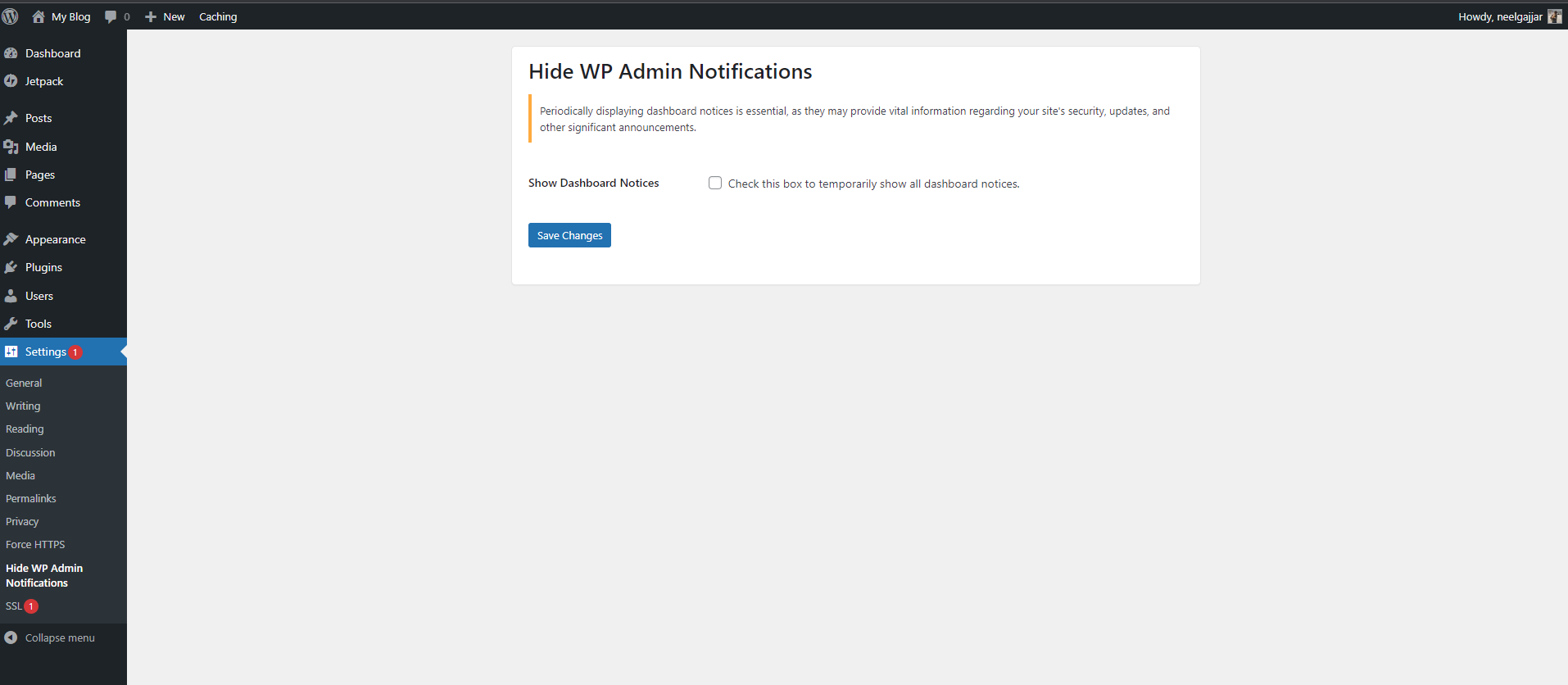
The settings page of the Hide WP Admin Notifications plugin.
インストール
- Upload the
hide-wp-admin-notificationsfolder to the/wp-content/plugins/directory. - Activate the plugin through the ‘Plugins’ menu in WordPress.
- Go to the ‘Settings’ menu and click on ‘Hide WP Admin Notifications’ to configure the plugin.
FAQ
-
How do I temporarily show the notices?
-
Go to the ‘Settings’ menu and click on ‘Hide WP Admin Notifications’. Check the box to temporarily show all dashboard notices.
評価
このプラグインにはレビューがありません。
貢献者と開発者

“Hide WP Admin Notifications” をあなたの言語に翻訳しましょう。
開発に興味がありますか ?
変更履歴
0.1
- Initial release.