

説明
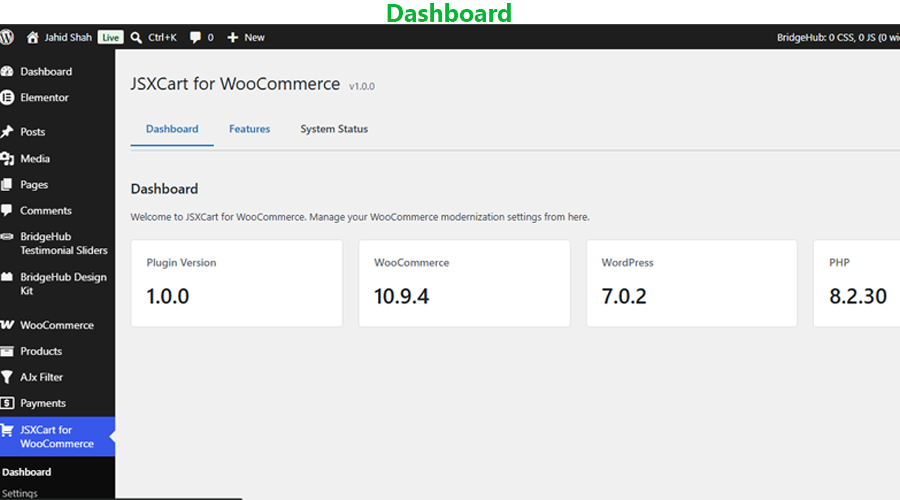
JSXCart for WooCommerce enhances the customer-facing experience of WooCommerce while keeping WooCommerce’s proven business logic and compatibility.
Instead of replacing WooCommerce, JSXCart for WooCommerce modernizes the user interface using WordPress and WooCommerce best practices.
The plugin is designed to be lightweight, modular, and compatible with future WooCommerce updates.
Features
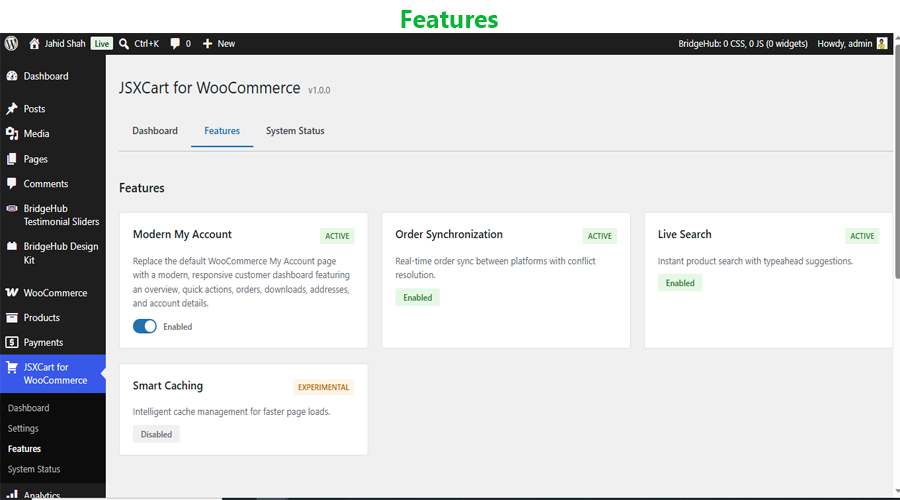
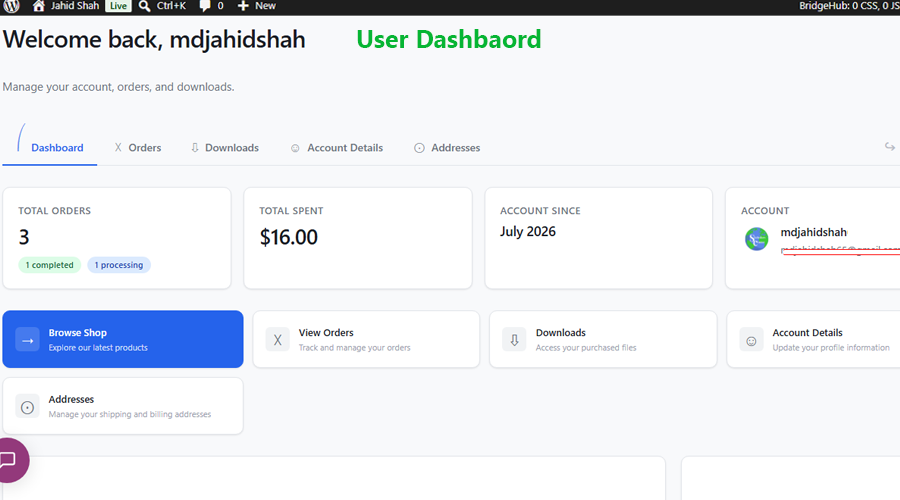
- Modern WooCommerce My Account experience
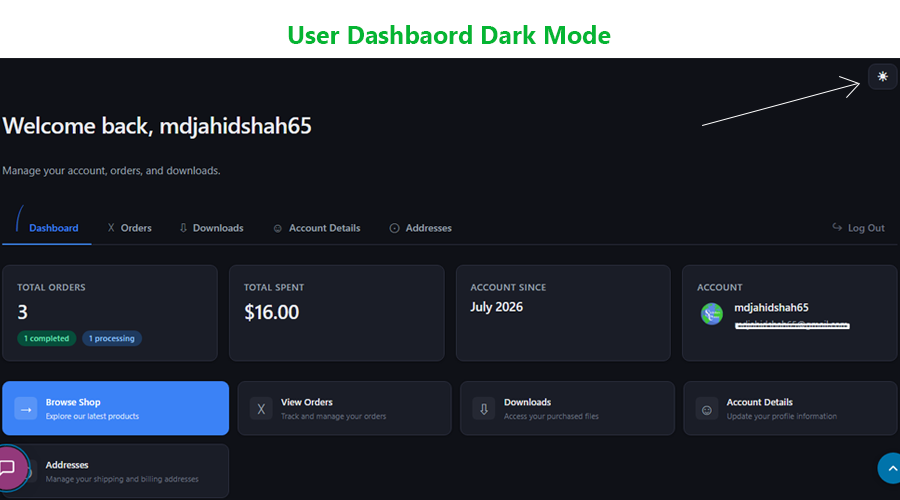
- Modern customer dashboard
- Responsive and mobile-friendly interface
- Quick Actions panel
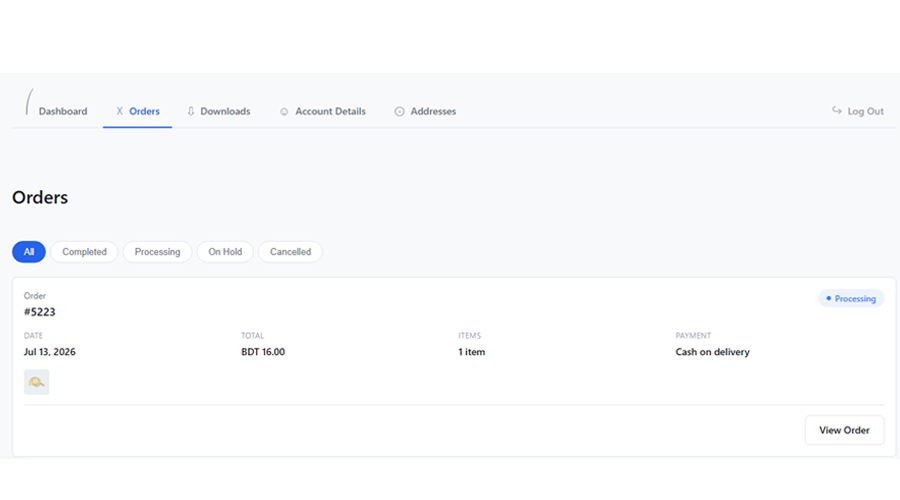
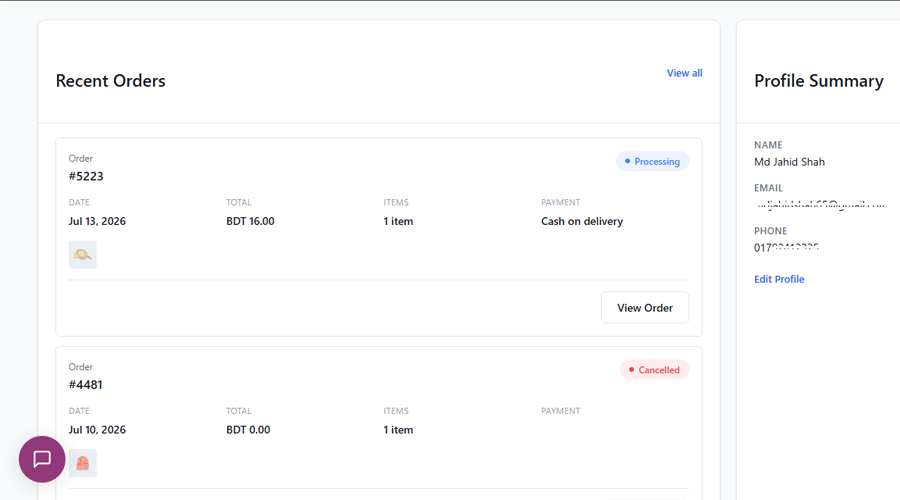
- Recent Orders overview
- Profile Summary
- Feature toggles
- WooCommerce compatible
- Lightweight architecture
- Accessibility focused
- Translation ready
Support & Contact
Need help or want to report an issue?
For any issues, please open a support ticket in the WordPress plugin repository or visit our support page.
スクリーンショット
インストール
- Upload the plugin files to the
/wp-content/plugins/jsxcart-for-woocommerce/directory, or install the plugin through the WordPress Plugins screen. - Activate the plugin through the “Plugins” screen in WordPress.
- Ensure WooCommerce is installed and activated.
- Navigate to JSXCart for WooCommerce Features.
- Enable the desired features.
- Visit your WooCommerce My Account page.
Feature Modules
- Modern My Account
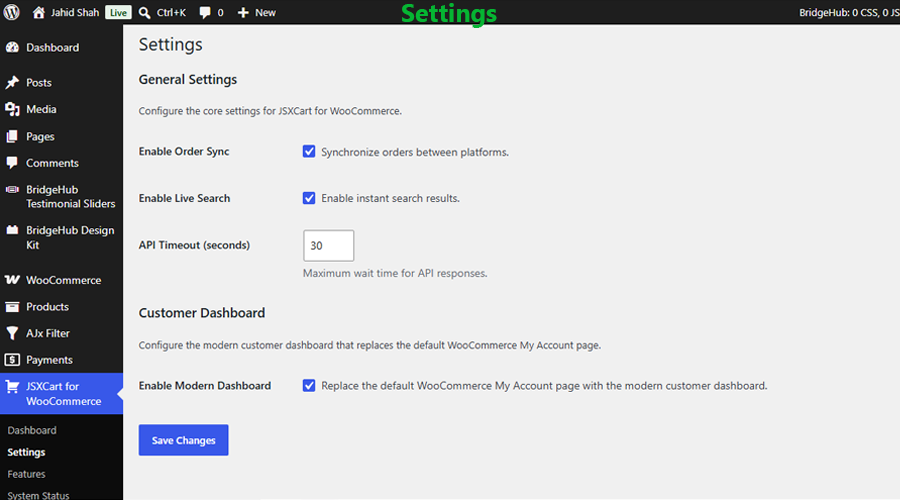
- Plugin Settings
- Feature Management
- System Status
FAQ
-
Why JSXCart for WooCommerce?
-
WooCommerce is one of the world’s most flexible eCommerce platforms, but many stores want a more modern customer experience.
JSXCart for WooCommerce focuses on improving the customer interface while allowing WooCommerce to continue handling:
- Authentication
- Orders
- Downloads
- Addresses
- Account management
- Business logic
This ensures maximum compatibility with WooCommerce and third-party extensions.
-
Does this plugin require WooCommerce?
-
Yes. WooCommerce must be installed and activated.
-
Does this modify WooCommerce core files?
-
No. JSXCart for WooCommerce uses official WooCommerce hooks, filters, and template override mechanisms.
-
Will my existing orders be affected?
-
No. The plugin only changes the customer interface and does not modify order data.
-
Can I disable features individually?
-
Yes. Features can be enabled or disabled from the plugin settings.
-
Is the plugin translation ready?
-
Yes.
-
Will this work with my current WooCommerce theme?
-
Yes. JSXCart for WooCommerce is designed to work alongside most WooCommerce-compatible themes by using official WooCommerce hooks, filters, and template override mechanisms.
評価
このプラグインにはレビューがありません。
貢献者と開発者

“JSXCart for WooCommerce” をあなたの言語に翻訳しましょう。
開発に興味がありますか ?
変更履歴
1.0.0
- Initial public release.
- Modern WooCommerce My Account dashboard.
- Responsive customer interface.
- Quick Actions.
- Profile Summary.
- Recent Orders.
- Feature management.
- Settings page.
- System Status page.
- WooCommerce compatibility improvements.
- Performance improvements.
- Accessibility improvements.