Title: Light Code Block
Author: Pavel
Published: 2025年6月17日
Last modified: 2025年12月27日
---
プラグインを検索

# Light Code Block
作者: [Pavel](https://profiles.wordpress.org/plance/)
[ダウンロード](https://downloads.wordpress.org/plugin/light-code-block.1.0.2.zip)
* [詳細](https://ja.wordpress.org/plugins/light-code-block/#description)
* [レビュー](https://ja.wordpress.org/plugins/light-code-block/#reviews)
* [インストール](https://ja.wordpress.org/plugins/light-code-block/#installation)
* [開発](https://ja.wordpress.org/plugins/light-code-block/#developers)
[サポート](https://wordpress.org/support/plugin/light-code-block/)
## 説明
The “Light Code Block” plugin is a simple and lightweight solution for inserting
and displaying code snippets in posts and pages.
It works by adding a custom “LC”
button to the TinyMCE (Classic) editor or a code block in the Gutenberg editor.
The inserted code will be shown on the front end in a clean, readable format.
### Usage
* Install and activate the plugin.
* Go to the post or page edit screen.
* In the TinyMCE (Classic) editor, click the **“LC”** button in the toolbar.
* In the popup window that opens, paste or write your code, and click **OK**.
* Save or update your post.
The code will be saved inside a special block and displayed on the front end within
a `` tag with the class `mce-simple-code-block` (i.e., `...
`).
To insert code using the Gutenberg editor, you first need to add a Classic (TinyMCE)
block, and then use it to insert your code.
## スクリーンショット
* [[
* The “LC” button in the Classic editor toolbar.
* [[
* Popup window for inserting/editing code (Classic version).
* [[
* Popup window for inserting/editing code (Gutenberg version).
* [[
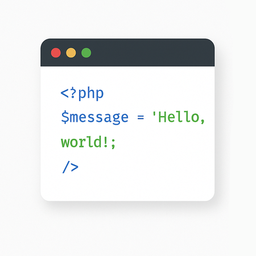
* Example of a rendered code block on the front end.
## インストール
1. Install the “Light Code Block” plugin through the standard WordPress plugin installer.
2. Or unzip and upload the “light-code-block” folder to the `/wp-content/plugins/`
directory.
3. Activate the plugin through the ‘Plugins’ menu in WordPress.
## 評価
このプラグインにはレビューがありません。
## 貢献者と開発者
Light Code Block はオープンソースソフトウェアです。以下の人々がこのプラグインに貢献
しています。
貢献者
* [ Pavel ](https://profiles.wordpress.org/plance/)
“Light Code Block” は1ロケールに翻訳されています。 [翻訳者](https://translate.wordpress.org/projects/wp-plugins/light-code-block/contributors)
のみなさん、翻訳へのご協力ありがとうございます。
[“Light Code Block” をあなたの言語に翻訳しましょう。](https://translate.wordpress.org/projects/wp-plugins/light-code-block)
### 開発に興味がありますか ?
[コードを閲覧](https://plugins.trac.wordpress.org/browser/light-code-block/)する
か、[SVN リポジトリ](https://plugins.svn.wordpress.org/light-code-block/)をチェック
するか、[開発ログ](https://plugins.trac.wordpress.org/log/light-code-block/)を [RSS](https://plugins.trac.wordpress.org/log/light-code-block/?limit=100&mode=stop_on_copy&format=rss)
で購読してみてください。
## 変更履歴
#### 1.0.2
* Tested up to WordPress 6.9
#### 1.0.1
* For backward compatibility, the class “mce-simple-block-code” has been added.
#### 1.0.0
* Init release.
## メタ
* バージョン **1.0.2**
* 最終更新日 **4か月前**
* 有効インストール数 **10未満**
* WordPress バージョン ** 6.0またはそれ以降 **
* 検証済み最新バージョン: **6.9.4**
* 言語
* [English (US)](https://wordpress.org/plugins/light-code-block/)、[Russian](https://ru.wordpress.org/plugins/light-code-block/).
* [プラグインを翻訳](https://translate.wordpress.org/projects/wp-plugins/light-code-block)
* タグ
* [code](https://ja.wordpress.org/plugins/tags/code/)[editor](https://ja.wordpress.org/plugins/tags/editor/)
[source](https://ja.wordpress.org/plugins/tags/source/)[sourcecode](https://ja.wordpress.org/plugins/tags/sourcecode/)
[syntax highlighting](https://ja.wordpress.org/plugins/tags/syntax-highlighting/)
* [詳細を表示](https://ja.wordpress.org/plugins/light-code-block/advanced/)
## 評価
レビューはまだ送信されていません。
[Your review](https://wordpress.org/support/plugin/light-code-block/reviews/#new-post)
[すべてのレビューを見る](https://wordpress.org/support/plugin/light-code-block/reviews/)
## 貢献者
* [ Pavel ](https://profiles.wordpress.org/plance/)
## サポート
意見や質問がありますか ?
[サポートフォーラムを表示](https://wordpress.org/support/plugin/light-code-block/)