内容をスキップ
WordPress.org

日本語

  • テーマ
  • プラグイン
  • ニュース
    • ドキュメンテーション
    • フォーラム
  • 概要
  • 参加・貢献
  • このサイトについて
  • WordPress を入手
WordPress を入手
WordPress.org

Plugin Directory

SimpleShare: Auto-posting + Share Buttons for Social

  • プラグインを申請
  • お気に入り
  • ログイン
  • プラグインを申請
  • お気に入り
  • ログイン

SimpleShare: Auto-posting + Share Buttons for Social

作者: Web Guy
ダウンロード
  • 詳細
  • レビュー
  • インストール
  • 開発
サポート

説明

💬 Ask Question | 📧 Email Me

Auto-post to your social profiles + add share buttons to your posts.

Features

  • Auto-post to Facebook, Instagram, LinkedIn, Pinterest, Reddit, and X when you publish
  • Schedule manual posts to go out at a specific date and time
  • Send custom messages to all connected accounts at any time
  • Skip auto-posting per post, or exclude specific platforms or categories
  • Add custom text before or after every auto-post, globally or per post
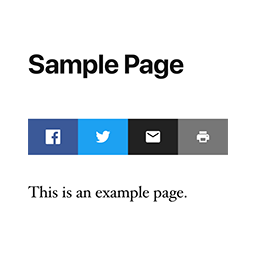
  • Share buttons for Facebook, X, LinkedIn, Reddit, Threads, Bluesky, WhatsApp, Telegram, Email, Copy Link, and Print
  • Place share buttons above, below, or both above and below post content
  • Hide share button text or align buttons left, center, or right

Automatic Posting

Automatically posts your content to your social media accounts when you publish. Currently supports: Facebook, Instagram, LinkedIn, Pinterest, Reddit, and X.

Manual Posting

You can also post any custom message to all connected accounts at any time using “Send a Message” without needing to publish a post.

Share Buttons

Automatically added to posts and other selected post types. Use the [simpleshare] shortcode to place buttons anywhere, or in PHP: <?php echo do_shortcode( '[simpleshare]' ); ?>.

インストール

  1. Install and activate the plugin.
  2. Go to Settings > SimpleShare.
  3. On the “Posting” tab, enable the platforms you want to post to and follow the setup instructions for each one.
  4. On the “Buttons” tab, choose which post types to show buttons on and which buttons to display.

FAQ

How do I connect my website with my social profiles?

Each platform requires a developer app. The plugin guides you through setup with step-by-step instructions and handles all connections directly in your WordPress admin.

You can find more in-depth documentation here.

How quickly should new posts appear on my social profiles?

  • Internal Feed: Posts are sent approximately 1 minute after publishing.
  • External Feed: The default is every 10 minutes, but can be adjusted.

Why is auto-posting not working?

If you’ve followed the instructions, created the app, connected your website, and it’s still not working, start by checking the logs, then email me if you need help.

Can I style the share buttons?

To override the default styles, target .simpleshare and .ssbtn in your theme or custom CSS. Platform color classes: .ssbtn.facebook, .ssbtn.x, .ssbtn.linkedin, .ssbtn.reddit, .ssbtn.threads, .ssbtn.bluesky, .ssbtn.whatsapp, .ssbtn.telegram, .ssbtn.email, .ssbtn.copy, .ssbtn.print.

評価

このプラグインにはレビューがありません。

貢献者と開発者

SimpleShare: Auto-posting + Share Buttons for Social はオープンソースソフトウェアです。以下の人々がこのプラグインに貢献しています。

貢献者
  • Web Guy

“SimpleShare: Auto-posting + Share Buttons for Social” をあなたの言語に翻訳しましょう。

開発に興味がありますか ?

コードを閲覧するか、SVN リポジトリをチェックするか、開発ログを RSS で購読してみてください。

変更履歴

2026.11

  • Added more share buttons (Threads, Bluesky, WhatsApp, Telegram)
  • Added more share buttons customization
  • Improved accessibility

2026.10

  • Fixed connection/posting for LinkedIn company pages

2026.9

  • Improved skipped post handling

2026.8

  • Fixed encoding issue

2026.7

  • Fixed checkboxes for manual posts

2026.6

  • Added documentation section
  • Improved URL and image handling for manual posts
  • Improved Fallback Image feature

2026.5

  • Added option to skip auto-posting at the individual post level
  • Added default pre/post content for auto posts
  • Added Fallback Image option for auto posts
  • Added scheduling option for manual posts

2026.4

  • Added image support to LinkedIn

2026.3

  • Improved manual posting

2026.2

  • Improved image handling for Instagram

2026.1

  • Added option to exclude categories

2026

  • Auto-posting to Facebook, Instagram, LinkedIn, Pinterest, Reddit, and X
  • RSS feed checking for external feed sources with configurable interval
  • Send custom messages to all connected accounts
  • Share buttons for Facebook, X, LinkedIn, Reddit, Email, Copy, and Print
  • Per-post-type and per-position controls for share button placement
  • Activity log with platform, status code, and response body

メタ

  • バージョン 2026.11
  • 最終更新日 3か月前
  • 有効インストール数 10+
  • WordPress バージョン 5.3またはそれ以降
  • 検証済み最新バージョン: 7.0.7
  • 言語
    English (US)
  • タグ
    auto postfacebooksocial mediasocial sharingtwitter
  • 詳細を表示

評価

レビューはまだ送信されていません。

Your review

すべてのレビューを見る

貢献者

  • Web Guy

サポート

意見や質問がありますか ?

サポートフォーラムを表示

寄付

このプラグインが今後も改善できるよう応援しませんか ?

このプラグインに寄付

  • WordPress とは
  • ニュース
  • ホスティング
  • プライバシー
  • ショーケース
  • テーマ
  • プラグイン
  • パターン
  • Learn
  • サポート
  • 開発者
  • WordPress.tv ↗
  • 参加・貢献
  • イベント
  • 寄付 ↗
  • Swag ↗
  • WordPress.com ↗
  • Matt ↗
  • bbPress ↗
  • BuddyPress ↗
WordPress.org

日本語

The WordPress® trademark is the intellectual property of the WordPress Foundation.

  • X (旧 Twitter) アカウントへ
  • Bluesky アカウントへ
  • Mastodon アカウントへ
  • Threads アカウントへ
  • Facebook ページへ
  • Instagram アカウントへ
  • LinkedIn アカウントへ
  • TikTok アカウントへ
  • YouTube チャンネルへ
  • Tumblr アカウントへ
Code is Poetry.