Title: WP Code Pre
Author: zeshanb
Published: 2017年9月19日
Last modified: 2021年8月8日
---
プラグインを検索
このプラグインは **WordPress の最新3回のメジャーリリースに対してテストされていま
せん**。もうメンテナンスやサポートがされていないかもしれず、最新バージョンの WordPress
で使用した場合は互換性の問題が発生する可能性があります。
# WP Code Pre
作者: [zeshanb](https://profiles.wordpress.org/zeshanb/)
[ダウンロード](https://downloads.wordpress.org/plugin/wp-code-pre.1.0.1.zip)
* [詳細](https://ja.wordpress.org/plugins/wp-code-pre/#description)
* [レビュー](https://ja.wordpress.org/plugins/wp-code-pre/#reviews)
* [インストール](https://ja.wordpress.org/plugins/wp-code-pre/#installation)
* [開発](https://ja.wordpress.org/plugins/wp-code-pre/#developers)
[サポート](https://wordpress.org/support/plugin/wp-code-pre/)
## 説明
This simple plugin was created because of security concerns related to using PHP
preg_replace directly. With transition to PHP7, it’s advised to use preg_replace_callback
instead.
This plugin uses built-in supported feature of PHP-“highlight_string”. This plugin
filters post content inside custom html block for
and helps display html and other source code.
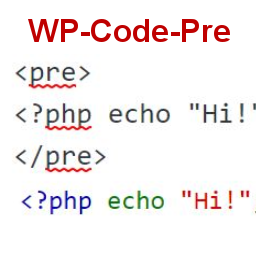
To display source code in your posts, surround source code with pre tags. Plugin
will filter for pre tags and add inline styles that may be modified using your wordpress
theme’s css stylesheet.
For WordPress versions 5.0 and above, HTML pre tags can be used within html block
or, classic block. Use the three dot menu to convert to html when there is a invalid
content error while post editing.
## スクリーンショット
[⌊Code preview on blog post or page⌉⌊Code preview on blog post or page⌉[
Code preview on blog post or page
[⌊Typing code in text tab of WordPress Admin area when writing Post.⌉⌊Typing code
in text tab of WordPress Admin area when writing Post.⌉[
Typing code in text tab of WordPress Admin area when writing Post.
[⌊Convert block to html while editing to make modifications to existing source code
display⌉⌊Convert block to html while editing to make modifications to existing source
code display⌉[
Convert block to html while editing to make modifications to existing source code
display
## インストール
1. Download the plugin
2. Upload the wp-code-pre.zip folder to your site’s wp-content/plugins directory
3. Activate the plugin in the WordPress Admin Panel
4. Surround source code with `
` tags, when writing in blog posts using
Gutenberg with classic block and “Edit as HTML” or, html block
## FAQ
Why there aren’t any options to modify in admin?
This plugin simply filters for
pre tags.
## 評価
このプラグインにはレビューがありません。
## 貢献者と開発者
WP Code Pre はオープンソースソフトウェアです。以下の人々がこのプラグインに貢献し
ています。
貢献者
* [ zeshanb ](https://profiles.wordpress.org/zeshanb/)
[“WP Code Pre” をあなたの言語に翻訳しましょう。](https://translate.wordpress.org/projects/wp-plugins/wp-code-pre)
### 開発に興味がありますか ?
[コードを閲覧](https://plugins.trac.wordpress.org/browser/wp-code-pre/)するか、[SVN リポジトリ](https://plugins.svn.wordpress.org/wp-code-pre/)
をチェックするか、[開発ログ](https://plugins.trac.wordpress.org/log/wp-code-pre/)
を [RSS](https://plugins.trac.wordpress.org/log/wp-code-pre/?limit=100&mode=stop_on_copy&format=rss)
で購読してみてください。
## 変更履歴
#### 1.0
* First version of the plugin.
#### 1.0.1
* Updated readme to reflect updates to version 5.0
## メタ
* バージョン **1.0**
* 最終更新日 **5年前**
* 有効インストール数 **10+**
* WordPress バージョン ** 4.0またはそれ以降 **
* 検証済み最新バージョン: **5.8.15**
* PHP バージョン ** 7.0またはそれ以降 **
* 言語
* [English (US)](https://wordpress.org/plugins/wp-code-pre/)
* タグ
* [Code Highlight](https://ja.wordpress.org/plugins/tags/code-highlight/)[filter content](https://ja.wordpress.org/plugins/tags/filter-content/)
* [詳細を表示](https://ja.wordpress.org/plugins/wp-code-pre/advanced/)
## 評価
レビューはまだ送信されていません。
[Your review](https://wordpress.org/support/plugin/wp-code-pre/reviews/#new-post)
[すべてのレビューを見る](https://wordpress.org/support/plugin/wp-code-pre/reviews/)
## 貢献者
* [ zeshanb ](https://profiles.wordpress.org/zeshanb/)
## サポート
意見や質問がありますか ?
[サポートフォーラムを表示](https://wordpress.org/support/plugin/wp-code-pre/)