

説明
The MojoAuth Passwordless Authentication WordPress plugin replaces standard WordPress login forms with the passwordless authentication method. It provides a robust and secure passwordless authentication mechanism to your WordPress site that offers the users a way to verify themselves while not having to remember or manually type passwords, which in turn provides stronger security and fewer breaches.
Adding a passwordless authentication mechanism will help to create additional barriers to secure accounts of users. We updated the conventional password method of login with a safer authentication method, for example, log in through Email OTP, Magic Link, Social Login, Phone SMS and WebAuthn. This likewise cuts the additional progression of you fumbling over your failed to remember password.
KEY FEATURES
- Magic Link: A unique link sent directly to your email which allows you to authenticate once and becomes invalid automatically once you are logged in.
- OTP: A unique OTP sent directly to your email which allows you to authenticate once and becomes invalid automatically once you are logged in.
- WebAuthn: Allow users to authenticate with built-in authenticators like fingerprint, pin, or using security keys like YubiKey.
- Social Login: Allow your users to log in using Social login like Google, Facebook, Apple, etc., and increase sign-ups by removing the friction of passwords.
- SMS Authentication: Authenticate and verify your users using SMS OTP across all your applications and enable a secure, frictionless and customizable login experience for everyone.
Contributing
You can contribute or see sources to this plugin on GitHub.
Support
We offer 24/7 support, reach out to our support team, or refer our product documents
- Live chat
- Email Support mailto:support@mojoauth.com
- Support documentation
スクリーンショット

Screenshot1 : Plugin Setting Page 
Screenshot2 : Login Page 
Screenshot3 : Submit Login Page 
Screenshot4 : Email at your email provider 
Screenshot5 : Success Login Page 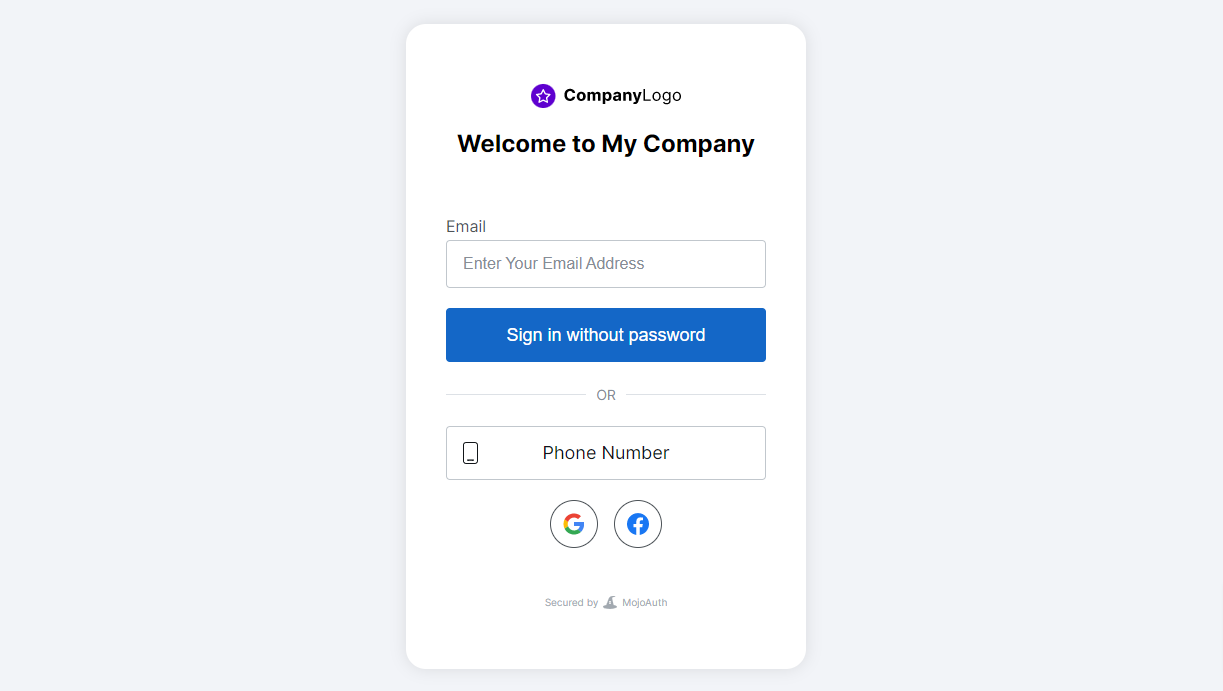
Screenshot6 : Social Login 
Screenshot7 : SMS Authentication
インストール
Step-by-step installation documents
After downloading the plugin, you will find MojoAuth located under Plugins.
Activate your plugin in WordPress by clicking on “MojoAuth”.
FAQ
-
How to add SMS Authentication?
-
To add SMS Authentication, configure your SMS provider under Marketplace in MojoAuth Dashboard.
-
Add your provider configuration under Marketplace in MojoAuth Dashboard to add login using your favorite social provider.
-
What is a public Certificate and where is it used in my application?
-
A Public Certificate is used to verify that the token is generated by an authenticated server and not tempered. MojoAuth plugin will return the verified token so you don’t need to worry about it.
-
How can I white label my transactional email?
-
To send the transactional emails with a custom sender name and email, configure your email service provider under Marketplace in MojoAuth Dashboard.
-
How MojoAuth is secure?
-
MojoAuth is fully secured and following best practices to secure our system. We also do follow OIDC standard practices and are compliant with GDPR for data protection.
-
Is MojoAuth white labeled?
-
Yes, MojoAuth is a white labeled solution so you can easily customize the look as per your brand identity.
-
Does my plugin delete all the data once I delete the plugin?
-
We support both options to keep your data as it is once you delete the plugin or you can delete them.
-
How much time email magic link or OTP will take?
-
We provide a 99.99% success rate of mail delivery and it won’t be delayed.
-
Can I allow users to log in using biometric?
-
Yes, we do support the webauthn feature and you can enable it from MojoAuth Dashboard. This allows your users to log in with all trusted platforms.
評価


貢献者と開発者

変更履歴
2.7
- Support same page redirection functionality
- Minor improvements and bug fixes
2.6
- Messaging update for pricing change
2.5
- Added Redirection functionlity
2.4
- Compatible with WordPress 6.0 version
2.3
- Added functionality of SMS
- Added functionality of Email OTP
2.2
- Added language API
2.1
- Remove chilkat library dependency
1.2
- Localization with 5 languages
- Handle magic link redirection
1.1
- Messaging update
1.0
- Initial release