
説明
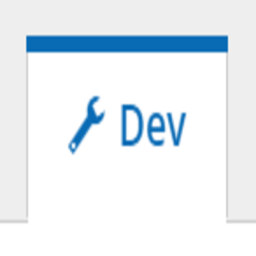
A super light-weight WordPress plugin to display the current Pantheon’s environment in the ADMIN Toolbar of WordPress. Avoid conflicts while working on various envionment, and always besure that you are working on the correct branch. No configurations needed. Just activate it, and your admin panel will display the current environment.
スクリーンショット

インストール
Please follow the below steps for installing this plugin:-
Automatic Installation: 1. Log in to your WordPress dashboard, and navigate under Plugins > Add New 2. In the Search Box, search for \”Environment Displayer for Pantheon\” 3. Besides the plugin named \”Environment Displayer for Pantheon\”, click Install 4. After the installation has been completed, click Activate. 5. The plugin is now activated and now will show the current environment on the ADMIN toolbar
Manual Installation: 1. Download the plugin\’s zip file by clicking on Download from the above of this page 2. Log in to your WordPress dashboard, and navigate under Plugins > Add New 3. At the Top, click on Upload. 3. Upload the zip you downloaded 4. Click on Upload. 5. After the plugin is uploaded, click on Activate. 6. The plugin is now activated and now will show the current environment on the ADMIN toolbar
FAQ
-
Does this plugin display the name of multi-devs as well?
-
Yes, this plugin will also show the name of the crrent environment, even multi-dev.
-
Will this plugin work with sort fo websites?
-
Yes, this plugin will wokr with any sorts of websites. Just make sure that you are using Pantheon hosting, otherwise it will show “Non-Pantheon site”
-
Is any configurations needed?
-
No configurations is need. Just activate it, and it’s done 🙂
評価
このプラグインにはレビューがありません。
