

説明
Live User IP and Location integrates with ipapi.co to fetch visitor geolocation and network data and provides shortcodes to display that data anywhere on your site.
Key features:
* Robust server-side IP detection using common headers.
* Optional IP anonymization to mask the most specific part of the IP (IPv4 and IPv6).
* Per-IP transient caching with configurable TTL to reduce external API calls.
* Admin settings page with API Key Test (AJAX + nonce + capability checks).
* 28 shortcodes to output IP and location data fields.
* Safe and standards-compliant implementation with i18n support.
Third-Party Services
This plugin uses the ipapi.co service to provide geolocation data. By using this plugin you agree to the ipapi.co terms of use and privacy policy:
* https://ipapi.co/terms/
* https://ipapi.co/privacy/
* The plugin sends the visitor IP address (or anonymized IP, if enabled) to ipapi.co when shortcode data is requested.
* The plugin stores API responses in local WordPress transients based on IP/API key for the selected cache duration.
Usage
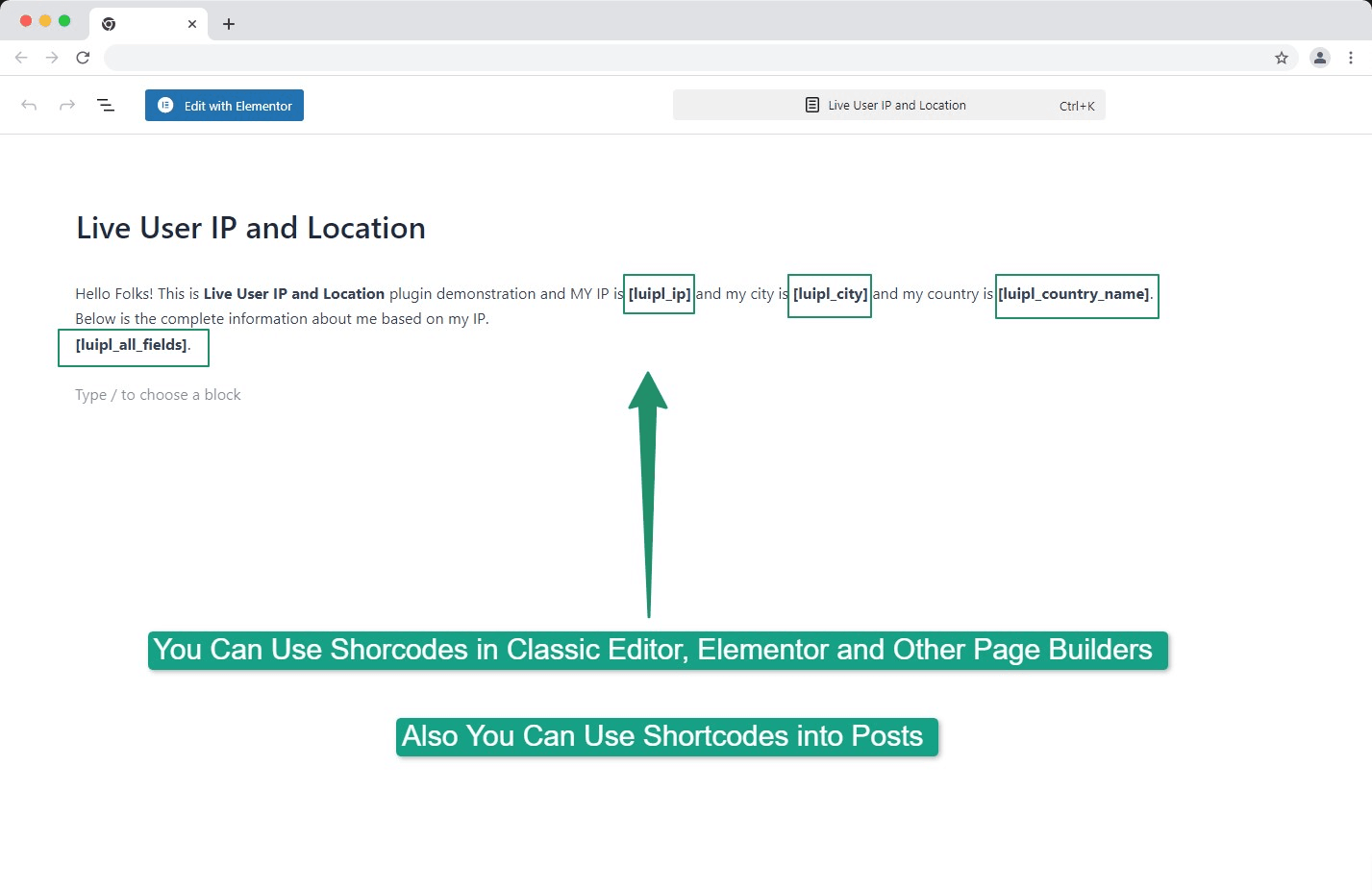
Place any of the provided shortcodes in posts, pages, or widgets to display IP or location data. Example shortcodes:
[luipl_ip], [luipl_network], [luipl_version], [luipl_city], [luipl_region], [luipl_region_code], [luipl_country], [luipl_country_name], [luipl_country_code], [luipl_country_code_iso3], [luipl_country_capital], [luipl_country_tld], [luipl_continent_code], [luipl_in_eu], [luipl_postal], [luipl_latitude], [luipl_longitude], [luipl_timezone], [luipl_utc_offset], [luipl_country_calling_code], [luipl_currency], [luipl_currency_name], [luipl_languages], [luipl_country_area], [luipl_country_population], [luipl_asn], [luipl_org], [luipl_all_fields]
Support
For support and further information, visit https://profiles.wordpress.org/obedullah/ or open a support thread on the WordPress plugin page.
License
This plugin is licensed under the GPL v3 or later. For more information, see https://www.gnu.org/licenses/gpl-3.0.html.
Credits
This plugin uses the IP geolocation service provided by IPAPI (https://ipapi.co/). Thanks to IPAPI for providing geolocation data.
スクリーンショット
Settings page: API Key input, Test button, Cache TTL selector, and IP anonymization toggle. 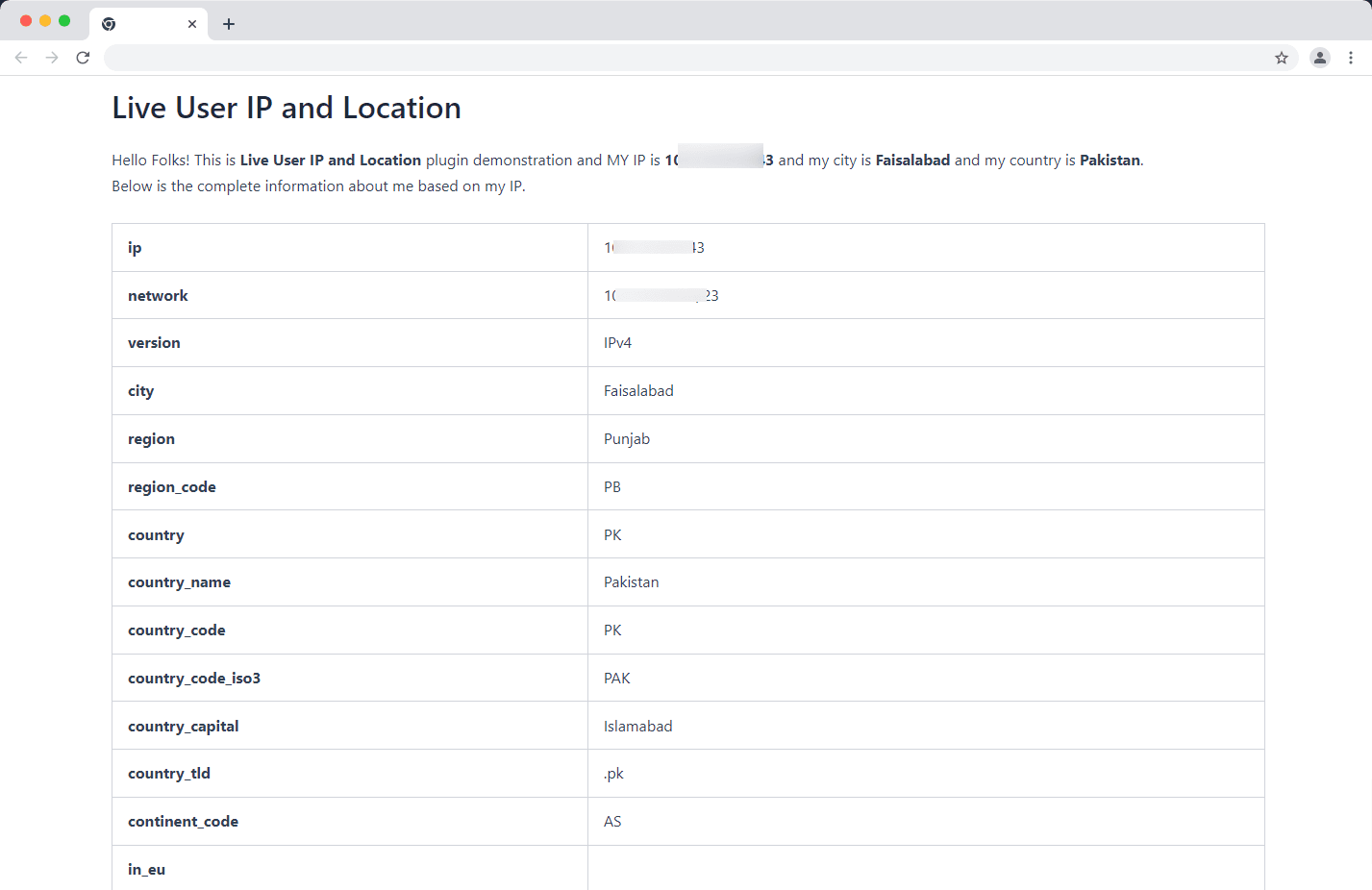
Shortcodes reference grid.
インストール
- Upload the plugin folder to the
/wp-content/plugins/live-user-ip-and-locationdirectory or install the plugin through the WordPress plugins screen. - Activate the plugin through the ‘Plugins’ screen in WordPress.
- Go to the plugin settings page (IP Location), enter your ipapi API key and click Save Changes.
- Optionally enable IP anonymization for privacy compliance and choose your Cache TTL.
FAQ
-
What does IP anonymization do?
-
When enabled, the plugin partially masks the visitor’s IP address before sending it to ipapi. For IPv4 the last octet is zeroed (for example: 192.168.1.123 -> 192.168.1.0). For IPv6 it keeps the first network portion and zeroes the rest to reduce identifiability. This reduces storage of personally identifiable information and helps with privacy compliance such as GDPR.
-
Do I need an API key?
-
Yes. Register at https://ipapi.co/free/ to receive a free API key via email and paste it into the plugin settings page.
-
How does caching work?
-
Location responses are stored in a transient keyed per-IP and API key to reduce repeated external requests. You can configure the TTL (time-to-live) on the settings page.
-
Can I style the shortcode output?
-
Yes. Shortcode output is plain HTML/text so you can target it with your theme or custom CSS.
評価
このプラグインにはレビューがありません。
貢献者と開発者

“Live User IP and Location” をあなたの言語に翻訳しましょう。
開発に興味がありますか ?
変更履歴
1.1.1
- Tested and updated compatibility metadata for WordPress 7.0.
- Added explicit plugin header text domain metadata and translation loading.
- Improved translation metadata handling.
1.1.0
- Added Cache TTL selector to configure transient lifetime.
- Added IP anonymization toggle for privacy compliance.
- Added API Key Test button (admin AJAX with nonce and capability checks).
- Improved IP detection and validation; supports common reverse proxy headers.
- Implemented per-IP transient caching and per-request static caching to avoid duplicate external calls.
- Moved admin CSS and JS into assets and enqueued only on the plugin settings page.
- Improved sanitization, escaping, and i18n for all admin strings.
1.0.1
- Tested compatibility with WordPress and PHP versions.
1.0
- Initial release.