

説明
Instant Knowledge Base helps you launch a modern self-service help center in minutes, perfect for product docs, SaaS onboarding, internal SOPs, and FAQs. It includes a clean UI, AJAX live search, FAQ schema for rich results, role-based access, and flexible templates. Reduce tickets, improve CSAT, and keep answers consistent across your site.
Highlights
- AJAX live search & filters for instant results.
- Custom post type for structured articles plus Help Topics (categories).
- FAQ system with Google FAQ schema for SEO-friendly snippets.
- Role-based access (global + per-article overrides).
- Related & most-viewed articles, breadcrumbs, and icons for topics.
- Fully responsive and theme-friendly.
- Shortcode to embed anywhere:
[instant_knowledgebase].
Why it’s different
- Built for speed and clarity (reduces support friction).
- Thoughtful privacy/GDPR controls (analytics respect consent).
- Templates for home, category, and single views; additional layouts are available in the separate Pro add-on.
⭐ WALK-THROUGH: Instant Knowledge Base Tutorial
Learn how to install, activate, and configure your knowledge base with our easy step-by-step guide.
Knowledge Base Features
- Unlimited KB Articles: Create an unlimited number of KB articles
- Unlimited FAQs: Create Modern & SEO Schema FAQs
- Modern, responsive layout
- Custom post type for Knowledge Base Articles
- Help Topics (categories) + hierarchy
- Typography (Google Fonts):
- Real-time AJAX search and filters
- Unified Shortcode:
[instant_knowledgebase] - Related and Most Viewed articles
- Like/Dislike feedback
- Breadcrumbs and topic icons
- Role-based access (global + per-article)
- Category visibility controls & empty-category options
- Custom article & Help Topic ordering for a structured homepage and categories
Go PRO for additional features
- Layout Designs: 4+ professionally designed layouts you can instantly switch between and customize to match your brand.
- Advanced analytics dashboard: Track searched keywords, missing content, engagement, and article performance to optimize your KB.
- Conversion Funnels & Automated Insights: Identify drop-off points, user intent, and improvement opportunities with smart automated insights.
- Advanced search UI: Includes dropdown search, live suggestions, instant search results, and more.
- Hero section builder: Customize your KB hero section, with colors, backgrounds, animations, and advanced options.
- Interactive checklists: Add interactive checklists or single checkboxes inside articles for tutorials and workflows.
- PDF export: Export articles or full analytics reports with one click.
- KB Widget Add your knowledge base anywhere using the [ikbase_widget] shortcode. Give users quick search access with live, dropdown results right inside the page they’re on.
- Video Section Add video/tutorial section for the demo videos
- Product sections & landing: Multiple product lines, product-scoped help topics, and an optional product picker before the main knowledge base.
👨💻 Help Center & Support
Need help setting up? Want to explore features or request support?
💙 Love Instant Knowledgebase?
If this plugin saves you time or improves your support process, show your support:
スクリーンショット
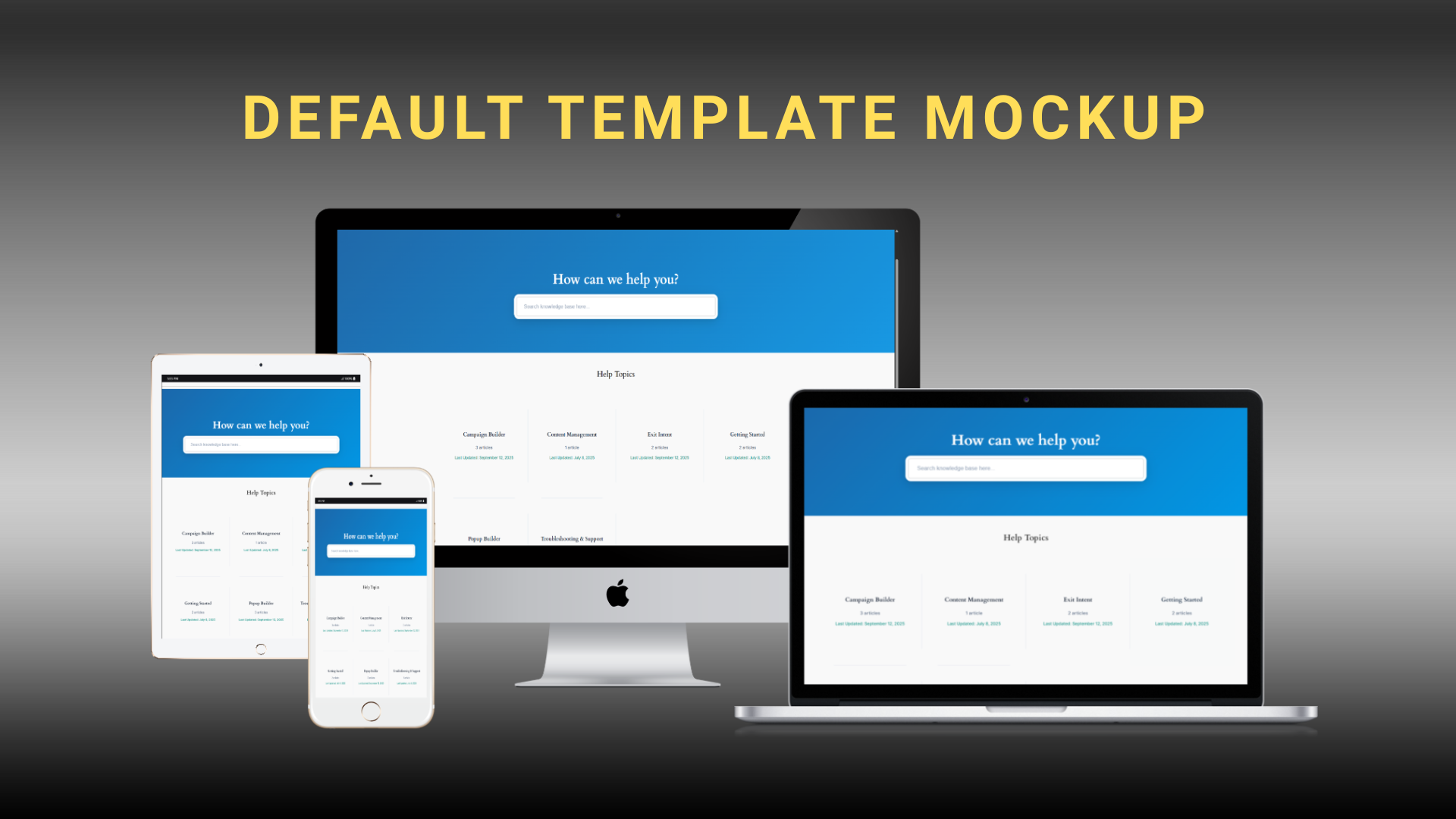
Default Template (Free) – Home Page Search bar and categories layout 
Default Template (Free) – Category Page – Clean category layout 
Default Template (Free) – Single Article Page – Single Article layout for easy reading
ブロック
このプラグインは1個のブロックを提供します。
- Checklist
インストール
You can install the Instant Knowledgebase plugin in three ways:
Automatic
- In Plugins Add New, search for Instant Knowledge Base.
- Click Install Now, then Activate.
Upload
- Download the ZIP.
- Go to Plugins Add New Upload Plugin.
- Upload the ZIP, Install Now, then Activate
FAQ
-
How do I display the knowledge base on my site?
-
Use the [instant_knowledgebase] shortcode on any WordPress page or post to display the knowledge base.
-
Can I restrict access to certain users?
-
Yes. You can enable user-role restrictions from Settings > Knowledge Base to control who can view articles.
-
Is this plugin mobile-friendly?
-
Yes, it is fully responsive and optimized for smartphones and tablets.
-
Can I customize the look and feel?
-
Absolutely. You can apply custom CSS or override the plugin’s templates to match your site’s branding.
-
Does it include article analytics?
-
Yes. Built-in view counters, like/dislike feedback system, and comprehensive analytics dashboard help track user engagement.
-
Can I import or export articles?
-
Yes. The plugin includes import/export functionality for easy backup and transfer of knowledge base content.
-
Does this plugin support FAQs?
-
Yes. From v1.0.5, you can enable a dedicated FAQ system with schema markup for SEO.
-
Can I hide certain categories?
-
Yes. Categories can be hidden or shown on the frontend from category settings (new in 1.0.5).
-
Can I hide empty categories?
-
Yes. There’s a global option in Basic Settings to show/hide empty help topics.
-
Does it include analytics?
-
Yes. The free plugin includes basic counters, feedback, and admin analytics summaries. Advanced analytics, funnels, and external integrations (GA4, Mixpanel) are provided by the separate Pro add-on.
-
Can I use the widget anywhere?
-
The KB widget shortcode (
[ikbase_widget]) is provided by the separate Pro add-on. -
Can I change the terms “Articles” and “Categories”?
-
Yes. You can rename “Articles” to “Knowledge Base” and “Categories” to “Help Topics” in the settings.
-
How do I organize articles?
-
Articles can be grouped using help topics (formerly categories) for better organization and navigation.
-
Can I control access per article?
-
Yes. You can set access permissions globally or override them on a per-article basis.
-
What happens when I uninstall the plugin?
-
The plugin provides options to retain or remove data, giving you more control during uninstallation.
-
What analytics features are available?
-
The free plugin includes view counts, feedback, and admin analytics summaries. Advanced analytics and exports are provided by the separate Pro add-on.
-
Can I use custom fonts?
-
Yes. The free plugin supports core typography settings. Additional typography options (including more Google Fonts controls) are provided by the separate Pro add-on.
-
Yes. Additional layouts (Help Center Modern, Opt-in Focus v2, Content Focus, etc.) are provided by the separate Pro add-on.
評価

貢献者と開発者

“Instant Knowledge Base” をあなたの言語に翻訳しましょう。
開発に興味がありますか ?
変更履歴
1.1.3 – 2026-04-12
- Fix: Reliable Layout saves with Pro using one layout field and deferred submit handling.
- Change: Removed duplicate Help Center hero and Opt-in search fields; use General settings instead.
- Improvement: Bug fixes and minor improvements.
1.1.2.1
- Fix: Product-based organization now works consistently as a Pro-only feature in the free core plugin..
- Improvement: Moved inline scripts and styles into shared assets; removed all literal and tags.
1.1.2
- Moved remaining Pro settings ownership out of core and into Pro extension hooks
- Fixed Product taxonomy bootstrap so Product sections register correctly again
- Updated the Upgrade page link to the current Instant Knowledge Base product page
- Cleaned dead legacy hero and product admin callbacks from core settings
- Improved free and Pro runtime separation for shortcode and hero behavior
- Fix: Escaped shortcode article links, titles, and excerpts for safer frontend output
- Fix: Hardened JSON-LD and JSON export output with safer wp_json_encode() defaults
- Fix: Hardened admin settings request handling with nonce verification, unslashing, and stricter input sanitization
- Fix: Added nonce protection to category term metadata and Product assignment save handlers
- Fix: Normalized AJAX request validation for search, ratings, category loading, and analytics session tracking
- Fix: Improved frontend query parameter handling for product filters, breadcrumbs, templates, and search routing
- Fix: Secured article access and taxonomy meta box saving with verified nonces and validated IDs
1.1.1
- Improved fonts and text styles across articles, FAQs, and search for a consistent reading experience
- Refined layout and spacing for better readability on all screen sizes, including wide monitors
- Enhanced live search with faster results, cleaner UI, and improved accuracy
- Fixed search issues and removed duplicate or conflicting search processes
- Improved navigation with clearer categories, hierarchy, and sidebar structure
- Fixed multiple bugs affecting icons, templates, and overall stability
1.1.0
- Feature: Added Analytics Dashboard with article views, searches, popular articles, and feedback stats
- Feature: “Was this helpful?” feedback added to articles and FAQs
- Feature: Hero Background toggle added for the knowledge base header
- Feature: Added Pro Video Tutorials section for PRO Version
- Improvement: Cleaner search bar design and more consistent layouts
- Improvement: Better readability when Hero Background is disabled
- Fix: Article view counts now work correctly without the Pro plugin
- Fix: Improved compatibility and stability when using the Pro plugin
- Improvement: General performance, security, and WordPress compliance updates
- Product sections and Product Landing Page are provided by Instant Knowledge Base Pro (not in the free plugin).
- [Premium] Improved Pro update handling and reliability
1.0.9
- UI Enhancement: Modern Search Interface & Improved User Experience for default Layout Design
- UI Enhancement: Default layout homepage improvement with configurable Frequently Read Articles visibility and position
- UI Enhancement: Moved Universal Hero Section Settings to dedicated Hero Section tab in settings menu
- Tweak: Optimized search bar spacing and padding for improved readability
- Update: Compatibility update to WP version 6.9
1.0.8
- Feature: Style-specific FAQ templates – all FAQ URLs now support style selection (Default, Compact, Content Focus)
- Feature: FAQ category taxonomy templates – complete template system for FAQ category pages (
/faq-category/) - Feature: Compact style FAQ templates – archive, single, and category templates with modern gradient design
- Feature: Enhanced FAQ breadcrumb system – automatically includes “Knowledge Base > FAQ > Category” hierarchy
- Feature: Fallback content processing function – ensures compatibility when the Pro plugin is not active
- Feature: Complete separation of premium features into a standalone Pro plugin
- Feature: Added complete French (France) translation with 30+ translated strings
- Feature: Added complete Spanish (Spain) translation with 30+ translated strings
- Improvement: All FAQ templates follow consistent design standards matching article templates
- Tweak: Related FAQs and category links added to single FAQ templates
- Tweak: Search functionality integrated into all FAQ archive templates
- Fix: Template hierarchy now properly supports all FAQ URLs (archive, single, category)
1.0.7
- Fix: Minor bug fixes and improvements
- Fix: Enhanced stability and performance optimizations
1.0.6
- Fix: Shortcodes in article content now display as plain text instead of being executed
- Feature: Article ordering within categories – set custom order numbers for articles (Premium)
- Feature: Subcategories with parent category relationships – organize content hierarchically
- Feature: Interactive checklists – add checkable task lists to articles (Premium)
- Feature: Single checkboxes – add individual checkboxes anywhere in articles (Premium)
- Improvement: Optimized article content spacing – reduced line spacing and list item spacing for better readability
- Improvement: Updated default layout with clean “Was this helpful?” feedback system and simplified “Also Read” section
- Feature: Customizable widget text – edit widget title and subtitle from Knowledge Base > Settings > Widget
1.0.5
- Feature: Category visibility controls – hide or show help topics/categories on the frontend
- Feature: Admin interface – added “Frontend Visibility” dropdown in category editor
- Feature: Category list view – new “Visibility” column with status indicators
- Feature: Empty categories setting – option to show/hide empty help topics
- Feature: FAQ system – enable/disable from settings with dedicated categories
- Feature: Google FAQ structured data – proper schema markup for SEO rich snippets
- Feature: Default FAQ category – automatically created when FAQ system is enabled
- Feature: [Premium] Knowledge Base Widget
[ikbase_widget]with customization options - Feature: [Premium] Real-time analytics dashboard with live activity tracking
- Feature: [Premium] Conversion funnel tracking with visualization
- Feature: [Premium] External analytics integration with Google Analytics 4 (GA4) and Mixpanel
- Feature: [Premium] Automated insights and recommendations system
- Feature: [Premium] Widget-specific analytics tracking and performance monitoring
-
Feature: [Premium] Advanced activity feed with user behavior visualization
-
Tweak: Hidden categories are excluded from frontend but remain accessible via direct URL
- Tweak: Updated templates to support category filtering consistently
- Tweak: Empty category logic improved – global setting to hide them from frontend
- Tweak: FAQ SEO optimization – FAQs follow Google schema guidelines
- Tweak: [Premium] Widget – improved customization, responsive design, and AJAX search
- Tweak: Enhanced analytics database structure for real-time data and funnels
- Tweak: Improved error handling, debugging, and security for analytics endpoints
- Fix: Fixed real-time analytics data refresh and display issues
- Fix: Resolved conversion funnel visualization and loading problems
- Fix: Improved analytics tracking reliability and consistency
- Fix: Enhanced widget analytics with proper event tracking
1.0.4
- Feature: [Premium] Content editor tools with code formatting and content boxes (Tip, Info, Warning)
- Feature: [Premium] Media support with image, GIF, video, and iFrame embedding via WordPress Media Library
- Feature: Image Lightbox – Click any editor-inserted image/GIF to open a fullscreen preview with next/previous navigation and keyboard support (Arrow keys, Esc)
- Feature: [Premium] iFrame embedding with customizable dimensions and responsive design
- Feature: Editor toolbar buttons for Tip, Info, Warning, GIF, Video, and iFrame now use icons for a cleaner, consistent UI
- Feature: Automatic frontend styling for code blocks, content boxes, media elements, and iFrames
- Fix: Import/Export – Improved reliability, added support for all settings, categories, and tags, and enhanced security checks
- Tweak: Enhanced frontend styling with responsive design and dark theme support
- Tweak: Improved import/export interface with clearer messages and better usability
- Tweak: Rebranded footer text to “Powered by Seventh Sky” across templates and admin preview
- Fix: Branding visibility logic – plugin credit is opt-in and controlled by an admin setting
- Feature: Slug/Permalink improvement – you can now use a page at /knowledgebase without conflicts; the CPT archive auto-disables when a page with the same slug exists, while single article URLs remain at /knowledgebase/{article}. After creating/removing the page, re-save Permalinks to flush rewrites
1.0.3
- Feature: [Premium] Comprehensive analytics dashboard with search tracking, article performance, and user engagement metrics
- Feature: [Premium] Advanced hero section builder with customizable backgrounds, animations, and content
- Feature: [Premium] Premium templates (Help Center Modern, Opt-in Focus v2, Content Focus) with enhanced layouts
- Feature: [Premium] GDPR compliance tools with customizable cookie consent banner
- Feature: [Premium] Typography customization with Google Fonts integration
- Feature: [Premium] Export/Import functionality for easy data management and backup
- Feature: Article hierarchy system with sections, subcategories, and article types
- Feature: Breadcrumb navigation for improved user experience
- Feature: [Premium] PDF export functionality for reports and articles
- Feature: [Premium] Performance tracking with scroll depth and time spent metrics
- Feature: [Premium] Advanced search features including dropdown search and live suggestions
- Tweak: Enhanced admin interface with improved settings organization
- Tweak: Better mobile responsiveness across all templates
- Tweak: Improved search algorithm for more relevant results
- Tweak: Enhanced user role management and access controls
- Fix: Various bug fixes and performance improvements
- Fix: Improved compatibility with different WordPress themes
- Fix: Enhanced security measures and data validation
1.0.2
- Feature: Added option to restrict knowledge base access to logged-in users. This can be set globally, with the option to override on individual articles.
- Feature: Introduced import/export functionality for easier data management.
- Feature: Added more user control during uninstallation.
- Tweak: Renamed Articles to Knowledge Base.
- Tweak: Renamed Categories to Help Topics.
- Tweak: Improved UI/UX for a smoother user experience.
- Fix: Minor bug fixes and performance enhancements.
1.0.1
- Improvement: Enhanced relevance of search results.
- Fix: Corrected search result alignment to better match theme settings.
1.0.0
- Initial Release