

説明
Category Image Manager by DevDesignDazzle enhances your WordPress site! Easily add images to categories for stunning pages, archives, and menus. This lightweight plugin lets you upload category images via the admin panel and display them anywhere with a simple function. Perfect for bloggers, e-commerce, and custom themes. Supports multiple image sizes (thumbnail, medium, large, full) and future-ready for premium upgrades. Boost your site’s visuals—install now!
Usage
- Add Images: Navigate to Posts > Categories, edit or create a category, and use the “Category Image” field to upload an image.
- Display Images: Use this function in your theme files:
- Category Archives Example: Add this to
archive.phporcategory.phpafterget_header():
<?php $category_id = get_queried_object_id(); if (is_category() && function_exists('dddCatImageManager_get_category_image')) { $category_image = dddCatImageManager_get_category_image($category_id); if (!empty($category_image)) { echo '’ . $category_image . ”; } } ?> - Image Sizes: Customize with sizes like
'thumbnail','medium','large', or'full':
Support
- Plugin Website: DevDesignDazzle
- Support Forum
Privacy
Category Image Manager by DevDesignDazzle does not collect or store any personal data.
スクリーンショット
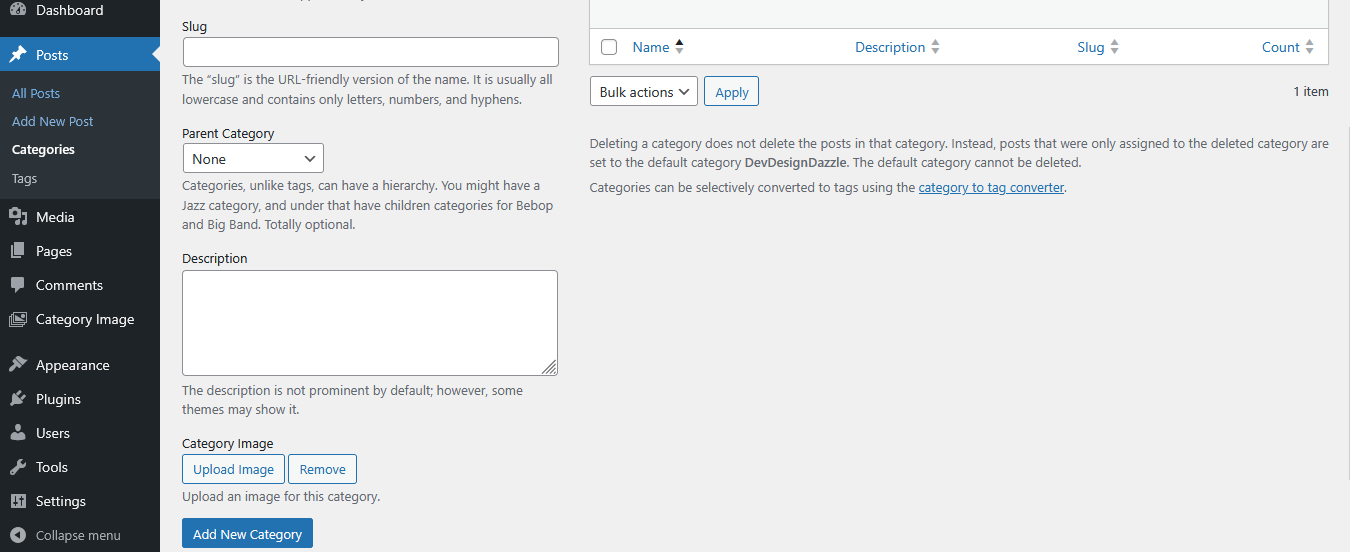
Adding an image in the category creation screen. 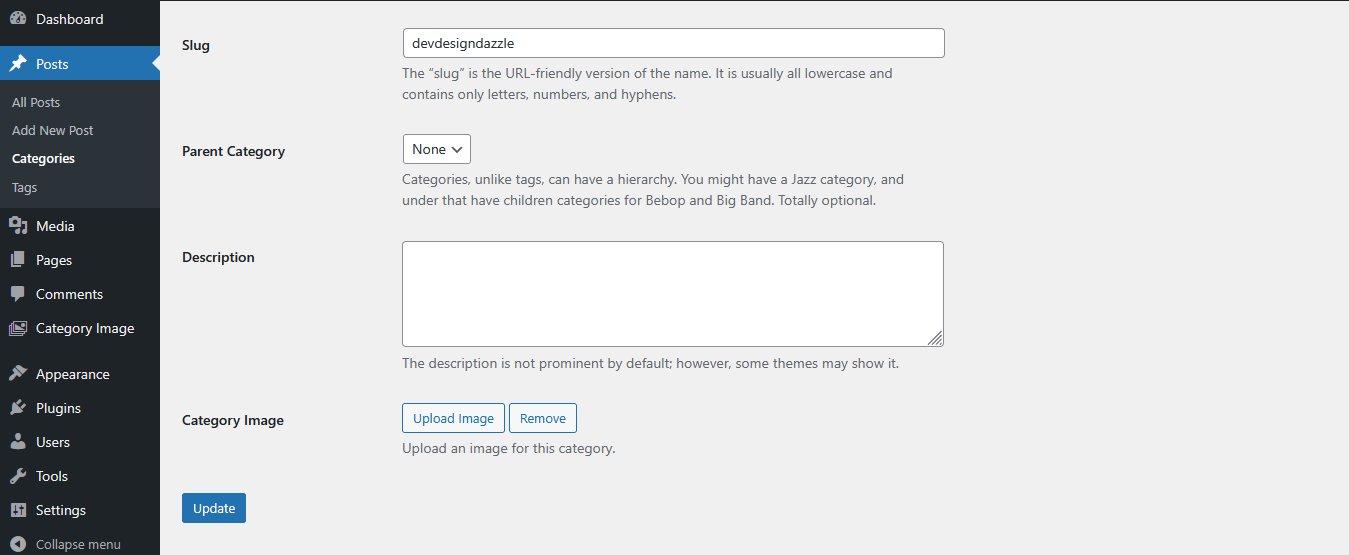
Editing a category with the image upload field. 
Help menu in WordPress admin showing usage instructions.
インストール
- Upload the plugin files to
/wp-content/plugins/category-image-manager-by-devdesigndazzle - Activate the plugin through the ‘Plugins’ screen in WordPress
- Go to Posts > Categories to add images to your categories
FAQ
-
How do I add images to categories?
-
Go to Posts > Categories, edit a category, and upload an image in the “Category Image” field.
-
How do I display category images in my theme?
-
Use
dddCatImageManager_get_category_image($category_id)in your theme files—see Usage section for examples. -
Can I use different image sizes?
-
Yes, pass a size parameter like
'thumbnail','medium','large', or'full'to the function. -
Where can I get support?
-
Visit DevDesignDazzle.com for help or future premium features.
評価
このプラグインにはレビューがありません。
貢献者と開発者
Category Image Manager by DevDesignDazzle はオープンソースソフトウェアです。以下の人々がこのプラグインに貢献しています。
貢献者
変更履歴
1.0
- Initial release with category image upload and display functionality.