
説明
This plugin lets you increase or decrease paragraph indentation by pressing Tab or Shift+Tab in the Gutenberg editor.
From version 1.1.0, indentation inside the editor is represented by a simple <tab> × N badge — ensuring clean, theme-independent preview — while the actual indentation remains visible on the front end.
FAQ Check on the site.
https://it-libero.com/en/en-us/download/indent-paragraph-with-tab/
Settings
You can change the indentation value.
1. Admin Settings > Indent Tab
2. Indent Step input
スクリーンショット
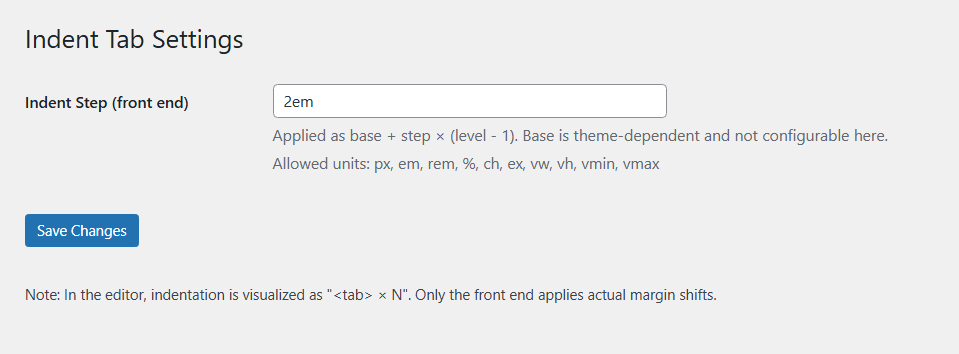
Admin UI
評価
このプラグインにはレビューがありません。
貢献者と開発者

“Indent Paragraph with Tab” をあなたの言語に翻訳しましょう。
開発に興味がありますか ?
変更履歴
1.1.1
- Security: added sanitize_callback for options (
ipwt_base,ipwt_step) with a strict CSS unit whitelist. - Hardening: inline CSS now uses validated values only; invalid input is discarded.
- Admin UI: clarified settings descriptions and documented allowed units.
1.1.0
- Added visual
<tab> × Nbadge preview in editor. - Removed editor-side indentation shifting to avoid theme conflicts.
- Front-end rendering unchanged.
1.0.1
- Initial stable release.