

説明
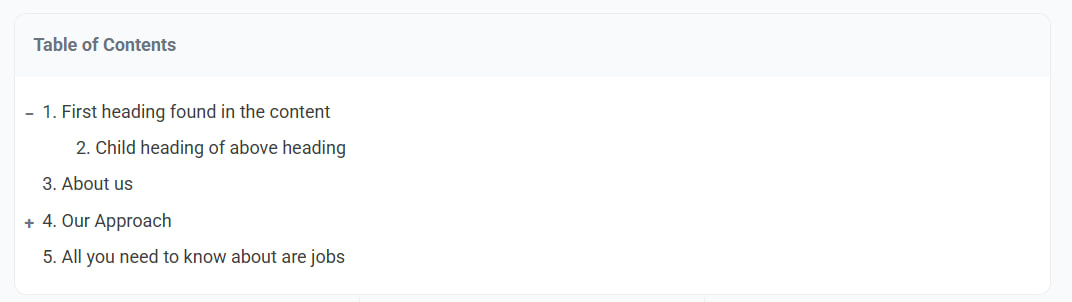
Taco Table of Contents is a lightweight and performant plugin that automatically generates a Table of Contents (TOC) for your long-form content.
You can choose to have the TOC automatically inserted before or after your content, or place it manually with a shortcode. It features a modern skeleton loading state and automatic scroll highlighting.
Key Features:
Flexible Placement: Automatically insert TOC before/after content or manually via [taco_toc].
Auto-Detection: Automatically scans <h1> through <h6> tags (configurable).
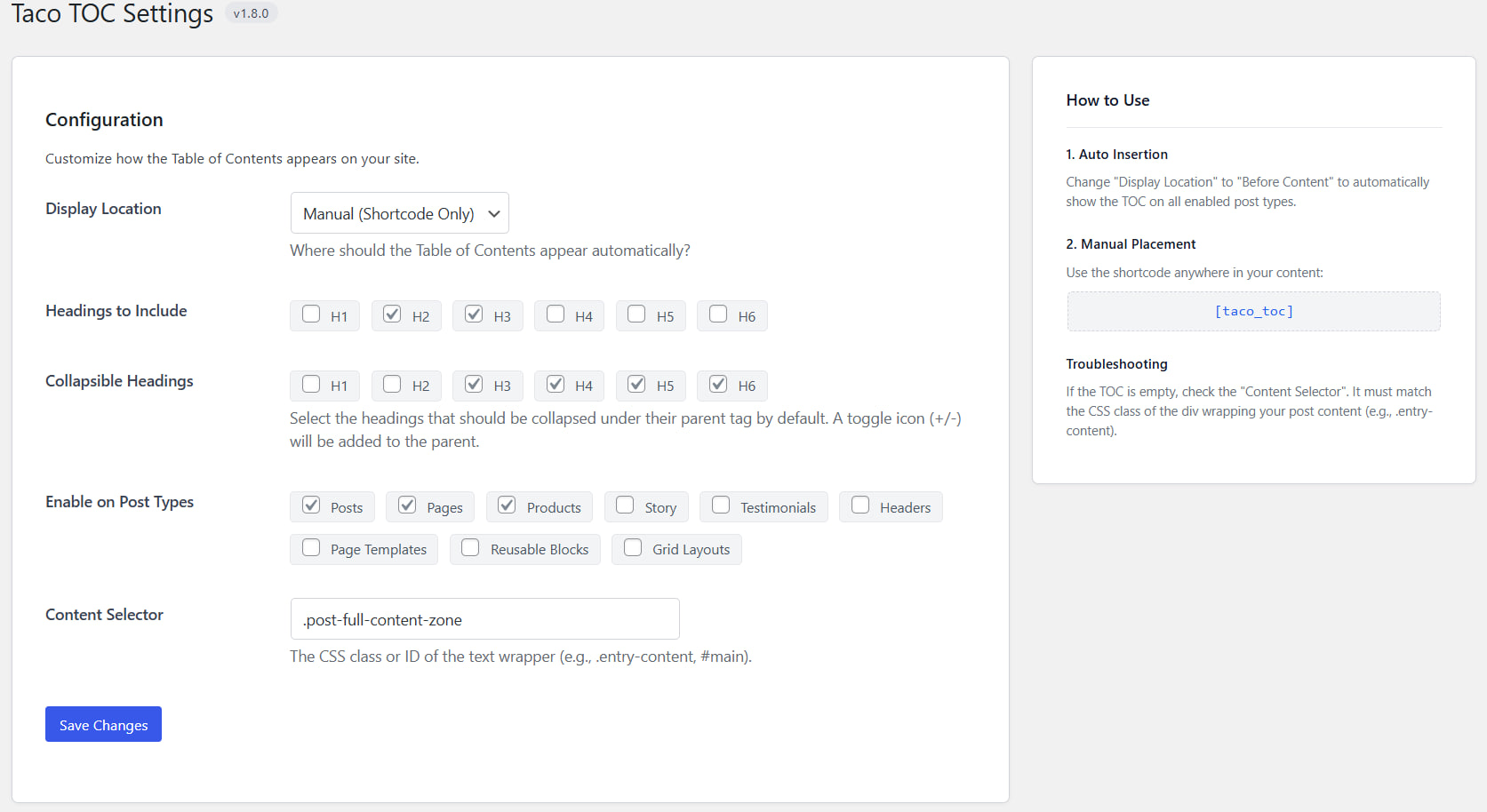
Collapsible Headings: Optionally select which headings should collapse under their parent tag by default
Scroll Spy: Highlights the active section in the TOC as the user scrolls down the page.
Skeleton Loader: Displays a smooth loading animation while the JavaScript calculates heading positions.
Modern Admin UI: Easy to use settings page with built-in help guide.
Smart Scrolling: Automatically jumps to the correct heading on page load if a hash is present in the URL.
スクリーンショット
インストール
Upload the taco-table-of-contents folder to the /wp-content/plugins/ directory.
Activate the plugin through the ‘Plugins’ menu in WordPress.
Go to Settings > Taco TOC to configure the plugin.
(Optional) Choose “Auto Insert – Before Content” to show the TOC on all allowed post types immediately.
FAQ
-
How do I display the Table of Contents?
-
You can either:
Go to Settings > Taco TOC and set “Display Location” to “Before Content”.
Or use the shortcode [taco_toc] inside any post or page.
-
The TOC is empty, why?
-
Ensure your post has headings (e.g., H2, H3).
Check Settings > Taco TOC and ensure the “Content Selector” matches your theme’s content wrapper class (e.g., .entry-content, .post-content, #main).
-
Can I use the shortcode even if Auto Insert is enabled?
-
Yes, the shortcode will always work. If you use the shortcode on a page where auto-insert is also active, you might see two tables.
評価
このプラグインにはレビューがありません。
貢献者と開発者

“Taco Table of Contents” をあなたの言語に翻訳しましょう。
開発に興味がありますか ?
変更履歴
1.9.0
- Modernized PHP code and verified PHP 7.4+ compatibility.
- Refactored asset loading to unconditionally register scripts/styles. This resolves a bug where shortcodes used on pages without auto-insertion enabled would fail to load CSS/JS and show a stuck skeleton.
- Styled the ordered list numbers using inside list-style position, preventing sequence numbers from overflowing the container edge.
- Fixed toggle clipping bug on container edge due to overflow: hidden by using absolute positioning inside relative padding.
- Implemented Unicode-aware slug generation supporting global and accented characters.
- Polished scrollspy highlighting logic for the bottom-of-page edge case.
- Cleaned up redundant styles and procedural functions to keep the plugin clean and steady.
1.8.1
Fix readme
1.8.0
Feature: Added Collapsible Headings functionality. You can now define which headings collapse by default under their parent tag.
Synced internal version tracking.
1.7.0
UI/UX Overhaul: Redesigned the admin settings page for a modern look.
Added a “Help” sidebar in the settings page.
Added assets/css/taco-admin.css for admin styling.
1.6.0
Added Auto-Insert functionality (Before/After content).
Added option to select which headings (H1-H6) to include.
Removed Smooth Scroll option in favor of native behavior + JS offset correction.
Added support for multiple TOC instances on a single page.
1.5.1
Refactored codebase into standard WordPress plugin structure.
Separated CSS and JS assets.
1.0.0
Initial release.