
説明
IMPORTANT: ALWAYS TAKE A DATABASE BACKUP BEFORE CLEANING!
This plugin includes a feature to Download Database Backup directly from the dashboard.
Plugin Features:
1. Database Backup: Download a full database backup before performing any cleanup.
2. Check database size before and after cleanup.
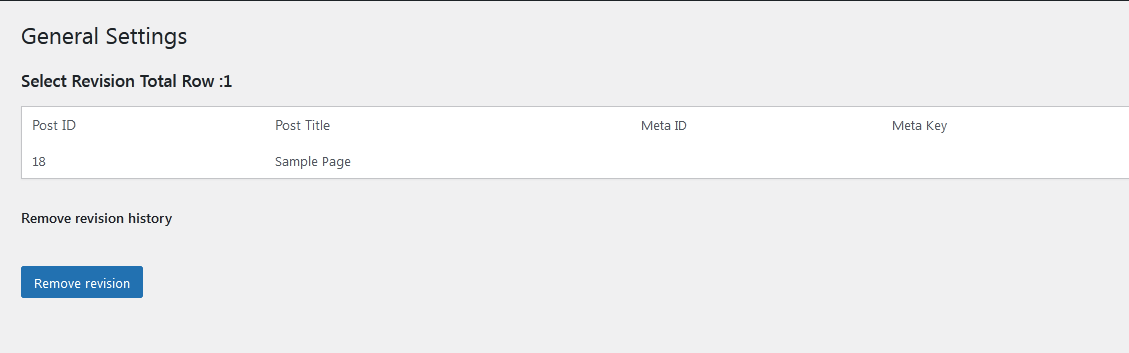
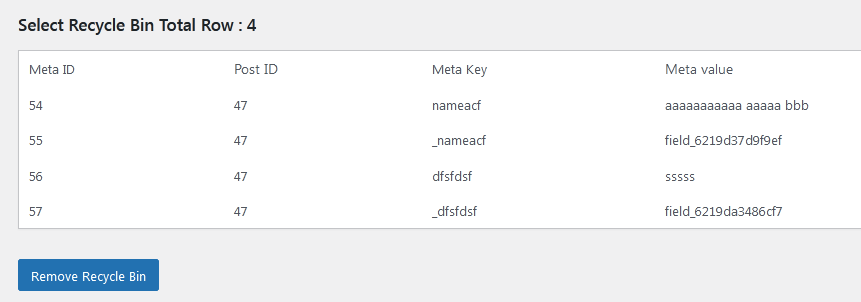
3. Remove revisions, dummy posts, and orphaned post meta.
4. Compatible with Gutenberg editor.
5. Supports pages, posts, and custom post types (CPTs).
Configure settings via WordPress Admin -> Settings -> SatishDB Cleaner.
スクリーンショット
インストール
- Upload
satishdb-cleaner-remove-revisionsfolder to your/wp-content/plugins/directory. - Activate the plugin from Admin > Plugins menu.
- Navigate to Settings > SatishDB Cleaner to use the cleanup options.
評価
このプラグインにはレビューがありません。
貢献者と開発者
SatishDB Cleaner — Remove Revisions & Dummy Content はオープンソースソフトウェアです。以下の人々がこのプラグインに貢献しています。
貢献者

変更履歴
1.1.1
- New Feature: Added “Empty All” buttons to instantly delete all revisions or orphaned postmeta with a single click.
- New Feature: Added an adjustable “Items Per Page / Deletion Limit” setting to control exactly how many items are displayed and processed at once.
- New Feature: Introduced Checkbox selection! You can now manually check specific items to delete, along with a handy “Select All” master checkbox.
- Enhancement: Added built-in pagination to the Revisions and Orphaned Postmeta tables for cleaner navigation.
- Enhancement: Added safe batch-deletion limits to prevent database lockups and server timeouts during large removal operations.
- Enhancement: Beautifully redesigned modern pagination buttons for a better user experience.
- Performance: Dramatically optimized the database scanning algorithms. Finding and filtering orphaned postmeta is now lightning-fast, even on massive databases!
1.0
- Initial Release
1.1
- Display Reordering
1.2
- Display pages, posts, or CPT listings with Title, Featured Image, Content limit, and Pagination
1.3
- Improved display with animation effects
1.7
- Security hook enhancements