
説明
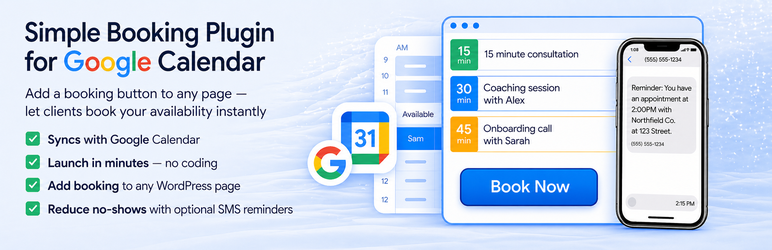
Turn your WordPress site into a booking engine using your Google Calendar.
Let clients book appointments instantly based on your real-time availability without back-and-forth emails or calls.
The plugin automatically checks your Google Calendar for existing events and only allows clients to book open time slots.
Easily add a booking page or embed a customizable booking button anywhere on your site to start accepting bookings in minutes.
Create different appointment types, control availability, and customize your scheduling experience.
Free to install and use with your Primary Google Calendar connection.
What’s included in this free plugin
- Connect Primary Google Calendar
- Real-time availability checking
- Booking page and customizable booking button
- Multiple appointment types
- Client-friendly booking experience on any device
Need automated SMS appointment reminders or want to connect additional Google Calendars beyond your Primary? Both are available as separate paid add-on plugins from smsreminder.app — they extend this free plugin when you need them.
How it works
- Install the plugin
- Connect your Primary Google Calendar
- Set your appointment availability and appointment types
- Add your booking page or “Book Now” button
- Start accepting appointments instantly
Perfect for appointment-based businesses
The free booking plugin works for cleaning services, auto detailing, law firms, real estate agents, landscapers, beauty professionals and stylists, therapists, fitness coaches and personal trainers, photographers, pet groomers, tutors, music teachers, life and business coaches, consultants, accountants and bookkeepers, and mobile service providers — any appointment-based business that wants a clean Google Calendar booking experience.
Why choose this plugin
- Free Google Calendar appointment booking, no time limit
- Real-time availability — no double-bookings
- Add a booking button anywhere on your site
- Simple booking calendar — most users are live in under 5 minutes
- Client-friendly booking experience on any device
- Multiple appointment types and customizable availability
- Optional add-on plugins available from smsreminder.app for SMS appointment reminders and additional Google Calendars
External Services
This plugin connects to the SMS Reminder service to enable booking functionality and SMS notifications.
Service details
- Service: SMS Reminder
- Marketing website & support context: https://www.smsreminder.app/
- Booking web app (login / OAuth): https://www.smsreminder.co/
- API base URL: https://go-interactive.herokuapp.com/
What data is sent and when
The plugin communicates with the SMS Reminder API in the following cases:
-
On connection (administrator-initiated):
- Site URL
- Callback URL
- Platform instance identifier
- Temporary authentication state
-
After connection, in WordPress Admin (administrator-initiated):
- Authenticated API requests (using the stored access token) to fetch booking configuration, upcoming appointments and related customer fields shown on this plugin’s settings screen, and other data needed for setup and previews.
-
On the public site when the booking block is present:
- Each page view that renders the block can trigger a server-side request to retrieve embed parts for the booking button. Site visitors do not need to click the button for that request to occur.
Only the administrator starts connection and plugin setup. After the site is connected, normal page loads, not only explicit clicks in the dashboard, can cause your server to contact the SMS Reminder API when booking content is embedded on a page.
Site administrators: Information on the Settings SMSReminder Booking (for example customer name, phone, or message on upcoming appointments) is loaded from your SMS Reminder account over the API for display in WordPress Admin. Treat it as remote data governed by SMS Reminder’s policies, not as data this plugin independently collects from site visitors.
Why this is needed
This communication is required to:
– Link your WordPress site to your SMS Reminder account
– Generate booking interfaces
– Enable automated SMS reminders and confirmations
Terms and privacy
- Privacy Policy: https://www.smsreminder.app/privacy-policy
- Terms of Service: https://www.smsreminder.app/terms-of-service
ブロック
このプラグインは1個のブロックを提供します。
- SMS Reminder Booking Button Insert a button that takes clients to your booking page.
インストール
- Install and activate the plugin.
- Connect your Google Calendar.
- Set your appointment availability and appointment types.
- Add your booking page or booking button to your site.
- Start accepting bookings instantly.
FAQ
-
Is this plugin free?
-
Yes. This plugin is free and includes your Primary Google Calendar connection, a booking page, a booking button, and multiple appointment types. SMS appointment reminders and additional Google Calendars beyond your Primary are available as separate paid add-on plugins from smsreminder.app.
-
How does this work with Google Calendar?
-
The plugin connects directly to your Google Calendar and checks your availability in real time so clients can only book open time slots.
-
How fast can I set this up?
-
Most users are live in under 5 minutes.
-
Do I need technical skills?
-
No. It is designed to be simple and beginner-friendly.
-
Yes. You can embed a customizable button or full booking page anywhere on your site.
-
Can this help reduce missed appointments and no-shows?
-
This plugin helps by replacing manual scheduling with a real-time booking page. To cut missed appointments further, install the separate SMS reminders add-on plugin (sold separately from smsreminder.app) — automated reminders are the single biggest lever for cutting no-shows.
-
What types of businesses use this plugin?
-
Cleaning services, auto detailing, law firms and real estate agents, landscapers, beauty professionals, therapists, fitness coaches and personal trainers, photographers, pet groomers, tutors, music teachers, coaches, consultants, accountants, and mobile service providers — any appointment-based business.
-
Does this work for mobile businesses?
-
Yes. It is ideal for businesses where time and travel matter.
評価

貢献者と開発者
SMSReminder Appointment Booking & Reminders for Google Calendar はオープンソースソフトウェアです。以下の人々がこのプラグインに貢献しています。
貢献者
変更履歴
1.1.1
- Minor bug fixes for stability issues.
1.1.0
- Connection screen: updated copy to highlight free booking and optional SMS reminders before sign-up.
- Connected dashboard: added a dismissible SMS reminders promo block with a direct link to enable reminders in the SMS Reminder dashboard.
- Appointment types table: added an informational tooltip on the Reminders column explaining optional SMS reminders.
- Admin analytics: track promo block and tooltip impressions and CTA clicks for product funnel measurement.
1.0.1
- Connection flow: the redirect to the SMS Reminder web app now includes a
sourcequery parameter (wordpress) so new signups started from this plugin can be attributed correctly in product analytics. No change to stored tokens, callbacks, or booking behavior.
1.0.0
- Initial public release.
- Added Google Calendar-based appointment booking for WordPress.
- Added booking page and “Book Now” button embedding.
- Added optional SMS reminders.