

説明
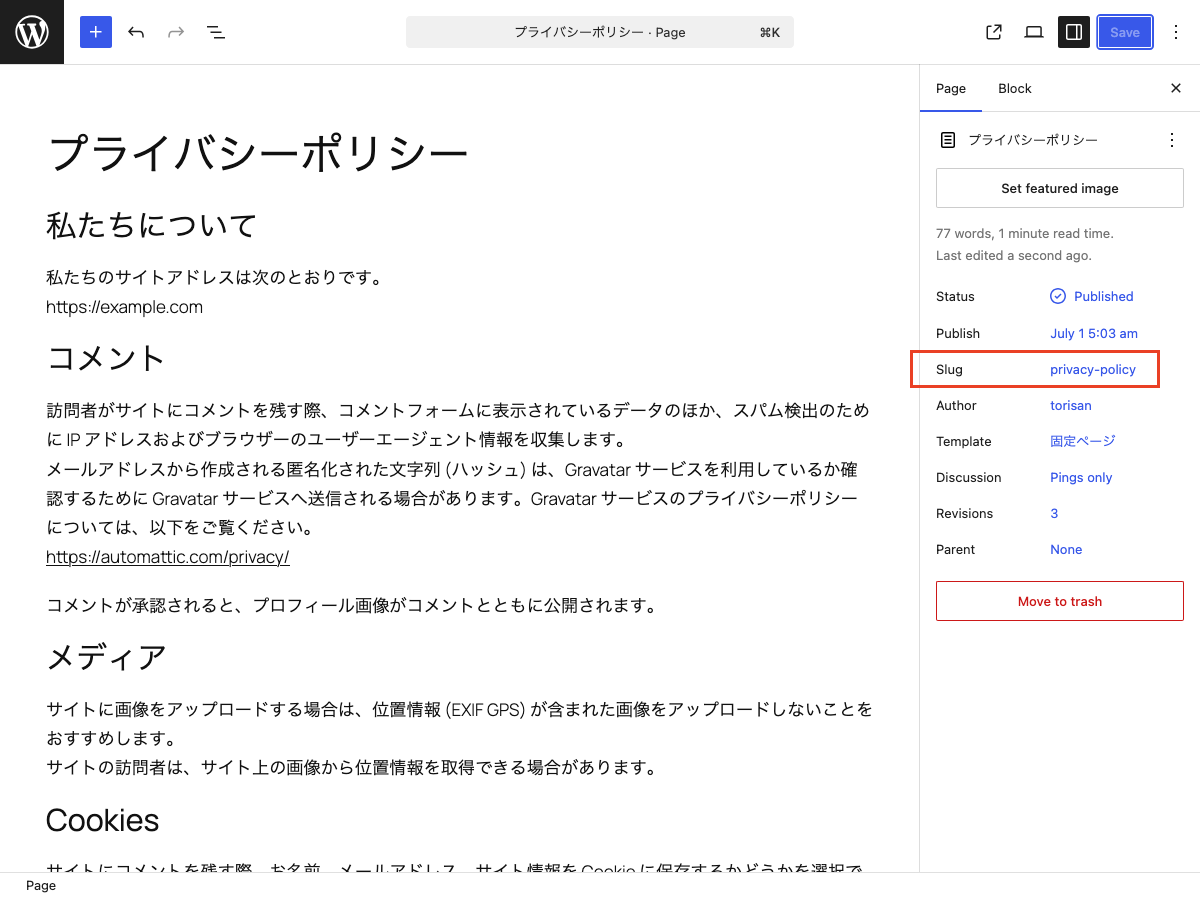
This block is designed for use in templates in the Site Editor. It displays the current post’s slug on single posts and pages. On archive pages, it displays the slug of the current category or custom post type.
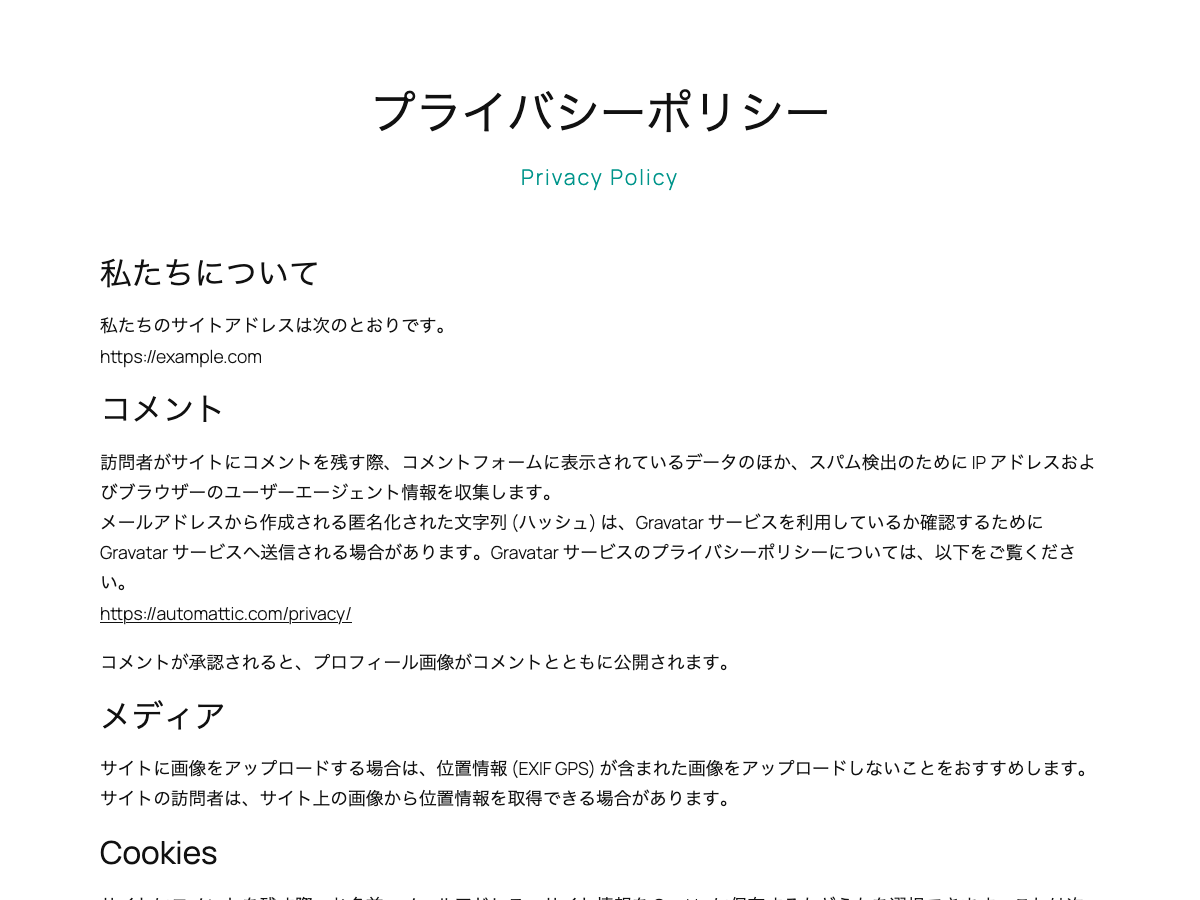
Hyphens in slugs are displayed as spaces.
You can use the displayed slug as supporting text for the page title or as a design accent.
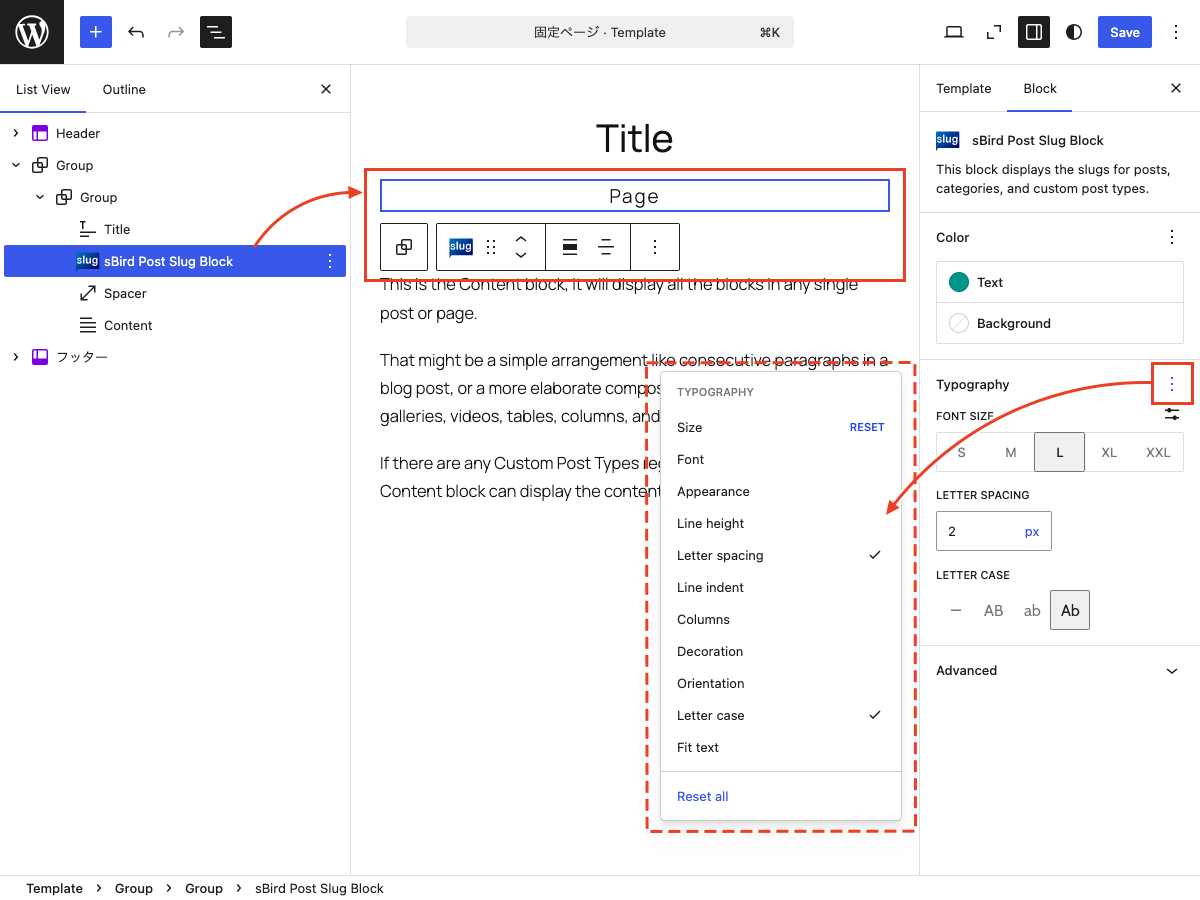
It extends the core Paragraph block, so you can use the same styling options available to Paragraph blocks.
使い方
- サイトエディターでテンプレート内に sBird Post Slug Block を追加します。
- 個別の投稿、固定ページ、およびアーカイブページのテンプレートで使えます。
- 段落ブロックと同じように文字色や背景色、フォントサイズ、タイポグラフィをカスタマイズできます。
スクリーンショット
ブロック
このプラグインは1個のブロックを提供します。
- sBird Post Slug Block This is a block for the Site Editor that displays the slugs of posts, categories, and custom post types.
インストール
- Upload the plugin files to the /wp-content/plugins/sbird-post-slug-block directory, or install the plugin through the WordPress plugins screen directly.
- WordPressの「プラグイン」メニューからプラグインを有効化してください。
- Use the site editor to add “sBird Post Slug Block” to your template.
評価
このプラグインにはレビューがありません。
貢献者と開発者

変更履歴
1.1
- Added margin and padding controls.
1.0
- Hello, world!