
説明
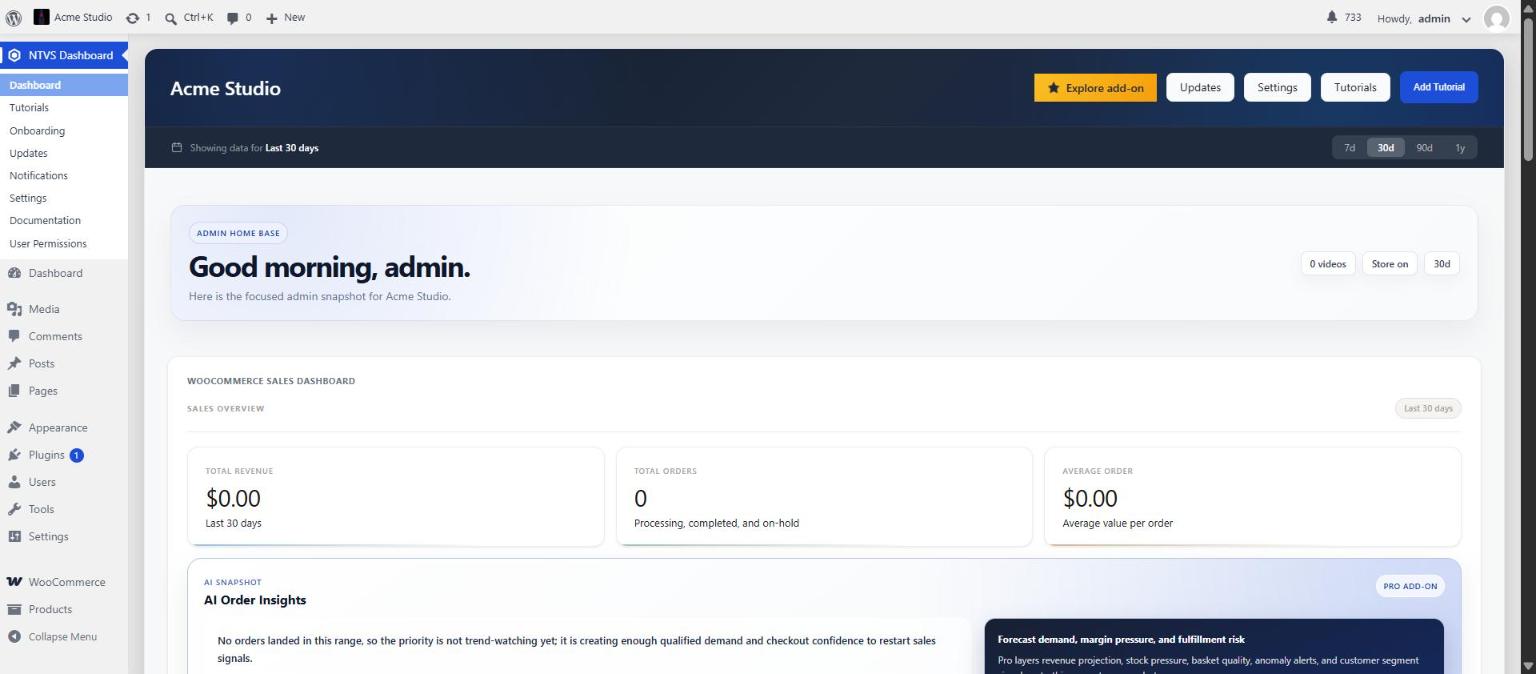
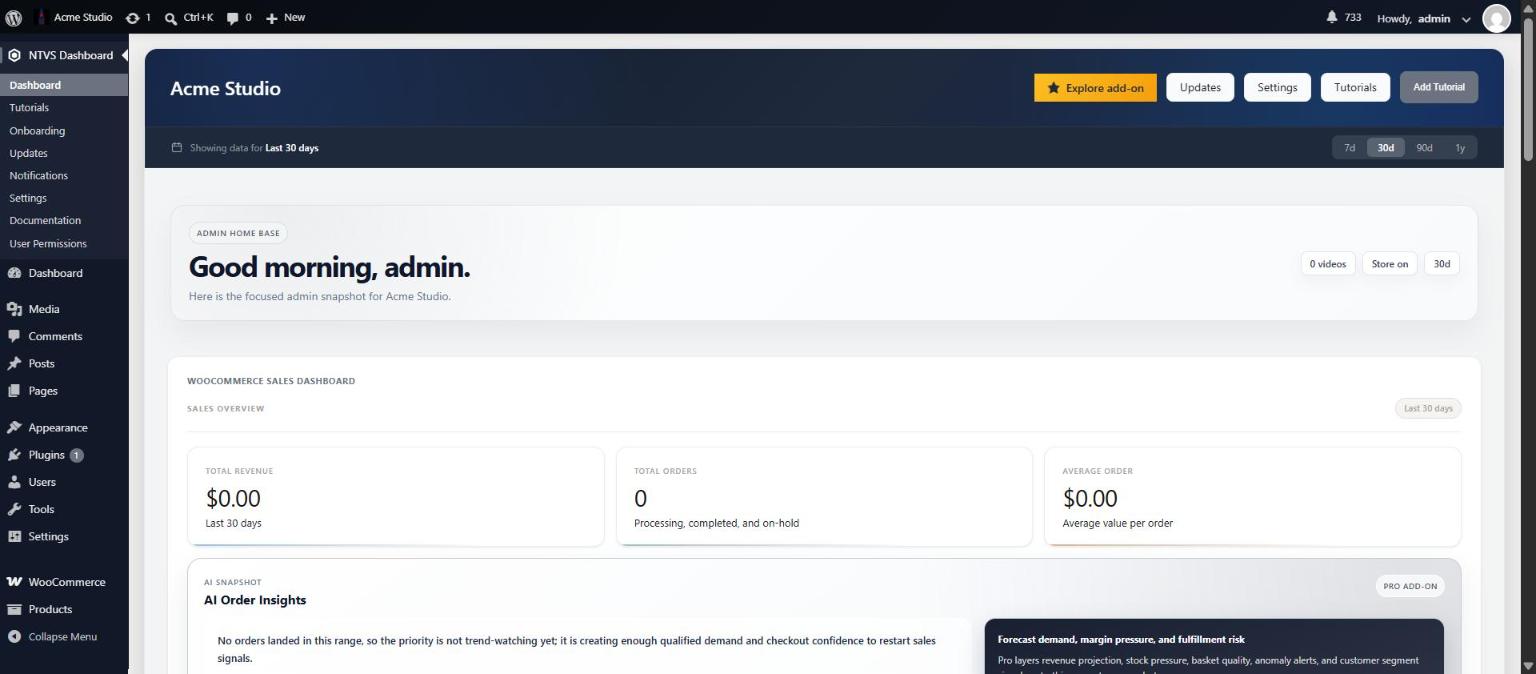
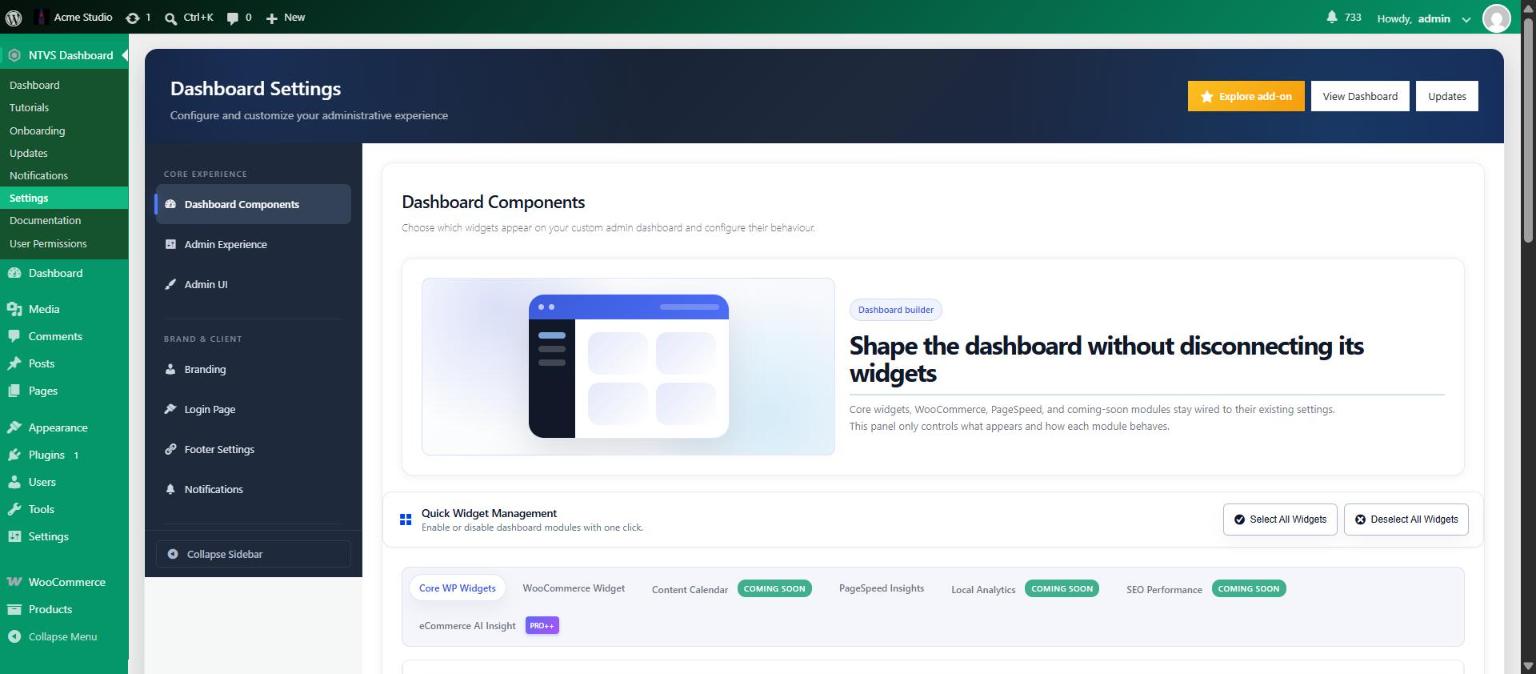
Nativus Dashboard improves the WordPress admin experience with customizable dashboard widgets, plugin visibility controls, user permission tools, admin notice controls, and debugging workflows for site owners and agencies.
For feature overviews and agency blueprints, visit the official Nativus Dashboard project page.
Features
Branded Login Page Studio
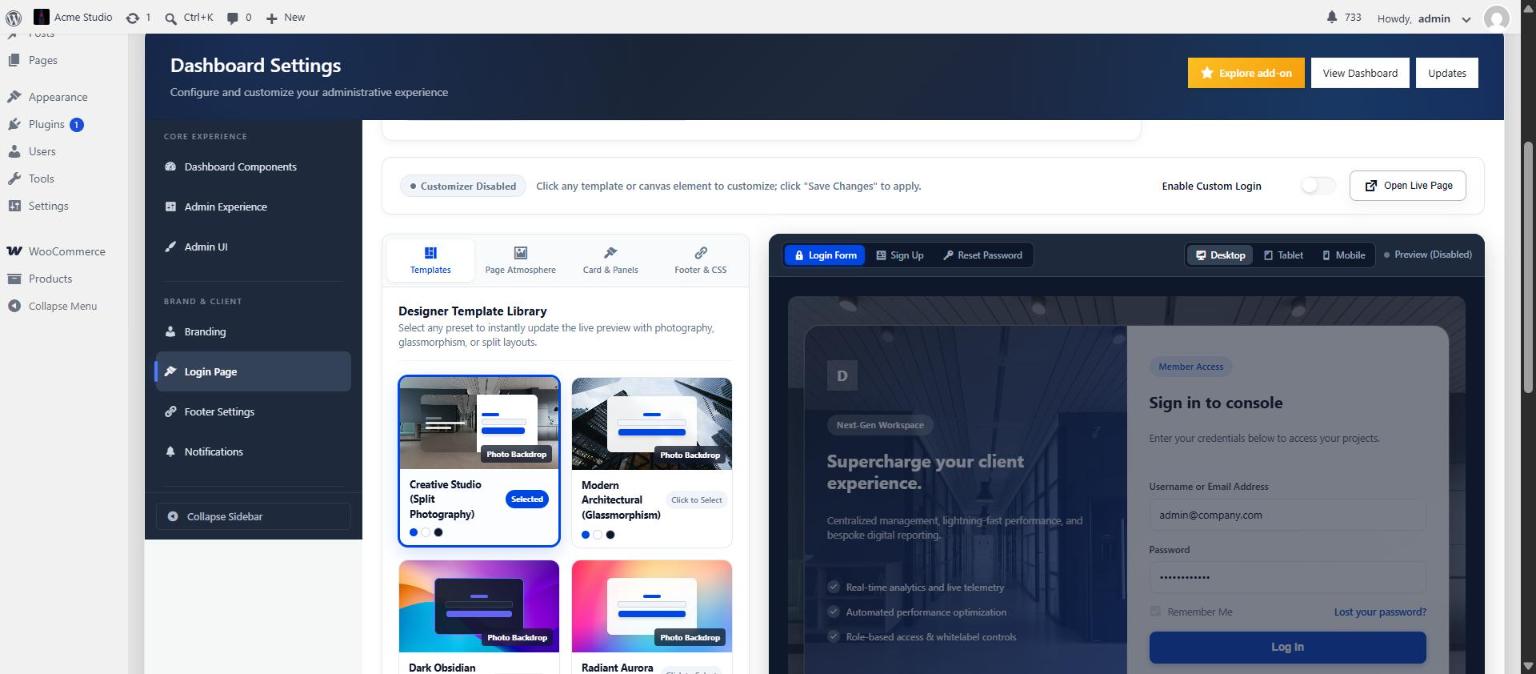
- Block-Based Layouts: Customize WordPress login, registration, and lost password screens with Centered Card, Split Screen, and Full-Bleed background architectures.
- Live Interactive Preview: Real-time 1:1 preview canvas with desktop, tablet, and mobile viewport switchers.
- Atmospheric Backdrops & Contrast: High-resolution photography, solid colors, and multi-stop gradients with configurable dark contrast overlays to guarantee WCAG AAA text readability.
- Direct Click-to-Edit: Interactive canvas chips to jump directly to target block and atmosphere settings.
- Native Form Safety: Built around WordPress core form actions — zero form replacement, ensuring full compatibility with 2FA, password resets, and security plugins.
Custom Login URL & Security Gateway
- Custom Login Slug: Replace
/wp-login.phpwith a private branded URL (e.g./portal,/member-login) to mitigate automated brute-force attacks. - Direct 404 Blocking: Direct unauthenticated requests to
wp-login.phpreturn a standard 404 Not Found response. - Link Rewriting: Automatically rewrites all core-generated login, logout, and password reset email links.
- Lockout Guardrails: Slug collision checks and an emergency
NDP_DISABLE_LOGIN_URLconstant override inwp-config.php.
Admin Notice Center & Nag Removal
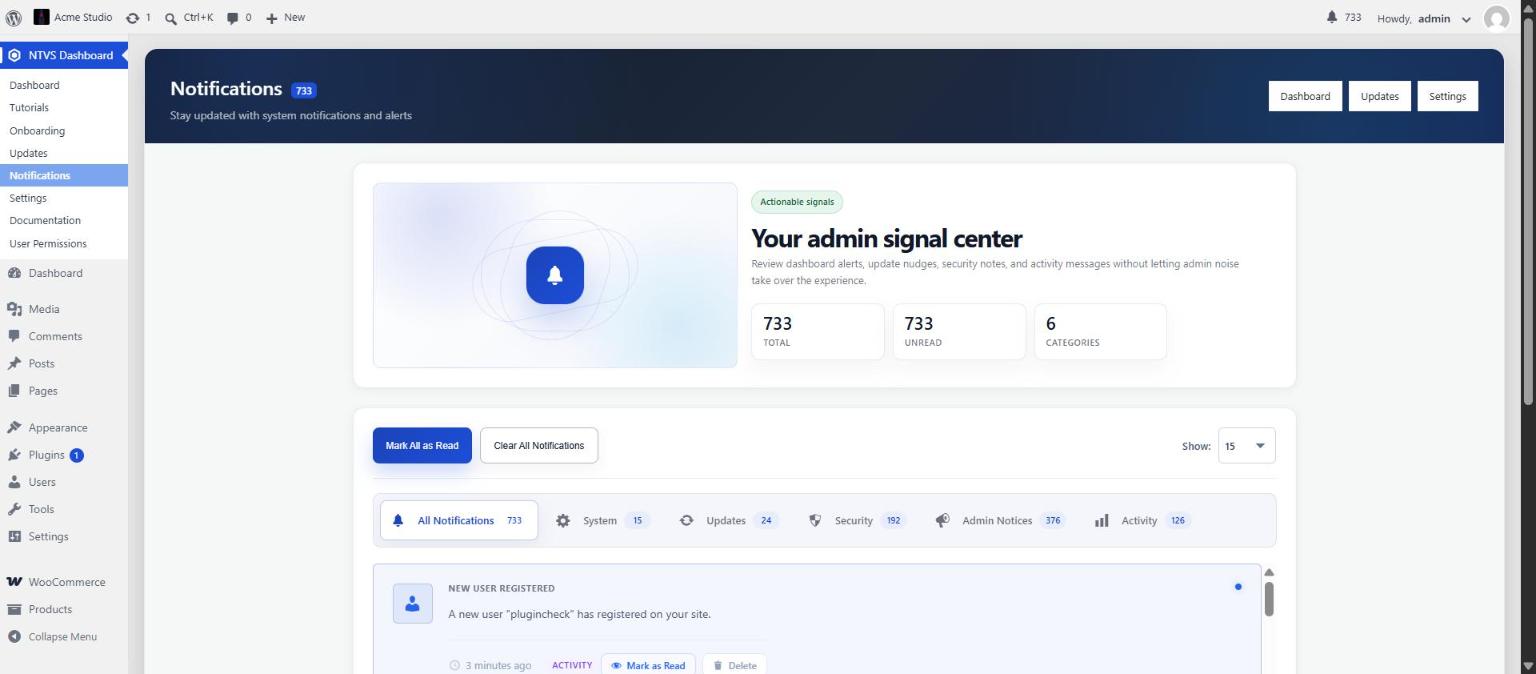
- Centralized Notice Hub: Intercept and organize intrusive third-party admin notices into a clean, dedicated triage dashboard.
- Severity Categorization: Notice cards automatically organized by Error, Warning, Success, and Info tabs.
- Interactive Details: Collapsible notice inspection panels with balanced HTML tag rendering.
- Non-Destructive: Keeps WordPress core security, maintenance, and Nativus notifications accessible.
Guided Onboarding Wizard
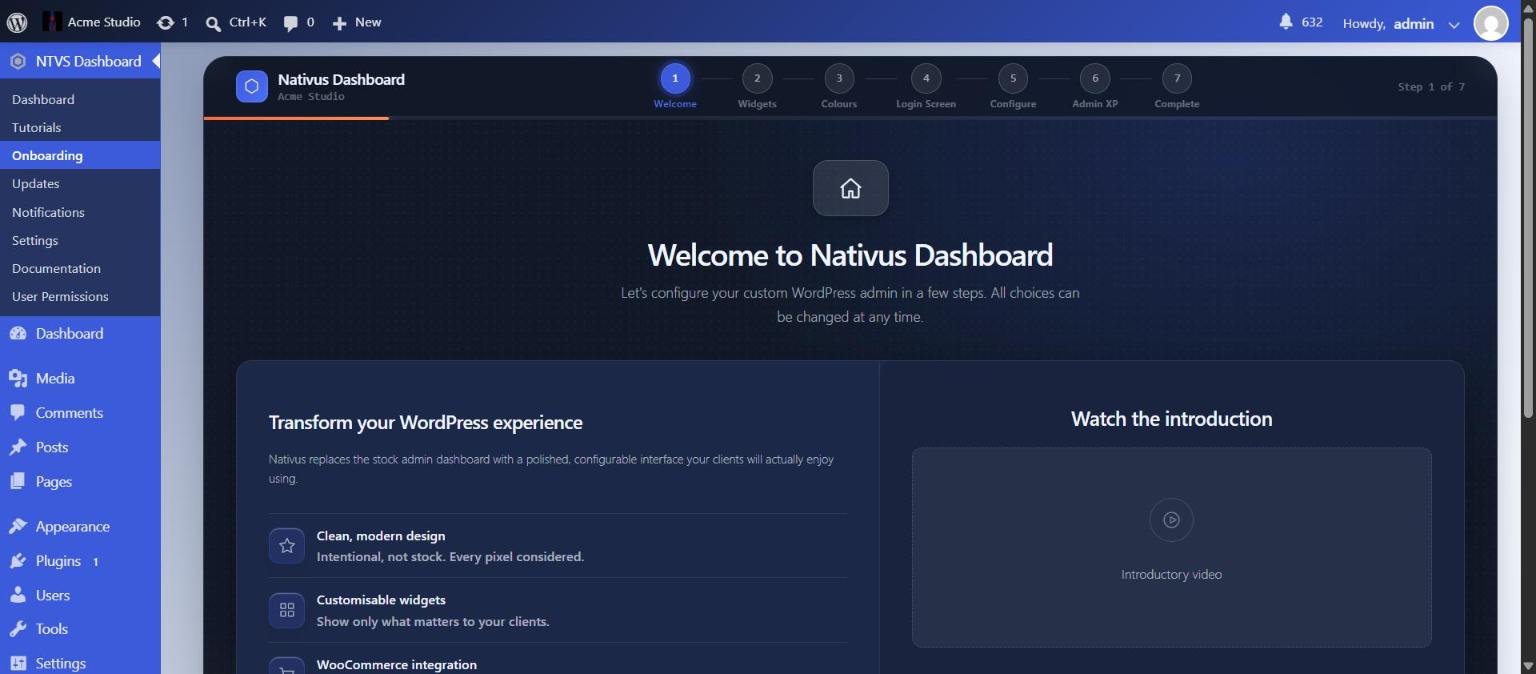
- 5-Step Setup: Fast, guided first-run experience for widget selection, color schemes, branding, login customizer, and admin experience.
- Live Sticky Canvas: Instant feedback as settings and templates are selected.
- Non-Blocking Handoff: Skip or complete anytime; all choices remain fully reversible under Settings.
Client Training Video Library
- Video Tutorial Management: Curate video training for clients (YouTube, Vimeo, MP4).
- Responsive Density: Showcase tutorials directly on the dashboard with 3, 6, 9, or 12 cards per page.
- Clean Modal Playback: Distraction-free video player modal.
Advanced Admin Customization
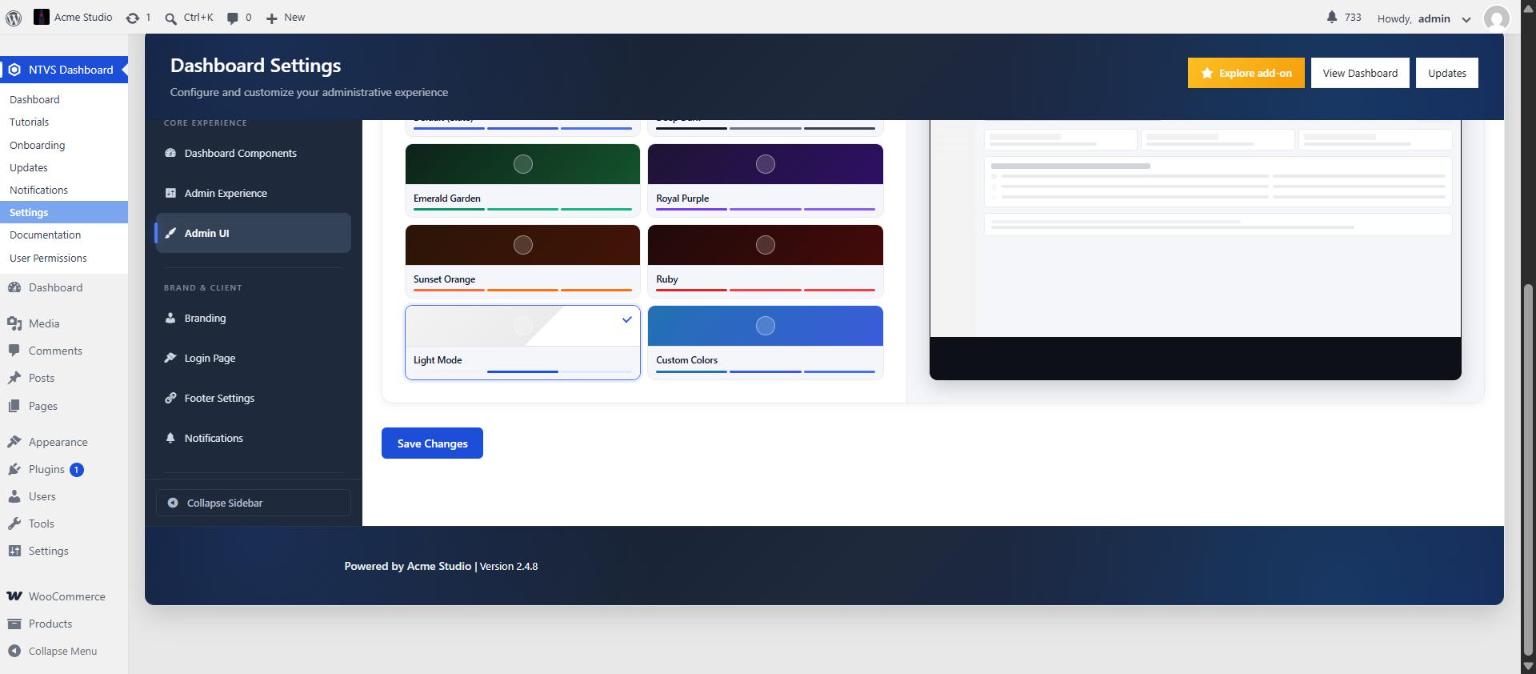
- Preset Color Schemes: Seven ready-made schemes (Default Slate, Deep Dark, Emerald Garden, Royal Purple, Sunset Orange, Ruby and Light Mode) plus a fully custom option.
- Custom Color Studio: Full hex control over admin sidebar, topbar, active menus, hover states, cards, and borders.
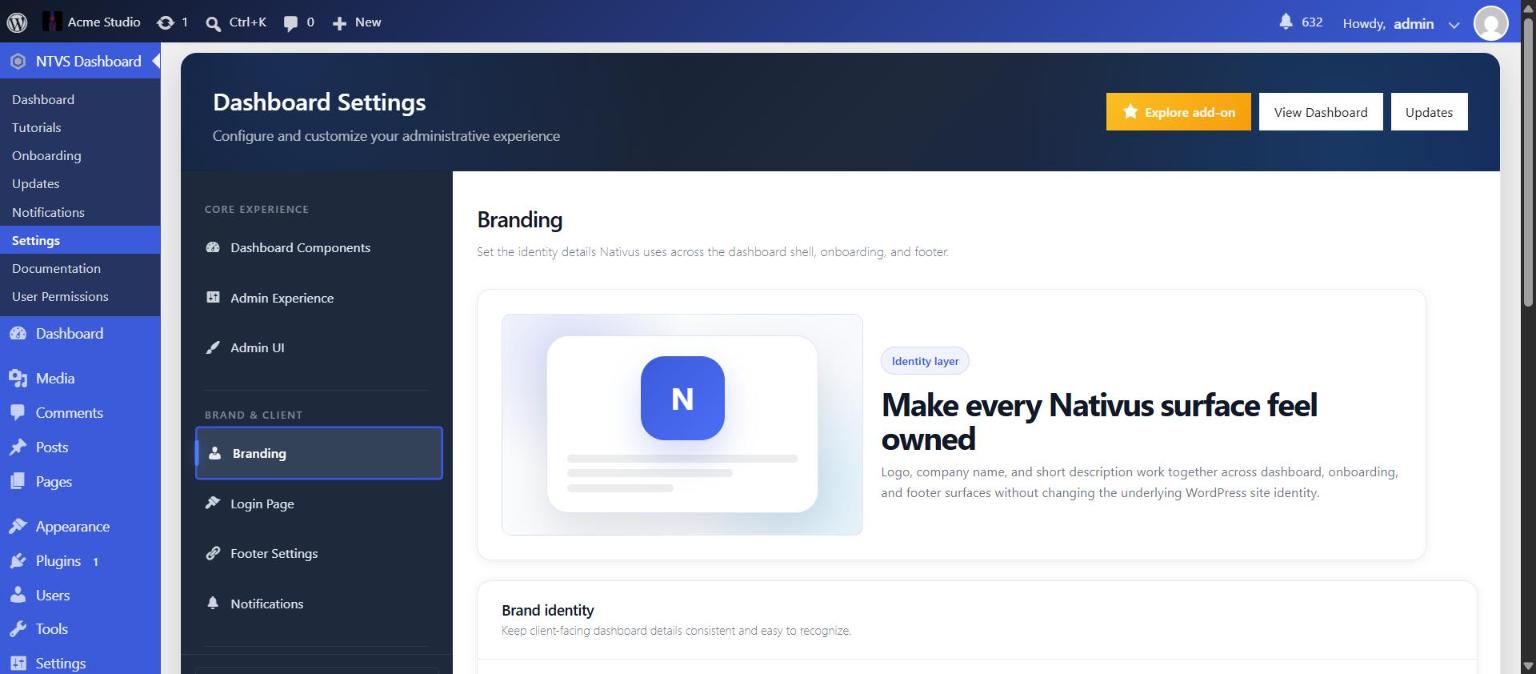
- White-Label Agency Branding: Upload custom logos, emblems, support emails, help URLs, and agency credits.
Plugin Management & Visibility
- User & Role-Based Visibility: Curate which plugins each user or role sees in the admin menu.
- Non-Destructive White-Labeling: Simplifies client menus without breaking plugin updates or administrative recovery.
Role & User Permissions
- Granular Access Control: Restrict access to specific settings, styles, and dashboard modules by user role.
- Protected Maintainer Accounts: Safeguard administrator accounts from accidental lockouts.
WooCommerce & Performance Dashboards
- Store Analytics: Revenue metrics, orders queue, inventory tracking, and top products.
- AI Order Insights: Actionable store summaries and fulfillment guidance based on live signals.
- Google PageSpeed Insights: In-dashboard Lighthouse performance metrics for mobile and desktop.
Database Housekeeping & Performance
- Database Cleanup: Clean post revisions, auto-drafts, spam comments, and expired transients.
- Table Optimization: Safe optimization for database tables.
- Heartbeat Control: Relaxed background Heartbeat frequency to reduce server CPU load.
Debug & Diagnostic Logging
- Diagnostic Logger: Filtered error logging with test logging and downloadable log archives.
- UI Debugging: Built-in diagnostic tools to inspect active filters, constants, and settings states.
External Services
Nativus Dashboard can connect to external services only when an administrator configures or intentionally uses those features.
Google PageSpeed Insights
The optional PageSpeed Insights widget sends the configured test URL, selected strategy, locale, and administrator-provided API key to the Google PageSpeed Insights API to retrieve Lighthouse performance results. API key verification also uses the standard WordPress HTTP user agent, which may include the WordPress version and site URL. This feature requires an administrator-provided Google API key and can be disabled from the dashboard widget settings.
Service: Google PageSpeed Insights API
Service URL: https://pagespeed.web.dev/
Terms: https://policies.google.com/terms
Privacy: https://policies.google.com/privacy
YouTube Tutorials
If an administrator adds a YouTube tutorial video, the tutorial interface may request YouTube thumbnail images and embedded player URLs for that video. The plugin sends the YouTube video ID in those administrator-configured thumbnail and embed requests.
The first onboarding step offers an introduction video from YouTube (video ID OCSdraDf8OU, using youtube-nocookie.com). Nothing is requested from YouTube until the administrator presses the play button.
Service: YouTube
Service URL: https://www.youtube.com/
Terms: https://www.youtube.com/t/terms
Privacy: https://policies.google.com/privacy
Support Links
Support links are normal user-clicked links. The plugin does not automatically append site, WordPress, PHP, diagnostic, or license data to those links.
Bundled Libraries
Chart.js
Nativus Dashboard bundles Chart.js locally for WooCommerce dashboard charts. It is not loaded from a CDN or remote endpoint.
Library: Chart.js
Version: 4.5.1
License: MIT
Source: https://www.chartjs.org/
Bundled license: assets/vendor/chartjs/LICENSE.md
Login template photographs
The Login Page Studio template photos are bundled with the plugin (assets/images/login-templates/) and are served from your own site. They are free-to-use images from Unsplash (used under the Unsplash License), resized and compressed. See docs/ASSET-LICENSES.md in the source repository.
Roadmap
Nativus Dashboard shows a small “Coming soon” preview of ideas under development (for example deeper store insights, content planning and extra login layouts). It is informational only: it collects no data, sends nothing from your site and does not switch off anything in the plugin. Plans can change. Updates for this plugin are delivered only through WordPress.org.
Copyright and License
This software is released under the GNU General Public License version 2 or later.
This plugin incorporates third-party open source software:
- Chart.js v4.5.1
License: MIT (https://opensource.org/licenses/MIT)
Copyright (c) 2014-2024 Chart.js Contributors
Source: https://www.chartjs.org/
スクリーンショット
インストール
- Upload the plugin files to your WordPress plugins directory
- Activate the plugin through the ‘Plugins’ menu in WordPress
- Navigate to the plugin settings page to configure
- Customize colors, permissions, and other settings as needed
評価
このプラグインにはレビューがありません。
貢献者と開発者

変更履歴
2.5.1
- Login page design and display refinements.
- General stability and compatibility improvements.
2.5.0
- Your brand logo now appears consistently across the plugin and adapts to light and dark backgrounds.
- Refined default colour scheme and menu state colours for clearer, more accessible navigation, plus a new Submenu Background colour option.
- Faster colour scheme preview during onboarding.
- Improved notice management coverage and clearer defaults on the Notices settings tab.
- Login page background and layout refinements.
2.4 and earlier
- Initial public release series: branded dashboard and widgets, Login Page Studio with template library, custom login URL, role and user permissions, plugin management, notice management, WooCommerce store insights, client tutorials, accessible colour schemes, onboarding, and performance and security hardening.