
説明
AIOSEO – ベスト WordPress SEOプラグイン & ツールキット
All in One SEO は、2007年にリリースされたオリジナルの WordPress SEO プラグインです。現在300万人以上のサイトオーナーや SEO の専門家が SEO のランキングを向上させるために AIOSEO を使用しています。
私たちのユーザーは一貫して、AIOSEO を最も包括的な WordPress SEO プラグインおよびマーケティングのツールキットとして高く評価しています。WordPress の SEO 設定の最適化、スキーママークアップの追加、XML サイトマップの作成、ローカル SEO の追加、SEO キーワードランキングのトラッキング、内部リンクの自動化、SEO 監査の実行、投稿者 SEO (EEAT) の追加、SEO リビジョンの監視、Google Search Console の接続など、基本的に SEO のプロが検索エンジンで上位にランク付けするために活用するあらゆることを最速で行うことができます。
We have AI SEO features that help you optimize your posts for SEO by automatically generating SEO titles, meta descriptions, FAQs, key points, social media posts, and more.
AIOSEO Pro
これは、All in One WordPress SEO Pro プラグインの Lite 版です。All in One WordPress SEO Pro には検索エンジンで上位にランクするために必要なあらゆる強力な SEO 機能が揃っています。それには、スマート SEO スキーママークアップ、高度な SEO モジュール、強力な SEO サイトマップスイート、ローカル SEO モジュール、SEO キーワードランキングのトラッキング、自動内部リンク、WooCommerce SEO やその他さまざまな機能が含まれます。最高のプレミアム WordPress SEO プラグインを今すぐ購入する場合は、こちらをクリックしてください !
賢明なビジネスオーナー、SEO エキスパート、マーケティング担当者、開発者が AIOSEO を気に入る理由をこちらでご確認ください。皆様にもきっと気に入っていただけるはずです !
AIOSEO が他の WordPress SEO プラグインより優れている点
AIOSEO は WordPress の SEO 分野におけるイノベーションをリードし、その SEO 機能は競争上の優位性をもたらします。
-
簡単 SEO セットアップウィザード
当社の SEO セットアップウィザードは、お客様の業界独自のニーズに基づいて、サイトの SEO 設定を5分以内に最適化します。 -
Smart Schema Markup (aka Rich Snippets)
Get better click through rate (CTR) and Google rich featured snippets using advanced SEO schema markups like FAQ schema, product schema, recipe schema markup, and dozens more using our custom Schema Generator. -
AI Content
Create anything you need, such as blog articles and tables, with our AI Assistant block. Generate stunning visuals instantly with the built-in AI Image Generator. Save time by automatically generating SEO titles, meta descriptions, FAQs, key points, social media posts, and more with our AI Content Generator. -
Unlimited SEO Keywords
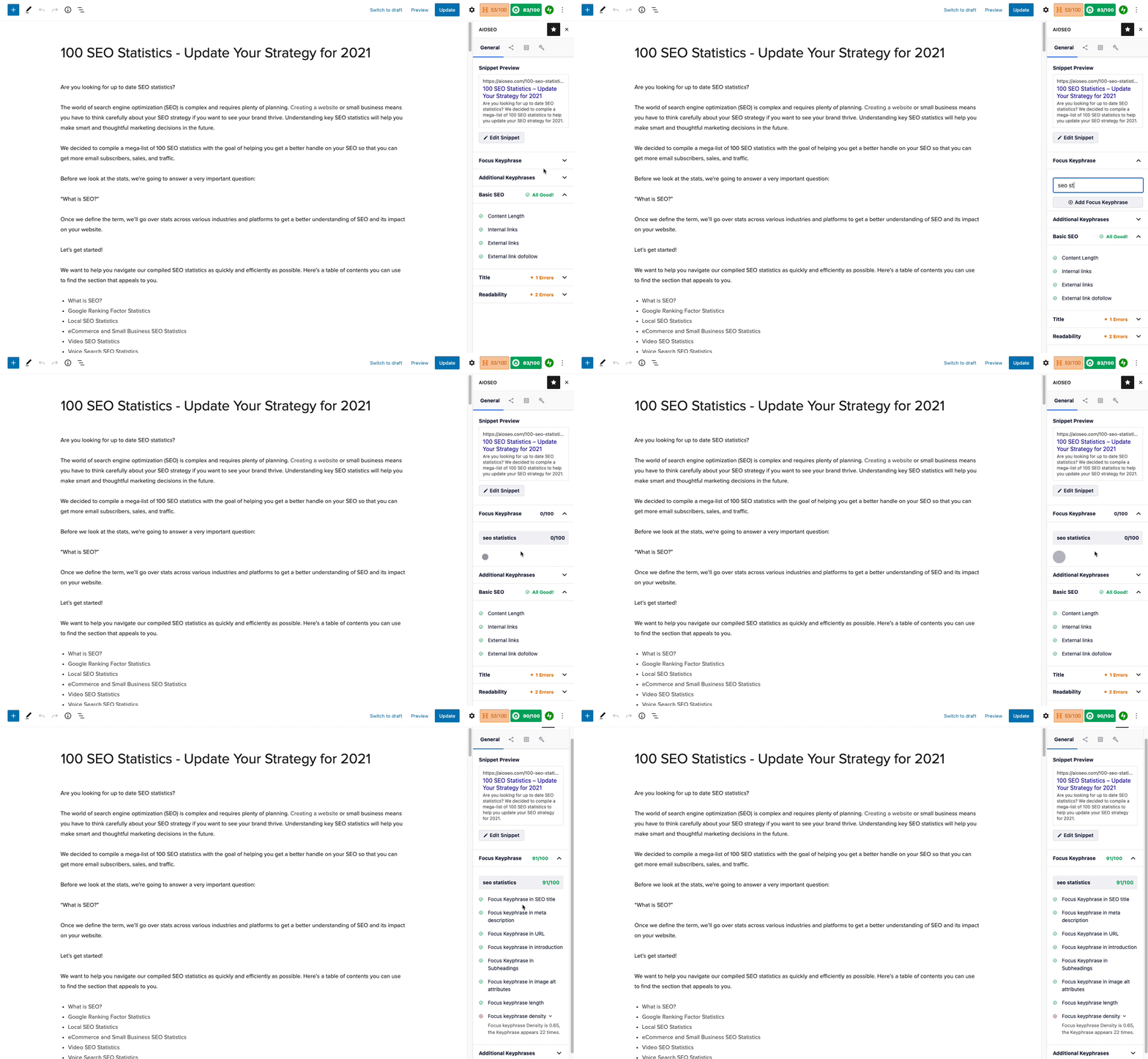
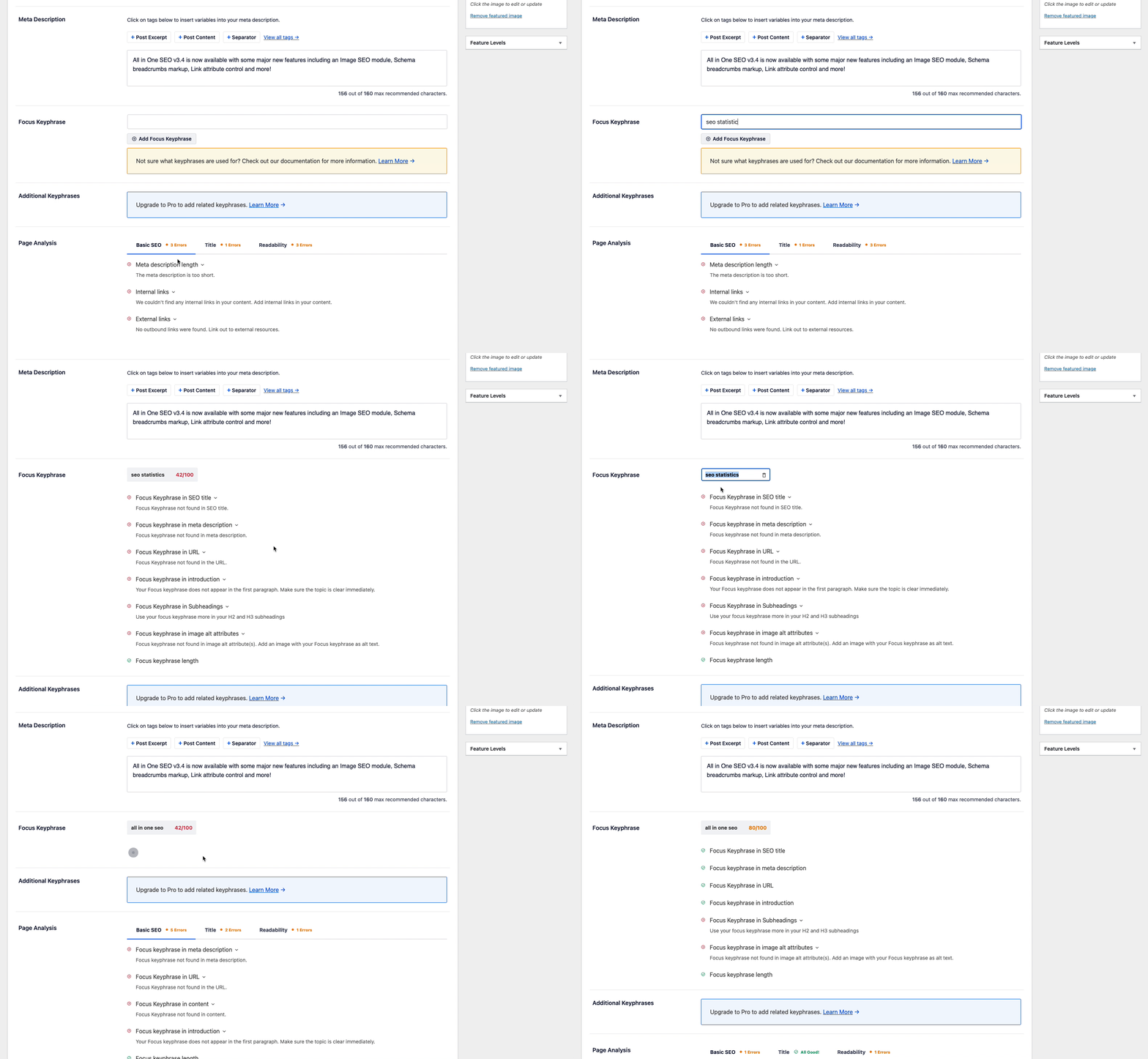
Optimize for unlimited SEO keywords using our SEO content analyzer. Our TruSEO score gives you detailed content & readability analysis, so you can get higher SEO rankings. -
Google キーワードランクのトラッキング
Googleの様々なキーワードでサイトがどのうようにランキングされているかを WordPress ダッシュボードで簡単に追跡できます。 -
自動リンクアシスタント
スマートな内部リンクアルゴリズムを使用してページ間の内部リンク設定を自動化し、オンページ SEO を改善します。 -
ローカルビジネス SEO
ローカルビジネススキーマ、複数ローカルストアの所在地のサポート、営業時間、Google マップとの連携、連絡先情報 (業務用メールアドレス、業務用電話番号、事業者住所など)、および当社の ローカル SEO モジュールを使用して、ローカル SEO のプレゼンスを向上させます。 -
Site Audit
Get a detailed report of SEO issues for all posts and terms on your site, discover why these issues are important and how you can fix them. -
SEO リビジョン
SEO 変更の履歴を保持し、変更の影響を監視して、ワンクリックで以前のバージョンを復元します。 -
コンテンツ劣化トラッキング
競合他社にトラフィックを奪われることはありません。トラフィックや SEO ランキングが低下しているコンテンツを素早く検出できるので、検索統計モジュールを使用して、そのランキングを回復するよう最適化できます。 -
Smart XML サイトマップ
SEO ランキングを上げるための高度な XML サイトマップ (Google Search Console 内で簡単に設定可能) です。動画 SEO XML サイトマップ、ニュース SEO XML サイトマップ、RSS サイトマップ、HTML サイトマップも含まれています。 -
404エラーモニター
自動404エラーモニターは、404エラーをトラッキングしてリダイレクトするのに役立ち、SEO ランキングの低下を防ぎます。 -
投稿者 SEO
Google のヘルプフルコンテンツアップデート (HCU) に対応できるように、カスタム投稿者プロフィールページ、投稿者の自己紹介ボックス、関連する投稿者スキーマを追加して Google EEAT スコアを上げます。 -
LLMs.txt Generator
Generate an llms.txt file to help AI engines discover your site’s content more easily so your content can rank in AI search results. -
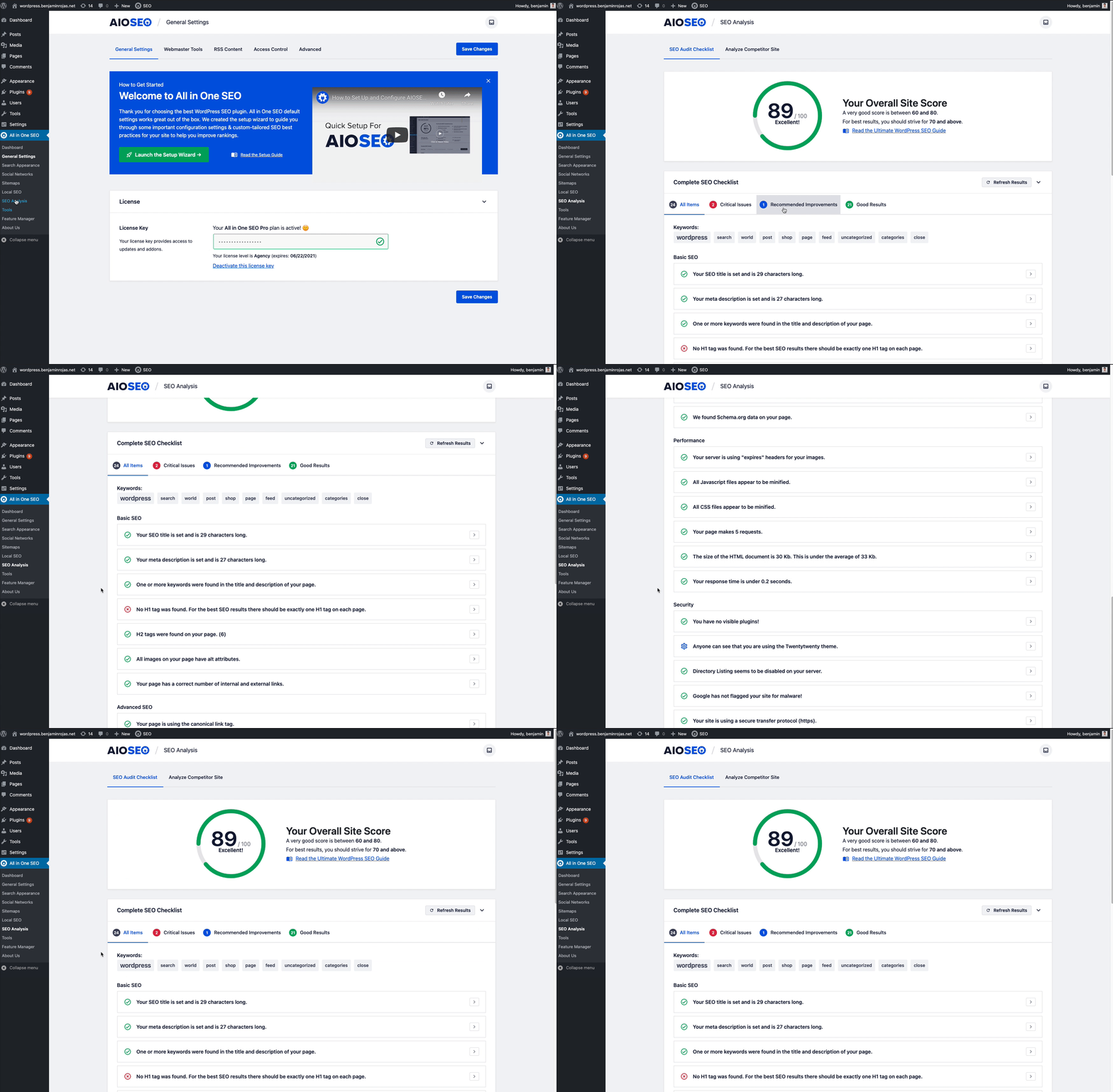
SEO 監査チェックリスト
包括的な SEO 監査チェックリストで SEO ランキングを向上させることができます。 -
ナレッジグラフサポート
SEO ナレッジパネルを使用して、サイトの検索結果の外観を改善できます。 -
目次
コンテンツの目次を自動生成し、見出しやアンカーをカスタマイズします。見出しを非表示にしたり並び替えたりすることも可能です。
SEO プラグインの高度な機能
-
ユーザーアクセスコントロール
高度な SEO アクセスコントロールを使用して、SEO 設定を管理できるユーザーをコントロールします。 -
WordPress REST API
WordPress REST API を使用して SEO メタデータを管理します。ヘッドレス WordPress インストールに最適です。 -
高度な Robots メタ SEO 設定
no inde、no follow、no archive、no snippet、max snippet、max video などをきめ細かくコントロールできます。 -
SEO 用 RSS コンテンツ
コンテンツスクレイピングによる SEO ランキングへの悪影響を防ぎます。 -
完全サイトリダイレクト
サイトの統合やドメインの切り替えを行う場合、完全サイトリダイレクトなら、SEO ランキングに悪影響を与えることなく、簡単にドメインを切り替えることができます。 -
スマートメタタイトルとディスクリプション
自動 SEO 生成、動的 SEO スマートタグ、絵文字の追加、ショートコードの追加など、検索結果で目立つための機能を提供します。 -
スマートパンくずリスト
パンくずリストナビゲーションを追加して、ユーザーエクスペリエンスを改善し、SEO ランキングを上げることができます。SEO JSON+LD を完全サポートしています。 -
自動画像 SEO
画像タイトル、クリーンな SEO 画像ファイル名などを自動生成することで、画像のランキング向上を後押しします。 -
高度な SEO 正準 URL
自動正準 URL を使用して、SEO における重複コンテンツを防ぎます。 -
SEO クリーンアップ / SEO 手動ペナルティの解除
リンクアシスタントのドメインレポート機能は、ワンクリックで特定のドメインのリンクをすべて自動的に削除します。SEO のクリーンアップを行う際に大幅な時間の節約になります。 -
リンクの可能性レポート
スマートなアルゴリズムで、より効果的な内部リンクの可能性を確認します。数回クリックするだけで簡単に内部リンクを追加できます。 -
Robots.txt エディター
WordPress の SEO robots.txt ファイルを管理してカスタマイズします。 -
クロールクォータ管理
クロールクリーンアップ機能は、検索エンジンのクロールクォータを管理し、重要なコンテンツをよりすばやくインデックスできます。 -
SEO のためのタイトルと nofollow
外部リンクにタイトルと nofollow を簡単に追加できます。 -
見出しアナライザ
ページや投稿の見出しを分析し、CTR や SEO ランキングを向上させます。 -
競合サイトの SEO 分析
競合 SEO 分析を使って SEO 最適化を改善し、競合より上位にランクできます。 -
SEO コードスニペット
SEO コードスニペット用 WPCode プラグインとの統合により、SEO のあらゆる側面をさらにカスタマイズできます。
WordPress SEO の連携
-
Google Search Console 連携
Google ウェブマスターツールや Google Search Console に接続して、SEO 分析情報 (コンテンツランキング、キーワードランキング、ページスピード分析、投稿インデックスステータスなど) を WordPress ダッシュボードで直接確認できます。 -
WooCommerce SEO
WooCommerce の SEO ランキングを向上させます。WooCommerce の商品ページ、商品カテゴリーなどを簡単に最適化し、最高の eコマース SEO 結果を実現します。 -
ナレッジパネル SEO
Facebook、Twitter、Wikipedia、Instagram、LinkedIn、Yelp、YouTube などのソーシャルメディアのプロフィールリンクを追加して、サイトの SEO 表示を改善します。 -
ウェブマスターツール連携
Google Search Console、Bing SEO、Yandex SEO、Baidu SEO、Google アナリティクス、Pinterest サイト検証など、すべてのウェブマスターツールと接続できます。 -
ソーシャルメディア連携
Facebook SEO、Twitter SEO、Pinterest SEO と連携してより優れたサイトプレビューを実現します。 -
Google AMP SEO 連携
Google AMP SEO を使用してモバイル SEO ランキングを向上させます。 -
Semrush SEO 連携
Semrush SEO との連携により、追加の SEO キーワードを確認できます。 -
Microsoft Clarity 連携
ヒートマップとセッション記録で訪問者のインタラクションを確認できます。 -
IndexNow 連携
Bing と Yandex に即座に通知し、SEO インデックスを高速化します。 -
Elementor SEO
ランディングページの Elementor SEO を改善します。 -
Divi SEO
ランディングページの Divi SEO を改善します。 -
Avada SEO
Better Avada SEO for landing pages. -
WP Bakery SEO
Better WP Bakery SEO for landing pages. -
SeedProd SEO
SeedProd のランディングページを SEO に最適化します。 -
SiteOrigin SEO
Better SiteOrigin SEO for landing pages. -
Open Graph をサポート
Open Graph メタデータを使用して、SEO ランキングを向上させます。
WordPress SEO プラグインのインポーター
現在の SEO プラグインに満足していませんか ? ポイント & クリックの自動 SEO データ転送ツールで、簡単に SEO 移行を実行できます。現在、次の SEO ツールからの SEO 移行をサポートしています。
- Yoast SEO インポーター
- Yoast SEO Premium インポーター
- Rank Math SEO インポーター
- SEOPress
また、次のプラグインからの SEO リダイレクトのインポートもサポートしています。
- Redirection プラグイン
- Simple 301 Redirects インポーター
- 安全なリダイレクトマネージャー
- 301 Redirects インポーター
それ以外にも、当社の SEO 移行ツールは次にも役立ちます。
- AIOSEO 設定をサイト間でインポート/エクスポート
- SEO 設定のバックアップを作成
- XML サイトマップに追加のページをインポートするための CSV サイトマップをインポート
AIOSEO が WordPress で最高の SEO プラグインと評価される理由をご理解いただけだことでしょう。
AIOSEO を試してみてください。
より多くの SEO 機能のロックを解除したい場合、AIOSEO Pro にアップグレードしてください。
クレジット
このプラグインは Benjamin Rojas と Syed Balkhi によって作成されました。
ブランディングガイドライン
AIOSEO® は、Semper Plugins LLC の登録商標です。AIOSEO による WordPress SEOプラグインについて書くときは、次の形式を使用してください。
- AIOSEO (正確)
- All in One SEO (正確)
- AIO SEO (不正確)
- All in 1 SEO (不正確)
- AISEO (不正確)
スクリーンショット



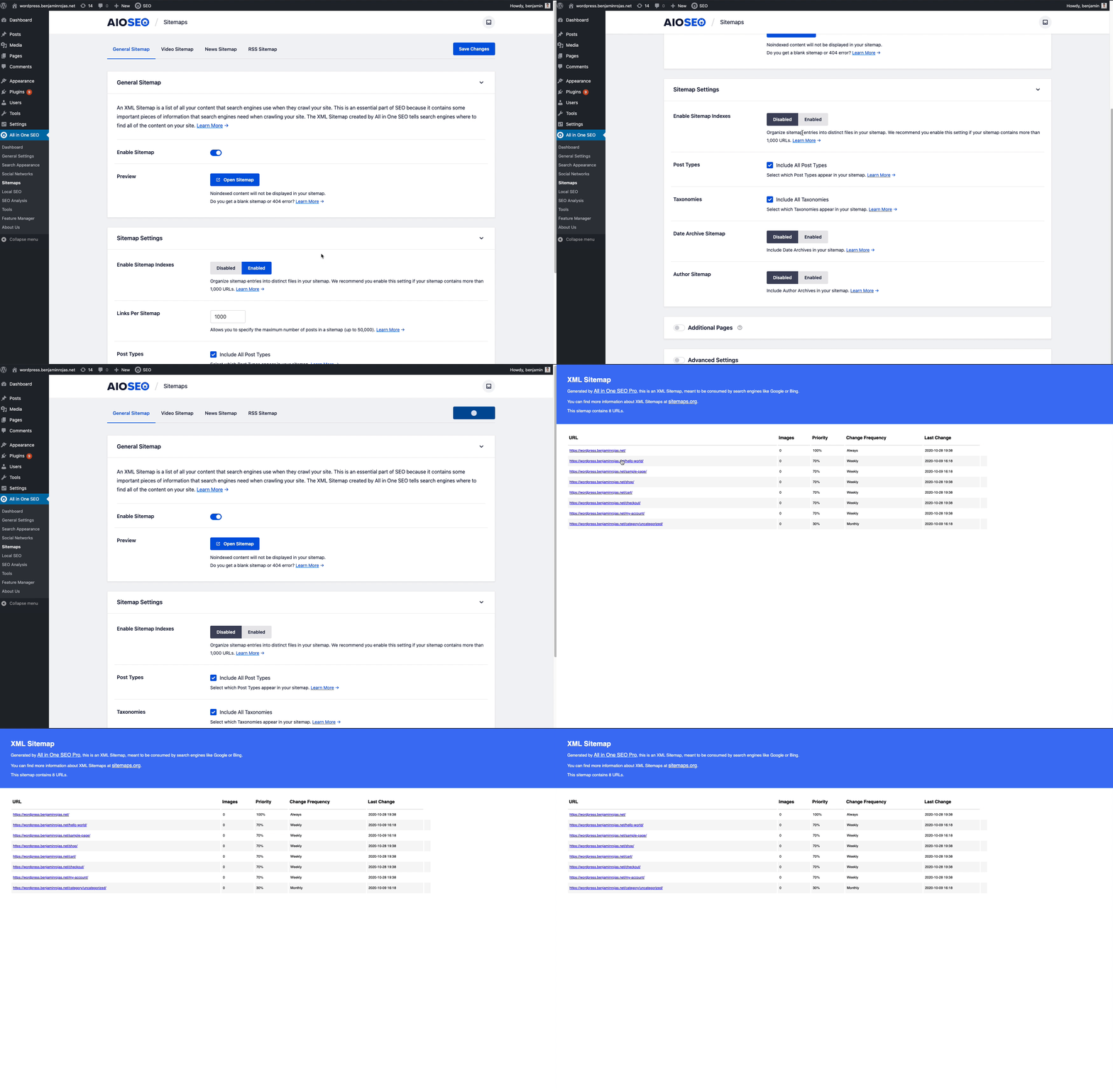
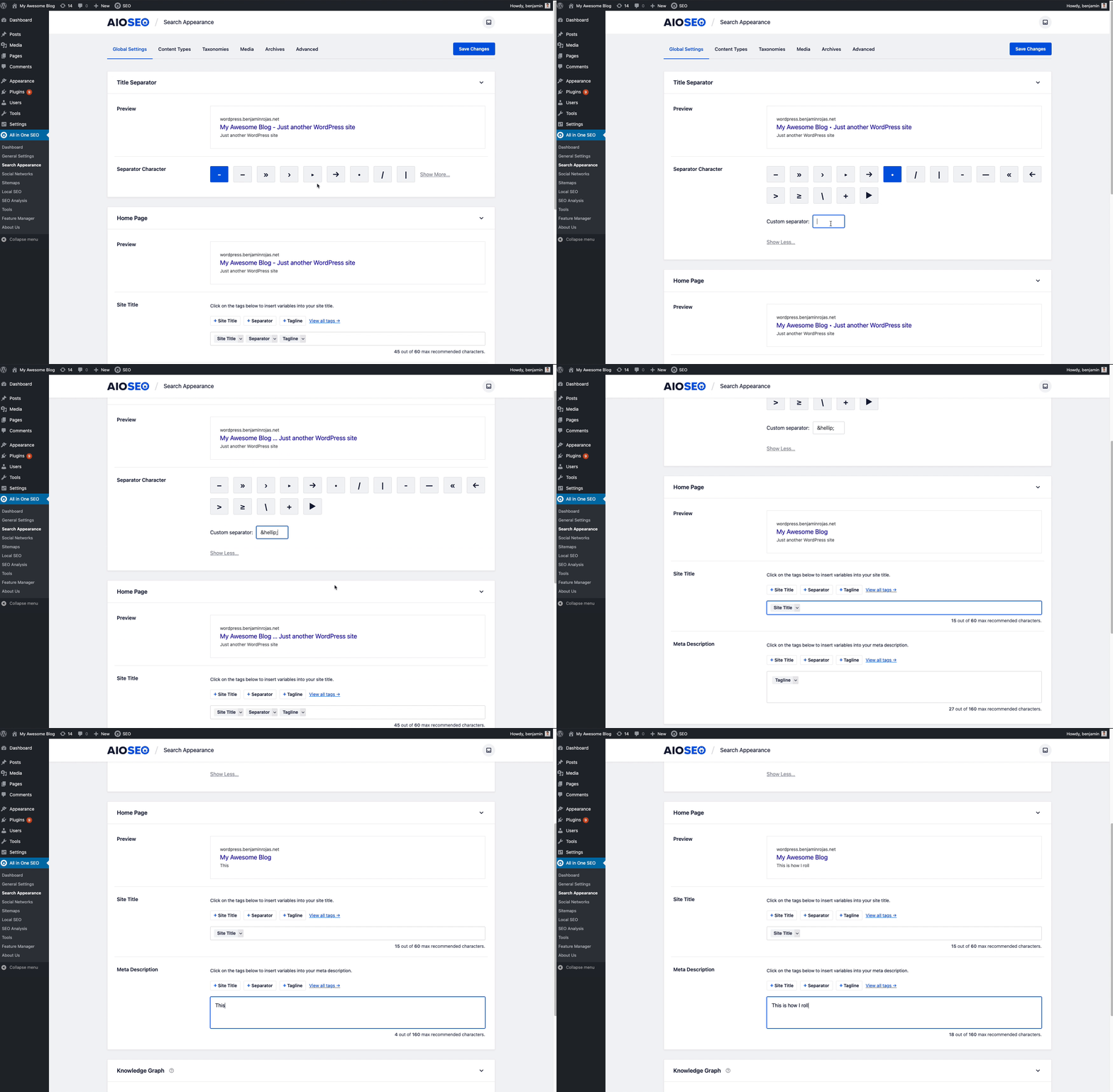


ブロック
このプラグインは16個のブロックを提供します。
- AIOSEO – AI Assistant
- AIOSEO – Breadcrumbs
- AIOSEO – HTML Sitemap
- AIOSEO – FAQ with JSON Schema
- AIOSEO – Table of Contents
- AIOSEO – Local Business Info
- AIOSEO – Local Business Location Categories
- AIOSEO – Local Business Locations
- AIOSEO – Local Business Google Map
- AIOSEO – Local Business Opening Hours
- AIOSEO – Author Bio (E-E-A-T)
- AIOSEO – Author Name (E-E-A-T)
- AIOSEO – Reviewer Name (E-E-A-T)
- AIOSEO – Key Points (TLDR)
- AIOSEO – Recipe
- AIOSEO – Product
FAQ
AIOSEO チームに SEO のサポートを依頼する前に、AIOSEOの完全なドキュメントをご覧ください。
誰が AIOSEO を使用する必要がありますか?
SEO 対策は、すべてのサイトに必要不可欠です。AIOSEO は、ビジネスオーナー、ブロガー、マーケティング担当者、デザイナー、開発者、写真家、そして基本的にすべての人に最適です。検索で上位にランクインしたい場合は、AIOSEO WordPress SEO プラグインを使用する必要があります。
AIOSEO はどのテーマをサポートしていますか?
AIOSEO は、すべての WordPress のテーマで動作します。AIOSEO を有効にするだけで、あなたの WordPress のテーマは SEO フレンドリーになります。
AIOSEO はサイトを遅くしませんか ?
いいえ、AIOSEO はサイトを遅くすることはありません。私たちは、スピードが SEO にとって重要であることを理解しています。だからこそ、私たちのコードは、最大のパフォーマンスを得るために適切に最適化されているのです。高速なサイトは、検索で上位にランクされることを覚えておいてください。AIOSEO で SEO 対策を行いましょう。
クライアント サイトで AIOSEO を使用できますか?
はい、クライアントサイトで AIOSEO を使用することができます。
AIOSEO サイトマップは、デフォルトの WordPress サイトマップよりも優れていますか?
はい、AIOSEO スマートサイトマップは、デフォルトの WordPress サイトマップよりもはるかに最適化されています。AIOSEO を使用すると、AIOSEO の XML サイトマップがデフォルトの WordPress サイトマップを上書きするため、SEO ランキングを向上させることができます。
また、ニュース サイトマップ、ビデオ サイトマップ、RSS サイトマップなどの高度な SEO サイトマップも提供しています。
SEO サイトマップには、サイトマップごとのリンク、投稿タイプや分類法を有効/無効にする、サイトマップに特定のリンクを含める/除外する、サイトマップに WordPress 以外のページを追加する、サイトマップの優先度とカスタマイズなどの詳細な制御が付属しています サイトの各セクションの頻度など。
これが、専門家が AIOSEO を最高の WordPress SEO プラグインとして評価する理由です。
AIOSEO は SEO 検証に役立ちますか?
はい。AIOSEO は、さまざまなウェブマスターツール (Google Search Console、Bing ウェブマスターツール、Yandex、Baidu、Pinterest、必要なその他のサイト検証) と接続し、サイトの SEO 検証に役立ちます。
なぜ AIOSEO は他の SEO プラグインよりも優れているのですか?
WordPress の SEO プラグインはたくさんあります。 他のものとは異なり、AIOSEO WordPress SEO プラグインは常に信頼できます。 当社の SEO 機能は結果重視 (肥大化なし) であり、優れたカスタマー サポートを提供します。
AIOSEO は元祖 WordPress SEO プラグインであり、300 万以上の Web サイト所有者から信頼されています。
XML サイトマップは本当に必要なのでしょうか ?
XML サイトマップは 、Google や他の検索エンジンがサイトのすべてのページを見つけることができるようにします。
XML サイトマップは、サイトのすべてのコンテンツのリストです。サイトマップは検索エンジンボットがサイトのすべてのコンテンツを1か所で簡単に確認するために役立ちます。XML サイトマップファイルは人間の訪問者の目にはつきませんが、Google のような検索エンジンは見ることができます。
XML サイトマップがないと、一部のサイトページは Google の検索結果に表示されることがなく、トラフィックを得ることもできません。
XML サイトマップは、検索結果に含めたくないページを Google に伝えるためにも役立ちます。これにより、SEO のキーワードカニバリゼーションや重複コンテンツの問題を防ぐことができます。
SEO 戦略の一環として、XML サイトマップはドメインオーソリティを向上し、Google、Bing やその他の検索エンジンからより多くのトラフィックを獲得するために役立ちます。
AIOSEO を使うと Google Search Console 内に簡単にサイトマップリストを取得できるため、コンテンツを今日からすぐにインデックス化することができます。
AIOSEO は Google Search Console と直接連携できますか ?
もちろんです ! Google Search Console との連携により、Google でのサイトのプレゼンスをモニタリングして維持できます。直接の連携により、クリック数、インプレッション数、各キーワードでサイトのコンテンツが Google 検索結果に表示される平均ポジションなど、サイトの重要な情報を簡単に確認できます。また、Google の Page Speed Insights を使って、WordPress ダッシュボードで直接、コンテンツのページスピードを追跡することもできます。
また、AIOSEO は、最も頻繁に使用されているキーワード、サイトで最も人気があるページ、クロールエラーや発生する可能性があるセキュリティ上の問題などに関するデータも提供します。Google Search Console との連携により、AIOSEO は SEO を向上し、オンラインでの全般的な表示を高めるために役立つ、貴重な分析をサイト所有者に提供します。この連携により、経時的なサイトの変化を追跡し、データに基づいた決定をして、SEO の目標達成に役立てることができます。
評価


貢献者と開発者
All In One SEO – SEO ランキングを向上させ、トラフィックを増やす強力な SEO プラグイン。 はオープンソースソフトウェアです。以下の人々がこのプラグインに貢献しています。
貢献者


変更履歴
New in Version 4.9.9
- New: SEO Alerts feature to notify site owners of critical SEO issues via email and Slack.
- New: New
#event_start_dateand#event_end_datesmart tags for events when The Events Calendar plugin is active. - Updated: Sitemap hreflang alternates when using the Universally translation plugin.
- Updated: .htaccess editor error messages are now clearer and more actionable.
- Updated: Setup wizard now triggers after bulk plugin activation instead of being skipped.
- Updated: Improved the posts-list URL Inspection status with clearer messages and a Refresh Status action.
- Fixed: PHP 8.2+ dynamic property creation deprecation notice when loading addons.
- Fixed: PHP 8.5 deprecation notice when generating descriptions from classic or freeform post content.
- Fixed: Elementor’s internal post type was included in LLMs.txt by default.
- Fixed: Primary Category dropdown was clipped when WooCommerce was active.
- Fixed: PHP warnings on taxonomy archives when get_queried_object() returned a WP_Post_Type.
- Fixed: Fatal error on the WordPress dashboard when the SEO News widget returned an unexpected response.
- Fixed: Divi 5+ layouts displaying stray borders, padding, or alignment issues when AIOSEO Pro is active.
- Fixed: PHP warning in sitemap generation for sitemap types that don’t support taxonomies.
- Fixed: Multisite sub-sites with “Discourage search engines from indexing this site” enabled were missing from the Domain Activation list in Network Admin.
- Fixed: Console errors in the Avada Frontend Editor during initialization.
- Fixed: PHP warning in Social Networks image handling on non-singular pages.
- Fixed: REST API clients can now update the custom canonical using the snake_case field name in addition to the camelCase version.
- Fixed: WooCommerce Product schema’s valueAddedTaxIncluded now reflects the store’s actual tax configuration, and is omitted when taxes are disabled.
- Fixed: Editing a page via the Classic Editor could show another post’s content when a third-party page builder ran a post loop on the same page.
- Fixed: Site Audit scan fatal error on servers where the PHP intl extension is not installed.
- Fixed: A conflict where third-party plugins filtering could rename the generated llms.txt or llms-full.txt files.
- Fixed: Opening the redirect modal from the side panel when the Metabox Redirects tab is active.
- Fixed: Regex redirects no longer produce double slashes mid-path when a capture group matches an empty string.
- Fixed: Regex redirects for media files.
- Fixed: Regex redirects producing a double trailing slash when the target URL contains a capture group placeholder.
- Fixed: Keyword Cannibalization checker was displaying private posts in the results list.
New in Version 4.9.8
- New: AIOSEO now integrates with the WordPress Abilities API, exposing your site’s SEO data as abilities that AI agents can read and write.
- New: AIOSEO now includes an MCP server so AI agents like Claude and Cursor can connect to your site and manage its SEO data directly.
- New: The AIOSEO REST API addon has been deprecated as the API is now free for all users!
- New: Added support for Nano Banana 2 and GPT Image 2 to Image Generator.
- Fixed: AI Assistant icons no longer throw React errors or fail to render in the block editor on WordPress 7.0.
New in Version 4.9.7.2
- Fixed: Cache table on some sites was left in a corrupted state after the 4.9.7 update due to a race condition during the migration, causing cache writes to silently overwrite unrelated entries. The new migration runner now retries the repair until it verifies the state is clean.
New in Version 4.9.7.1
- Fixed: Resolved an issue where some sites could experience a fatal error and become inaccessible due to a corrupted internal cache entry.
- Fixed: Removed outdated database indexes left over from a previous update that could corrupt cache data on certain MariaDB database versions, leading to site errors.
New in Version 4.9.7
- Updated: Added a filter to customize Site Audit page scan request arguments.
- Updated: TOC block now has an option to list all headings, not only the ones after it.
- Updated: AI Assistant block now converts generated FAQ content into structured AIOSEO FAQ blocks with schema markup.
- Updated: SEO Analysis now automatically re-scans posts and terms older than 6 months, and detects changes to global settings.
- Fixed: Third-party plugin imports (Redirection, Rank Math, Yoast SEO, 301 Redirects, WPML) not working correctly.
- Fixed: A PHP warning caused by getDefaultAddon() returning an array instead of an object when the CDN is unreachable.
- Fixed: Error message not displaying when settings fail to save.
- Fixed: “Convert Posts to Markdown” option broke page rendering when URL query parameters contain “.md”.
- Fixed: AI Assistant block no longer includes its own UI text in generated content.
- Fixed: Date sitemap index fails to update the “Last Modified” timestamps when posts are updated.
- Fixed: Title output buffering caused broken pages on themes without title-tag support on WordPress 6.9+.
- Fixed: Fatal error on multisite installations when the AI helper was not initialized during license validation.
- Fixed: PHP warning related to meta description in attachment pages.
- Fixed: Console error in Keyword Rank Tracker Groups tab when selecting certain date ranges.
- Fixed: Image column incorrectly displayed in taxonomy, author, date, and attachment sitemaps.
- Fixed: Image sitemap scan no longer counts hidden
<img>elements as sitemap images. - Fixed: Fatal error when Lite users with standalone AI credits attempt to use the AI Assistant or Image Generator.
- Fixed: Plugin translations loading order.
New in Version 4.9.6.2
- Updated: Removed deprecated internal option references that could cause error on WooCommerce checkouts for some users.
- Fixed: Possible fatal error when activating license via AIOSEO_LICENSE_KEY constant.
New in Version 4.9.6.1
- Fixed: Possible fatal error during WooCommerce checkout due to an internal option structure.
New in Version 4.9.6
- New: AI Schema Generator to allow users to generate structured data markup using AI with smart analysis and custom prompts.
- New: Bulk action features to generate meta titles, descriptions, and image alt text for multiple posts and media items at once using AI.
- New: Added Comment field to redirects for documenting redirect purposes and context.
- Updated: Compatibility with WordPress 7.0.
- Updated: Added Divi 5 Visual Builder support.
- Updated: Add lazy-loading to metabox menu tabs for faster initial render and load times.
- Updated: Replaced third-party libraries with lightweight alternatives for faster load times.
- Updated: Hardened sensitive data so it can never be exposed on the frontend.
New in Version 4.9.5.2
- Fixed: License status could occasionally display outdated information.
New in Version 4.9.5.1
- Fixed: Improved title output buffering compatibility with themes that don’t declare title-tag support.
- Fixed: AI credits refresh button now preserves the connection state for manually connected Lite users.
New in Version 4.9.5
- Updated: TruSEO analysis content parser for better compatibility.
- Updated: Added custom field smart tag support to the Schema Review Author field.
- Updated: Restored the “Download Sample CSV File” link and import instructions on the Redirects Import/Export screen.
- Updated: Database table information is now included in the System Status tool and system information exports.
- Updated: Added a size-based log cleanup mechanism to prevent performance issues with large Redirects and 404 log tables.
- Fixed: SEO Checklist’s “Delete Hello World” task no longer suggests deleting repurposed WordPress sample posts.
- Fixed: Post archive sitemap returning empty content when sitemap indexes are enabled.
- Fixed: Import/Export now list all sites instead of only 20 on Multisite Networks.
- Fixed: LLMs.txt button URLs pointing to wrong location on non-standard WordPress installations.
- Fixed: Bricks Builder ACF Relationship query loops returning no results when AIOSEO is active.
- Fixed: Improved performance of sitemap taxonomy queries for sites with large numbers of terms.
- Fixed: Posts with different or external Canonical URLs are now excluded from the sitemap.
- Fixed: Posts and terms with custom canonical URLs are now excluded from XML sitemaps.
- Fixed: TOC block triggering “unsaved changes” warning even without any changes.
- Fixed: Warnings in ProfilePage schema.
- Fixed: URL count mismatch between root sitemap index and date sitemap.
- Fixed: Fatal error when editing posts with corrupt breadcrumb settings.
- Fixed: Local SEO Opening Hours time dropdowns not updating to 24h format when toggling “Use 24h Format”.
- Fixed: Console warning about navigation throttling when using SiteOrigin Page Builder.
- Fixed: SEO Analyzer database error when focus keywords contain double quotes.
- Fixed: Rare cases where scheduled actions were duplicated.
- Fixed: AI access token sometimes failing to be fetched.
- Fixed: PHP warning when analyzing a one-word title starting with the question word in Headline Analyzer.
以前のリリースについては、aioseo.com の変更履歴をご覧ください。