
説明
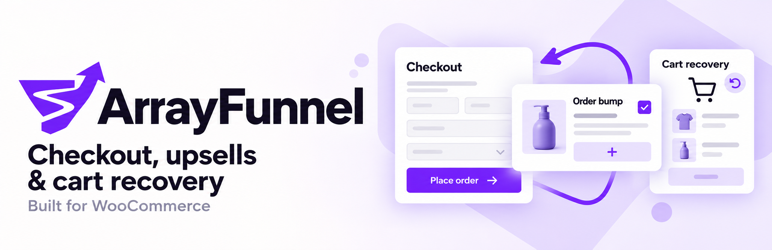
ArrayFunnel adds focused conversion tools to a WooCommerce store. Everything runs on your own
site: there is no external service, no account to create, and no data leaves your database.
Side cart
A slide-out cart drawer with quantity controls, coupon entry, and an optional free-shipping
progress bar. Three colour accents, two themes, and three corner styles are included, and the
drawer can either open on every add-to-cart or stay out of the way until the shopper opens it.
Checkout
Optional step indicators, a countdown display, trust badges on secure checkouts, and low-stock
notices for items already in the cart. Billing and shipping address fields are also put into a
consistent order.
These enhancements, and order bumps, render on the classic checkout — a checkout page built
with the [woocommerce_checkout] shortcode. They do not appear on the block checkout. The side
cart, abandoned-cart recovery, and analytics work with either checkout.
Order bumps
Offer a single-click add-on on the classic checkout page. Each bump targets all carts, specific
products, specific categories, or a cart-total range, and ships with three display templates.
Abandoned-cart recovery
When a shopper types their email at checkout but does not complete the order, ArrayFunnel saves
the cart and can send up to three recovery emails on a schedule you choose. Each email carries a
link that restores the exact cart and can apply a coupon you nominate.
Analytics
Checkout views, orders, revenue, average order value, bump acceptance rate, and recovered carts,
all recorded in your own database and shown on a dashboard inside WP Admin.
External services
This plugin does not connect to any external service. It makes no remote requests, loads no
scripts, styles, fonts, or images from a third-party host, and transmits no data off your site.
Build instructions
Readable PHP, JavaScript, and CSS sources are included in /src. The compiled front-end and
admin bundles are in /public/build, produced by @wordpress/scripts using the bundled
webpack.config.js, postcss.config.js, and tailwind.config.js.
To reproduce the build:
npm install && npm run build
To install the PHP autoloader:
composer install --no-dev --optimize-autoloader
In the development checkout, npm run plugin:make prepares a production build in zip/plugin,
and npm run plugin:zip builds an installable zip/arrayfunnel.zip. These commands use the
normal Composer autoloader; PHP-Scoper is not required. See docs/releasing.md in the source
repository for release, copy, artwork, and WordPress.org publishing instructions.
インストール
- Install and activate WooCommerce 9.0 or newer.
- Upload and activate ArrayFunnel.
- Open ArrayFunnel in the WordPress admin menu to configure it.
Requirements
- WordPress 6.5 or higher
- PHP 8.0 or higher
- WooCommerce 9.0 or higher
- A classic checkout page (built with the
[woocommerce_checkout]shortcode) for the checkout
enhancements and order bumps
FAQ
-
Does this plugin send anything to an external service?
-
No. ArrayFunnel makes no outbound HTTP requests. Every feature, including analytics and
abandoned-cart recovery, runs against your own WordPress database, and recovery emails are sent
with the mailer your site already uses. -
What personal data does it store?
-
If abandoned-cart recovery is used, the billing email address a shopper types at checkout is
stored, together with the phone number when one is entered and a snapshot of the cart contents.
This is the data needed to send the recovery email and rebuild the cart. Rows older than 90 days
are deleted automatically by a daily scheduled task, and deleting the plugin removes every
ArrayFunnel table, option, and scheduled task. -
Why do the checkout features not show on my checkout page?
-
The checkout enhancements and order bumps hook into the classic checkout. If your checkout page
was built with the Checkout block, replace its contents with the[woocommerce_checkout]
shortcode. The side cart, abandoned-cart recovery, and analytics are unaffected and work with
either checkout. -
Can I turn a feature off?
-
Yes. The side cart and the checkout enhancements each have their own switch on the Settings
screen, and the countdown and trust badges have their own switches on the Checkout screen.
Order bumps are activated one at a time, so a store with no active bump shows none.
Abandoned-cart tracking only records a cart once a shopper has entered an email address at
checkout. -
How long are analytics kept?
-
Indefinitely by default. Set a retention period in days on the Settings screen and a daily
scheduled task will prune anything older.
評価
このプラグインにはレビューがありません。
