
説明
The Professional’s Choice for Drag & Drop WordPress Page Building. Fast, Reliable, and Trusted since 2014
Beaver Builder is the page builder and website builder that agencies and developers rely on. Create pixel-perfect websites with our visual editor – no coding required. Front-end editing, flexible templates, and enterprise-grade performance. Try Beaver Builder Pro for unlimited sites and premium features.
What Is The Beaver Builder Page Builder?
Beaver Builder は柔軟なドラッグ & ドロップ式のページビルダーで、あなたの WordPress サイトのフロントエンドで動作します。初心者も上級者も、Web サイトの管理が好きになるでしょう。HTML を書いたり、混乱するショートコードと闘わずに済みます。Beaver Builder があれば、ドラッグ & ドロップの簡単さで美しく、プロフェッショナルな WordPress のページを構築可能です。
まだご利用でないなら、以下のビデオを見るかデモのお試しで動きをご覧ください。
プレミアム サポート
The Beaver Builder team provides very limited support on the WordPress.org forums. Please feel free to post questions or bug reports, but for timely support, we recommend purchasing a Beaver Builder license.
Along with access to our expert support team, there are many time-saving features in the premium versions which make it a great value for any serious WordPress user. Get a license today.
You can also reference our Knowledge Base, or try asking the Beaver Builder community for help in either Facebook or Slack. Keep in mind, these are all folks just like you who are volunteering their time.
私たちの成長するコミュニティに参加
There is a huge colony (yeah, that’s the term for a group of beavers) of “Beaver Builders” that would love to get to know you! If you have questions, a project to show off, or you would like to meet and network with other Beaver Builder users, you’ll feel right at home in the Beaver Builders Facebook Group or the Beaver Builders Slack Channel. Come on by and say hello.
ページビルダーの機能
- Content Modules: Box, Photo, Button, Button Group, Callout, Call to Action, Heading, Icon, Menu, Number Counter, Text Editor, HTML, Audio, Video, & Sidebar.
- 全幅、カラム組みのレイアウト。
- Create flexbox and CSS grid layouts with the Box Module. Also included are some Box module presets to get you going faster!
- 最大のパフォーマンスのために軽量かつセマンティックマークアップ。
- 写真、カラー、ビデオ、行の背景。
- モバイルフレンドリー、レスポンシブレイアウト。
- 独自の CSS クラスと ID を追加します。
- WordPress ウィジットとショートコードが利用可能。
- 固定ページ、投稿、カスタム投稿タイプで動作します。
- 優しく、友好的なコミュニティ。
- 独自のカスタムモジュールを作成可能。
プレミアム機能
- Additional modules: Contact Form, Tabs, Slider, Pricing Table, Map, Blog Posts, Subscribe Form and many more.
- Beaver Themer Theme Builder.
- Beaver Builder Theme.
- 当社の世界クラスのサポートチームから専門的なサポートがあります。
- 美しい作成済みのレイアウトテンプレート。
- 保存、エクスポート、全てのページのレイアウト・行・モジュールの再利用。
- Save a Global Color palette.
- Create styles that apply globally throughout your Beaver Builder layouts.
Beaver Builder の公式サイトにて、プレミアム機能で何ができるかご覧ください。
Beaver Builder は本当に愛されています
Don’t just take our word for it, here are a few testimonials from happy users and customers.
“Simply put, it is the best page builder in the WordPress ecosystem. There is no close second.” – WP Crafter
“Complete design freedom with no coding and it is all fully responsive as well.” – skyboro
“Easy to use, fast to get started, real product depth, great support.” – David Bressler
モジュールとウィジェット
We’ve loaded Beaver Builder up with a flexible set of content modules to aid you in building stunning layouts and landing pages within an intuitive drag and drop system. Beaver Builder also supports core and third party WordPress widgets and shortcodes, so you can use Beaver Builder with all your other favorite plugins!
あなたのテーマで動作する WordPress ページビルダー
Yep, that’s right! Beaver Builder was designed to work with almost any WordPress theme. Try Beaver Builder on your existing website today, or consider upgrading and using Beaver Builder’s outstanding framework theme (available in Pro and Agency packages) for your next project.
100% モバイル対応の WordPress ページビルダー
Every part of a Beaver Builder layout or landing page is fully responsive and looks gorgeous on any screen size. Responsive web design has never been easier.
パフォーマンス最適化された WordPress ページビルダー
We’ve designed Beaver Builder to create layouts and landing pages that load quickly. Many page builders load in an ungodly number of scripts and stylesheets to every page on your site. Not Beaver Builder! It only loads the assets needed for a given layout or landing page.
スクリーンショット
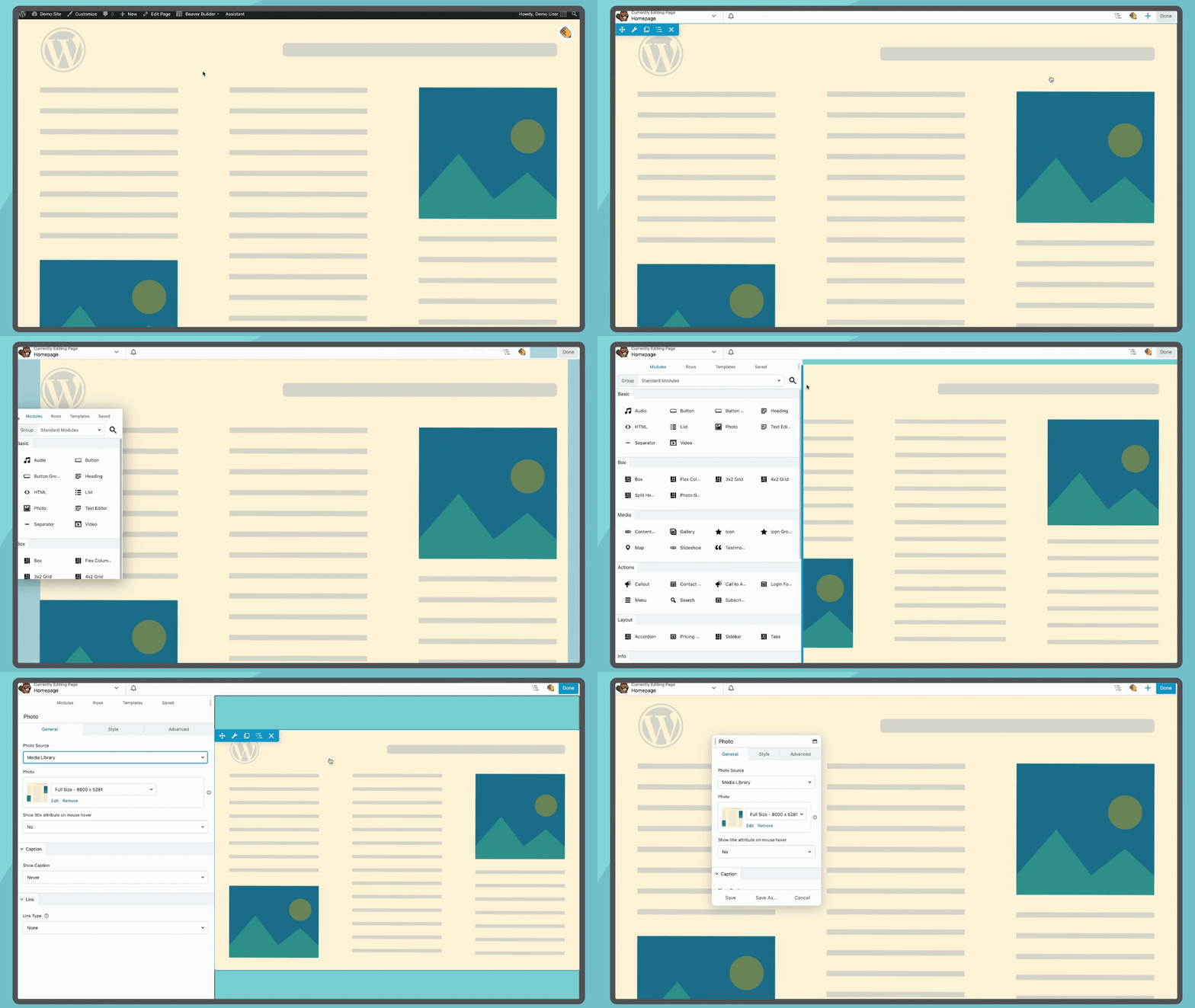
Launch Beaver Builder from the top bar of your pages to open the Beaver Builder Page Builder interface 
Drag and Drop modules rows and columns to build layouts 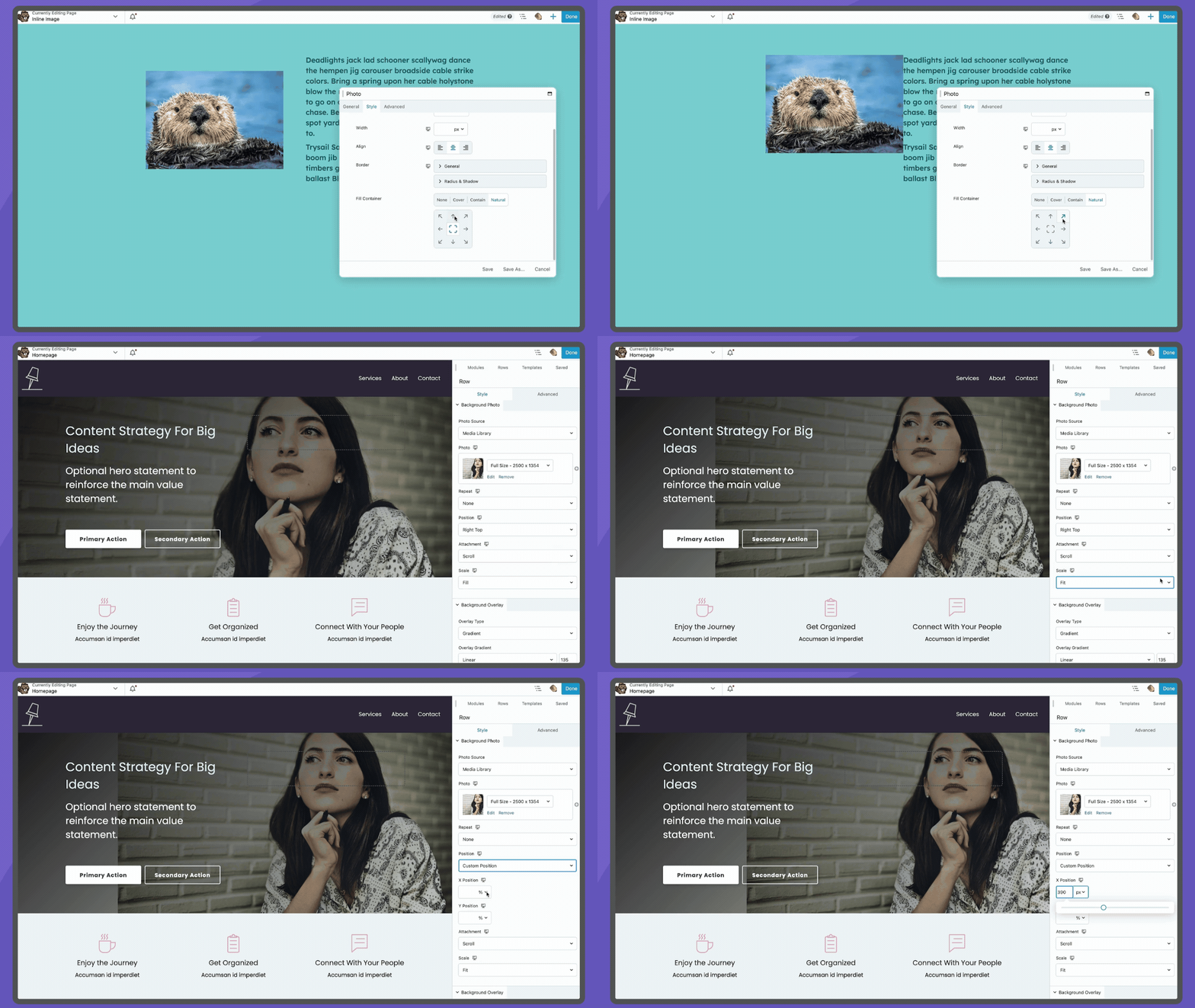
Images can easily be modified to fit your needs, both inline and background 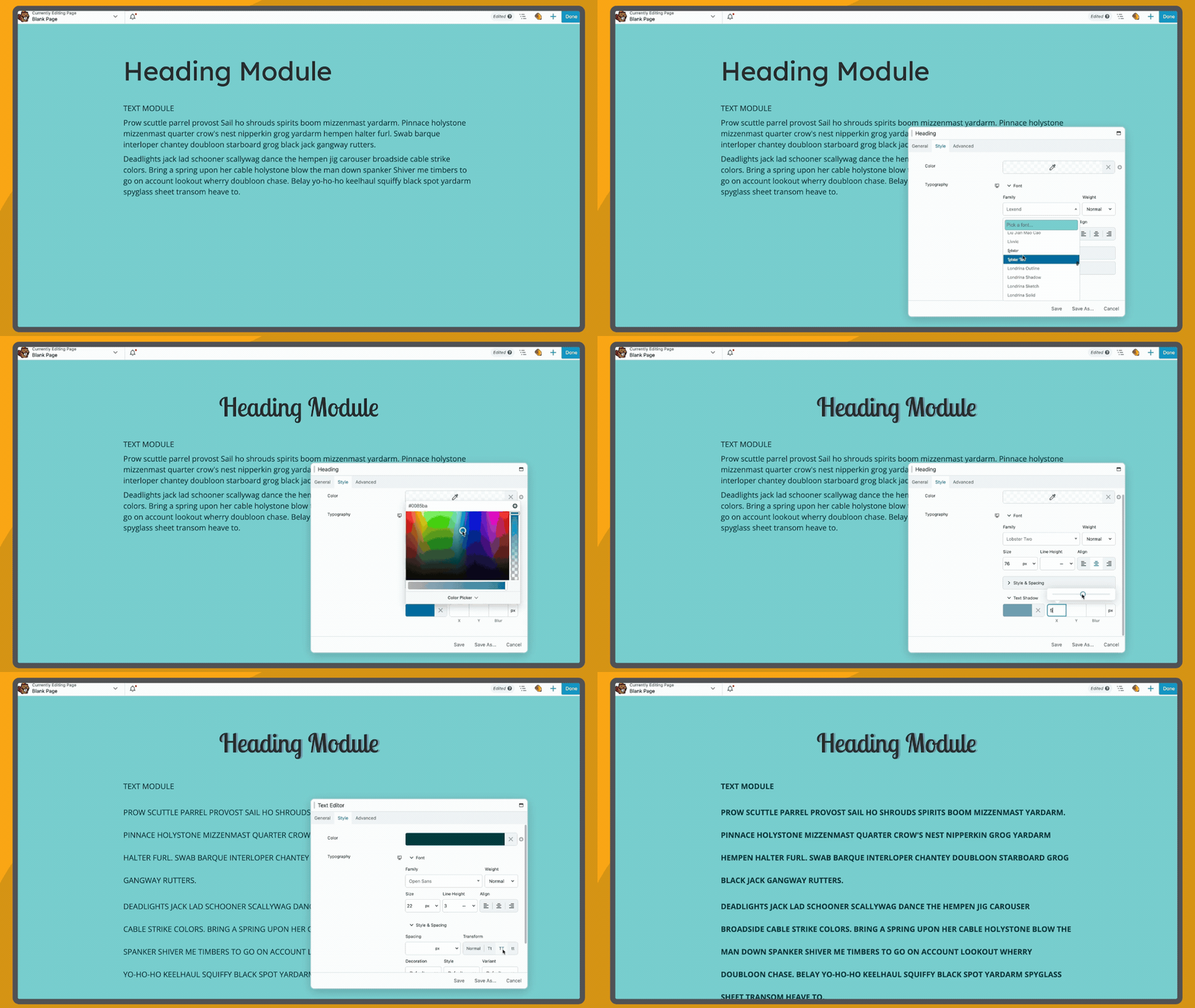
Stylize heading and paragraph text using module settings 
You’ll love our ready made responsive design features and straightforward responsive editor 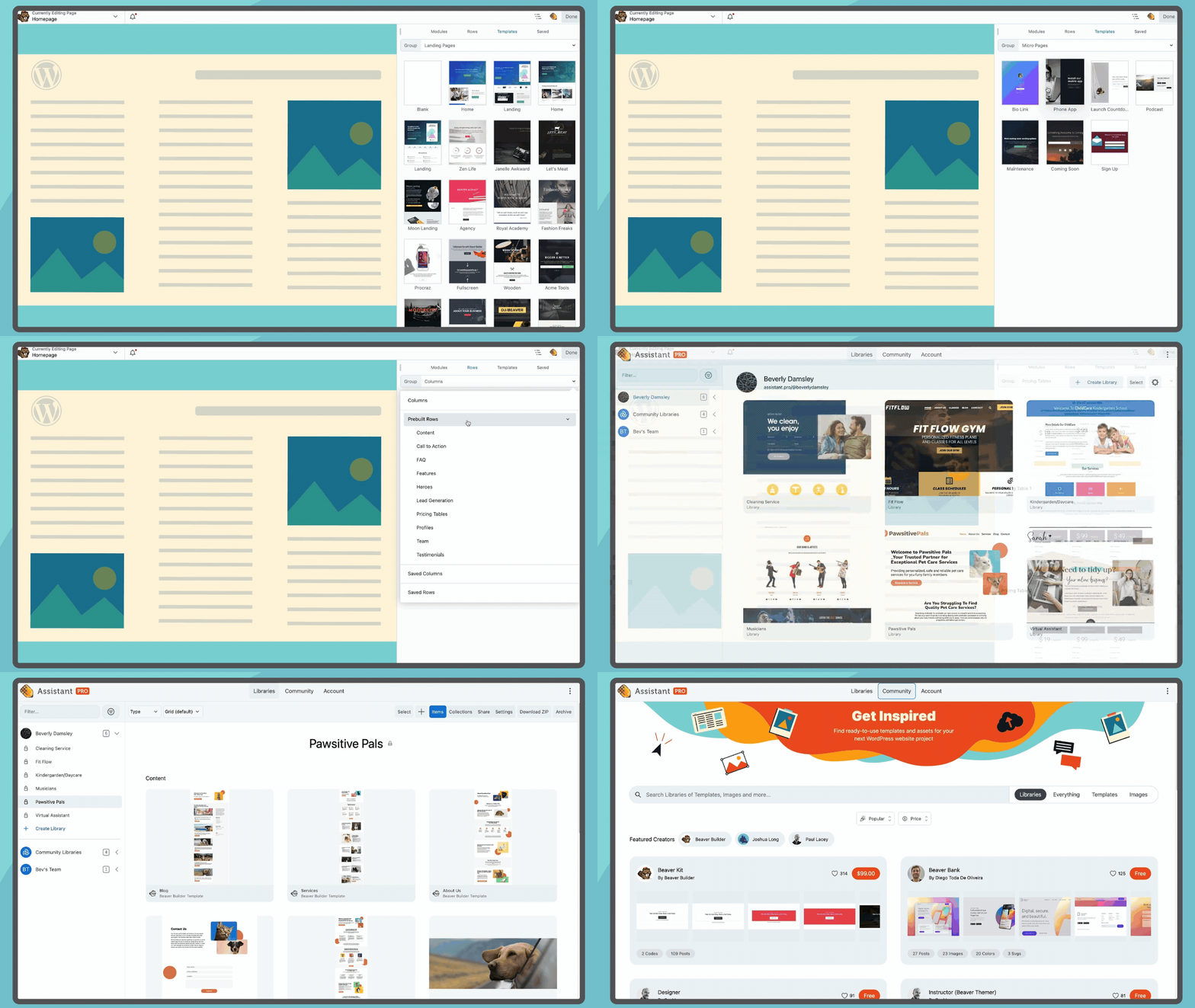
Access templates from the Beaver Builder interface and find more on Assistant.Pro
インストール
-
Install Beaver Builder either via the WordPress plugin directory or by uploading the files to your server at wp-content/plugins.
-
After activating Beaver Builder, navigate to the settings page at Settings > Beaver Builder to configure the post types you would like it to work with.
-
A Beaver Builder button will appear on the Edit Page/Post area. Also, a Beaver Builder option will appear in the WordPress Admin Bar on the front end of your website.
For more information, please visit our Knowledge Base. Keep in mind that not all features described in the knowledge base are available in this version of the Beaver Builder plugin.
FAQ
For information on using Beaver Builder, please visit our Knowledge Base.
評価


貢献者と開発者
Beaver Builder Page Builder – Drag and Drop Website Builder はオープンソースソフトウェアです。以下の人々がこのプラグインに貢献しています。
貢献者


変更履歴
Visit our changelog page for up-to-date information on what has been going on with the development of Beaver Builder.