
説明
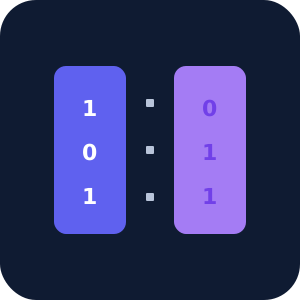
BitSplit changes how WordPress delivers public images. Instead of keeping a
complete image at a stable public URL, it stores the original and generated sizes
as incomplete blocks and reconstructs each image in the visitor’s browser through
a short-lived session.
It is an image-protection layer for photography portfolios, publishers, member
sites, and other WordPress sites where making direct downloads and bulk collection
harder is valuable.
Learn more at bitsplit.site.
Why use BitSplit?
- No stable ready-to-download image URL – public image paths serve incomplete
blocks rather than finished image files. - Normal WordPress workflow – use the Media Library, Gutenberg Image and
Gallery blocks, featured images, and responsivesrcsetmarkup as usual. - Two access modes – keep images public while adding download friction, or
require visitors to sign in before reconstruction. - No external service – reconstruction runs on your WordPress site and in the
visitor’s browser, with no SaaS account, license key, quota, or payment. - Backup and recovery tools – export a recovery manifest before site changes
and restore attachment mappings when needed.
BitSplit is not encryption, DRM, or a promise that downloading is impossible.
A determined viewer can inspect the browser flow, automate reconstruction, or
capture rendered content. Use it when raising the cost of casual downloading is
valuable; use established encryption and access control when confidentiality is
required.
Included functionality
The plugin protects any number of image attachments. All image functionality
shipped in this WordPress.org package is available without payment, a license,
a trial, or a usage quota.
It includes public or logged-in-only access, Gutenberg image support,
featured-image and srcset handling, and backup/recovery tools.
Delivery flow
- WordPress stores each image as an incomplete BitSplit block, with reconstruction
data stored separately in attachment metadata. - Front-end image markup receives a placeholder instead of the original image URL.
- The browser establishes an ephemeral P-256 ECDH session.
- Reconstruction data is transported with HKDF and AES-256-GCM.
- Block bytes require a short-lived, session-bound signed token.
- The browser reconstructs the image into a temporary Blob URL.
The transport encryption protects reconstruction data in transit; the BitSplit
block itself is not encrypted and contains most source bytes.
Access modes
- Public visitors – public images remain viewable; BitSplit adds download and
scraping friction. - Logged-in users only – anonymous visitors cannot obtain reconstruction data
or block bytes.
WordPress coverage
BitSplit handles normal attachment images, Gutenberg Image and Gallery blocks,
featured images, srcset, classic content containing wp-image-ID, and the
[bitsplit id=”123″] shortcode.
Storage
Incomplete blocks are stored in a plugin-owned directory resolved through
wp_upload_dir(), while reconstruction data stays in WordPress post metadata.
The plugin does not write web-server configuration files or require users to edit
server configuration.
Requirements
- PHP 7.4 or newer
- GMP extension
- OpenSSL with ECDH support
スクリーンショット


インストール
- Upload the
bitsplit-media-deliveryfolder to/wp-content/plugins/. - Activate BitSplit Media Delivery.
- Open Tools -> BitSplit.
- Choose an access mode.
- Enable split image delivery.
- Export the recovery manifest and store it safely.
FAQ
-
Does BitSplit make downloading impossible?
-
No. Public content must reach the viewer’s browser. BitSplit removes the simple
ready-file URL and makes downloaders reproduce the reconstruction protocol. -
Is BitSplit encryption?
-
No. The reconstruction-data transport uses standard cryptography, but the stored
BitSplit block is an incomplete, unencrypted representation of the source. -
Is any included functionality locked behind payment?
-
No. Every feature and all executable code included in this WordPress.org package
are available without payment, a license, a trial, or a quota. -
What happens when I deactivate or delete the plugin?
-
The plugin attempts to restore protected image attachments to their normal public
paths before removing its metadata. Keep a current exported manifest and filesystem
backup before bulk operations. -
Does it need Python?
-
No. The codec is implemented in PHP with GMP and in browser JavaScript.
評価
このプラグインにはレビューがありません。
貢献者と開発者

“BitSplit Media Delivery” をあなたの言語に翻訳しましょう。
開発に興味がありますか ?
変更履歴
1.2.4
- Make the directory package a self-contained image plugin with no locked functionality.
- Move separately distributed media-type integrations out of the directory package.
- Store images only as keyless blocks and do not write web-server configuration.
1.2.3
- Store images as keyless blocks and migrate records created by earlier versions.
1.2.2
- Improve activation and deactivation recovery.
1.2.1
- Preserve protected image settings during updates.
1.2.0
- Add unlimited image attachment protection.
1.1.0
- Add public and logged-in-only access policies.
- Add short-lived session-bound tokens and same-origin checks.
- Add Gutenberg Image/Gallery, featured-image, classic-content, and srcset coverage.
- Stream block creation for large image files.
1.0.0
- Initial image delivery prototype with ECDH key transport, browser reconstruction,
and recovery manifests.