
説明
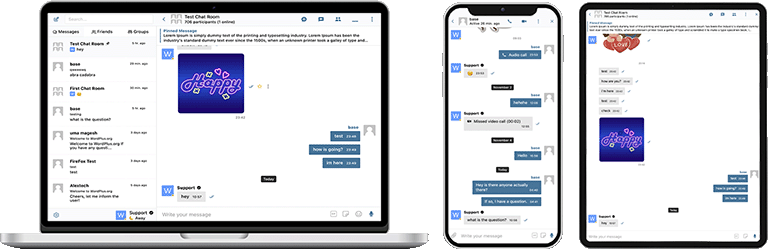
Better Messages – BuddyPress、BuddyBoss Platform、Ultimate Member、PeepSoおよびその他のWordPressサイトとのネイティブ統合を備えた、最も機能豊富なWordPress向けリアルタイムプライベートメッセージングシステムです。
WordPressサイトをプライベートメッセージ、チャットルーム、ビデオ・音声通話、グループビデオチャット、AIチャットボット、ネイティブモバイルアプリを備えた強力なコミュニケーションプラットフォームに変えましょう。
ソーシャルネットワーク、オンラインコミュニティ、マーケットプレイス、メンバーシップサイトのいずれを構築する場合でも — Better Messagesは使いやすいインターフェースでエンタープライズレベルのメッセージング機能を提供します。
「Better Messages」プラグインは以前「BP Better Messages」と呼ばれていました。
コアメッセージング機能:
- AJAXまたはWebSocketによるリアルタイム会話
- プライベートな1対1の会話
- 参加者数無制限のグループ会話
- ゲストアクセス対応のチャットルーム
- BuddyPress グループ、PeepSo グループ、Ultimate Member グループ、FluentCommunity グループ向けメッセージ
- 会話の件名
- すべてのメッセージを横断検索
- メッセージをお気に入りに登録
- 重要なメッセージを会話の上部にピン留め
- お気に入りの会話をリストの上部にピン留め
- 未読の会話のみを表示するように会話リストをフィルター
- 特定のメッセージに返信
- 送信済みメッセージの編集(編集インジケーター付き)
- メッセージを削除
- 他の会話にメッセージを転送
- 会話通知のミュート
- 復元機能付きのメッセージ下書き自動保存
AI & 自動化:
- OpenAI、Anthropic (Claude)、Google Geminiを搭載したAIチャットボット
- グループ会話でのメンションベースの応答を持つAIチャットボット
- AIによる会話の要約とスケジュールされたダイジェスト
- コスト見積もり付きのトークン使用量トラッキング
- Better Messages Cloud AIまたはOpenAIによる音声メッセージの文字起こし
- AIボット用のWeb検索機能
- AIボット用のファイル検索ツール
- AIによる画像生成
- AI会話でのPDFファイルサポート
メディア & コンテンツ:
- 再開可能なアップロードと直接アクセスからのファイル保護機能を備えたファイル共有(画像、動画、ドキュメント)
- クロスブラウザ互換性とストレージ容量節約のためのクライアント側画像・動画最適化(フォーマット変換、品質制御、メタデータ削除)
- 音声メッセージ(アドオンとして利用可能)
- サムネイルと説明付きの埋め込みリンク
- oEmbed support for YouTube, Vimeo, Spotify, SoundCloud, Flickr and 20+ services
- 絵文字セレクター
- ロールベースのアクセス制御と言語別サポート付き内蔵スタンプパック
- GIPHYとKlipyプロバイダーによるGIF統合
- 入力中のインラインスタンプ候補
- Markdownテキストフォーマットサポート
通知:
- 未読メッセージのメール通知(カスタマイズ可能なテンプレート)
- メール内の配信停止リンクサポート
- 新着メッセージのサウンド通知
- ウェブサイト内のどこでもオンサイトトースト通知
モデレーション & セキュリティ:
- 2つのプロバイダーによるAIコンテンツモデレーション:
- Better Messages Moderation AI — WebSocketライセンスに追加費用なしで含まれており、サードパーティのAPIキーは不要です。拡張カテゴリ、カスタムルール、会話コンテキスト認識を備えたBetter Messages Cloudで動作します
- OpenAI Moderation API — 無料で利用可能、OpenAI APIキーが必要です
- カスタムモデレーションルール — 独自のルールをプレーンテキストで定義できます
- 会話コンテキストの認識 — 複数のメッセージにまたがるパターンを検出します
- モデレーションアクションとして「フラグのみ」(推奨)または「レビュー保留」から選択できます
- 事前モデレーションメッセージ – 配信前にメッセージを確認
- メッセージ報告機能
- カスタマイズ可能なブラックリスト付きNGワードフィルター
- ユーザーブロック機能
- ロールベースのアクセス制御
- モデレーション用のユーザーホワイトリスト/ブラックリスト
エンゲージメント機能:
- メッセージへのリアクション
- メンション (@username)
- スケジュール設定、ファイル添付、バックグラウンド処理を備えたWP Adminからの一斉メッセージ送信
- 新規ユーザー向けのおすすめ会話
- ショートコードを使わずにサイトのどこにでも会話のエントリーポイントを埋め込み可能
- 5つのウィジェット:友達、グループ、ユーザー、AIボット、チャットルーム
- 2つの表示スタイル:クラシックバーまたはフローティングバブル(チャットヘッド付き)
- 3つの配置場所:下部バー、サイドパネル、モバイルタブバー
- ウィジェットごとのアイコン選択、検索ボックス、ロール制限、「空の場合タブを非表示」切替
- 3つの表示モード(すべて / ロール別 / 手動選択)と最終アクティビティまたは登録日による並び替えを備えたユーザーウィジェット
- ミニウィジェット、サイドパネル、モバイル表示におけるタブの順序をカスタマイズ可能
カスタマイズ:
- モダンで完全にカスタマイズ可能なデザイン
- WP Customizerによる簡単な色のカスタマイズ
- カスタム通知サウンド
- RTLレイアウトサポート
- ホワイトラベルソリューション
- 完全に翻訳可能
- 古いメッセージの自動削除オプション
プライバシーとGDPR:
- プライバシーとGDPR専用設定ページ
- すべてのメッセージデータはご自身のサーバーに保存されます
- AIモデレーション(有効時)はメッセージ内容を分析のために送信します — Better Messages Cloudはデータを一切保存しません。OpenAIプロバイダーを使用する場合は、OpenAIのデータポリシーをご確認ください
- WordPress個人データのエクスポートと消去をサポート(ツール 個人データのエクスポート/消去)
- 有効な機能に基づいて適応するプライバシーポリシーの推奨テキスト
- 自己ホスト型絵文字画像オプション — 外部CDNリクエストなし
- プライバシーに配慮した動画埋め込み — YouTube、Vimeoはユーザーがクリックした後にのみ読み込み
- Cookieの設定なし、分析やトラッキングスクリプトなし
- プライバシーとGDPRドキュメント
これは機能の完全なリストではありません – Better Messagesには、ここに記載されていない多くの小さな機能やオプションがあります。ユーザーのフィードバックに基づいて、常に新しい機能や改善を追加しています。
互換性のあるプラグイン:
- BuddyPress
- PeepSo
- Ultimate Member
- BuddyBoss Platform
- LearnPress
- Tutor LMS
- LearnDash
- MasterStudy LMS
- WooCommerce
- HivePress
- Directorist
- GeoDirectory
- Dokan Marketplace
- MultiVendorX
- WP Job Manager
- ProfileGrid
- UsersWP
- WP User Manager
- FluentCommunity
- SureDash
- wpForo
- Crocoblock JetEngine Profile Builder
- OneSignal
- Progressify PWA
- Uncanny Automator
- AutomatorWP
- GamiPress – ロール別の料金設定と残高表示によるメッセージ & 通話の課金
- MyCRED – ロール別の料金設定と残高表示によるメッセージ & 通話の課金
- Paid Memberships Pro
- WC Vendors
- WCFM
互換性の問題の報告やさらなる統合のリクエストをお気軽にどうぞ。Better Messagesプラグインの改善に非常に重要です!
WebSocket版:
WebSocket版は有料オプションです。ライセンスキーは当社ウェブサイトで取得できます。
お客様のサイトとユーザー間のWebSocket通信を実装するために専用サーバーを使用しています。当社のサーバーは完全にプライベートで、プライベートデータの保存や追跡は一切行いません — すべてのメッセージはお客様のデータベースに残ります。
パフォーマンス & 信頼性:
- サーバーの負荷を大幅に軽減(最大200倍のリクエスト削減)
- リアルタイムの即時メッセージ配信
- 共有ホスティングを含むあらゆるホスティングで動作
- 同時接続数や月間アクティブユーザー数の制限なし
ビデオ & 音声通話:
- HDビデオ通話(1対1)
- HD音声通話(1対1)
- グループビデオチャット(最大32名参加)
- グループ音声チャット(最大50名参加)
- 通話とグループチャットでの画面共有
モバイルアプリ(アルファ版):
- iOSモバイルアプリ(独自ブランドアプリを構築)- アルファ版
- Androidモバイルアプリ(独自ブランドアプリを構築)- アルファ版
- 通話とメッセージのプッシュ通知
- 着信通話のVoIP通知
注意:モバイルアプリは現在アルファ段階です。コア機能は動作しますが、一部の機能が制限されているか開発中の場合があります。
リアルタイム機能:
- メッセージ配信ステータス(送信済み、配信済み、既読)
- 入力中、音声録音中、ファイルアップロード中のアクティビティインジケーター
- オンライン/オフラインプレゼンスインジケーター
- ユーザーステータス(オンライン、離席中、おやすみモード)
- ミニチャット – サイト内のどこにでもチャットウィンドウを表示
- ミニ会話ウィジェット – どのページからでも最近のスレッドを一覧表示し継続できます
- ユーザーミニウィジェット用のオンライン限定フィルターとオンライン優先の並び替え
Better Messages Cloud AI:
- 1対1の会話における自動メッセージ翻訳 — 53言語、自動検出対応
- AIコンテンツモデレーション — 23カテゴリー、カスタムルール、会話コンテキスト認識
- 音声メッセージの文字起こし — 99以上の言語を自動検出対応
- サードパーティのAPIキー不要 — WebSocketライセンスに追加費用なしで含まれています
セキュリティ & 暗号化:
- オプションのエンドツーエンド暗号化 (E2EE) — ウェブサイトレベルおよび会話ごとに有効化可能。メッセージとファイルはユーザーのブラウザでAES-256-GCMにより暗号化され、サーバーは平文を見ることができません
- オフラインメッセージ保存のためのローカルブラウザ暗号化 (AES256)
- Webプッシュ通知(ブラウザが閉じていても動作します)
- すべてのデータは転送中に暗号化されるため、当社のサーバーで読み取ることはできません
サポート:
- 優先メールサポート
- 定期的なアップデートと新機能
RTLレイアウトはプラグインに組み込まれています。
LocoTranslateでプラグインをあなたの言語に翻訳するか、プラグインの翻訳に参加できます。
スクリーンショット
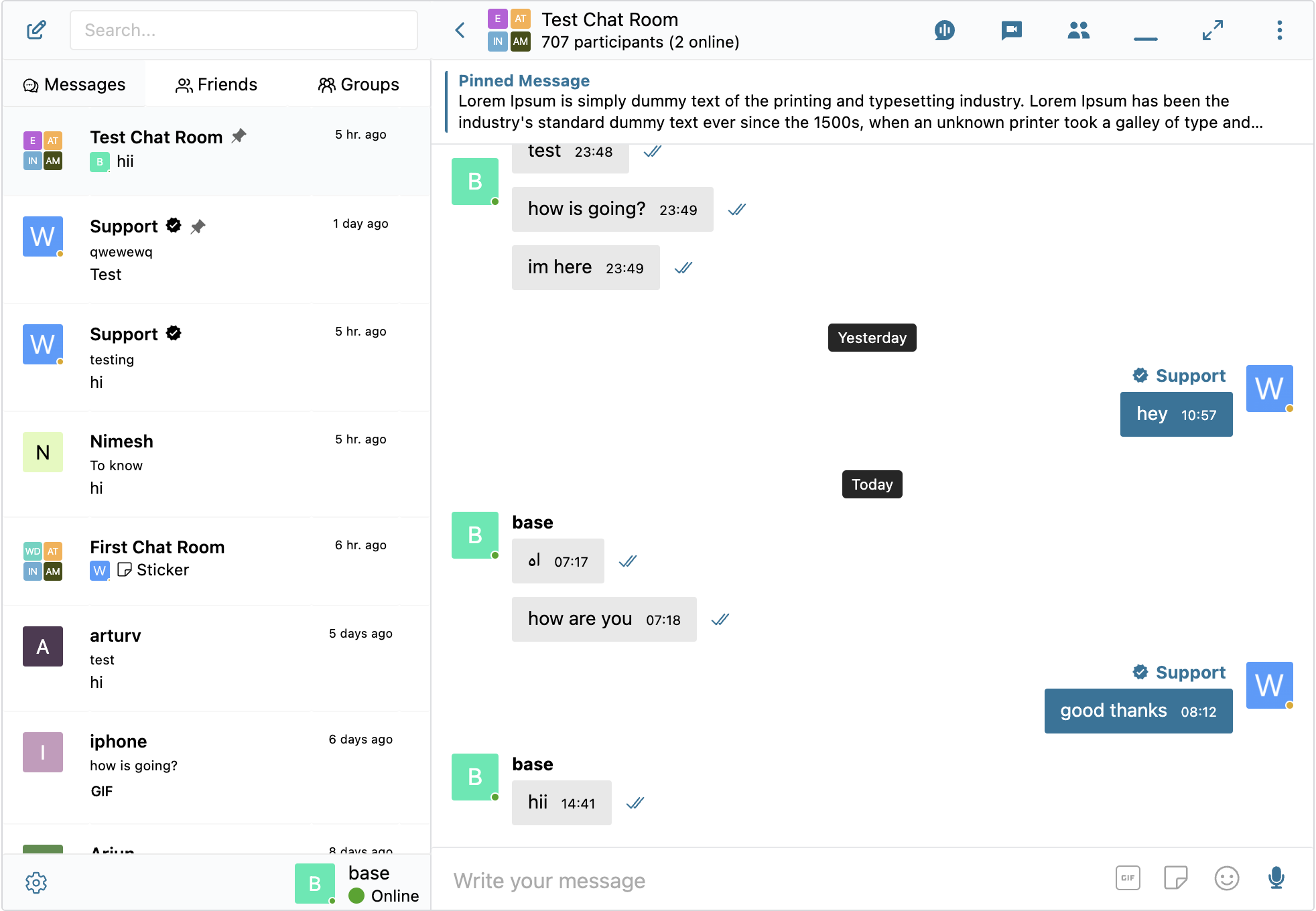
スレッド画面 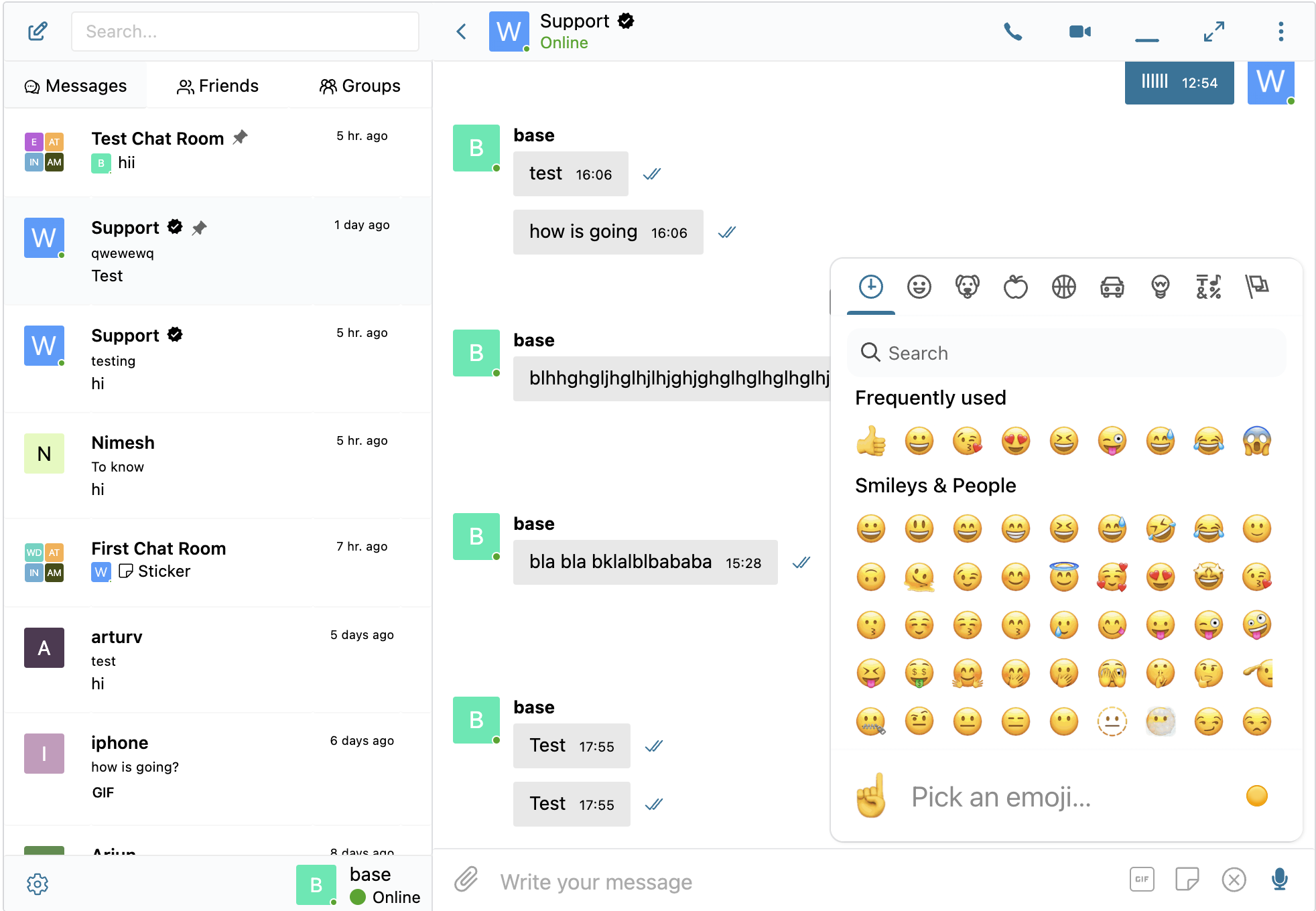
埋め込みリンク 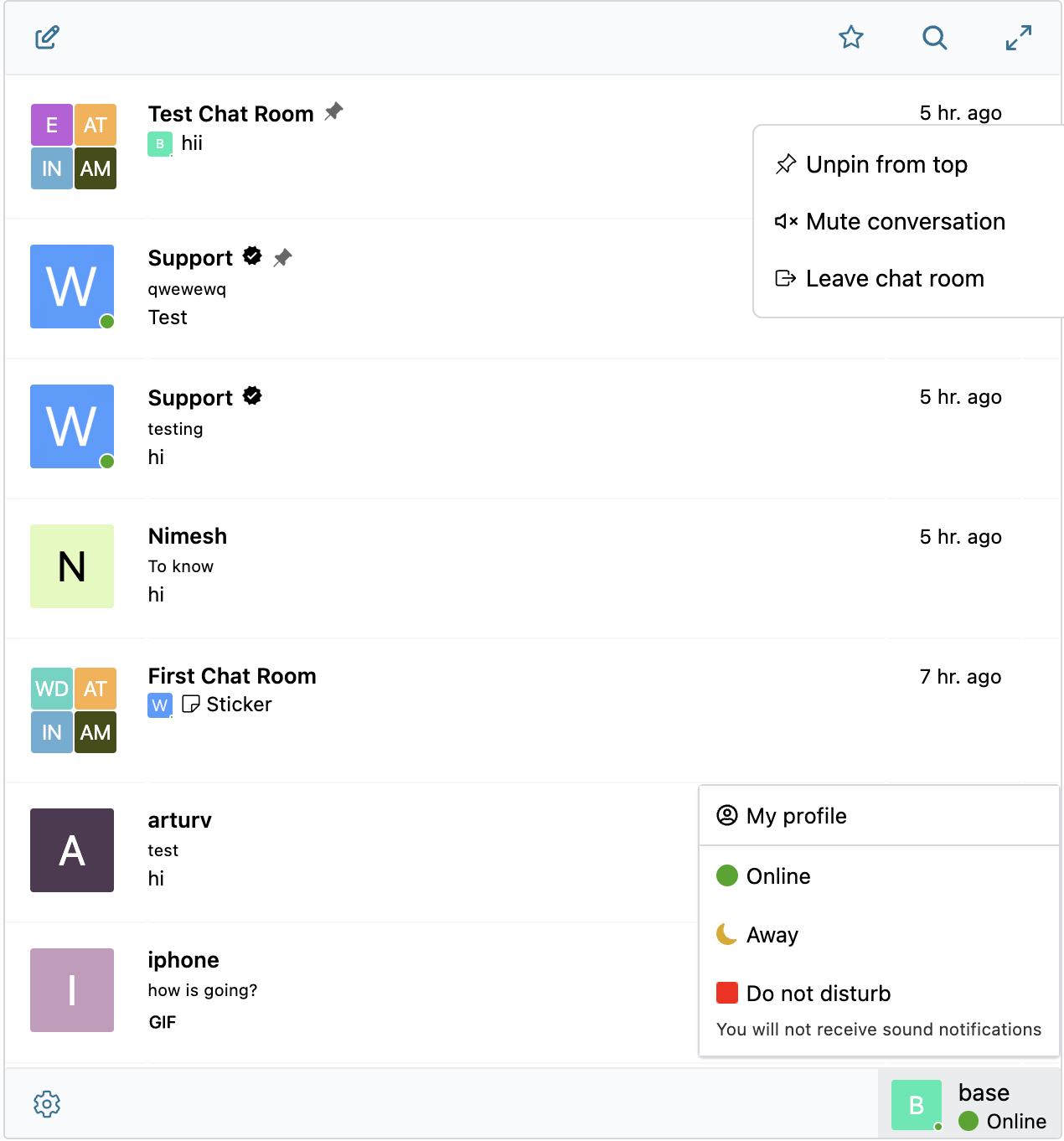
スレッド一覧画面 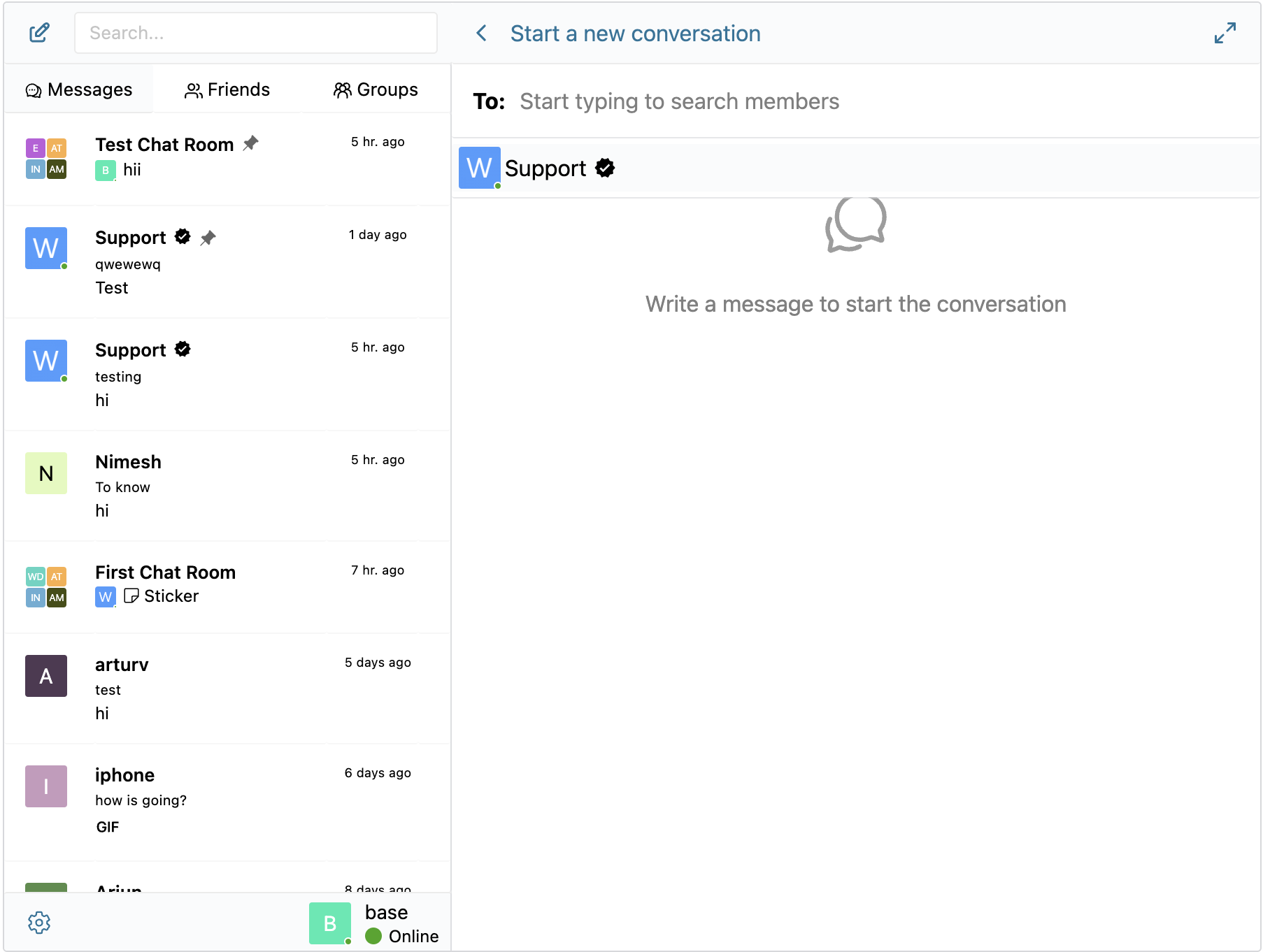
新規スレッド画面 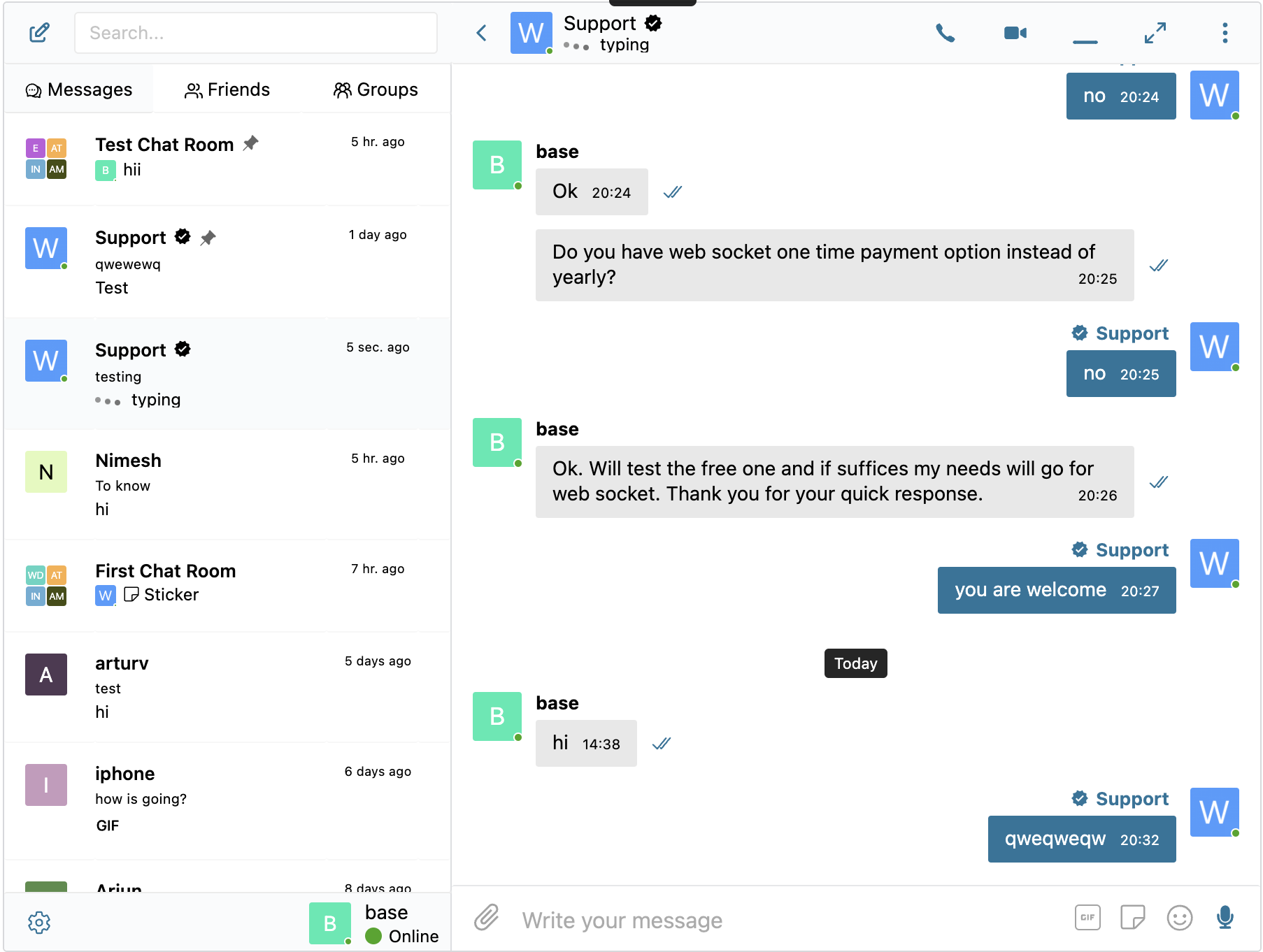
入力中通知 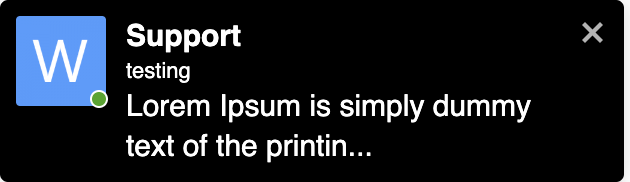
サイト内通知
ブロック
このプラグインは2個のブロックを提供します。
- Chat Room Embed a Better Messages chat room
- User Inbox Personal user inbox, where user can access all conversations which he is participating in
インストール
- プラグインファイルを
/wp-content/plugins/bp-better-messagesディレクトリにアップロードするか、WordPressのプラグイン画面から直接インストールしてください。 - WordPressの「プラグイン」画面からプラグインを有効化してください
- 設定 -> Better Messages からプラグインを設定してください
FAQ
-
ナレッジベースをご覧ください
評価


貢献者と開発者
Better Messages – ライブチャット、チャットルーム、リアルタイムメッセージ & プライベートメッセージ はオープンソースソフトウェアです。以下の人々がこのプラグインに貢献しています。
貢献者
変更履歴
2.15.2
- Added initial MasterStudy LMS integration
- Added initial Directorist integration
- Added initial GeoDirectory integration
- Remake database displaying in plugin settings which make it easier to fix database if something not migrated properly
- LMS course chats are now their own thread type in database
- Added “Email Notifications” and “Push Notifications” toggles for LMS course chats under Settings Integrations LMS Shared Course Settings
- Other minor bugfixes and improvements
2.15.1
- Added initial LearnPress LMS integration
- Added initial Tutor LMS integration
- Added initial LearnDash LMS integration
- Added MultiVendorX 5.0+ integration alongside the existing < 5.0 support
- Older MultiVendorX 4.x sites are unaffected — the previous integration continues to load on those installations
- Added FluentCommunity Courses integration
- Added a dedicated Courses widget to the Mini Widgets which will be showing user enrolled courses in LMS
- Added “Maximum Message Length” setting (Settings Messaging) — cap the number of characters allowed in each message
- Other minor bugfixes and improvements
2.15.0
- Added three new widgets: Users (browse and message any site member, with optional online-only filtering, online-first ordering, sort by last activity or registration date, and three display modes — all / by role / hand-picked), AI Bots (start or continue conversations with configured AI chat bots), and Chat Rooms (browse public chat rooms with optional online-count badge)
- Redesigned the Settings Mini Widgets page into per-widget sub-tabs, with each widget exposing its own icon picker, search-box toggle, role restrictions matrix (mini bar / side panel / mobile bar), and widget-specific options
- Added “Hide Tab When Empty” toggle per widget — hides the Friends / Groups / AI Bots / Chat Rooms / Users tab entirely when the current user has nothing to show, instead of rendering an empty list
- Added AI Chat Bot welcome message — bots can greet users with a configurable opening message and placeholder
- Added dynamic placeholders which allows to dynamically change ai chat bots system prompts and welcome messages
- Renamed
better_messages_open_ai_bot_instructionfilter tobetter_messages_ai_bot_instructionsince it applies to all AI providers, and added new$thread_idand$message_idarguments so callbacks can read the conversation context and the triggering user message — the old name remains available as a deprecated alias - Added per-message edit time limit — restrict how long users can edit their own messages after sending
- Fixed fatal error when uploading attachments at the bulk messages screen
- Fixed
hideParticipantschat room setting being ignored when the attachments browser was enabled - Fixed stale sticker suggestions remaining visible in the composer after a sticker was sent
- Fixed AI Chat Bots admin layout breaking on older PHP versions and removed a misleading missing-key error
- Fixed sticker pack “Add language” button appearing when no remaining locales were available
- Fixed reply form not being blocked for deleted conversations when PeepSo friendship filter was active
- Fixed Private Message button still showing in chat room user list and message context menu when “Hide New Conversation Button” was enabled
- Improved performance of reported-messages admin screen for sites with millions of messages — queries now scale cleanly instead of relying on transient caches
- Other minor bugfixes and improvements
2.14.16
- Stipopスタンププロバイダーを初回統合以降大幅に価格が上昇したためレガシーに変更
- 内蔵スタンプパックシステムを追加 – ロールベースのアクセス制御と言語別サポート付きで、独自のスタンプパックを作成・管理
- プラグイン設定からインストールできる8つの作成済みスタンプパックを追加
- インラインスタンプ候補を追加 — プラグイン設定で有効にすると、入力中にキーワードに基づいてスタンプが提案されます
- GIF統合をGIPHYとKlipyプロバイダーに対応したマルチプロバイダーシステムに再構築 — 設定 統合でお好みのプロバイダーを選択
- 返信エディターで貼り付けた絵文字がWordPressの絵文字画像に変換される問題を修正
- Other minor bugfixes and improvements
2.14.14
- Added WooCommerce integration — adds contact buttons on product, cart, checkout, and order pages with configurable placement and recipient
- Added Product Page contact button with 4 placement options (above/below summary, above/below add-to-cart) — works in both classic and block themes
- Added Order Page contact button on My Account View Order
- Added Pre-purchase Help Button on cart and checkout pages
- Added automatic cart snapshot — when a customer starts a chat from cart or checkout, the contents of their cart are auto-posted as a rich message in the conversation.
- Added rich product cards in chat — plain WooCommerce product URLs pasted in any chat message are auto-expanded into rich cards with image, title, and price
- Fixed bug where saving plugin settings could wipe registered rewrite endpoints (WooCommerce, BuddyPress, Better Messages) until permalinks were manually re-saved
- Removed hardcoded logo width and height in the email notifications template
- Other minor bugfixes and improvements
2.14.13
- Added new “Floating Bubble” display style for mini widgets — replaces the classic bottom tab bar with a circular button that expands into a chat panel on click
- Added “Bubble Chat Heads” option — shows recently closed conversations as avatar bubbles stacked above the floating bubble button (similar to Messenger chat heads), with hover tooltips showing thread name, time, and last message preview
- Added Bubble Icon picker in admin settings
- Added customizer controls for bubble button and chat head sizes and roundness
- Added smooth open/close/transition animations for mini widgets, bubble panel, and chat heads (can be disabled in admin settings)
- Fixed bug where photos uploaded from iOS could appear rotated in chat — caused by buggy EXIF orientation handling in iOS Safari’s createImageBitmap
- Fixed bug where the “Select Logo” button on the Email template settings page did nothing because the WordPress media library was not enqueued
- Other minor bugfixes and improvements
2.14.11 – 2.14.12
- Added Better Messages Translation AI — automatic message translation for 1-to-1 conversations
- Added Better Messages Transcription AI — voice message transcriptions
- Added Test Callback URL button to the Settings page in the WebSocket version, which allows testing the callback URL for the Better Messages Cloud AI
- Initial integration with WordPress Abilities API, which allows using MCP and AI
- Fixed bug with AI Chat Bots not allowing to select model if no global api key setting
- Fixed bug with attachments being sent to previously opened conversation when using “Send now” button in the file uploader popup
- Fixed bug where disabling End-to-End Encryption would lock users out of previously encrypted conversations and prevent starting new ones with the same participants when the Single Conversation Per Recipient option is enabled
- Other minor bugfixes and improvements
2.14.8 – 2.14.10
- Initial release of Better Messages Cloud AI
- Added Better Messages Moderation AI — included with WebSocket license at no additional cost, no third-party API keys required.
- Cloud-powered content moderation with extended categories, custom rules, and conversation context awareness
- Added AI moderation provider selection: choose between OpenAI Moderation API and Better Messages Moderation AI
- Added custom moderation rules — define your own rules in plain text (e.g. block contact sharing, promotions)
- Added conversation context for AI moderation — detect patterns like phone numbers split across multiple messages
- Added 10 new moderation categories for Better Messages AI: spam, scam/phishing, minor safety, contact sharing, profanity, impersonation, doxxing, drugs/alcohol, threats, commercial promotion
- Translations now loaded as cacheable external file instead of inline scripts to make it more efficient
- Added ability to open and close chat rooms
- Added chat room management actions: duplicate, clear messages, remove all participants
- Fixed PeepSo Notifications Popup overlapping Better Messages Popup
- Fixed PeepSo Vip Icons displaying incorrectly in administration panel
- Reworked reactions selector displaying as they became a bit jumpy, especially on mobile devices
- Improved database reset detection and connection timeout for settings changes
- Added FluentCommunity Spaces integration for groups widgets (mini widgets, side panel tabs, mobile tabs)
- It’s now possible to find users by email in admin user search
- Fixed PHP warning for undefined ‘lang’ key in mobile device registration
- Improved SharedWorker reconnect, plugin updates no longer require page reload
- Updated Freemius SDK to latest version
- Other minor bugfixes and improvements
2.14.7
- Added new Privacy & GDPR settings page with compliance overview and privacy controls
- Added self-hosted emoji sprites option — download emoji images to your server instead of loading from external CDN
- Added Privacy-friendly oEmbeds — YouTube, Vimeo and other video embeds load only after user clicks
- Added WordPress personal data export and erasure support (Tools Export/Erase Personal Data)
- Added suggested privacy policy text that adapts based on enabled features (Settings Privacy)
- Added option to delete file attachments when user requests data erasure
- Added option to enable or disable Emoji Picker button
- Added option to enable or disable automatic text emoticon to emoji conversion
- Improved caching — scripts and resources that don’t change between updates are now cached independently by the browser
- Scripts and resources are now loaded on demand only when the feature is actually used
- Added filter hooks for custom AI provider registration
- AI Chat Bots will not be auto-removed from Group Conversations when members list syncing
- Show “Voice message” fallback text when voice messages addon is disabled
- Fixed mentions popup not closing when no matches found
- Fixed voice message uploads returning 404 when file attachments disabled
- Fixed E2E encrypted file uploads in new conversations
- Fixed group member sync running for groups with chat disabled
- Improved email template customization — preview now reflects all settings accurately
- Fixed custom HTML email template not saving properly
- Other minor bugfixes and improvements
2.14.2 – 2.14.6
- Added option to randomize filenames on upload to prevent Web Application Firewalls from blocking file uploads in some web hosts
- Added double confirmation for message auto deleting setting to prevent accidental data loss
- Improved integrations subtabs sorting — active plugins now appear first
- Improved AI Digests with better context awareness and error logging
- Improved video and image transcoding to prevent GIF animation loss
- Fixed chat room moderators not recognized in group video call permissions (join, start, admin controls)
- Fixed async chunk loading issues caused by browser caching after plugin updates
- Fixed reactions selector overflowing bottom of viewport
- Fixed image/video optimization output formats not saved to settings and not validated on upload
- Fixed stale E2E encryption status when sending messages after switching threads
- Fixed Ultimate Member directory message button missing target user ID
- Fixed Chat Room block “Create new” link pointing to old post editor
- Fixed messages location warning showing incorrectly for integration plugins
- Fixed mentions with HTML badges (e.g. PeepSo verified icons) rendering as raw HTML instead of images
- Fixed CSS issue for SVG icons in FluentCommunity Groups
- Fixed Fluent Community mobile bottom menu not returning after closing keyboard on Chrome iOS with native button
- Improved Fluent Community mobile bottom menu icon now navigating back to messages list when not at it
- Other minor bugfixes, improvements and optimizations
2.14.0 – 2.14.1
- Completely rebuilt Settings page in WP Admin to make it more compact and easier to navigate while adding new features
- Reworked GamiPress and myCRED addons into unified Points System with per-role pricing and balance display directly in Better Messages interface
- AI Chat Bots: Added support for adding chat bots to group conversations and ability to respond when they are mentioned
- AI Chat Bots: Added support for Anthropic (Claude) and Google Gemini providers alongside OpenAI
- AI Chat Bots: Added conversation summarization and scheduled digests features for Group Conversations
- AI Chat Bots: Added token usage tracking with cost estimation and ability to charge with MyCred or GamiPress points
- AI Chat Bots: Bots now appear as online users and show typing indicators while generating responses in WebSocket Version
- AI Chat Bots: Added dedicated admin page for bot management
- Added activity indicators for voice recording and file uploading in addition to typing indicator in WebSocket Version
- Added Voice Messages settings tab with max recording duration, auto-delete, voice transcription and role restrictions
- Added new Chat Rooms administration page in WP Admin
- Added ability to force notification for tagged users even if muted the conversation
- Added online users sidebar panel in Chat Rooms with toggle button
- Added ability mute and unmute participant microphones in group video calls
- Added ability to send voice messages when creating a new conversation
- Added ability to customize order of tabs in mini widgets, side panel and mobile view
- Added compatibility with the new Progressify plugin (wordpress.org version) alongside the legacy CodeCanyon version
- Tested with WordPress 7.0 Beta
2.13.0 – 2.13.1
- Added optional End-to-End Encryption (E2EE) for private and group conversations (WebSocket version only)
- Can be enabled at the website level and optionally per conversation
- Messages encrypted in user browsers — server never sees plaintext
- AES-256-GCM encryption for messages and file attachments
- Password-protected key backup for multi-device access
- Key recovery if the user forgets an encryption password
- Automatic key distribution for new conversation participants
- Added client-side image and video optimization for cross-browser compatibility and saving storage space
- Automatic image conversion to WebP, AVIF, or JPEG before upload
- Configurable image quality and max resolution
- Metadata stripping for privacy
- HEIC/HEIF automatic conversion for cross-browser compatibility
- Video format conversion to MP4 for universal playback
- Added Compact Mode for Side Conversations List with auto and always compact options
- Renamed “Combined View” to “Side Conversations List”
- Fixed “Enable PeepSo Header at Messages Page” was not working after some updates
- Other minor bugfixes, improvements and optimizations
2.12.9
- Added optional feature to enable messages forwarding
- Reworked bulk messaging
- Moved bulk messaging to a dedicated WP Admin screen
- Added ability to attach files to bulk messages
- Moved bulk messaging sending to a background process instead of frontend processing
- Added ability to schedule bulk messages for later
- Added ability to pause, resume and cancel bulk jobs
- Added follow-up messaging to send additional messages into existing bulk conversations
- Added activity filter to target users active within or inactive for a specified number of days
- Added ability to send bulk messages as another user
- Added ability to send bulk messages to specific users
- Added ability to send bulk messages to group members (BuddyPress, PeepSo, Ultimate Member)
- Added send rate (batch size) control
- Added test/preview for bulk messages before sending
- Added initial integration with SureDash
- Removed jQuery dependency from inline scripts
- Fixed empty chat rooms to be properly shown in user inbox when user auto added to it
- Added Thread ID indication and View in inbox button to Chat Rooms settings page in WP Admin
- Other minor bugfixes, improvements and optimizations
2.12.5 – 2.12.6
- Added option to filter conversations list to show only unread conversations
- Migrated WC Vendors and WCFM Add-ons to the core plugin. WCFM and WC Vendors Add-ons are now deprecated and will be removed, please deactivate them in your website if you are using them.
- Updated OneSignal Integration code to support the latest OneSignal API changes
- Mentions search now supports searching usernames with whitespace
- Other minor bugfixes, improvements and optimizations
2.12.2 – 2.12.4
- Completely reworked Voice Recorder Add-on UX
- Added Attachments browser feature which allows browsing all uploaded files in the conversation information panel
- Added message draft autosave feature — unsent messages are automatically saved and restored when returning to a conversation, with a draft indicator shown in the conversations list
- Added voice message transcription powered by OpenAI (requires OpenAI API key)
- Added protect files with proxy feature to protect uploaded files from direct access with support for X-Sendfile, X-Accel-Redirect and LiteSpeed optimized serving
- Added resumable file uploads for improved reliability on slow or unstable connections
- Added option to switch between file upload method (Standard POST Upload or TUS (Resumable Upload)) as some hosting blocks TUS uploads with WAF
- Improved upload directory structure with per-thread unique subfolders to improve security and keep original filenames
- Other minor bugfixes and improvements
2.12.0 – 2.12.1
- Added AI Content Moderation powered by OpenAI Moderation API
- Group Video & Audio Calls improvements:
- Added moderator controls: lock room, mute all participants, broadcast mode
- Added Promote to Speaker / Demote to Viewer controls in broadcast mode
- Added Raise Hand / Lower Hand feature for viewers in broadcast mode
- Added Lower All Hands button for moderators
- Added option to restrict who can start group calls (anyone or moderators only)
- Added default call mode setting (Participatory or Broadcast) in conversation settings
- Added group call settings section in conversation information panel
- Added visual speaker highlighting during group calls
- Improved microphone and camera device switching reliability
- Replaced browser database engine with new lightweight custom solution for better performance and stability
- Browser database and WebSocket connection is now shared across browser tabs via SharedWorker, improving performance and real-time sync
- AI Moderation supports two modes: Hold for Review (messages require admin approval) and Flag Only (messages are sent but marked for admin review)
- AI Moderation includes configurable sensitivity threshold, content category selection, and role-based bypass
- AI Moderation supports image moderation in addition to text content
- AI Flagged messages appear in the moderation panel alongside user-reported messages
- Improved moderation notification emails with detailed reason information (AI moderation, first-time sender, blacklisted user)
- AI Chat Bots: Added support for OpenAI reasoning models (o-series, GPT-5)
- AI Chat Bots: Added Temperature, Max Output Tokens, and Reasoning Effort settings
- Added Chat Room block for WordPress Block Editor (Gutenberg) with full screen auto-open option
- Added option to hide participants count in chat room header
- Improved rendering performance of the messages list, reducing unnecessary updates when receiving new messages
- Improved auto-recovery when browser database is unexpectedly deleted
- Fixed calls not starting in some cases
- Fixed group video call crash when container has zero dimensions during initialization
- Fixed AI Chat Bot error “You cannot send messages to this user”
- Fixed scrollbar thumb direction in some browsers
- Compatibility update for WordPress 6.2+ by replacing deprecated
get_page_by_title()usage during activation - Other minor bugfixes and improvements
2.11.0 – 2.11.1
- Added ability to customize the email template for unread messages notifications in WP Admin
- Added ability to add unsubscribe link to email notifications
- Added ability to send test email notifications message from plugin settings page
- Added Pre-Moderated Messages feature, which allows moderating messages before they are delivered to recipients
- Added ability to pre-moderate messages when the user did not have messages at website yet
- Added ability to enable moderation of new conversation by user role in plugin settings
- Added ability to enable moderation of new replies by user role in plugin settings
- Added ability to whitelist users from moderation in the administration screen
- Added ability to blacklist users, which enables force moderation of messages from them
- Added ability to set email list which will receive notifications about new messages for moderated or new message reports
- Added options for admins to bypass words blacklist
- Added initial support for new Dokan Vendor Dashboard UI
- Removed Customizations tab from settings page, settings from that page moved to Messaging tab
- Other minor bugfixes and improvements