
説明
FiscoSend helps Italian businesses configure their fiscal data and manage invoicing workflows for WooCommerce orders. Its interface is in Italian. This English readme explains the requirements, features and limitations for international readers.
All included features are free. There is no FiscoSend commercial licence, document quota, subscription, telemetry or mandatory SaaS account. Your PEC mailbox, any digital signature and your legal document-preservation service may have fees set by their respective providers.
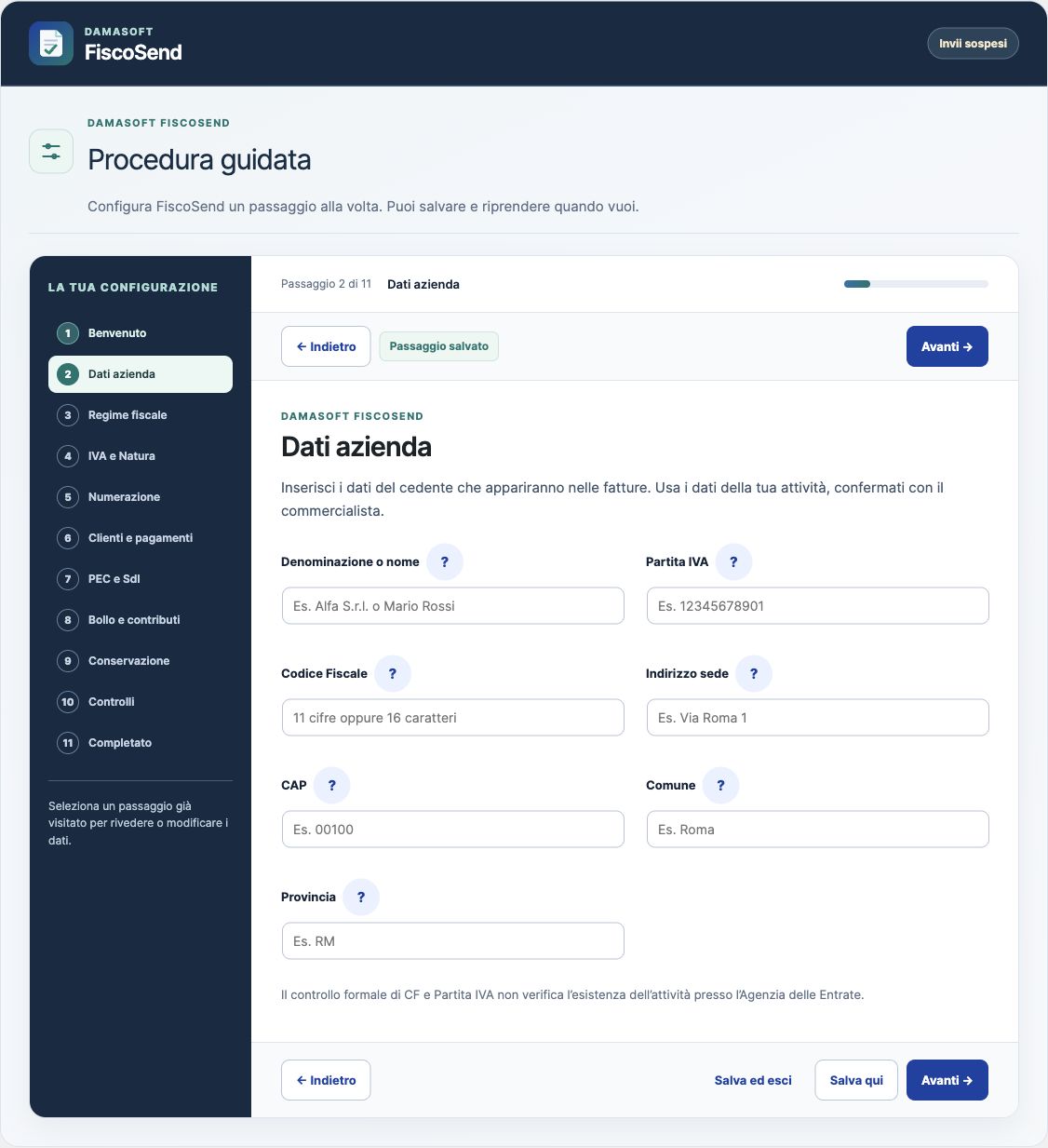
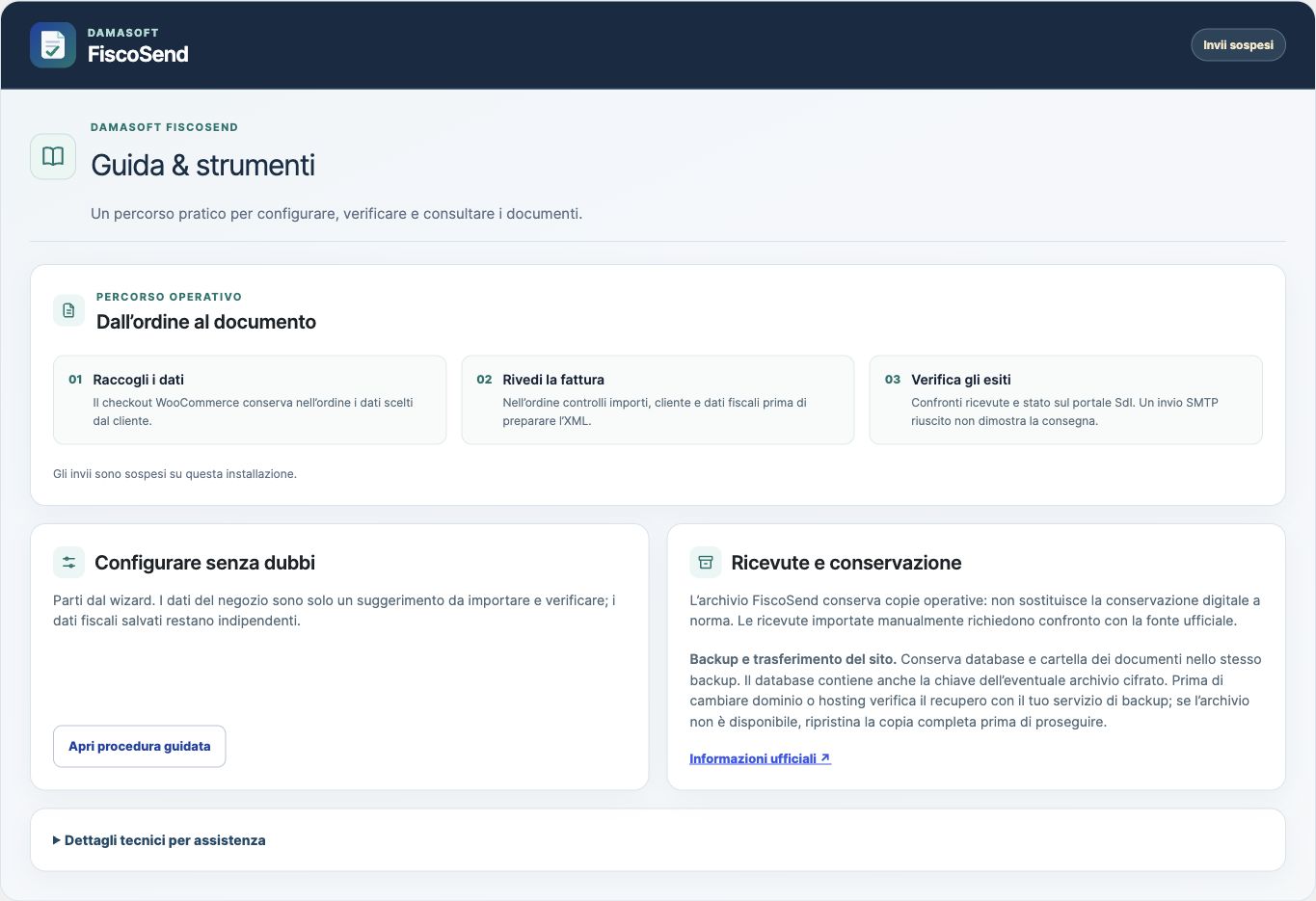
- Step-by-step setup with saved progress, back/next navigation, contextual help and optional copying of the store address.
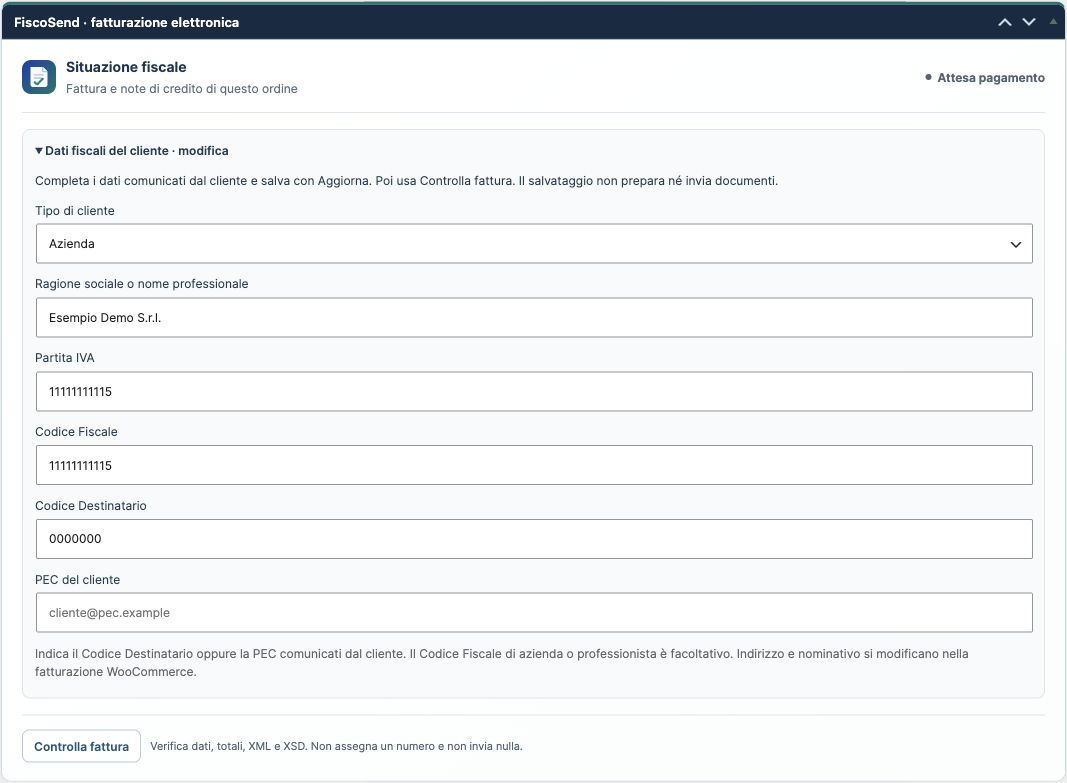
- Customer fiscal data in both classic and Blocks checkout; support for classic order storage and HPOS.
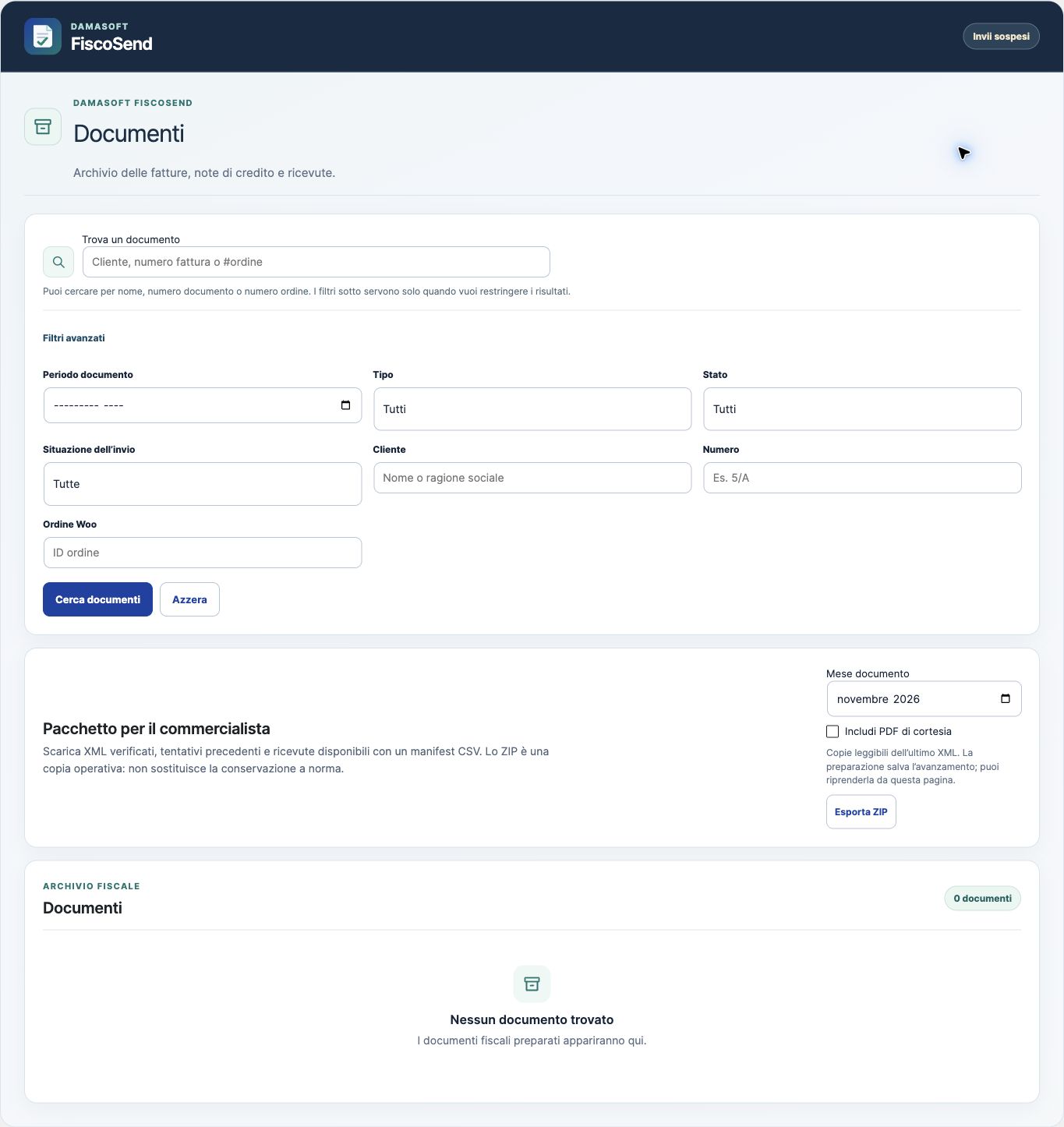
- Ordinary FatturaPA XML preparation, formal and XSD checks, courtesy PDF copies and a protected operational document archive.
- Automatic processing after checks, or an optional batch-review workflow. Orders requiring corrections remain separate from valid ones.
- TD04 credit notes associated with WooCommerce refunds, subject to fiscal attribution and refund-status checks.
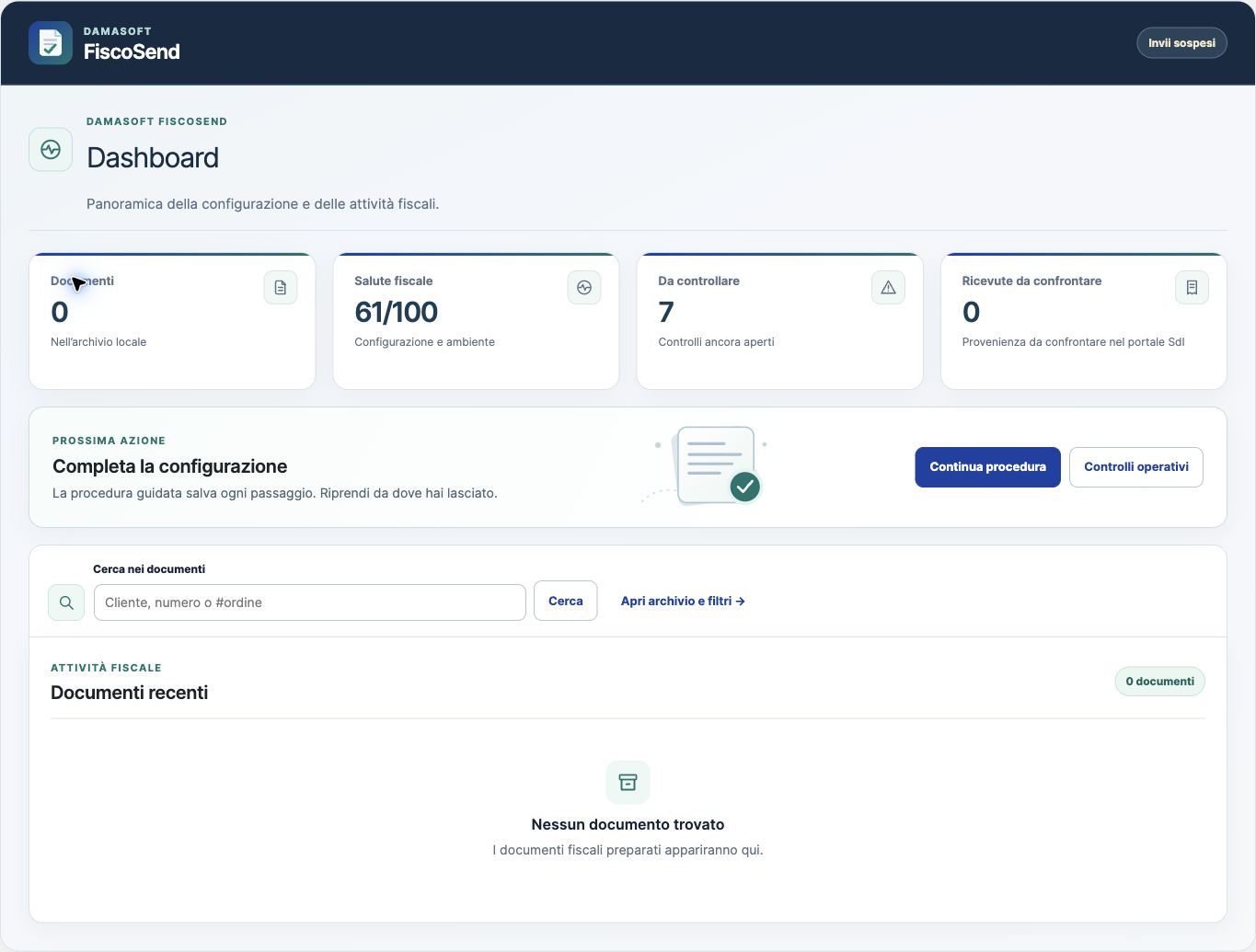
- A native order-list column and order panel, a dashboard widget, archive search and pagination, and an activity indicator.
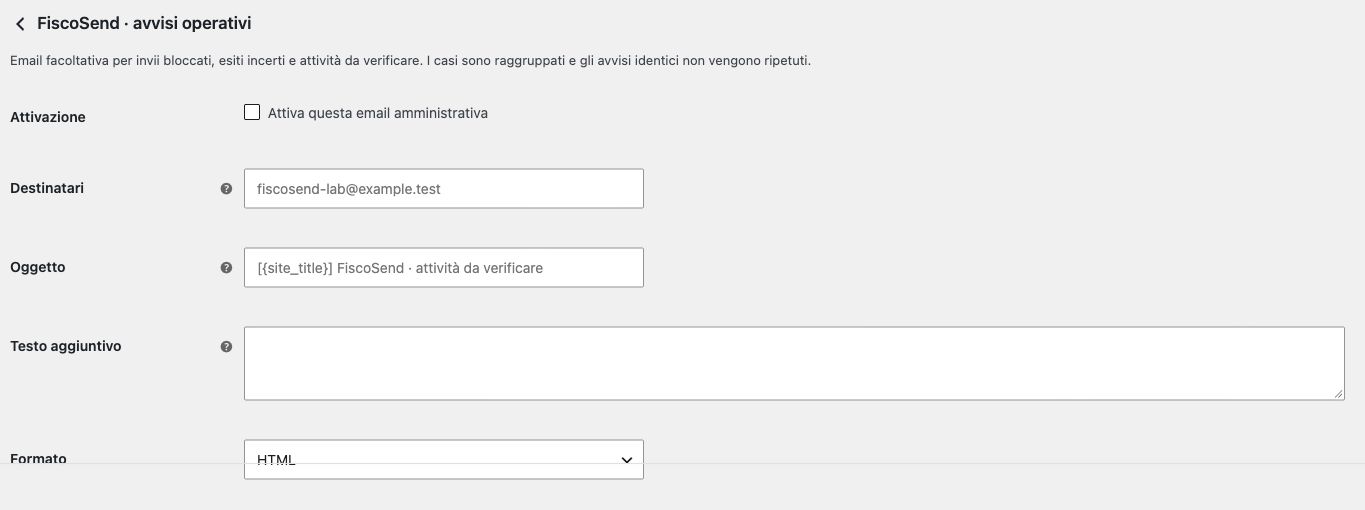
- Optional administrative email alerts and daily summaries.
- Manual receipt import, comparison with official evidence, handling of uncertain transmission outcomes and document export for your accountant.
A positive SMTP response does not prove acceptance by Italy’s Sistema di Interscambio (SdI). An uncertain transmission is paused for review, without an automatic resend. A manually imported receipt remains unverified until compared with the official source. PDF files are courtesy copies. The operational archive is not legally compliant long-term preservation (conservazione a norma).
FiscoSend checks supplied data; it does not choose your tax regime, VAT exemption code or legal obligations. Confirm the configuration with your accountant. Public-administration support is limited to FPA12 preparation, PDF and CMS copies: qualified-signature verification, XAdES and PA transmission are not included. Automatic receipt collection through IMAP is not included.
Privacy and external services
Fiscal data is stored on your site and in its protected document archive. The PEC password is encrypted using an installation-specific key. Configured authentication and transmission contact the PEC SMTP server you select; authorised electronic invoices are addressed to SdI. Optional administrative alerts use WordPress email. A public-path protection check may request a URL on the same installation to verify archive protection. Provider-guide links are opened only when you choose them. There is no FiscoSend telemetry or commercial-licence check.
PEC service terms and privacy policies depend on the provider you choose. For Aruba PEC, see https://www.pec.it/ and its linked contractual and privacy information. Configure only a mailbox and SMTP server you are authorised to use. Documents may contain personal and fiscal data: protect access and backups and confirm your retention obligations with a qualified adviser.
スクリーンショット

インストール
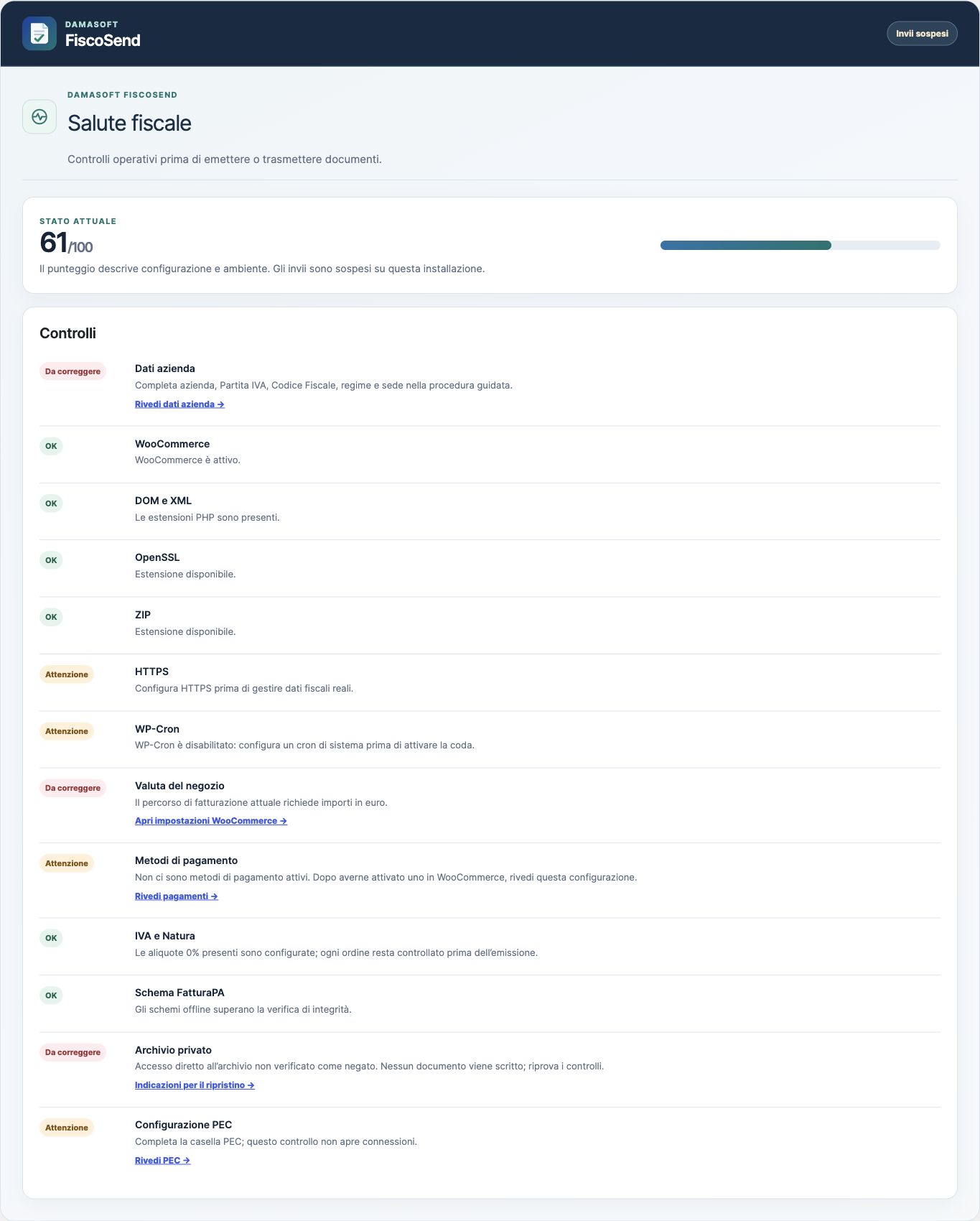
- Use WordPress 6.7 or later, WooCommerce 9.9 or later and 64-bit PHP 8.2 or later. Production requires HTTPS and the DOM, XMLWriter, OpenSSL, mbstring and ZIP extensions. Background work uses WooCommerce’s Action Scheduler.
- Upload the complete plugin ZIP in Plugins > Add Plugin > Upload Plugin, and activate it.
- Open FiscoSend and follow the Italian setup wizard. Check your business data with your accountant. Copy the WooCommerce address only if it is appropriate; FiscoSend’s saved fiscal data remains independent of later store-setting changes.
- In PEC e SdI, open your provider’s official guide and configure the mail-program password where required. The sender’s PEC mailbox, the customer’s PEC address and the SdI destination are different settings.
- In Controlli, run Prova connessione e controlli fattura. The SMTP connection check performs TLS connection and authentication without sending a message or invoice.
- After checking the configuration in a stable release, use Termina e attiva. Eligible orders then follow the automatic or review mode you selected. Development and RC versions disable PEC transmission by default.
- Monitor the dashboard, orders and activity list. Check uncertain outcomes against your PEC mailbox and official SdI evidence before taking further action.
FAQ
-
Is the interface available in English?
-
No. FiscoSend’s interface is currently Italian because the plugin targets Italian electronic-invoicing workflows. This readme is in English. An English WordPress installation does not change the plugin interface to English.
-
Do I have to sign into my PEC provider before every invoice?
-
No. The provider portal is used to configure or renew the required password. For example, Aruba’s two-step verification requires a mail-program password. The wizard links to the supported providers’ official setup guides.
-
Do I have to confirm every invoice?
-
The default workflow is automatic after checks. You may instead choose review mode and confirm multiple eligible documents together. A problem with one order does not block other valid orders.
-
Are PEC receipts collected automatically?
-
No. This version supports manual import and comparison with your PEC mailbox or official portal. Import alone does not verify a receipt. Confirming the comparison updates the outcome. A credit note requires the original invoice’s outcome to be established first.
-
Can I correct a rejected file name?
-
For rejection codes 00001 and 00002, after comparison with official evidence, the correction workflow can prepare a compliant new file name while retaining the document number, date, fiscal data and history. For 00002, first verify that the invoice has not already been acquired. Uncertain transmission does not authorise a resend.
-
Does FiscoSend refund payments through PayPal or Stripe?
-
No. It reads refunds recorded in WooCommerce and supported gateway indicators; it never issues a money refund. Incomplete data, uncertain fiscal attribution or unverified outcomes require review. Do not infer universal gateway compatibility or real-transaction testing from these checks.
-
Can I change WooCommerce’s decimal settings?
-
Fiscal checks use amounts persisted in the order. Prepared documents keep their snapshot. Inconsistent fiscal amounts are blocked and explained. Universal compatibility with every rounding extension or precision setting is not claimed.
-
Who can access documents and administrative screens?
-
Operations require the appropriate WooCommerce capabilities and security tokens. Authorised administrators and shop managers can access the operations permitted to them. Ordinary customers cannot use the administrative screens or reserved document-download endpoints.
-
What belongs in a backup?
-
Back up the database and private document directory together. Encryption keys and settings are part of the database. A transferred or staging copy must not inherit live transmission: confirm the operating site again through the wizard after a move.
-
Where is the operational archive stored?
-
New archives use the damasoft-fiscosend folder under this site’s runtime WordPress uploads directory. Files are authenticated encrypted data, not executable PHP. An actual same-site HTTP check must return 403 before document storage is enabled; unavailable loopback requests or servers that ignore the access rules fail closed. The plugin never creates or changes .htaccess, PHP guards or server configuration. Ask the hosting administrator to deny all direct HTTP access to that archive folder and its descendants before enabling invoicing. Do not make documents public to pass the check. Previously configured private archives and older containers remain supported in place; no existing evidence is moved or overwritten automatically. Temporary signing, PDF and ZIP work requires a private temporary directory outside the public web roots.
-
Does activation redirect me away from the Dashboard?
-
No. Open the setup wizard from FiscoSend when you are ready. Its operational indicator is limited to FiscoSend screens; the native Dashboard widget can be hidden with WordPress Screen Options.
-
Does uninstalling erase all invoices?
-
No. Uninstall preserves documents and configuration under the documented retention policy, but removes the saved PEC credential. Make and verify a complete backup before removing or transferring the plugin.
評価
このプラグインにはレビューがありません。
貢献者と開発者

“DamaSoft FiscoSend” をあなたの言語に翻訳しましょう。
開発に興味がありますか ?
変更履歴
1.0.4
- Review hardening of request validation, output boundaries and public identifiers. No generated server configuration or executable archive files.
1.0.3
- Strengthen archive portability and non-executable encrypted storage, retaining existing evidence; refine request validation, plain-text email output and administrative integration.
1.0.2
- Refine WordPress.org packaging and isolate the PHP compatibility notice variable. Fiscal calculations, XML preparation, PEC delivery and document workflows are unchanged.
1.0.1
- Prevent early order queries from calling admin-screen functions before WordPress loads them, including queries initiated by Elementor.
- Register Blocks checkout fields after WooCommerce loads its cart session, retaining all fiscal fields and account requirements without premature cart access through other extensions.
- Provide an English directory readme while retaining the Italian interface and unchanged fiscal workflows.
- Make keyed checkout/order labels extractable by WordPress translation tools while retaining Italian texts, field limits and checkout rules.
- Prevent direct execution of the plugin’s autoload entry files outside WordPress.
- Retain readable primary-button text when FocusDesk or an admin skin recolours generic links.
- Use numbered placeholders and distinct singular/plural action labels, retaining the Italian wording.
- Replace the courtesy-PDF heredoc with an explicit template; synthetic presentation regressions verify identical HTML and escaped text.
- Reserve administrative email deliveries before sending, stop automatic retries when the outcome cannot be saved, and provide administrator-only review controls without changing invoices, PDFs or PEC delivery.
- Preserve newly uploaded receipt evidence when rollback readback fails, instead of treating a database error as a confirmed missing record.
- Preserve a newly prepared correction XML when rollback readback cannot confirm whether its attempt was registered.
1.0.0
- Initial version with guided setup, ordinary-invoice and refund workflows, XML/XSD checks, PEC transmission, manual receipts, courtesy PDFs, protected archive, accountant export, order integration and administrative notifications.
- Preventive ordinary-invoice subject checks (SdI 00471), a transmitter identity based on the issuer’s tax code, unique compliant file names with a maximum five-character file-name progressive, and schema 9 migration without rewriting history.
- Review of file-name rejections 00001/00002, stable activation through the wizard, and safeguards for development, staging and moved installations. Public-administration functions remain limited to preparation and copies.