説明
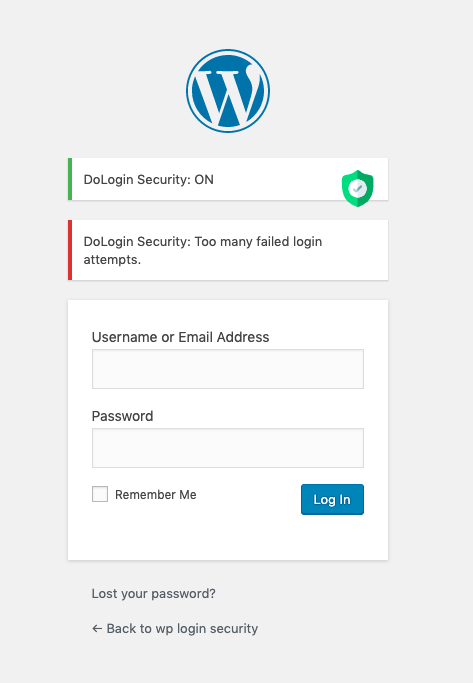
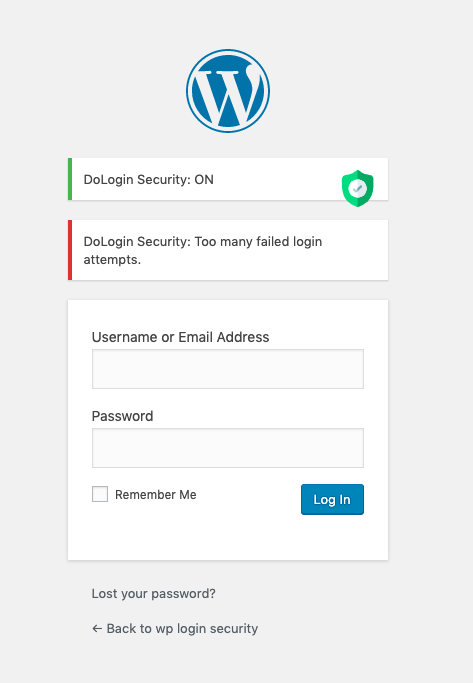
ワンクリックで、WordPress ログインページはスマートブルートフォース攻撃から保護されます! 10分以内に6回を超えるログイン試行(デフォルト値)は制限されます。
ログインと認証 Cookie の両方を使用して、ログインの試行回数を制限します。
-
Two-factor Authentication login.
-
KeyLockr SSO scan login with encrypted appdata hash verification and session-bound encryption.
-
Cloudflare Turnstile (better than Google reCAPTCHA).
-
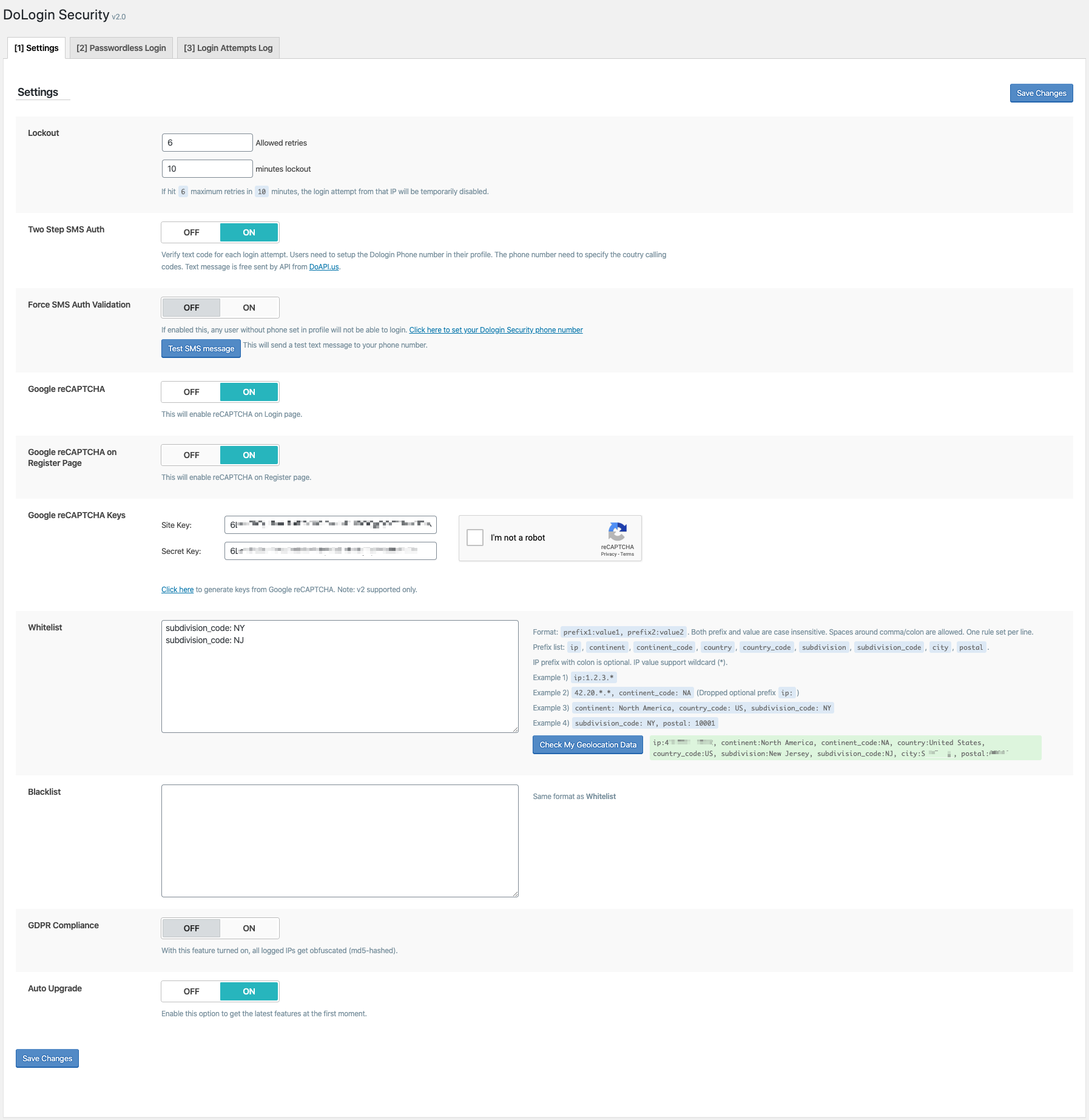
ログインの試行をジオロケーション(大陸/国/都市)または IP 範囲で制限する。
-
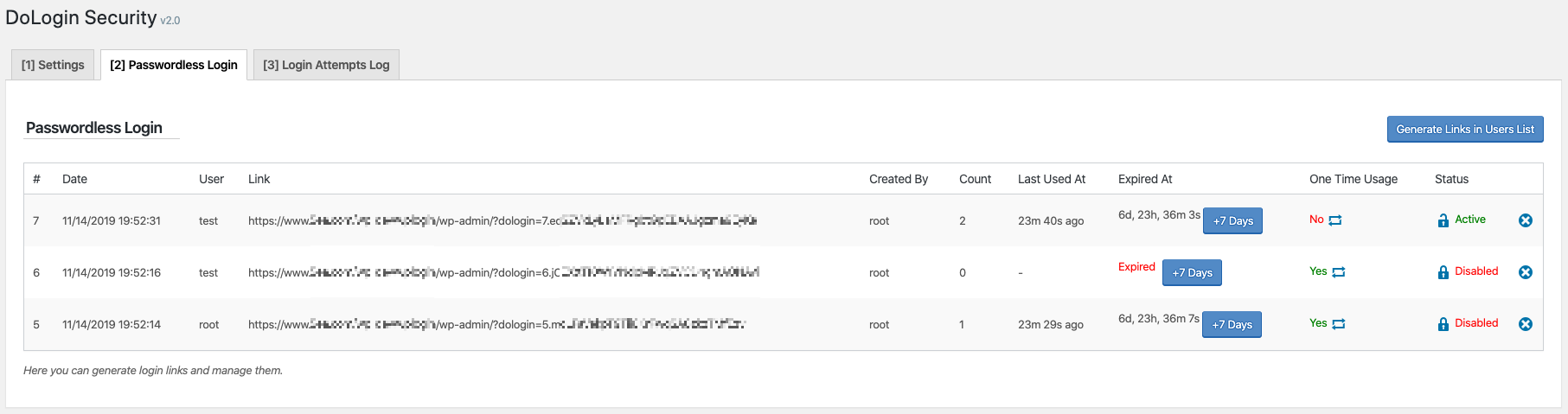
パスワードなしのログインリンク。
-
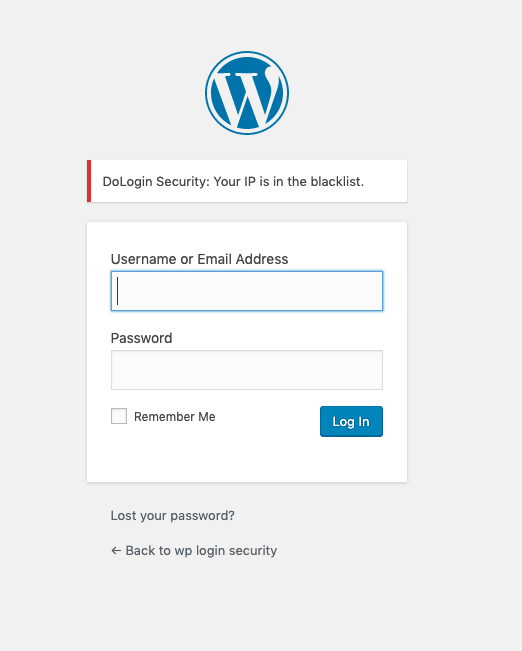
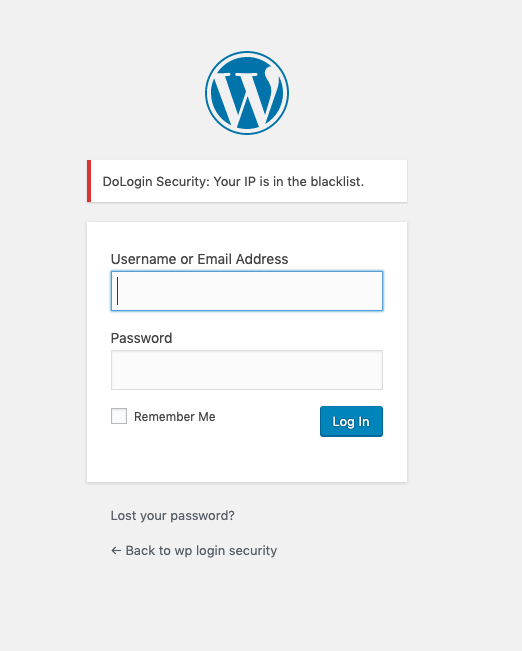
ホワイトリストとブラックリストをサポートします。
-
GDPR に準拠。 この機能をオンにすると、ログに記録されたすべての IP が難読化されます(md5-ハッシュ化)。
-
WooCommerce ログインをサポートしています。
-
XMLRPC ゲートウェイを保護する。
🛡️ Security, explained simply
🔑 A stolen database should not become a bag of ready-to-use login secrets.
DoLogin separates stored data from the WordPress authentication salts. If an attacker copies only the database—but does not have the salts from the site configuration—the protected values cannot be used as login links, TOTP seeds, or signing keys.
🔗 Passwordless and child-site tokens: compare without storing the secret
Secret in the generated link ➜ `salt-keyed HMAC` ➜ `database stores only the verifier`
- The raw token is shown when it is created and is never saved in the token table.
- Login recomputes the HMAC and compares it in constant time.
- A copied database verifier cannot be pasted into a URL as a working login token.
- One-time tokens are consumed with an atomic database update, so simultaneous replay attempts cannot both win.
🔐 TOTP and signing keys: encrypted when the server must recover them
TOTP seed or private key ➜ `authenticated encryption + site salt` ➜ `ciphertext in the database`
TOTP verification and digital signatures need the original secret at runtime, so these values cannot use a one-way hash. DoLogin encrypts them instead and rejects modified ciphertext. Existing TOTP seeds and Site Easy Login private keys are migrated automatically.
🏠 Site Easy Login: one signed message, one destination, one use
User + trusted public key + destination + issue time + random token ID ➜ `one Ed25519 signature`
The child site verifies the complete signed message with the public key already saved for that connection. Changing the user or destination breaks the signature, and an atomic consume step blocks replay.
📱 KeyLockr SSO: stable signing and encryption identity
Scan QR ➜ `approve on phone` ➜ `verify Safe + AppData binding` ➜ `WordPress login cookie`
- Fixed per-site signing and encryption keypairs let KeyLockr reuse the same backend-owned connection identity.
- Existing signing-only key storage is upgraded atomically with one persistent encryption keypair.
- The WordPress backend owns all private keys and KPS processing; the browser only opens the short-lived KeyLockr WebSocket and relays opaque signed, encrypted frames to the backend.
- Incoming frames are signed, encrypted, timestamp-checked, replay-checked, rate-limited, and accepted only in the expected protocol phase.
- Bind and Repair write the WordPress account hash to encrypted KeyLockr AppData, then read it back before completing.
- Login requires exactly one WordPress user with the matching Safe ID and binding hash.
- After a QR scan, the phone-unlock and approval prompt is highlighted in green so the next action is clear.
🚦 Force KeyLockr SSO that fails closed
Enable force mode after a verified admin binding ➜ `keep QR-only policy active` ➜ `never reopen older interactive login methods automatically`
DoLogin checks the current administrator binding before force mode can be enabled. After that policy is saved, a missing binding, changed App Tag, broken site identity, or unavailable KeyLockr service does not restore password, passwordless-link, connected-site, or password-reset login paths. The WordPress lost-password link and core password-reset screens are removed while force mode is active; unlinking and site-key reset are also blocked. Existing authenticated sessions can disable force mode from settings; if no session remains, rename the plugin folder through FTP or the hosting file manager before repairing the connection. WordPress Application Passwords remain available for API clients.
API
-
関数を呼び出す
$link = function_exists( 'dologin_gen_link' ) ? dologin_gen_link( 'プラグイン名またはタグ' ) : '';現在のユーザーに対して1つのパスワードなしのログインリンクを生成します。 -
関数を呼び出す
$link = function_exists( 'dologin_gen_link' ) ? dologin_gen_link( 'この世代のメモ/ヒント', $user_id ) : '';IDが$user_idであるユーザーのパスワードなしのログインリンクを生成します。
生成された使い捨てリンクは、7日後に期限切れになります。
- インストール後にページの設定にリダイレクトしないように、
SILENCE_INSTALLconst を定義します。
KeyLockr SSO Recovery
Forced KeyLockr SSO blocks password, passwordless-link, and connected-site interactive logins. Existing authenticated cookies and WordPress Application Passwords remain available.
DoLogin never restores another interactive login method because KeyLockr is unavailable or the saved binding becomes invalid. Use an existing authenticated administrator session to disable force mode. If no such session remains, rename the plugin folder through FTP or the hosting file manager, then repair the connection before enabling force mode again.
CLI
-
パスワードなしのリンクをすべて一覧にします:
wp dologin list -
1つのユーザー名(ログイン名
root)のパスワードなしのリンクを生成します:wp dologin gen root -
リスト内の ID を持つパスワードなしのリンクを削除します(w/ ID 5のあるレコードの場合):
wp dologin del 5
ジオロケーションの仕組み
訪問者がログインページをヒットすると、このプラグインは API からジオロケーション情報を検索し、ジオロケーション設定(ある場合)をホワイトリスト/ブラックリストと比較してログインを許可するかどうか決定します。
プライバシー
オンライン IP 参照サービスは、https://www.doapi.us によって提供されます。 プロバイダーのプライバシーポリシーは https://www.doapi.us/privacy です。
Limit Login Attempts プラグインと Limit Login Attempts Reloaded プラグインの元のコードに基づいています。
スクリーンショット


評価


貢献者と開発者


変更履歴
5.0.10 – Aug 15 2026
- 🍀 Added verified same-device KeyLockr login, simplified MyDeveloper guidance, and reduced login-page assets.
- 🔐 Hardened KeyLockr SSO, 2FA replay cleanup, and uninstall data removal.
- 🔐 Made only KeyLockr authorization denials and account-identity mismatches consume login retries, preventing protocol or transport errors from locking out an IP.
- 🐞 Fixed stale same-device returns, WooCommerce forced-login flashes, token-error pages, and login-log feedback.
4.8.3 – Jul 28 2026
- 🐞 Kept valid KeyLockr site-key blobs read-only and limited storage migration to signing-only blobs, preventing avoidable login failures when no key material needs an upgrade.
- 🔐 Restored a fixed per-site KeyLockr encryption keypair and atomically upgraded signing-only storage so repeated QR logins reuse the same backend-owned encryption identity.
- 🐞 Stopped passive visits to the WordPress login page from being counted as failed login attempts while Force KeyLockr SSO is enabled.
- 🍀 Highlighted the post-scan KeyLockr unlock and approval prompt in green so users can see that the next action is on their phone.
- 🔐 Removed lost-password links across supported WordPress versions and blocked both new and pre-issued password-reset keys across core and third-party reset flows while Force KeyLockr SSO keeps username/password login disabled.
4.7.7 – Jul 22 2026
- 🍀 Made the login-page KeyLockr sign-in start on demand with clear DoLogin branding and a KeyLockr reference link, instead of opening a connection on every login-page visit.
- 🔐 Protected passwordless and site-connection tokens with salt-keyed HMAC verifiers, and encrypted TOTP and Site Easy Login private keys at rest.
- 🐞 Fixed an upgrade fatal error by waiting until WordPress salt APIs are available before running migrations.
- 🔐 Added and hardened KeyLockr SSO QR login with reusable site identity, secure account linking and repair, encrypted AppData verification, bounded decoding, rate-limited replay-resistant sessions, validated redirects, and fail-closed forced login that never restores older interactive methods automatically.
- 🔐 Fixed Site Easy Login assertion tampering and replay by signing the user, public key, destination, issuance time, and token ID together, then atomically consuming each assertion.
- 🔐 Hardened 2FA and token login by failing closed when a forced 2FA secret is missing, enforcing lockouts, binding confirmation nonces, and atomically consuming replay state.
- 🐞 Fixed IPv4/IPv6 allow/deny matching, settings return behavior, deleted-user handling, and multisite table provisioning.
- 🔐 Restricted companion-plugin installation and protected GeoIP and Turnstile requests while reducing unnecessary external traffic.
- 🧹 Removed legacy SMS login, the obsolete mobile-number profile field, and the SMS database table.
4.4 – Jul 6 2026
- 🐞 Security: Fixed an authentication bypass via insufficient randomness in passwordless and site-connection login tokens (CVE-2026-14495). Login tokens and SMS codes are now generated with a cryptographically secure random source.
- 🐞 Security: Fixed an unauthenticated stored XSS in the Login Attempts log, dashboard widget, and Site Connections tables. All output is now escaped.
- 🐞 Security: The per-IP failure limit is now enforced on the passwordless and easy-login endpoints; token comparison is constant-time.
- 🐞 Security: Enabled TLS verification on outbound API calls, validated the site-connection URL (SSRF), switched to safe redirects, and added a no-referrer policy on the passwordless confirmation page to prevent token leakage.
- 🐞 Cloudflare Turnstile no longer blocks XML-RPC authentication, which cannot present a captcha and is already covered by the login attempt limiter.
- Declared WooCommerce HPOS (High-Performance Order Storage) compatibility.
4.3 – Jun 11 2025
- Generating passwordless link will redirect to the corresponding tab now.
4.2 – May 31 2025
- 🍀 Cloudflare Turnstile reCAPTCHA.
- 🐞 Fixed 2FA conflict w/ reCAPTCHA.
4.1.1 – May 27 2025
- Resolved WooCommerce HPOS feature warning.
4.1 – May 27 2025
- Showed the easy login confirmation landing page.
- Disallowed reuse of login link to prevent possible replay attack.
- Fixed root site pk/sk clear issue in easy login when saving conf.
- Restored reCAPTCHA to previous version.
4.0 – May 26 2025
- 🍀
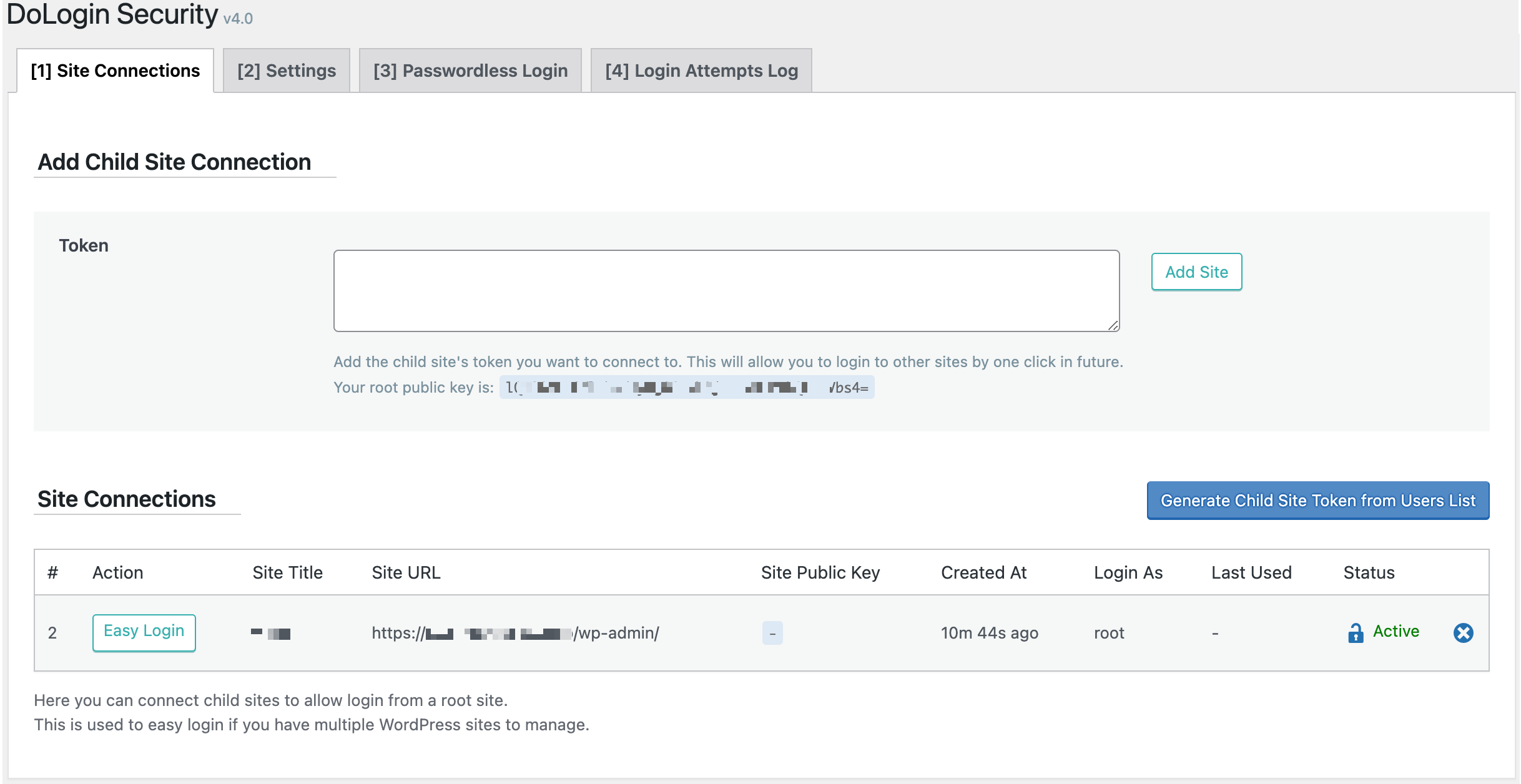
Easy Loginfeature! Allow one root WordPress to easy login to multi child WordPress sites.
3.8
- Security patch per patchstack report.
3.7.1
- IP vulnerability patch for dashboard widget. (Bob@Jetpack)
3.7
- IP vulnerability patch. (Bob@Jetpack)
3.6
- Fixed Google reCAPTCHA authentication failure. (mandotr)
3.5.2
- Fixed auto upgrade PHP warning. (lavacano)
3.5.1
- Banner to install qrcode plugin to enable 2FA.
3.5
- 🍀 Two-factor Authentication.
3.4
- WP6の読み込みを高速化するためにバージョンチェックを回避しました。
3.3
- 文字列変換時に発生する可能性のある期間値に関する問題を修正しました。(wpcrono)
3.2
- API
dologin_admin_menu_accessを使用して、他のユーザがdologinの設定を行えるようになりました。(franfal)
3.1
- クライアントの WordPress と DoAPI.us API 間の通信に失敗したときの互換性の改善。(@matteocuellar @ecomturbo @thesaintindiano)
3.0
- 🍀 ダッシュボードウィジェット。
- 無料テキストメッセージゲートウェイのための新しい API。
2.9.4
- XMLRPC ログインの失敗に関する IXR_ErrorPHP 通知を修正しました。
2.9.3
- ログインテキストメッセージの翻訳をサポートします。(@merkwert)
2.9.2
- IP を検出する精度を高くしました。
2.9.1
- 🍀 パスワードの紛失ページでの Google reCAPTCHA の新しい設定。
2.9
- WordPress v5.5 互換対応。
2.8
- 短時間で1つの IP のログイン試行レコードが重複しないようにします。
- GUI の機能強化。
2.7.1
- GUI に API 情報を追加しました。
2.7
- ログイン試行ログを消去できるようになりました。
2.6
- コードベースの再フォーマット。
2.5
- CLI がサポートされています。
2.4
- パスワードなしのリンクはワンクリックでコピーできます。
2.3
- 🍀リバースマッチング w/
!:機能。!:これで1つのルールを除外するために使用できます。(@jacklinkers)
2.2.2
- IP 検出が向上しました。
- ホワイトリストとブラックリストの空行と単一行のコメントをサポートしました。
2.2.1
- WooCommerce 4.0.1 までのサポートを宣言しました。
2.2
- ホワイトリストとブラックリストがコメントをサポートしました。
2.1
- パスワードなしのログインには、リンクを共有する際に自動訪問を避けるため、確認ページが表示されるようになりました。
2.0
- 新しい GUI!
1.9
- 🍀 新しいオプション: 登録ページに reCAPTCHA を表示します。(@ach1992)
1.8
- 🍀 SMS 認証を強制するの設定がオンの場合、登録ページに電話番号フィールドを表示します。 (@ach1992)
1.7.1
- 🐞 送信日を表示するときにタイムゾーン設定を尊重するようになりました。 (@ducpl)
1.7
- DoDebug をサポートしました。
- チェックアウトページで WooCommerce クライアントのホワイトリストチェックをバイパスしました。
- 🐞 WooCommerce チェックアウトページが正しくログインできるようになりました。
1.6
- 🍀 Google reCAPTCHA。
- 🐞 WooCommerce は同じログイン戦略の設定を使用できるようになりました。
1.5
- 🍀 設定ページで SMS メッセージ機能をテストします。
1.4.7
- サポートされている言語。
1.4.5
- PHP5.3をサポートしています。
1.4.4
- ドキュメントの更新する。
1.4.3
- API
SILENCE_INSTALLは、const を定義して設定へのリダイレクトを回避するサイレントインストールモード
1.4.2
- API 生成されたリンクのデフォルトは 7日で期限切れになります。
1.4.1
- API 新しい関数
dologin_gen_link( 'my_plugin' )API は現在のユーザーのリンクを生成する。
1.4
- 🍀 パスワードなしのログインリンク。
1.3.5
- SMS PHP 警告を修正する。
1.3.4
- REST 警告を修正する。
1.3.3
- GUI の化粧。
1.3.2
- 🐞 SMS WP が有効になっていないログインに失敗するバグを修正しました。
1.3.1
- PHP 通知の修正。
1.3
- 🍀 SMS ログインのサポート。
1.2.2
- アクティベート後に設定ページに自動リダイレクトします。
1.2.1
- ドキュメントの改善。
1.2
- 🍀 XMLRPC 保護。
1.1.1
- 🐞 自動アップグレードで最新バージョンを正しく確認できるようになりました。
1.1
- 🍀 新規 ログイン失敗ログを表示します。.
- 🍀 新規 GDPR への準拠。
- 🍀 新規自動アップグレード。
- GUI プラグインページからのリンクショートカットの設定します。
- GUI ログインページにセキュリティステータスを表示します。
- 🐞 保存した後に表示される古い設定。
- 🐞 期間の設定を正しく保存できるようになりました。
- 🐞 完全に保存されたジオロケーション情報の失敗ログ。
1.0 – Sep 27 2019
- 最初のリリース。