
説明
Frustrated navigating around the latest WordPress admin whild building your site? Why does it take so many clicks to get to Editor Templates?
The Missing Menu Items for WordPress plugin adds useful Editor related links to the admin navigation.
Missing Menu Items can add the following links (each one can be turned on or off in Settings Missing Menu Items):
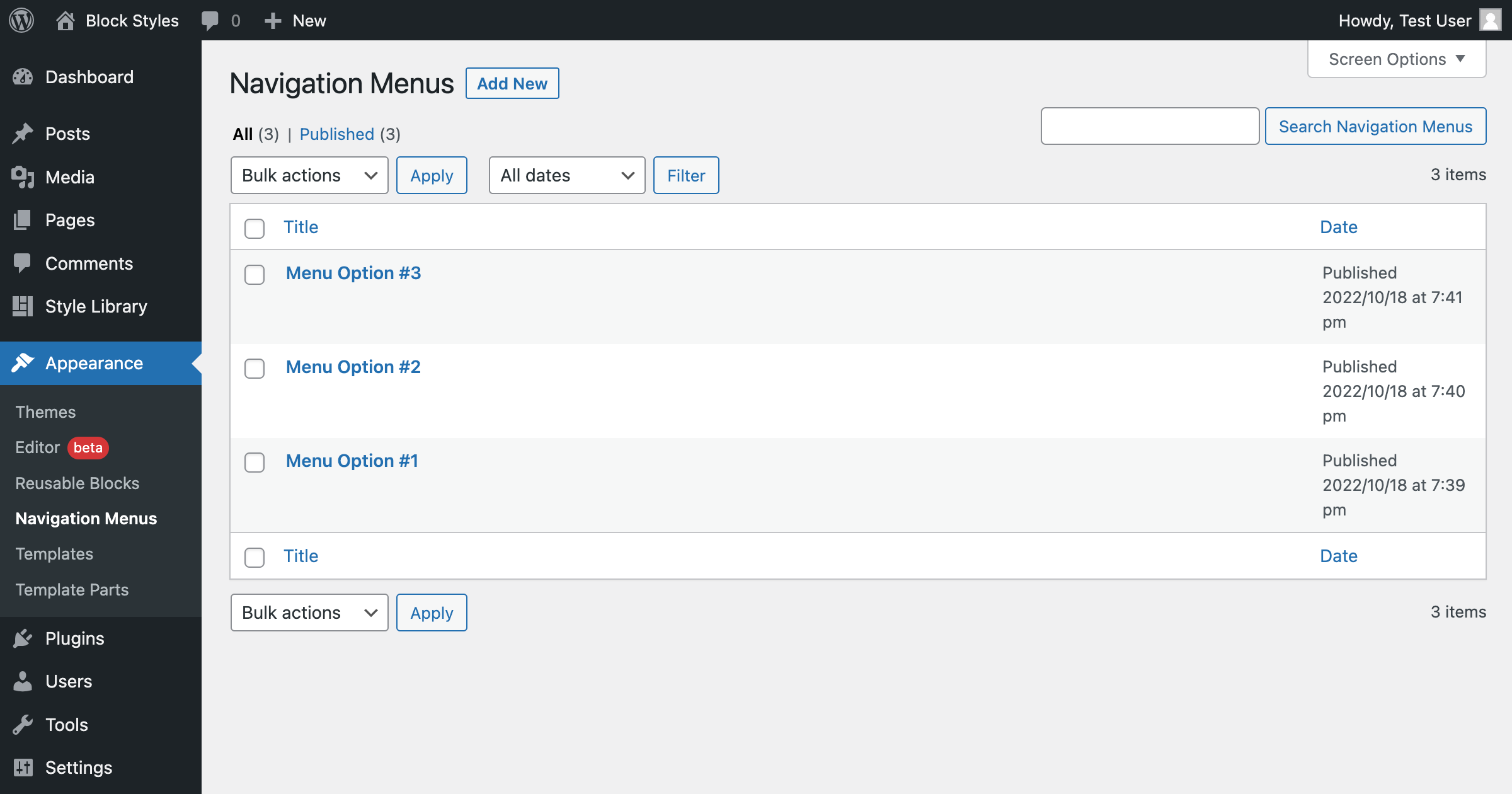
* Reusable Blocks, Navigation Menus, Templates, and Template Parts (Appearance)
* Site Editor, Styles, and Add New Theme (Appearance)
* Menus, Widgets, and Customizer — shown only when your theme hides them (e.g. block themes)
* Upload Plugin, Add New Plugin, and Plugin Updates (Plugins)
Plus:
* Choose whether links nest in their native menus or group together under Appearance
* Limit which user roles see the links
* Keep Site Editor content (templates, template parts, styles) reachable after switching to a classic theme, so you can copy or export it
Support
You can get support from the community here, or in our growing Facebook Group and find information in our documentation.
Direct support is offered to BlockStyles members.
Stay Connected
Stay up-to-date on Missing Menu Items updates and Gutenberg development, using the links below. The plugin is also being built transparently on GitHub, so give it a star and follow along! 😉
Missing Menu Items is a part of BlockStyles, a collection of tools that transforms the default WordPress Block Editor into a true page builder.
スクリーンショット




インストール
From WordPress Backend
Navigate to Plugins Add New Click “Upload Plugin” next to the “Add plugins” title Upload the downloaded zip file and activate it.
Direct Upload
Upload the downloaded zip file into your ‘wp-content/plugins/’ folder. Unzip the uploaded zip file. Navigate to the Plugins menu on your WordPress admin area. Activate the plugin.
Once activated, you will see the missing menu items under the Appearance menu in the WordPress admin area.
FAQ
-
Of course! Feel free to contact us with the menu item you want us to add.
-
The plugin stores one small settings option (which links are enabled, placement, and role visibility). It is removed automatically when you delete the plugin. No content or user data is ever stored.
評価


貢献者と開発者
Missing Menu Items はオープンソースソフトウェアです。以下の人々がこのプラグインに貢献しています。
貢献者


変更履歴
1.3.1
- Fixed: release packaging no longer includes build artifacts (stray zip files and a nested plugin copy) in the WordPress.org deploy
- Changed: trimmed directory tags to the five WordPress.org honors
1.3.0
- New: link registry with per-link on/off settings page (Settings Missing Menu Items)
- New: links appear only where they exist for your WordPress version and your capabilities
- New: placement choice — nest links in their native menus or keep them together under Appearance
- New: optional role visibility — limit which roles see the links
- New: Menus, Widgets, and Customizer links that appear only when your theme hides them (no duplicates)
- New: Upload Plugin, Add New Plugin, and Plugin Updates links under the Plugins menu
- New: Site Editor, Styles, and Add New Theme links (off by default)
- New: Full Site Editing archive — keeps Site Editor content reachable after switching to a classic theme
- Fixed: translations never loaded due to a wrong text domain
- Fixed: “Domain Path” plugin header typo
- Dev: WordPress Coding Standards toolchain (WPCS 3.x), PHP 7.4–8.x compatibility checks, code restructured into classes
- Cleanup: settings are now removed when the plugin is deleted
1.2.3
- Changed text domain for plugin repo
1.2.2
- Added localization
1.2.1
- Move assets
- Update author
1.2.0
- Initial Release