
説明
Otter は Gutenberg ブロック用のページビルダープラグインで、WordPress ブロックエディター (Gutenberg とも呼ばれます) に追加機能を提供します。Elementor や Divi のような従来のページビルダーを使わなくても、より快適にページを構築できます。
クイックリンク 🔗
- インストールする前に Otter Blocks の動作を確認してみませんか ? OTTER BLOCKS のデモを見る
- Gutenberg ブロックについて詳しく知りたいですか ? GUTENBERG EXPLAINED の記事をご覧ください
- 設定についてサポートが必要ですか ? DOCUMENTATION をご確認ください
- Otter Pro にご興味がありますか ? OTTER PRO の詳細をご覧ください
Otter Blocks で利用できる機能
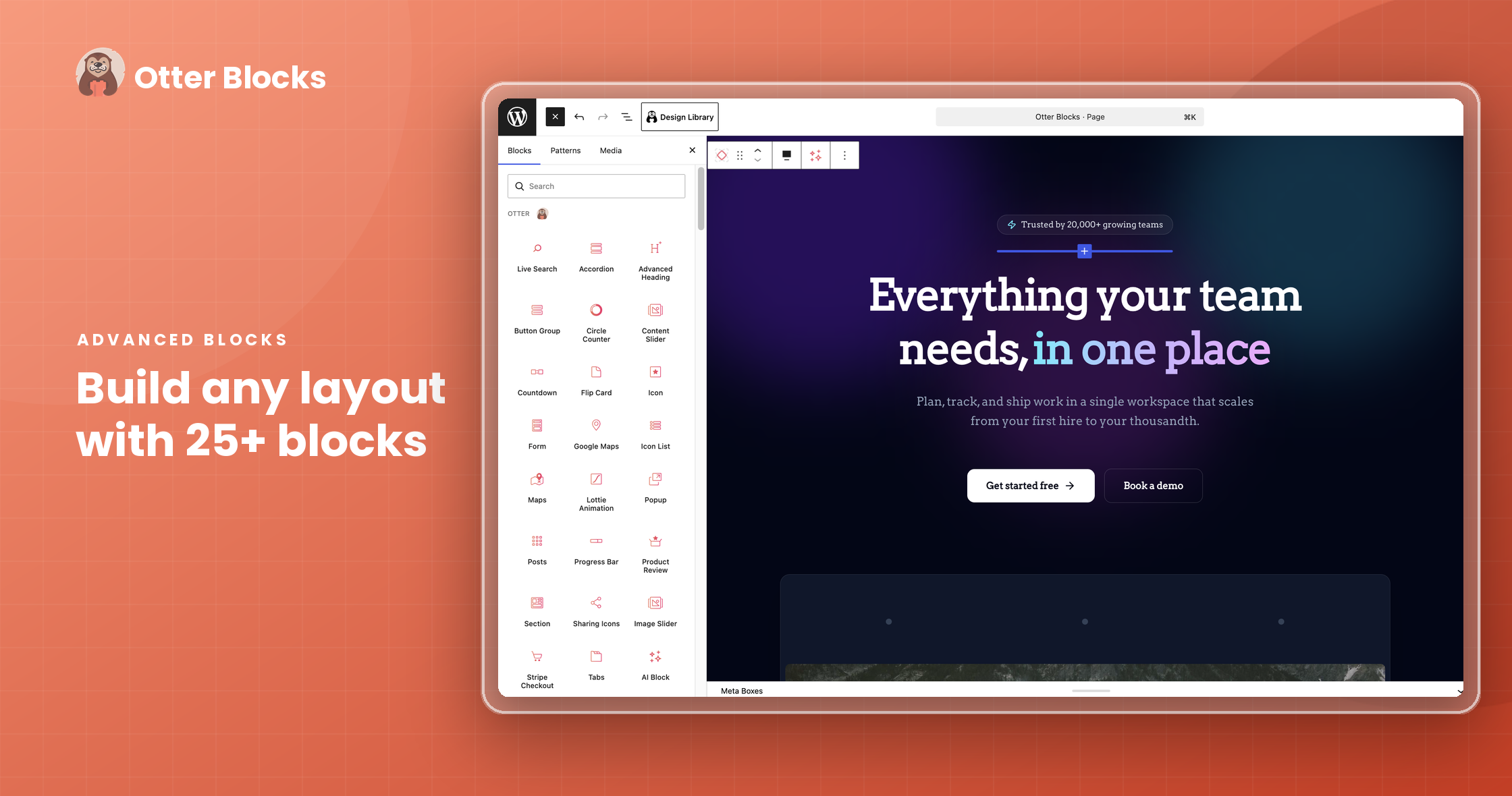
- Gutenberg 用の追加ブロック 20種類以上
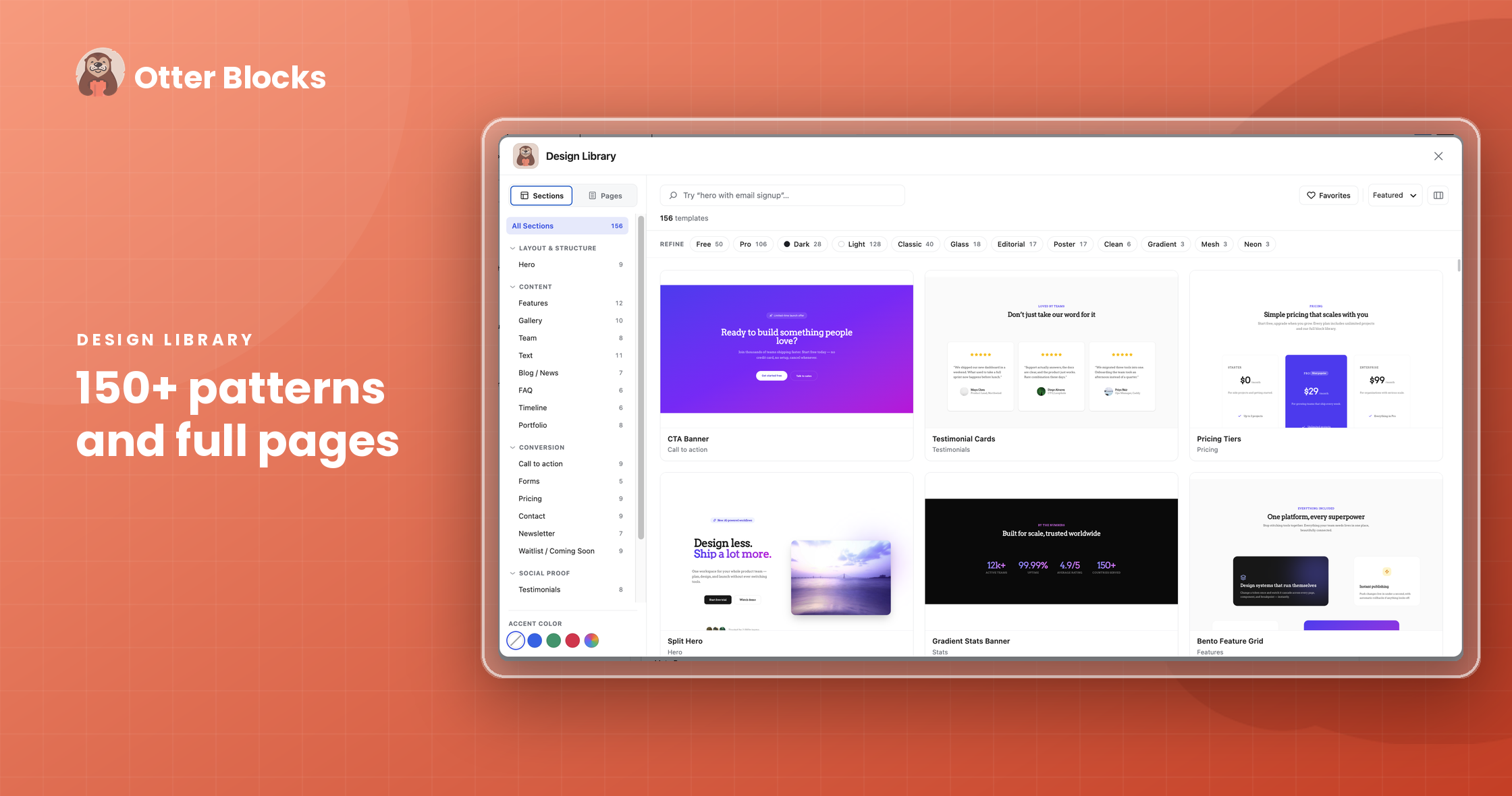
- パターンコレクション
- フルページテンプレート
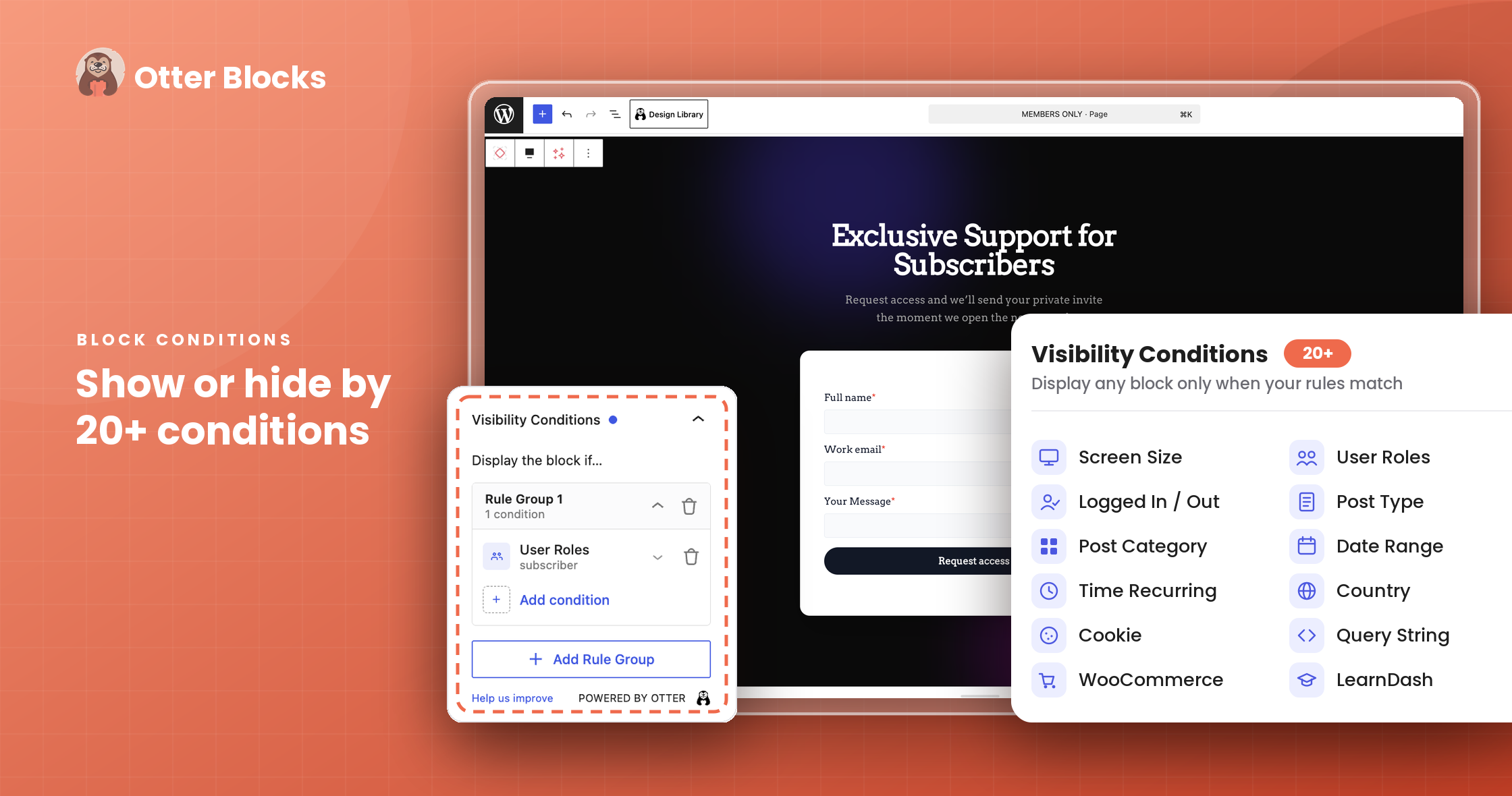
- 表示条件 (Visibility Conditions)
- カスタム CSS
- アニメーション
- 動的コンテンツなど
サイト上に存在するすべてのブロック (サードパーティ製ブロックを含む) に対応しています。
Custom CSS ブロック機能では、ページ上の任意の Gutenberg ブロックの CSS プロパティを直接カスタマイズできます。また、Animation 機能を使用すると、任意のブロックにすばやく簡単にアニメーションを追加でき、ページ内の各ブロックやセクションの魅力を高められます。
Otter の表示条件 (Visibility Conditions) 機能では、指定したブロックをページに表示する条件を設定できます。
Patterns Library には、さまざまなスタイルのデザイン要素が用意されており、ページ作成に役立ちます。ヘッダー、推薦文、価格表、各種セクションなど、サイトの重要なエリアを幅広く網羅しています。
Otter Blocks の概要をご確認ください
Otter の Gutenberg ブロックで何ができますか ? 🤔
WordPress 用 Gutenberg ブロックプラグイン
Otter は、Gutenberg でのページ作成をより簡単にする、便利で魅力的なブロックを26種類以上追加します。
ブロックを追加するだけではなく、スタイルやデザインを細かく調整できる高度なカスタマイズオプションも備えています。Otter を使用すると、これらをすべて利用できます。
各ブロックには、サイトを思いどおりにデザインするためのカスタマイズ機能が用意されています:
- メインカラー、アクセント、背景のカラ―コントロール。
- ボタンをクリックするだけで、適用できるアニメーション効果 (バウンス、フェード、フリップ、回転、スライド、回転移動、ライトスピード など)。
- 文字間隔やフォント選択などのタイポグラフィコントロール。
Your AI Assistant for the Block Editor
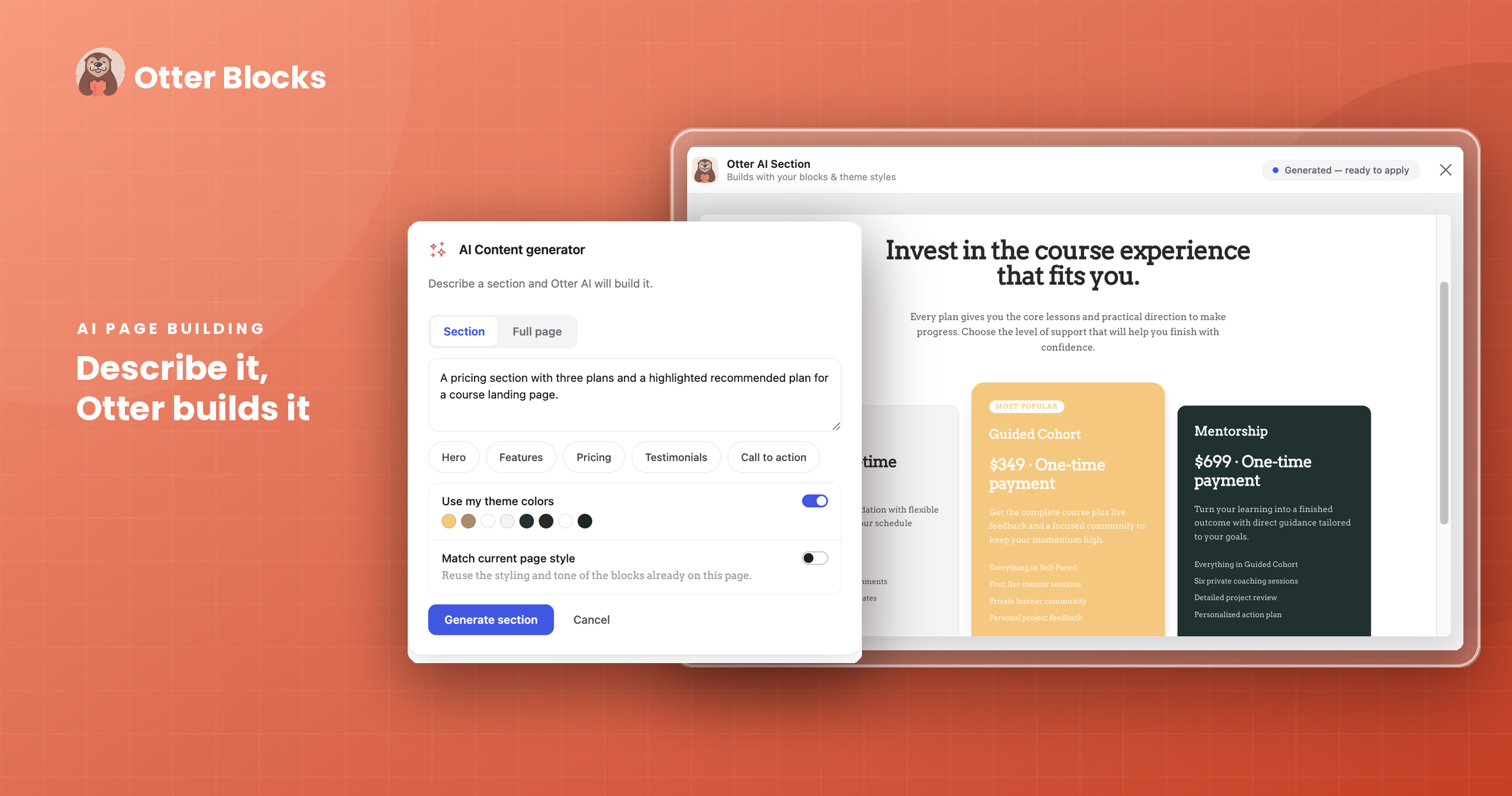
Otter brings AI right into the block editor to help you build, not just edit. Describe what you want, and Otter creates it as real, editable blocks.
-
AI Content Generator: Generate a full section or an entire page from a simple prompt with the AI Block. Pick a type like Hero, Features, Pricing, Testimonials, or Call to action, or describe your own. Otter matches your theme colors and current page style, so the result arrives on-brand.
-
AI Toolbar: Select any text to rewrite, summarize, expand, shorten, translate, change tone, fix grammar, or simplify it, all without leaving the page. You can also create your own custom actions with your own prompts and reorder the toolbar to fit how you work.
-
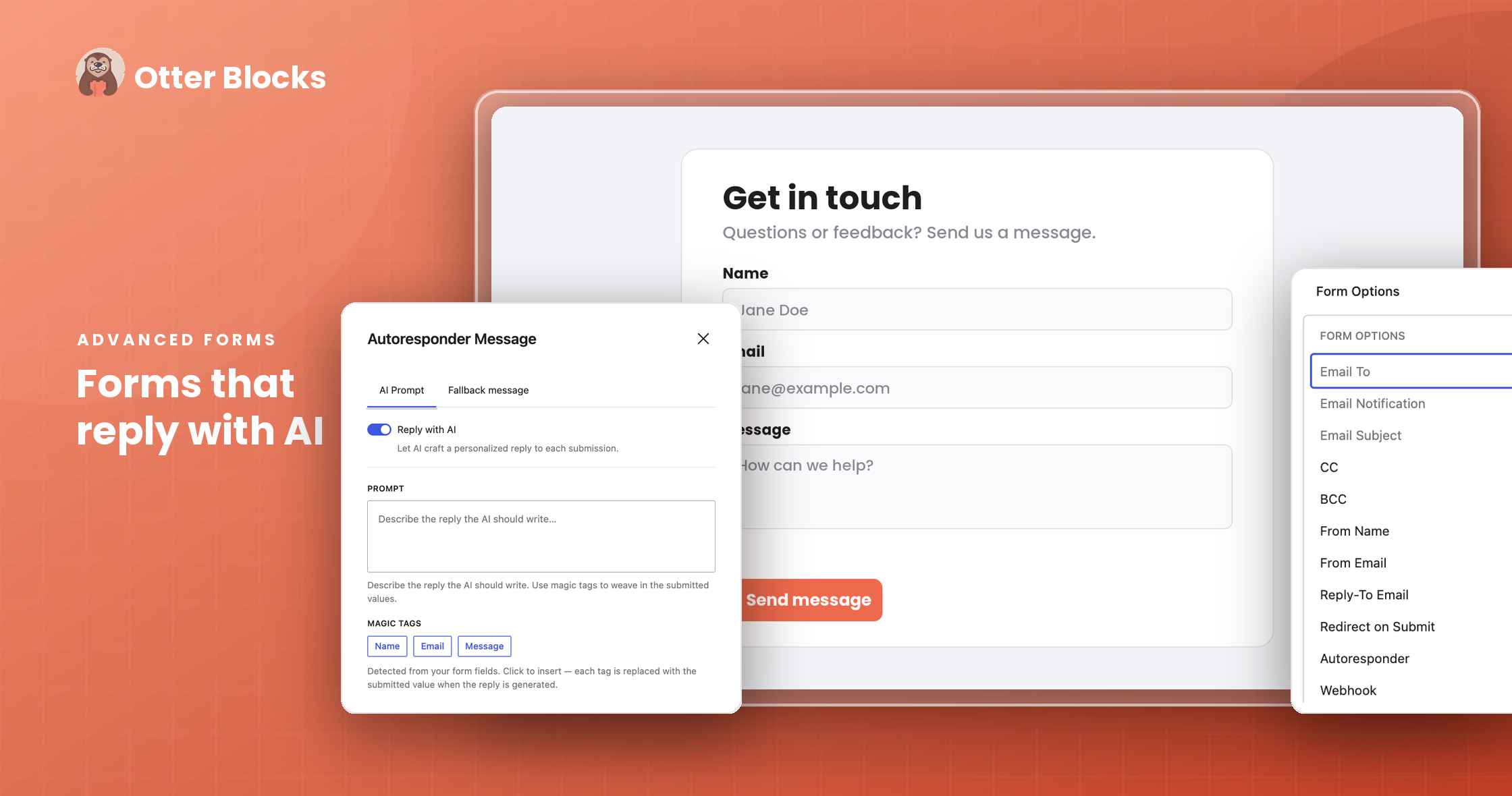
AI Form Autoresponder [PRO]: Reply to every form submission with a personalized, AI-written message. Write a prompt using your form fields, set a fallback message, and let AI craft the rest.
-
Native WordPress AI Connectors: Otter’s AI works with the native AI adapters in WordPress 7.0, so you connect your preferred AI provider once, and every Otter AI feature uses it.
Otter Blocks のモバイル対応
Otter に組み込まれたレスポンシブ設定を使用して、モバイルに最適化されたデザインを作成できます。各ブロックは調整可能で、モバイル、タブレット、デスクトップで一貫した表示を実現できます。
WordPress 用 Gutenberg ブロック条件プラグイン
ログイン中またはログアウト中のユーザーにだけ、特定のブロックを表示したいですか ? また、ストアの顧客かどうか、ブログの編集者かどうかなど、ユーザー権限グループに応じて表示を切り替えたい場合はどうでしょう。Otter で利用できる Gutenberg ブロック条件 (Block Conditions) 機能を使えば、これが可能です。Otter の Pro 版にアップグレードして、さらに強力なブロック条件を利用しましょう。たとえば次のような条件があります:
- URL クエリー文字列
- 日付の範囲
- 曜日
- 時間帯
- WooCommerce のお買い物カゴ内商品
- WooCommerce の合計購入金額
- WooCommerce のお買い物カゴの合計
- WooCommerce のカテゴリー
- WooCommerce のタグ
- WooCommerce の属性
- Cookie ベース
- ほかにも
WordPress 用 Gutenberg ブロックアニメーションプラグイン
ページ上の任意のブロックに追加できる魅力的なアニメーションで、訪問者を驚かせましょう。50種類以上のアニメーションから選択でき、Otter を使用すると投稿やページにさらなる華やかさを加えられます
WordPress 用 Gutenberg ポップアッププラグイン
ポップアップは、Web 上で長く利用されてきたリード獲得や通知表示の手法のひとつです。Otter で利用できる Gutenberg ポップアップブロックを使用すると、Gutenberg で利用可能な他のブロックを組み合わせてポップアップを作成できます !
表示タイミングや閉じ方を設定して、ポップアップを細かく設定できます。このポップアップブロックでは、ページ読み込み時、離脱時、アンカークリック時、スクロール時など、複数のトリガーを利用できます。
カスタムオーバーレイを使用してポップアップをデザインできます。ブランドイメージに合わせながら、より注目を集めることができます。ライブデモを見る
Otter ブロックのグローバルデフォルト設定
ページにブロックを追加するたびに同じ設定を繰り返すことにお困りですか ? Otter では、Section ブロック、Icon ブロック、Advanced Heading など、よく使用されるブロックのデフォルト設定をあらかじめ指定できます。
Otter で利用できるブロック:
Accordion Gutenberg Block [無料]
ボタンのクリックで表示と非表示を切り替えられる縦並びのコンテンツリストを作成できます。一般的に Accordions と呼ばれる形式です。ライブデモを見る
Advanced Heading Gutenberg Block [無料]
必要だとは思っていなかったかもしれない見出しブロックです。この Otter ブロックは標準の見出しブロックと同等の機能に加え、フォントの変更やテキストの一部の強調表示などの追加機能を備えています。ライブデモを見る
AI Block [無料]
Build with AI, right in the editor. Describe the section or page you want, and the AI Block generates it as real, editable Gutenberg blocks, matched to your theme colors and page style. Adjust anything by hand afterward, just like blocks you built yourself.
Button Group Gutenberg Block [無料]
複数のボタンをすばやく作成し、ページを閲覧している端末に応じて縦または横に表示できます。ライブデモを見る
Countdown Gutenberg Block [無料]
大きなイベントまでのカウントダウンを表示できます。日、時間、分、秒から選んでカウントダウンできます。ライブデモを見る
Contact Form Gutenberg Block [無料]
ページ上の任意の場所に、すばやく簡単にお問い合わせフォームを挿入できます。Brevo (Sendinblue) や Mailchimp と連携すれば、フォームをリード獲得ツールとして活用することも可能です。さらに、Webhook 連携でデータ管理を効率化し、hCaptcha 連携でセキュリティを強化できます。ライブデモを見る
Content Timeline Block [無料]
イベントを時系列のタイムラインでわかりやすく表示できます。過去の出来事、プロセスの手順、重要なマイルストーンの紹介に適しています。
Content Slider Block [FREE]
A slider where every slide can hold any Gutenberg blocks, not just images. Add headings, text, buttons, images, or full layouts like testimonial, pricing, or feature cards inside each slide, then let visitors move through them with arrows or dots. Unlike a standard image slider, the Content Slider turns anything you build in Gutenberg into a swipeable carousel, with no extra plugin needed.
Circular Progress Block [無料]
Circle Counter ブロックで進捗状況を表示できます。ライブデモを見る
Flip Box Block [無料]
Gutenberg で利用可能な任意のコンテンツやブロックを挿入できる、フリップ効果付きカードを作成できます。ライブデモを見る
Icon List Gutenberg Block [無料]
カスタムアイコンをポインターとして使用し、シンプルな箇条書きをより印象的にできます。ライブデモを見る
Icon Gutenberg Block [無料]
Font Awesome または Otter 独自のカスタムアイコン一覧から任意のアイコンをページ上の好きな場所に表示できます。色の変更や枠線の追加、他のブロックとの組み合わせにより、ページの見た目をさらに向上できます。ライブデモを見る
Lottie Animation Gutenberg Block [無料]
Lottie をご存じですか ? Otter の Lottie Animation Gutenberg ブロックを使えば、Gutenberg の任意の場所に Lottie アニメーションを表示できます。ライブデモを見る
Maps Gutenberg Block [無料]
Open Street Map または Google Maps ブロックを選択し、訪問者向けに任意の場所へマーカーを設置できます。マーカーの色や説明のカスタマイズ、名前や座標での検索、地図コントロールの追加や削除、サイズやスタイルの変更などを数回のクリックで行えます。ライブデモを見る
Progress Bar Block [無料]
美しい Progress Bar ブロックで進捗状況を表示できます。ライブデモを見る
Posts Gutenberg Block [無料]
このブロックを使用すると、投稿、固定ページ、カスタム投稿タイプの項目を現在編集中のページに挿入できます。投稿ブロックでは、複数のページにわたって一定数の投稿を表示できます。スタイル、投稿タイプ、設定、デザイン、レイアウトなどをカスタマイズできます。
Product Review Gutenberg Block [無料]
お気に入りの商品についてブログを書いていますか ? またはレビューサイトを運営していますか ? このブロックを使用してレビュー表を作成し、特長、メリットとデメリット、購入リンクなどを一覧表示できます。ライブデモを見る
Popup Gutenberg Block [無料]
目を引くポップアップを作成し、表示するタイミングや閉じ方を細かく設定できます。ライブデモを見る
Slider Gutenberg Block [無料]
この Gutenberg ブロックを使用すると、任意の Gutenberg ページに画像スライダーを作成できます。スライダーの高さ、表示間隔、1ページあたりのスライド数、自動再生などを設定できます。ライブデモを見る
Section Gutenberg Block [無料]
高機能なカラムブロックです。最大6カラムのセクションを作成でき、各カラムにカスタム背景色、画像、グラデーションを設定できます。レスポンシブ機能を使用して、デスクトップ、タブレット、モバイル表示ごとにパディングやマージンを設定できます。ライブデモを見る
Stripe Checkout [無料]
このブロックは、電子書籍やライセンスなど、少数の商品を販売したい場合に便利です。オンラインストア全体を構築することなく販売できます。
Sharing Icons Block [無料]
訪問者がさまざまなソーシャル共有サービスでコンテンツを共有できる共有ボタンを追加できます。ライブデモを見る
Tabs Gutenberg Block [無料]
ボタンのクリックで表示と非表示を切り替えられる横並びのコンテンツリストを作成できます。一般的に Tabs と呼ばれる形式です。ライブデモを見る
Add to Cart (カートに追加) Gutenberg Block [PRO]
編集中の投稿やページの任意の場所に、WooCommerce 商品用の「カートに追加」ボタンを追加できます。
Business Hours Gutenberg Block [PRO]
美しくデザインされた Business Hours 表を作成し、納得のいく仕上がりになるまで設定を細かく調整できます。
Live Search [PRO]
Live Search 機能は、標準の Search ブロックを強化する機能です。Live Search パネル内のインスペクターで設定できる isLive と postTypes という2つの追加属性を提供します。
Modal [PRO]
モーダルダイアログを実装し、フォーム、コンテンツ、告知などをページレイアウト内に直接表示できます。インタラクティブな体験を提供します。
Review Comparison Table (レビュー比較表) [PRO]
Otter のレビュー比較表ブロックで、読者を魅了しましょう。ブログやサイト向けに、プロフェッショナルな見た目の商品比較表を簡単に作成できます。
Otter では、サイトのページ作成をサポートするために、新しい Gutenberg Block を継続的に追加しています。追加してほしい機能がありましたら、ぜひ Support Forum でお知らせください。その他のブロックには次のようなものがあります:
Otter でインポートできるパターンとフルページテンプレート:
カスタマイズ可能なパターンやフルページの WordPress テンプレートを使用して、サイトを簡単に公開できます。ワンクリックで完成済みデザインをインポートでき、すぐに始められます。
Explore a wide range of Otter patterns and full-page templates for services, testimonials, pricing, features, call-to-action sections, and more. Browse the available designs here.
Otter Pro でさらに多くのオプションを利用できます 🤩
WooCommerce Builder Blocks
Otter の WooCommerce Builder Blocks を使用すると、商品詳細ページを自由にカスタマイズできます。新機能はすべて、コンバージョン率の最大化とさらなる改善を目的として設計されています。
Otter Pro では、さらに多くの機能をご利用いただけます。たとえば:
- 買い物かごブロックを追加
- 営業時間ブロック
- Modal Block
- Product Review Comparison Block (商品レビュー比較)
- Live Search Block
- 無料ブロック向け Pro アドオン
- さらに多くの動的コンテンツのオプション
- さらに多くの表示条件 (Visibility Conditions) のオプション
- さらに多くのパターンとフルページテンプレート
- 他にも たくさん !
セットアップ不要で Otter Blocks のライブデモをお試しいただけます。こちらをクリック してお試しください。
Otter はどのような方におすすめですか ? 👀
- 便利で使いやすい Gutenberg ブロックを活用して、新しい Gutenberg エディターの機能を最大限に活かしたい方。
- Elementor や Divi Builder などの従来のページビルダーから、新しい Gutenberg ブロックエディターへ移行を検討している方。
- 短時間で Gutenberg ページを作成したい方。
- ログイン状態などの条件に応じて Gutenberg ブロックの表示と非表示を切り替えたい方。
- Gutenberg ブロックにアニメーションを追加したい方。
活用例を見てみましょう 🚀
-
旅行ブロガー: Otter の Maps および Google Maps ブロックを使用して魅力的な地図を追加し、旅の記録を世界に発信できます。
-
非営利団体: Otter の Circle Counter や Testimonial ブロックを使用して活動成果を紹介し、共感を促します。
-
ブロガー: Sharing Icons を使用して記事に共有機能を追加できます。Slider を活用して画像ギャラリーを表示し、読者の関心を高めます。
-
コンテンツクリエイターおよびデジタル商品の販売者: Stripe Checkout Gutenberg ブロックを使用すると、オンラインストア全体を構築することなく、電子書籍、オンラインコース、ソフトウェアライセンス、デジタルアートなどのデジタル商品を販売できます。このブロックを導入することで、スムーズで安全な購入手続き体験を提供できます。
-
商品レビュアー: Review Comparison Table を使用して、情報量があり魅力的な商品比較レビューを作成できます。ユーザーが十分な情報に基づいて判断できるようサポートします。
-
レストランオーナー: Business Hours ブロックを使用して営業時間をスタイリッシュに表示し、来店しやすい環境を整えます。
コントリビューターになりませんか 💁♂️
Otter Blocks はオープンソースプロジェクトであり、活発なコミュニティへの参加を歓迎しています。プラグインをさらに改善するために、ぜひご協力ください — GitHub リンク
役立つ項目
- WordPress についてもっと知りたい方は ブログ をお読みください。
- 他のプラグインにもご興味がありますか ? こちらをご覧ください。
- 役立つ YouTube チュートリアルプレイリスト で、Otter Blocks を最大限に活用しましょう。
このプラグインは、パターン一覧、AI プロンプト、およびオンボーディングにアクセスするために api.themeisle.com のサービスを利用しています。サービスのテンプレートコレクションを利用するためにアカウントは必要ありません。プライバシーポリシーは こちら で確認できます。
スクリーンショット
ブロック
このプラグインは18個のブロックを提供します。
- Image Slider Minimal image slider to showcase beautiful images. Powered by Otter.
- Countdown Set a countdown for a date. Powered by Otter.
- Modal Display your content in beautiful Modal with many customization options. Powered by Otter.
- Content Slider A lightweight slider where each inner block becomes a slide. Powered by Otter.
- Lottie Animation Add Lottie animations to your WordPress. Powered by Otter.
- Progress Bar Show your progress with a beautiful Progress Bar block. Powered by Otter.
- Circle Counter Show your progress with a beautiful Circle Counter block. Powered by Otter.
- Google Maps Display Google Maps on your website with Google Map block. Powered by Otter.
- Tabs Organize and allow navigation between groups of content with Tabs block. Powered by Otter.
- Maps Display Open Street Maps on your website with Maps block. Powered by Otter.
- Form Display a form for your clients. Powered by Otter.
- Popup Display your content in beautiful popup with many customization options. Powered by Otter.
- Accordion Vertically collapsing accordions perfect for displaying your FAQs. Powered by Otter.
- Icon An inline SVG icon from the Lucide icon set.
- Link An anchor element with link picker and rich text.
- Box A generic wrapper element with tag selection and inner blocks. Supports details and summary tags for native disclosure widgets.
- Text A rich text element with tag selection.
- Image A simple image element. Set via media library or direct URL.
インストール
自動インストール
Otter プラグインをダウンロードしてインストールするには、以下の手順に従ってください:
- WordPress ダッシュボード > プラグイン に移動してください。
- 「新規追加」ボタンをクリックし、検索バーに「Otter Blocks」と入力してください。
- プラグインが表示されたら、「インストール」ボタンをクリックし、その後「有効化」をクリックしてください。
手動インストール
- サイトの管理画面にログインし、「プラグイン」に移動してください。ダッシュボードに現在インストールされているすべてのプラグインが一覧表示されます。
- 新しい WordPress プラグインをインストールするには、「新規追加」タブをクリックしてください。
- WordPress ダッシュボードで「プラグインのアップロード」ボタンをクリックしてください。
- 「ファイルを選択」ボタンをクリックし、ローカルコンピューターから Otter Blocks プラグインの ZIP アーカイブを選択して、「今すぐインストール」ボタンをクリックしてください。
- 「プラグインのインストールに成功しました」というメッセージの下にある「有効化」ボタンをクリックしてください。
FTP を使用してプラグインをアップロードする場合は、こちらをクリックして詳細な説明をご確認ください。
FAQ
-
Otter ブロックは無料ですか ?
-
Otter には無料版とプレミアム版があります。プレミアム版 では、無料版と比較して、より多くのブロックと豊富なカスタマイズオプションをご利用いただけます。
-
Otter と互換性のあるページビルダーは何ですか ?
-
Otter は Gutenberg 向けのブロック、 WordPress エディタ、ページビルダーを提供しています。
-
Otter はどの WordPress テーマでも使用できますか ?
-
はい、Otter はあらゆる WordPress テーマと互換性があります。
-
どこでサポートを受けられますか ?
-
Otter の使用中に問題が発生した場合やご質問がある場合は、サポートフォーラム に新しいスレッドを作成してください。また、プラグインの機能や活用方法については、ドキュメント もご確認ください。
-
Patterns とは何ですか ? また、どのように使用できますか ?
-
パターンを希望に応じてカスタマイズし、より簡単にサイトを作れるように用意しています。パターンについて知りたい方は 詳細なドキュメント をご覧ください。
-
セキュリティ問題を報告するにはどうすればよいですか ?
-
プラグインのセキュリティは、私たちにとって重要な優先事項です。潜在的な脆弱性を発見した場合は、責任ある方法で報告していただくようお願いします。
Security Page に記載されている報告手順に従ってください。
評価


貢献者と開発者
Otter Blocks – Gutenberg エディターと FSE のための Gutenberg ブロック、ページビルダー はオープンソースソフトウェアです。以下の人々がこのプラグインに貢献しています。
貢献者


変更履歴
Version 3.2.5 (2026-09-09)
- Fixed Accordion Item titles not appearing for translation in WPML.
- Fixed animation blocks crashing with older Otter versions.
- Fixed form submit buttons changing size while the loading spinner is shown.