
説明
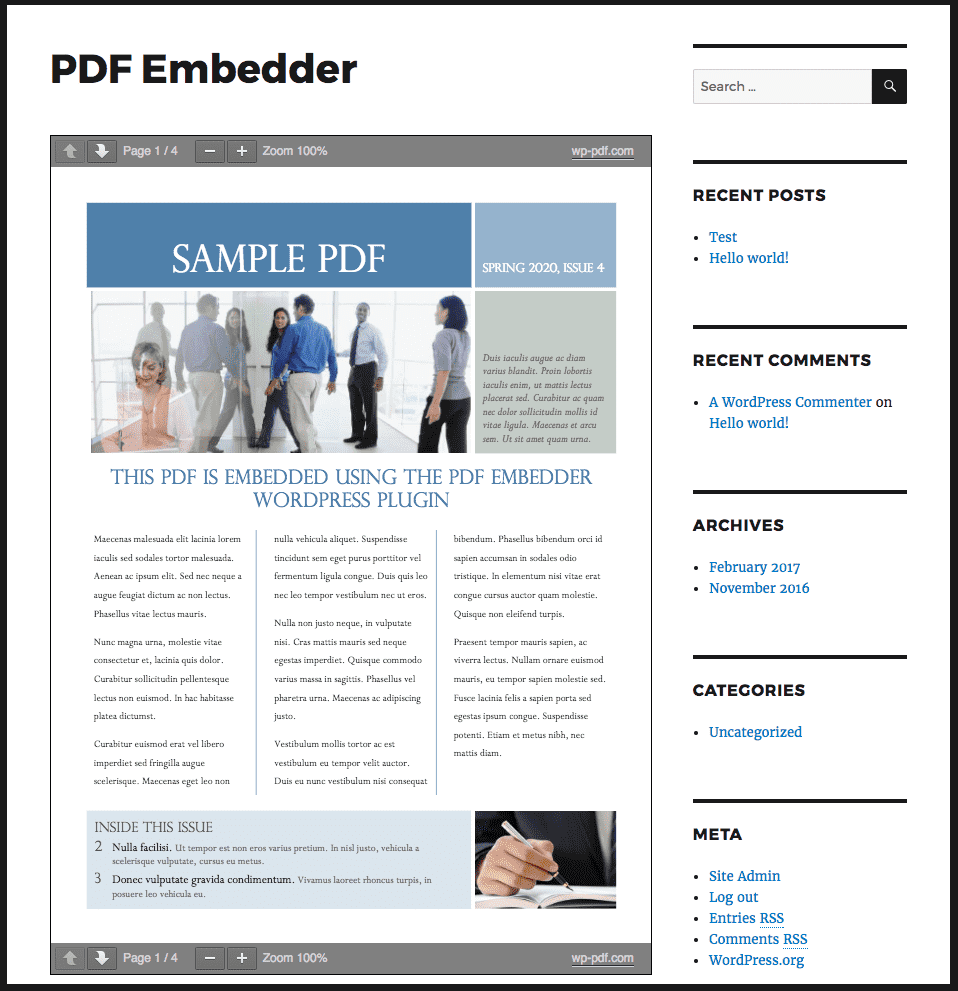
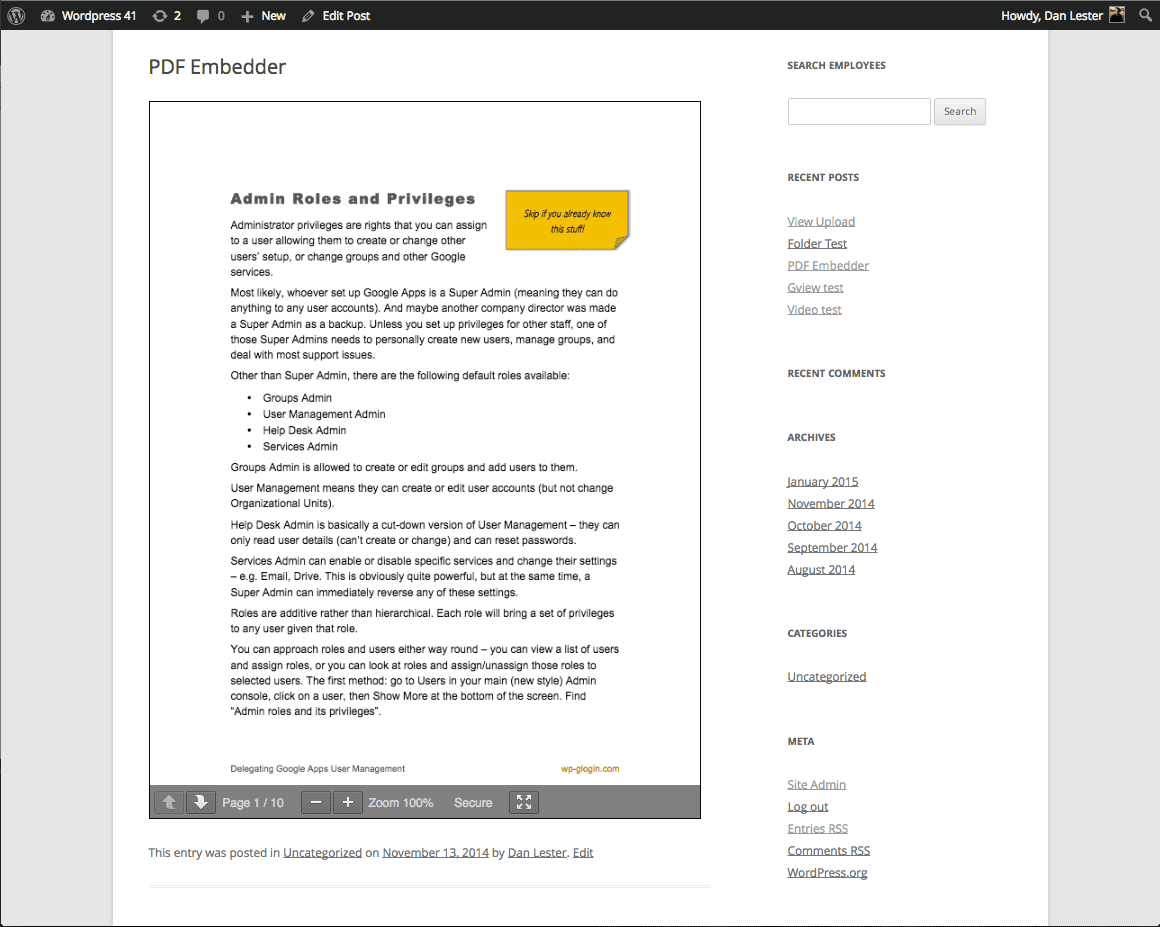
PDF ファイルをアップロードし、画像を追加するのと同じくらい簡単に、サイトの投稿やページへ直接埋め込むことができます。文書は配置した場所にそのまま表示され、サイズは元の大きさ、または任意の幅で表示できます。レスポンシブ対応のビューアーは、ブラウザーのサイズ変更に合わせて自動的に表示を調整します。
通常、WordPress にPDF をアップロードすると、単なるダウンロードリンクになります。訪問者がそれをクリックするとページから離れてしまったり、管理できない外のビューアーでファイルが開いたりしてしまいます。PDF Embedder を使えば、訪問者はページ上でそのまま閲覧でき、文書の表示方法も管理できます。
PDF Embedder は、30万以上のサイトで PDF 文書を文書を表示しています。他の PDF プラグインとは異なり、文書がページの一部として表示される点が特徴です: インラインでレンダリングされ、レイアウトに合わせてサイズが調整されるほか、ファイルはすべて自身のサイトから配信され、編集時にはリアルタイムでプレビューを確認できます。Google Docs Viewer などのサードパーティ製サービスは使わず、PDF を含むページでのみビューアーのファイルが読み込まれるため、サイトの表示速度が低下することもありません。
ブロックエディターでは、編集中に PDF Embedder ブロックで文書のライブプレビューを確認できます。ブロックのサイドバーから PDF ファイルを選択し設定を変更するとプレビューが更新され、フロントエンドでサイト訪問者が見る表示が反映されます。
何を埋め込めますか ?
メディアライブラリにある PDF でも、サイト内の別のフォルダにある PDF でも、あらゆる PDF ファイルを埋め込めます。投稿、固定ページ、カスタム投稿タイプに、PDF を無制限にを埋め込むことができます。サイト運営者は PDF Embedder を使用して、以下のような PDF を表示できます:
- レストランのメニュー、価格表
- 電子書籍、ガイド、ホワイトペーパー、調査レポート
- 製品カタログ、パンフレット、ルックブック
- ニュースレター、雑誌、年次報告書
- ユーザーマニュアル、技術文書
- ワークシート、指導案、その他のコース教材
- 楽譜、教会の会報、イベントプログラム
- 不動産チラシ、間取り図、法的文書
- 履歴書、ポートフォリオ
訪問者はページ上で直接文書を閲覧できます: 新しいタブを開いたり、強制的にダウンロードさせたりする必要はなく、Adobe Acrobat やサードパーティのアカウントも不要です。
仕組み
- PDF をメディアライブラリにアップロードするか、別の場所にある PDF の URL をコピーします。
- PDF Embedder ブロックを追加し、ブロックのサイドバーからファイルを選択します。クラシックエディターやページビルダーでは、代わりにショートコードを使います。
- 公開します。閲覧者は「次へ」「前へ」のボタンでページを移動し、ページの一部が画面で小さすぎる場合は拡大表示することができます。
ショートコードは、ショートコードが使用できる場所ならどこでも使えます:
[pdf-embedder url="https://example.com/wp-content/uploads/2024/01/Plan-Summary.pdf"]
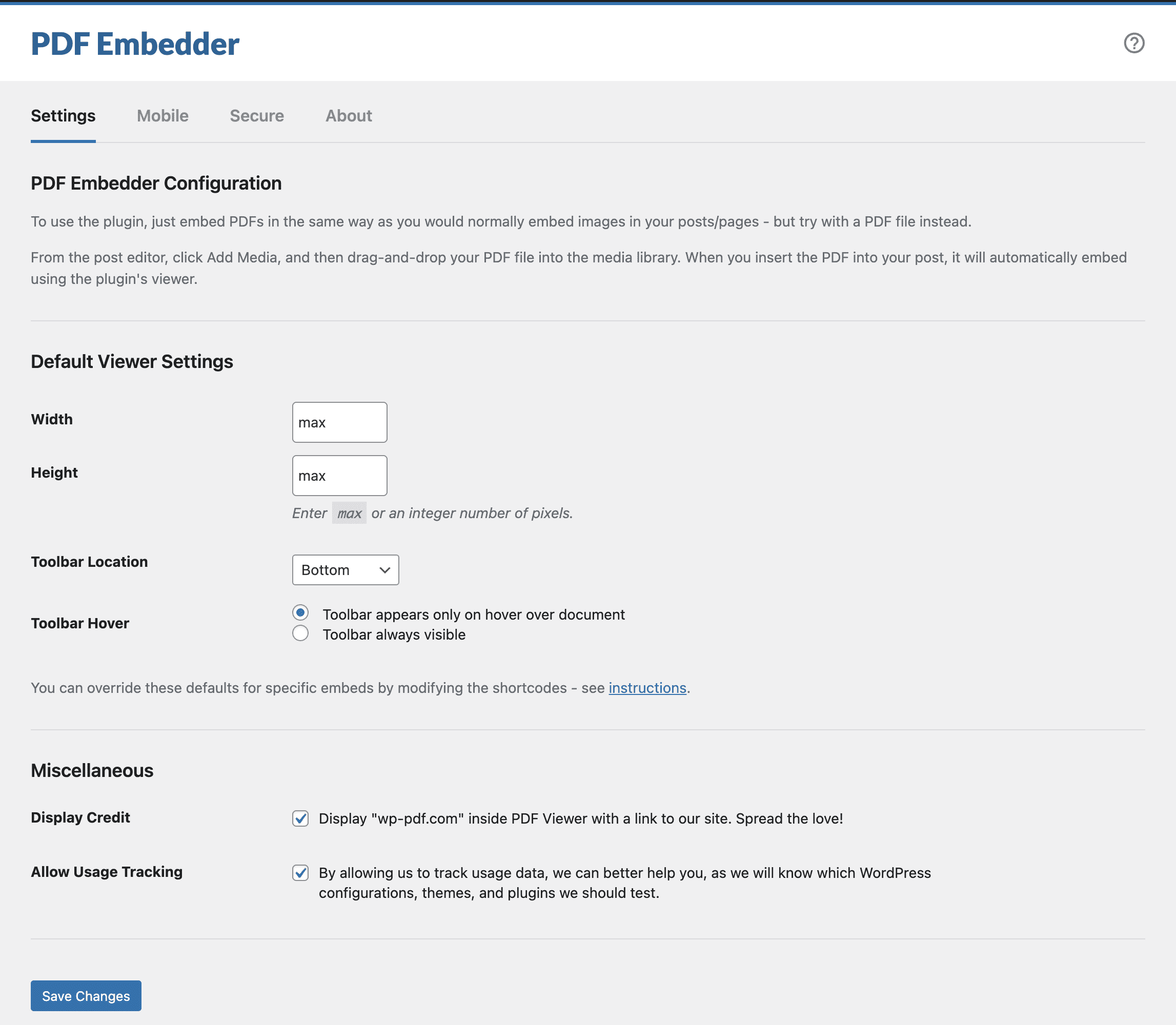
幅やツールバーの位置といったサイト全体に適用されるデフォルト設定は、設定 -> PDF Embedder にあります。個別の埋め込みについては、ブロック設定やショートコードの属性で、このデフォルト設定を上書きすることができます。サイズ指定のオプションやその他のカスタマイズ方法については、プラグインの使い方 (英語)をご覧ください。
会員制サイト、EC、オンライン講座プラグインに対応
PDF Embedder は通常のショートコードやブロックを使用して表示するため、投稿コンテンツが表示される場所ならどこでもビューアーを利用できます。これには、他のプラグインによってアクセスが制限されているページや、有料コンテンツとして販売されているページも含まれます。
- 電子書籍、レポート、研究論文などのプレミアム PDF コンテンツを MemberPress、Paid Memberships Pro、Restrict Content Pro、または WooCommerce Memberships で保護されたページに埋め込むことで、有料でアクセスできるようにします。
- LearnDash、LifterLMS、またはTutor LMSで構築したコース内で、配布資料やワークブックを提供できます。
- WooCommerce または Easy Digital Downloads の製品ページで無料サンプルの章を表示し、、購入後に電子書籍の全文を提供できます。
- 1つのページに複数の PDF を埋め込み、チーム、学校、またはメンバー向けのシンプルな PDF ドキュメントライブラリを作成できます。
PDF Embedder Premium プロ版では、閲覧制限を設けたページにセキュアビューアーや透かしを組み合わせることができます。これにより、会員はオンラインでドキュメントを閲覧できる一方で、元のファイルのダウンロードしにくい状態に保たれます。
ユーザーの声
サイト運営者の多くは、PDF Embedder を長年にわたって利用しています。ユーザーの声をご紹介します:
「あるクライアントから、PDF 形式のニュースレターをすっきりと見やすく、かつスムーズにスクロールできる形で表示したいという要望がありました。そこで出会ったのが WP PDF Embedder です。このプラグインを使うと、PDF をプロフェッショナルな見た目で表示でき、操作もスムーズです。それ以来、サイトで PDF コンテンツを公開したいというクライアントには、必ずこのプラグインをおすすめしています。」— Vera Schafer
「PDF Embedderを10年以上愛用しています。本当に素晴らしいプラグインです。自信を持っておすすめします。」— Rich Calo
「数年にわたり、さまざまなクライアントのサイトでこのプラグイン (無料版・プロ版の両方) を利用しています。設定が簡単で、必要な機能が備わっており、プラグインとして期待通りに動作をしてくれます。ぜひおすすめしたいです。」— DebsWebs
「PDF Embedder Secure を使い始めて3年になります。有料コンテンツを安全に共有する上でとても役立っています。悪意あるユーザーが PDF ファイルを購入し、それを違法に拡散するのを防いでくれます。PDF ファイルは分割、処理され、透かしも追加されるため、たとえ直接リンクを見つけられたとしても、ファイルにアクセスすることはできません。」— Daniele Benedettelli
PDF Embedder Premium でもっと活用
無料版のプラグインにはダウンロードボタンがなく、PDF 内のリンクもクリックできません。「オンラインで読む」という目的を満たすために、あえてシンプルなビューアーにしているためです。一方、PDF Embedder Premiumでは、これらの機能に加え、さらに多くの機能を利用できます:
- ダウンロードボタン をツールバーに表示し、訪問者が後ドキュメントを保存して後で見ることができます。
- クリック可能なリンク、ドキュメント内や他のページへのリンクを利用できます。
- 連続スクロール – 読者はページをクリックして移動するかわりに、自然にスクロールして読み進めます。
- モバイル対応の全画面表示モード – 多くのスマートフォンで見られるように、ドキュメントの表示幅が設定した幅よりも狭くなる場合、大きな「全画面で表示」ボタンとともにサムネイルが表示されます。ドキュメントはモバイルブラウザの画面全体に表示され、読者はボタンをクリックする代わりにページ間をスワイプできます。
- ページへ移動 – ツールバーにページ番号を入力することで、指定したページに直接移動できます。
- 全文検索 – 訪問者がツールバーから PDF ドキュメントのテキストを検索し、該当するページへ直接移動できます。
- 閲覧とダウンロードの追跡 – 実際にどのドキュメントが読まれたかを確認できます。
- Elementor ウィジェット -ブロックと同じオプションを利用でき、Elementor エディター内で PDF のライブプレビューを確認できます。
- 保護された表示 (プロ版) – PDF は転送時に暗号化されるため、一般ユーザーが元のファイルを保存したり印刷したりすることが困難になり、ドキュメントがサイト外に流出するリスクを大幅に低減できます。
- 透かし (プロ版) – ログインユーザーのユーザー名やメールアドレスなど任意のテキストを重ねて表示し、スクリーンショットの共有を抑止します。
- PDF サムネイルの自動生成 (Eliteプラン) – メディアライブラリ内のすべての PDF アイキャッチ画像、クリック可能なダウンロードリンク、あるいはメディアライブラリでのファイルアイコンとして使用できる画像サムネイルが生成されます。
すべてのプランに14日間の返金保証が付いています: Premium がニーズに合わない場合は、理由を問わず返金いたします。
Google ドライブの埋め込み、Scribd、Issuu、その他の PDF ツールより優れています
プラグインを使わずに PDF を埋め込む一般的な方法 – iframeスニペット、Google ドライブや Google ドキュメントのビューアー、あるいは Scribd、Issuu、FlippingBook、FlipHTML5、DocDroid などのサービスでは、管理できない外部のサーバーにドキュメントを預けることになります。その場合、読み込み速度は相手のサーバーに依存し、相手のブランドが表示されたり、サービスが突然終了したり利用規約が変更されたりするリスクを伴います。
EmbedPress、Embed Any Document、PDF Poster、Wonder PDF Embed、PDF.js Viewer など WordPress の PDF プラグインや、DearFlip、3D FlipBook のようなフリップブック (電子ブック) プラグインを試されたこともあるかもしれません。これらの多くは、ドキュメントの表示に iframe やサードパーティのビューアーを利用しています。
PDF Embedder は、ファイル、サーバー、データのすべてを、自分のサイト内で管理できます: これにより、ページの読み込み速度やプライバシー保護の面で優れており、訪問者にとってもより信頼性の高い環境を提供できます。
この PDF ビューアプラグインで使用されている基盤技術 pdf.js を開発した Mozilla チームに感謝します。
ブランディングガイドライン
PDF Embedderは wp-pdf.com の製品です。このWordPress の PDFプラグインについて紹介する際は、正しいブランド表記を使用してください:
- PDF Embedder (正)
- PDFEmbedder (誤)
- PDF Embeder (誤)
- PDF Imbedder (誤)
スクリーンショット
ブロック
このプラグインは1個のブロックを提供します。
- PDF Embedder Embed PDF files straight into your content.
インストール
最も簡単な方法:
- Go to the “Plugins > Add New” page in your WordPress dashboard
- 「PDF Embedder」を検索
- クリックして、インストール
- Click Activate
If you cannot install from the WordPress plugins directory for any reason, and need to install from ZIP file:
- Upload directory and contents to the
/wp-content/plugins/directory, or upload the ZIP file directly in the Plugins section of your WordPress admin - Click Activate on the “Plugins” screen.
FAQ
-
WordPress の投稿や固定ページに PDF ファイルを埋め込むにはどうすればよいですか ?
-
PDF Embedder は WordPress 用の PDF ビューアープラグインです: PPDFファイルをメディアライブラリにアップロードし、表示したい場所に PDF Embedder ブロックを配置して、ブロックのサイドバーからファイルを選択するだけで利用できます。クラシックエディターやページビルダーをでは、代わりに
[pdf-embedder url=""]ショートコードを使用します。これで、訪問者向けてページ上に直接ドキュメントを表示できるようになります。 -
別のサイトにある PDF ファイルを埋め込むことはできますか ?
-
はい。ショートコードの
url属性に PDF のへ直接 URL を指定するか、ブロック内でファイルを選択してください。ファイルがメディアライブラリにある必要はありません。ただし、共有ページやプレビューページではなく、.pdfファイルそのものへの直接リンク (Dropboxの直接リンクなど) である必要があります。また、外部ホスト側で他サイトからのファイル取得が許可されている必要があります。 -
こちらの製品のサポートを受けるにはどうすればよいですか ?
-
当社のサイトでは、セットアップに関するよくある質問や問題について解説した instructions と Knowledge Base をご用意しています。
wordpress.org のプラグインページにある「サポート」フォーラムを毎日確認し、寄せられた質問にも回答しています。
-
サイズを変更したり、ツールバーのカスタマイズしたりするにはどうすればよいですか ?
-
サイト全体のデフォルト設定を変更するには、WordPress 管理画面の「設定」 -> 「PDF Embedder」を確認してください。また、ショートコードの属性を編集したり、ブロックのオプション (ブロックエディターを使用している場合) を利用することで、個別の埋め込み設定を上書きすることもできます。
サイズ変更は次のとおりです:
width='max'を指定すると、親コンテナ (ページ内のカラムなど) で利用可能な幅いっぱいに表示されます。- 幅を数値 (例:
width="500") で指定した場合、そのピクセル数の幅で表示されます。
height と width には、数値 (整数) または
maxを指定できます。それ以外の値を指定しても反映されません。いずれの場合も、親コンテナの幅が上記で計算された幅より狭い場合、文書の幅はコンテナのサイズに合わせて縮小されます。
その後、プラグインが高さを計算し、ドキュメントがその幅に自然に収まるようにします。
「次へ / 前へ」ツールバーは、ドキュメントの上部または下部 (あるいは両方、または非表示) に配置できます。また、ユーザーがドキュメントにマウスカーソルを合わせたときのみ表示させるか、常に固定表示させるかを選択することもできます。
サイズ設定やツールバーのオプションに関する詳細は、Plugin Instructions をご覧ください。
-
PDF Embedder を使うとサイトの表示速度は遅くなりますか ?
-
いいえ。ビューアーは完全に自己ホスト型です: すべてのファイルはご自身のサーバーから配信されます。Google Docs Viewer やその他のサードパーティサービスへの呼び出しは一切行われません。また、ビューアーのファイルは、実際にPDFが埋め込まれているページでのみ読み込まれます。PDFが含まれていないページには影響ありません。
-
PDF Embedder はブロックエディター (Gutenberg) に対応していますか ?
-
はい。このプラグインには PDF ビューアーブロックが含まれており、ブロックエディターで PDF ファイルを簡単に埋め込むことができます。投稿や固定ページに PDF Embedder ブロックを追加し、ブロックのサイドバーから PDF ファイルを選択すると、編集中にドキュメントのライブプレビューが表示されます。プレビューはフロントエンドのビューアーと同じ表示になるため、公開したページもエディター上で確認した通りに表示されます。
-
PDF Embedder は Elementor に対応していますか ?
-
PDF Embedder Premium プラグインには、Elementor 用の PDF Embedder ウィジェットが含まれています。ブロックと同様のオプションを提供し、Elementor エディター内で PDF のライブプレビューを確認できます。
無料のプラグインでは Elementor のショートコードウィジェットに
[pdf-embedder]ショートコードを配置することで、Elementor に PDF を埋め込むことができます。 -
PDF Embedder は他のページビルダーやサイトビルダーでも使用できますか ?
-
はい。Divi、Beaver Builder、Bricksなど、標準的な WordPress ショートコードを出力できるビルダーであれば、PDF ビューアーを表示できます。ビルダー内のテキストまたはショートコード要素に
[pdf-embedder url=""]ショートコードを追加するだけで、サイト内の他の場所と同様に、フロントエンドでドキュメントが表示されます。利用可能なすべての属性については、shortcode documentation をご覧ください。
-
Are hyperlinks supported?
-
無料版では、PDF 内のリンクをクリックできません。Premium では、機能するハイパーリンクを利用できます: 文書内の内部リンクと外部サイトへのリンクの両方に対応しています。
-
This is possible only in PDF Embedder Premium. As a workaround in the free plugin, you can add a direct link to the PDF beneath the embedded document.
これを行うには、pdf-embedder ショートコードから URL をコピーし、次のような HTML を使用してリンクを作成します:
<a href="(url of PDF)">Download Here</a> -
Can I improve the viewing experience for mobile users?
-
はい、PDF Embedder Premium プラグインにはフルスクリーンモードがあります。
多くのスマートフォンで見られるように、文書が設定した幅より狭く表示される場合、大きな「全画面で表示」ボタンとともにサムネイルとして表示されます。ボタンをタップすると、文書がモバイルブラウザーの画面全体に表示されるため、読者はページの他の部分を誤って操作することなく文書内を移動でき、ボタンをクリックする代わりにページ間をスワイプできます。ツールバーの全画面アイコンをタップすると、元のページに戻ります。
プランと料金については、wp-pdf.com/pricing をご覧ください。
-
ダウンロードボタン、機能するハイパーリンク、連続スクロール、モバイルでのスワイプナビゲーションに対応した全画面モード、指定したページへの移動、PDF 文書内の全文検索、各 PDF ファイルの閲覧数とダウンロード数の記録、Elementor ウィジェット、保護された表示、すべての PDF または選択した PDF のみに適用できる任意のテキストの透かし。
wp-pdf.com/pricing. で Basic、Plus、Pro、Elite プランを比較できます。すべてのプランに14日間の返金保証が付いています。
-
Can I protect my PDFs so they are difficult for viewers to download directly?
-
無料版および PDF Embedder Premium: Basic / Plus プランでは対応していません。ファイルを直接ダウンロードするためのリンクを比較的簡単に見つけることができます。
プロ版プランでは、送信時に PDF が暗号化されるため、一般的なユーザーがファイルを保存したり印刷したりして、サイト外で使用することが困難になります。また、ログイン中のユーザー名やメールアドレスなどの任意のテキストを含む透かしを追加することで、スクリーンショットの共有を抑止することもできます。
プランと料金については、wp-pdf.com/pricing をご覧ください。
評価


貢献者と開発者
PDF Embedder – WordPress 用 PDF ビューアー & PDF ファイル埋め込み はオープンソースソフトウェアです。以下の人々がこのプラグインに貢献しています。
貢献者

変更履歴
5.0.2
- Changed: Compatibility with WordPress 7.1.
- Fixed: The PDF Viewer could get stuck on “Loading…” after a plugin update until browser and CDN caches were cleared.
5.0.1
- Fixed: Occasional fatal errors that could be triggered during WordPress cron runs when other plugins (such as SEO indexers) parsed post content containing PDF Embedder.
- Fixed: A “source width is 0” JavaScript error that broke the PDF Viewer in hidden containers or when caching plugins served stale assets after 5.0.0.
5.0.0
- IMPORTANT: The minimum WordPress version has been raised to WordPress 6.6.
- IMPORTANT: The minimum PHP version has been raised to PHP 7.4.
- Added: Live PDF preview in the Block Editor that matches the front-end Viewer, with the file picker moved to the block sidebar.
- Changed: Compatibility with WordPress 7.0.
- Changed: The block has been updated to API version 3 for the new iframe-based Block Editor introduced in WordPress 6.9, so embedded PDFs continue to render correctly inside the editor preview.
- Changed: Updated the bundled PDF.js rendering library to v2.16.105, bringing years of upstream improvements, security fixes, and broader PDF compatibility, and aligning it with the Premium plugin.
- Changed: PDFs with image-heavy or scanned content (such as JPEG2000 or JBIG2) now render noticeably faster.
- Changed: The Block Editor PDF preview is now compatible with multilingual sites running Polylang or WPML where the admin’s home URL resolves to a language-prefixed path.
- Fixed: When the shortcode
titleattribute was not provided, PDF files with Arabic, Chinese, or other non-ASCII characters in their file names had the URL-encoded form (e.g.%D9%83%D8%AA%D8%A7%D8%A8) shown as the fallback link text before the PDF Viewer loaded. - Fixed: A broken or empty PDF Viewer was displayed on the front end when post content tried to embed a PDF from the
/securepdfs/folder, which is created by PDF Embedder Premium’s Pro plan. The Viewer is now hidden in this scenario. - Fixed: Hardened various security checks across the plugin.
4.9.3
- Changed: Compatibility with WordPress 6.9.
- Changed: “Get Started” section in the plugin admin area can now be closed by clicking the same link in the plugin header again.
- Fixed: Adjust plugin links inside our block in the Block Editor.
- Fixed: Other minor code improvements and fixes, not visible but still valuable for plugin maintenance in the future.
4.9.2
- Changed: When just installed, the plugin was not saving its settings into the database upon activation. This caused the plugin to not work properly until the settings were saved at least once.
- Fixed: PDF Viewer Toolbar was displayed on the front-end even when disabled using block/shortcode attributes until the plugin settings were saved at least once.
4.9.1
- Fixed: The PDF Embedder block performance was improved slightly in the Block Editor.
- Fixed: Toolbar was not visible when configured to be displayed on hover.
- Fixed: Make sure that PDF URL has the domain when requesting the file from the server.
- Fixed: When the shortcode
heightattribute contained the valueauto– the PDF Viewer wasn’t correctly displaying the PDF file content. - Fixed: Do not output debug information in the browser console when the PDF file has some True Type fonts incorrect data. PDF Rendering is still fine.
4.9.0
- IMPORTANT: The minimum WordPress version has been raised to WordPress 6.1.
- IMPORTANT: The minimum PHP version has been raised to PHP 7.2.
- Added: A new dismissible “Get Started” section was added to the plugin settings page to help you get started with the plugin.
- Changed: Compatibility with WordPress 6.7.
- Changed: Various plugin admin area improvements.
- Changed: Further improvements to the PDF Embedder block in the Block Editor.
- Fixed: Address the issue with the WordPress Interactivity API and mobile navigation when the site works in SCRIPT_DEBUG mode.
- Fixed: Dropdown menus when opened were not able to “cover” the PDF Viewer toolbar due to the z-index value set for the toolbar.
- Fixed: Prevent occasional fatal errors from happening when the plugin is initiated during the cron request.
4.8.2
- Fixed: PDF files containing the text in certain languages (like Korean or Japanese) were not rendered properly due to a bug in PDF.js library incorrectly handling passed options.
4.8.1
- Fixed: Make sure that when
widthandheightshortcode/option values have an incorrect value, the plugin does not generate a fatal error.
4.8.0
- Changed: Compatibility with WordPress 6.5.
- Changed: Make the PDF Embedder block extensible.
- Changed: Improved the look and feel of the PDF Embedder block inside the Block Editor.
- Changed: Removed some unnecessary files from the released version to decrease the zip size.
- Fixed: Improved performance for the majority of sites by not loading an internal Action Scheduler library (which was also updated to 3.7.4) when it is not used.
- Fixed: Hide the Toolbar Hover options in the block if the “No Toolbar” option is chosen.
- Fixed: Security fixes in the way certain PDF files are rendered to prevent arbitrary scripts execution.
4.7.1
- Changed: The logic for displaying notices was adjusted.
- Fixed: Improved handling of incorrect URLs supplied to the shortcode – PDF viewer won’t even try to render it.
4.7.0
- IMPORTANT: The minimum WordPress version has been raised to WordPress 5.8.
- IMPORTANT: The minimum PHP version has been raised to PHP 7.0.
- IMPORTANT: If you are using a caching plugin and added PDF Embedder JS files to the exclusion list, you will need to do that again due to changed file names.
- Added: New option for the toolbar location called “No Toolbar” is now available. It allows you to hide the toolbar completely.
- Changed: Plugin admin area interface has been refreshed.
- Changed: The plugin has been tested with the latest version of WordPress.
- Changed: Block was rewritten from scratch, and now it looks better in the Block Editor, and also syncs its default settings with global plugin options.
- Fixed: A lot of strings in the plugin have been fixed to make them translatable and accurate.
- Fixed: Several security related improvements have been introduced (data sanitization and escaping).
- Fixed: Text in PDF files in certain languages (like, Japanese and Korean) was not rendered correctly.
The full changelog is located in the changelog.txt file.